


IC693CPU360 vs. IC693CPU364: Ethernet und Leistungsbudget
Vergleichen Sie die IC693CPU360 und IC693CPU364 hinsichtlich Ethernet-Schnittstelle, +5-VDC-Last, Speicher, Rack-Grenzwerten und Prüfungen beim Austausch.
Hersteller: Omron
Produkt-Nr.: NB3Q-TW01B
Herkunftsland:Japan
Produkttyp: HMI-Panels
Zahlung: T/T, Western Union
Gewicht: 305g
Abmessungen: 12.98 cm x 10.38 cm x 5.28 cm
Versandhafen: Xiamen
Garantie: 12 Monate
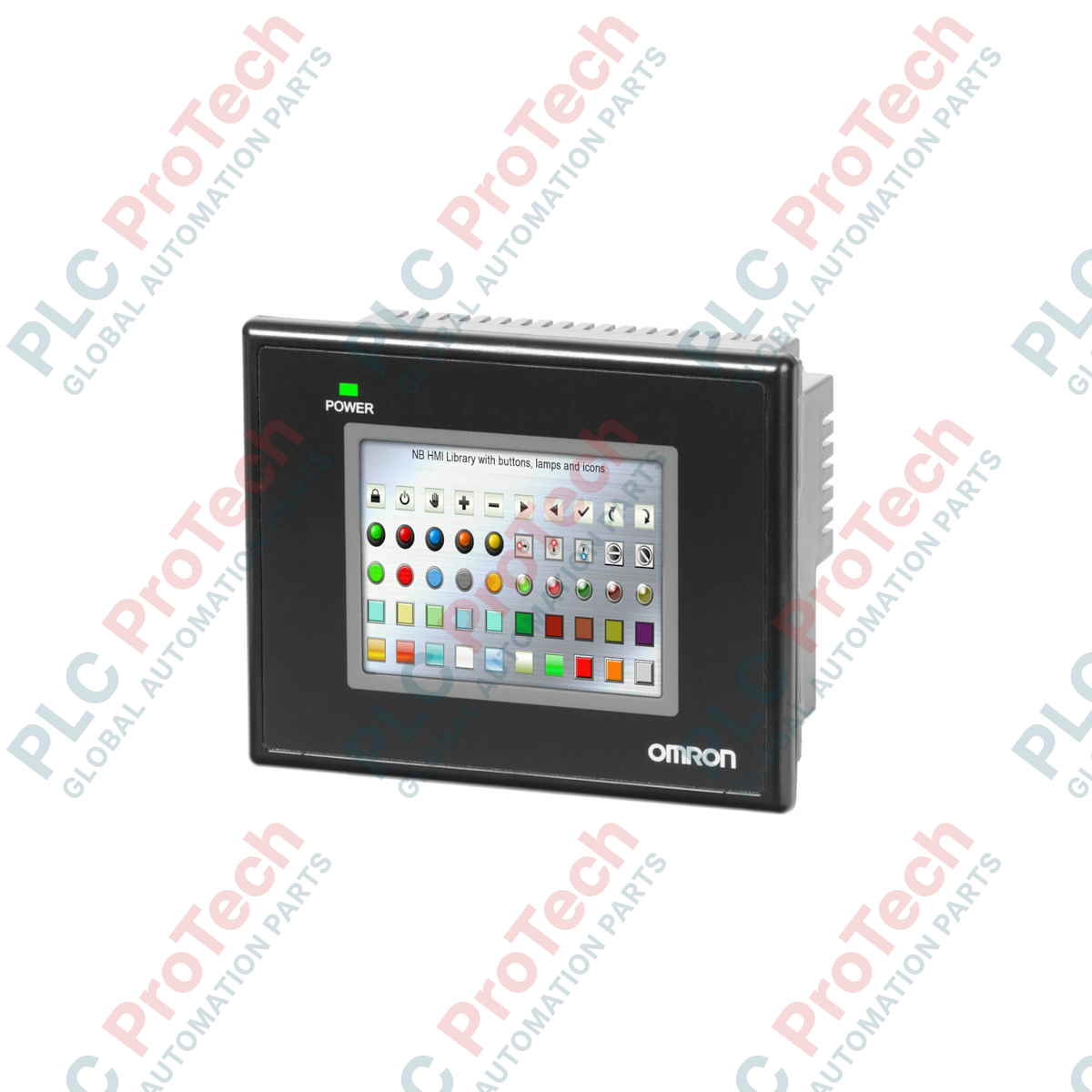
Die Omron NB3Q-TW01B wurde für eine platzsparende Schnittstellensteuerung und zuverlässige Bedieninteraktion entwickelt und ist eine äußerst kompakte Mensch-Maschine-Schnittstelle (HMI) aus der Familie der NB-Serie. Dieses Gerät kombiniert einen hochwertigen TFT-Farb-Touchscreen mit integrierten seriellen, USB- und Ethernet-Kommunikationsschnittstellen und dient als zentrale Steuereinheit für lokale Automatisierungssysteme. Das robuste analoge resistive Touchpanel ist für wiederholte physische Betätigungen in anspruchsvollen industriellen Umgebungen ausgelegt und gewährleistet dabei eine zuverlässige Touch-Genauigkeit.
| Parameter | Wert / Spezifikation |
|---|---|
| Hersteller | Omron |
| Modellnummer | NB3Q-TW01B |
| Serie | NB-Serie |
| Displaytyp | 3,5-Zoll-TFT-Farb-LCD |
| Auflösung (H x V) | 320 x 240 Pixel |
| Anzeigefarben | 65.536 Farben |
| Touchpanel-Typ | Analoger resistiver Typ |
| Betätigungskraft | 0,5 bis 0,8 N |
| Betätigungsdauer | Mindestens 1.000.000 Betätigungen (bei 25 degC) |
| Eingangsspannung | 24 VDC (Betriebsgrenzen: 20,4 bis 27,6 VDC) |
| Nettogewicht | 0,305 kg |
| Abmessungen (B x H x T) | 12,98 cm x 10,38 cm x 5,28 cm |
| Versandgewicht (berechnet) | 0,750 kg (einschließlich Schutzverpackung) |
| Anschluss / Schnittstelle | Funktionszuordnung & Details |
|---|---|
| Ethernet-Anschluss | RJ45-Anschluss, 10/100-Base-T-Schnittstelle für Netzwerke und SPS-Verbindungen |
| COM1-Anschluss | D-Sub, 9-polig (Buchse), unterstützt die Kommunikationsprotokolle RS-232C, RS-422A oder RS-485 |
| USB-Host | USB-Typ-A-Anschluss (entspricht USB 2.0) zum Anschließen externer Speicherlaufwerke oder Peripheriegeräte |
| USB-Client | USB-Typ-B-Port (entspricht USB 2.0) zur Übertragung von Bildschirmprogrammen über die NB-Designer-Software |
Obwohl der NB3Q-TW00B und der NB3Q-TW01B dieselben mechanischen Abmessungen und denselben physischen Montageausschnitt haben, sind sie funktional keine direkten Austauschgeräte. Die TW01B-Variante verfügt über einen integrierten Ethernet-Controller, der beim Modell TW00B nicht vorhanden ist. Wenn Sie von einem rein seriellen Modell auf den TW01B aufrüsten, überprüfen und aktualisieren Sie die Kommunikationsgerätetreiber-Konfigurationen in Ihrer NB-Designer-Programmierumgebung, bevor Sie das Laufzeitprojekt herunterladen.
In elektrischen Gehäusen mit hohen Temperaturen oder unzureichender Belüftung muss die lokale interne Umgebungstemperatur eng überwacht werden, damit sie den maximalen Betriebsgrenzwert von 50 °C nicht überschreitet. Der Betrieb nahe der oberen thermischen Grenze kann zu einer beschleunigten Alterung der LCD-Hintergrundbeleuchtung und geringfügigen Abweichungen der Kalibrierung des resistiven Touchscreens führen. Vermeiden Sie die Installation dieses Geräts neben wärmeerzeugenden Geräten wie Hochleistungsfrequenzumrichtern oder Reihenleitungsdrosseln.
Für eine zuverlässige, störungsfreie Kommunikation bei Verwendung der RS-485-Schnittstellenoption am COM1-Port müssen Sie stets geschirmte, verdrillte Zweidrahtkabel verwenden. Verbinden Sie den Funktionserdeanschluss (FG) direkt mit einem einzelnen Erdungspunkt mit niedriger Impedanz. Wenn in Umgebungen mit starken elektromagnetischen Störungen weiterhin Probleme auftreten, überprüfen Sie, ob HMI und die zugehörige SPS ein gemeinsames Bezugspotenzial haben, und installieren Sie an jedem Ende der RS-485-Netzwerkleitung einen separaten Abschlusswiderstand mit 120 Ohm.

Globaler Expressversand
Rückgabe & Garantie
Globaler Expressversand
Rückgaben & Garantie
Bestellungen werden von Montag bis Freitag bearbeitet und geliefert (außer an Feiertagen).
Für vollständige Anspruchsvoraussetzungen, Wiedereinlagerungsgebühren und internationale Rückgabedetails sehen Sie bitte unsere offiziellen Rückerstattungs- & Rückgabebedingungen .
| Country of origin |
Japan
|

Vergleichen Sie die IC693CPU360 und IC693CPU364 hinsichtlich Ethernet-Schnittstelle, +5-VDC-Last, Speicher, Rack-Grenzwerten und Prüfungen beim Austausch.

Eine feldorientierte Diagnosesequenz für Probleme mit analogen Ausgängen des Typs 1756-OF4: Kanalmodus, abnehmbarer Klemmenblock, Skalierung und kontrollierte elektrische Prüfungen.

Ein direkter Vergleich der Ausgangsanzahl, der gemeinsamen Gruppierung, des Rückwandbusstroms und der temperaturabhängig herabgesetzten Lastgrenzen von 1746-OA8 und 1746-OA16.

Eine Checkliste für die Dokumentation der 1761-NET-DNI-Hardware-Serie, der Firmware, der EDS-Datei, der DF1-Einstellungen, der DeviceNet-Adresse und der Nachrichtenkonfiguration vor dem Austausch.

Das EL3062 ist ein 0–10-V-EtherCAT-Terminal. Das EL3062-0030 ist eine 0–30-V-Variante. Diese Checkliste behandelt Identifikation, Skalierung und Inbetriebnahme.

Eine Checkliste für den Austausch von Allen-Bradley-1769-OW8-Relaisausgangsmodulen, ohne Details zu Lastgruppen, Verdrahtung und Inbetriebnahme zu verlieren.