


Troubleshooting Beckhoff EPP2008-0001 Output Faults
A field checklist for EPP2008-0001 current limits, supply voltage, channel LEDs, connector coding and load-related output faults.
Manufacturer: Allen-Bradley
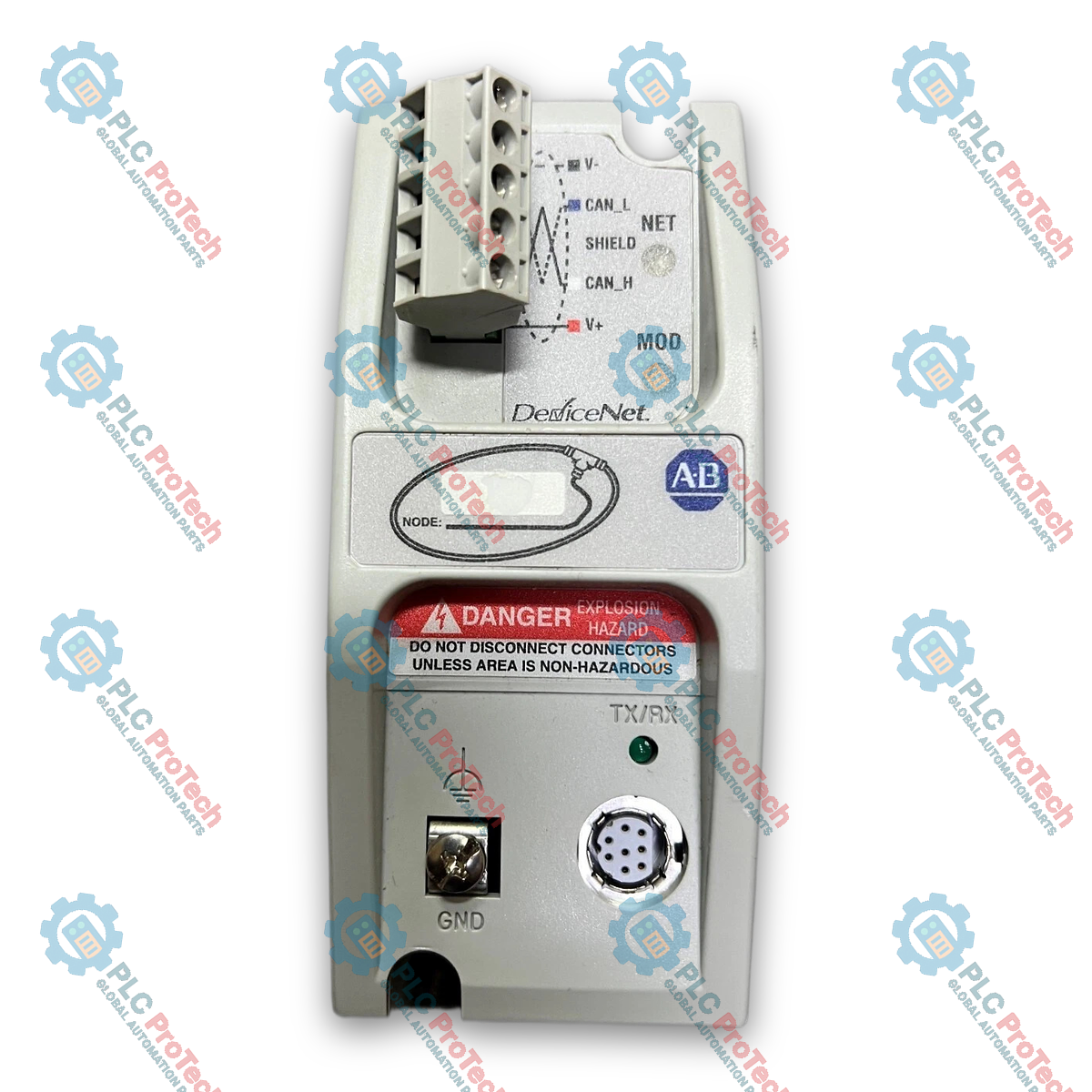
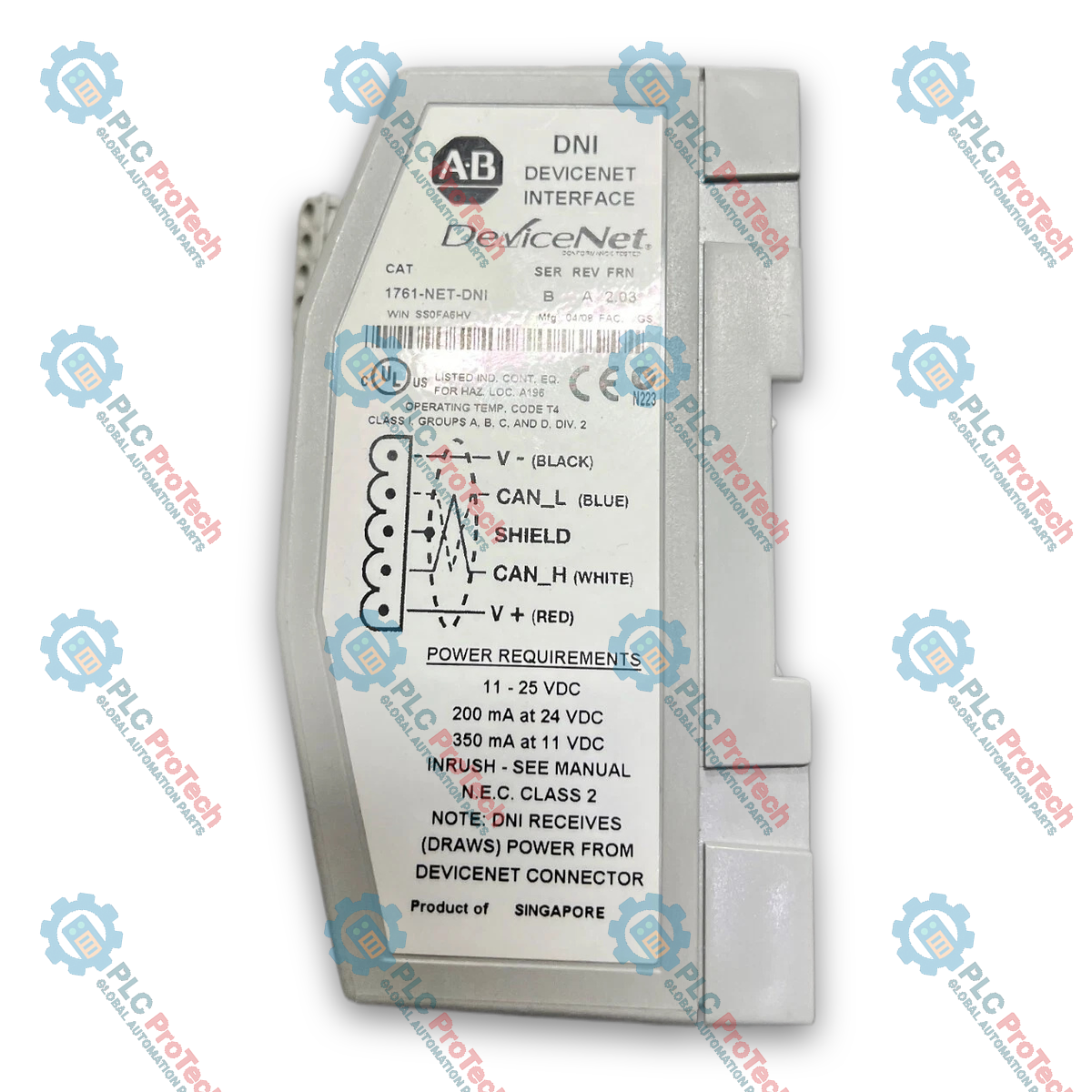
Product No.: 1761-NET-DNI
Country of origin:United States
Product Type: Controller di interfaccia DeviceNet
Payment: T/T, Western Union
Weight: 450g
Dimensions: 110 x 85 x 45 mm
Shipping port: Xiamen
Warranty: 12 months
Allen-Bradley 1761-NET-DNI è un controller di interfaccia DeviceNet specializzato, progettato per collegare senza interruzioni dispositivi seriali DF1, come i controllori MicroLogix, SLC 500 e PLC-5 o le interfacce operatore MicroView, a una rete industriale DeviceNet. Operando come adattatore per le comunicazioni di rete, l'unità traduce i protocolli seriali punto-punto DF1 standard in strutture di messaggistica conformi a DeviceNet, consentendo ai controllori legacy o autonomi di partecipare ad architetture I/O distribuite e a strategie di controllo peer-to-peer.
Grazie ai miglioramenti della Serie B, 1761-NET-DNI supporta sia la messaggistica I/O master/slave sia l'avvio diretto di messaggi espliciti su DeviceNet. La configurazione del sistema può essere eseguita localmente tramite la porta seriale RS-232 utilizzando l'utility DNI Configuration Software oppure tramite la rete usando il software RSNetWorx for DeviceNet e i file Electronic Data Sheet (EDS) appropriati. Integrando parametri avanzati come i punti di suddivisione input e output, l'interfaccia consente un'allocazione precisa della memoria tra i dati I/O ciclici e la messaggistica degli assembly espliciti. Inoltre, una funzionalità dedicata di indirizzo di sostituzione DF1 consente alle interfacce operatore seriali di interrogare e comunicare senza interruzioni con i controllori attraverso il collegamento DeviceNet.
| Parametro | Specifica |
|---|---|
| Produttore | Allen-Bradley / Rockwell Automation |
| Famiglia di prodotti | Interfacce di rete MicroLogix / SLC 500 |
| Numero di catalogo | 1761-NET-DNI |
| Serie hardware | Serie B |
| Tipo di prodotto | Controller dell'interfaccia DeviceNet |
| Protocollo di rete | DeviceNet |
| Protocollo locale | DF1 full-duplex / DF1 half-duplex |
| Compatibilità del software di configurazione | RSNetWorx per DeviceNet (v2.11.36 o superiore), DNI Configuration Utility (DNI_UTIL_B.EXE v2.001 o superiore) |
| File EDS richiesti | 1761DNI3.EDS (FRN 2.02 o inferiore), 1761DNI4.EDS (FRN 2.03 o superiore) |
| Messaggistica esplicita | Supportato (inizializzazione e ricezione) |
| Porta di configurazione | Porta seriale RS-232 |
| Porta / Interfaccia | Funzione |
|---|---|
| Porta RS-232 | Si collega alla porta seriale del PLC host o al PC di configurazione utilizzando il protocollo DF1 |
| Connettore DeviceNet | Connettore aperto a 5 pin per il collegamento alla rete trunkline/dropline |


Global Express Shipping
Returns & Warranty
| Product Image | Model Number / Title | Condition | Availability | Action |
|---|---|---|---|---|

|
Modulo combinato di ingresso e uscita Allen-Bradley 1746-IO8 SLC 500 | Original New | In Stock | View Details |

|
Modulo BASIC Allen-Bradley 1746-BAS SLC 500 | Original New | In Stock | View Details |
|
Alimentatore Allen-Bradley 1746-P4 SLC 500 | Original New | In Stock | View Details |
Global Express Shipping
Returns & Warranty
Orders are processed and delivered Monday-Friday (excluding public holidays).
For full eligibility, restocking fees, and international return details, please view our official Refund & Return Policy .
| Country of origin |
United States
|

A field checklist for EPP2008-0001 current limits, supply voltage, channel LEDs, connector coding and load-related output faults.

Before moving a TwinCAT 3 license with a Beckhoff C9900-L100, verify the TwinCAT build, XML device description, exact order code and cabinet limits.

A field checklist for replacing a Beckhoff EL4032, covering the ±10 V load, terminal map, power contacts, EtherCAT state, and watchdog behavior.

Before replacing a Yokogawa AAI835, verify the 4-in/4-out channel map, power-loss loop behavior, barrier type, output load, cable, and redundancy.

ABB PM891K01 article 3BSE053241R1 is the non-redundant AC 800M processor kit. Use this field checklist before replacement.

Replacement checks for ABB TP853 3BSE018126R1: identify the installed CI853, CI855, CI857, or CI861 interface, record wiring, and verify communication after installation.