Сипаттама
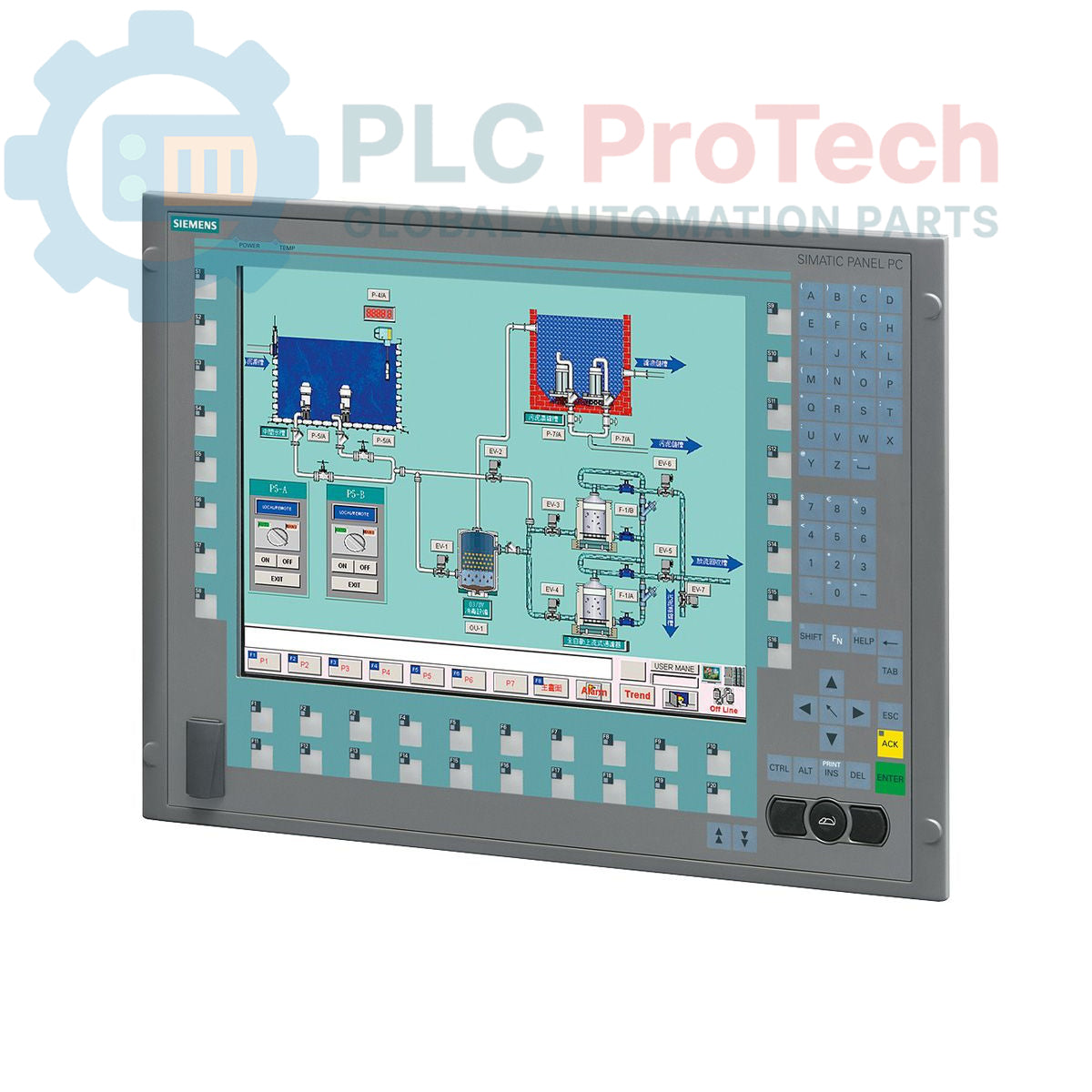
Siemens 6AV7873-1BC20-1AC0 — автоматтандыру орталарында сенімді жұмыс істеуге арналған SIMATIC Panel PC 677B өнеркәсіптік компьютері. Бұл құрылғының ажыратымдылығы 1024x768 болатын 15 дюймдік дисплейі бар, сондықтан ол адам-машина интерфейсі (HMI) және визуализация міндеттеріне жарайды. Ол 1,66 ГГц жиілікте жұмыс істейтін Core 2 Duo T5500 процессорымен, 1 ГБ DDR2 жедел жадымен және 160 ГБ SATA қатқыл дискісімен жабдықталған. Байланыс мүмкіндіктеріне екі 10/100/1000 Мбит/с Ethernet порты, төрт USB V2.0 порты және бір сериялық (COM1) интерфейс кіреді. Сонымен қатар, құрылғыда 2 МБ буферленген SRAM бар PROFIBUS/MP интерфейсі біріктірілген. Жүйеде DVD+-R+-RW оптикалық жетегі және NAMUR үйлесімділігі бар 110/230 В айнымалы ток қуат көзі қарастырылған, сондай-ақ еуропалық қуат кабелі бірге жеткізіледі. Windows XP Professional MUI алдын ала орнатылған, ол бірнеше тілді қолдайды.
Мүмкіндіктері
- 1024x768 ажыратымдылығы бар кіріктірілген 15 дюймдік дисплей
- Core 2 Duo T5500 процессоры, 2 МБ SLC бар 1,66 ГГц
- 1 ГБ DDR2 жедел жады (2x PCI слоттары арқылы кеңейтіледі)
- 160 ГБ SATA қатқыл дискісі (3,5")
- DVD+-R+-RW оптикалық жетегі
- Қос 10/100/1000 Мбит/с Ethernet интерфейстері
- Төрт USB V2.0 порты
- Бір сериялық интерфейс (COM1)
- 2 МБ буферленген SRAM бар PROFIBUS/MP интерфейсі
- NAMUR қолдауы бар 110/230 В айнымалы ток қуат көзі
- Алдын ала орнатылған Windows XP Professional MUI (көп пайдаланушы интерфейсі)
Қолданбалар
SIMATIC Panel PC 677B әдетте берік әрі біріктірілген есептеу платформасын қажет ететін өнеркәсіптік орталарда қолданылады. Негізгі қолдану салалары:
- Машиналар мен процестерді басқаруға арналған адам-машина интерфейсі (HMI)
- Деректерді жинау және визуализациялау жүйелері
- Бақылау және деректерді жинау жүйелеріне (SCADA) арналған станциялар
- Өндірісті басқару жүйелеріне (MES) арналған терминалдар
- Өндіріс орнындағы операцияларға арналған өнеркәсіптік жұмыс станциясы
- Автомобиль жасау, тамақ өнімдері мен сусындар өндірісі және химия өнеркәсібі сияқты әртүрлі салалардағы процестерді бақылау және басқару.
Техникалық сипаттамалар
| Бренд |
Siemens |
| Өндіруші |
Siemens |
| Ауқым |
Simatic панельдік ДК |
| Ішкі ауқым |
PC677B |
| Өнім түрі |
ДК панельдері |
| Өнім кезеңі |
Ескірген |
| Процессор |
Core 2 Duo T5500, 1,66 ГГц, 2 МБ SLC |
| Жедел жад |
1 ГБ DDR2 (2x PCI) |
| Қатты диск |
160 ГБ SATA HDD 3.5" |
| Оптикалық диск жетегі |
DVD+-R+-RW |
| Дисплей |
15" пернелі, 1024x768 ажыратымдылық |
| Ethernet |
2x 10/100/1000 Мбит/с |
| USB порттары |
4x USB V2.0 |
| Сериялық порт |
1x (COM1) |
| Fieldbus интерфейсі |
PROFIBUS/MP (2 МБ буферленген SRAM) |
| Операциялық жүйе |
Windows XP Professional MUI (DE,EN,FR,ES,IT,JA,ZH,KO) |
| Қуат көзі |
NAMUR бар 110/230 В айнымалы ток |
| Қуат кабелі |
Еуропа |
| Қаптама өлшемдері (есептелген) |
67,00 x 83,00 x 11,50 см |
| Жеткізу салмағы |
17,00 кг |
| Тауар коды |
85371098 |
| Экспорттық бақылау ережелері (ECCN) |
N |
Қосылымдар / Интерфейстер
| Интерфейс түрі |
Саны |
| Ethernet (10/100/1000 Мбит/с) |
2 |
| USB V2.0 |
4 |
| Сериялық (COM1) |
1 |
| PROFIBUS/MP |
1 |
Орнату нұсқаулары
-
Жүйені қуатсыздандыру: Электр тогының соғуын болдырмау үшін кез келген жұмысты бастамас бұрын орнату аймағындағы барлық қуат көздерінің ажыратылып, бұғатталғанына көз жеткізіңіз.
-
Монтаждау: Panel PC құрылғысын тиісті басқару шкафына немесе панель ойығына мықтап орнатыңыз. Желдету мен кабельдерді жүргізуге жеткілікті бос орын қалдырыңыз.
-
Қуат қосылымы: Жинақтағы еуропалық қуат кабелін Panel PC құрылғысының 110/230 В айнымалы ток кірісіне қосыңыз. Қуат көзінің көрсетілген кернеу ауқымына сәйкес келетінін тексеріңіз.
-
Жерге тұйықтау: Қауіпсіздікті қамтамасыз ету және электромагниттік кедергілерді азайту үшін Panel PC корпусының қорғаныш жерге (PE) қосылымын дұрыс орындаңыз.
-
Ethernet қосылымдары: Желілік байланыс үшін өнеркәсіптік Ethernet кабельдерін 10/100/1000 Мбит/с жылдамдықты екі Ethernet портына қосыңыз.
-
USB және сериялық қосылымдар: Қолданба талаптарына сәйкес перифериялық құрылғыларды немесе сыртқы компоненттерді қолжетімді USB V2.0 порттары мен COM1 сериялық портына қосыңыз.
-
PROFIBUS/MP қосылымы: PROFIBUS/MP интерфейсін пайдалансаңыз, дұрыс терминаттау мен адрестеуді қамтамасыз етіп, тиісті fieldbus кабелін қосыңыз.
-
Кабельдерді басқару: Кедергілерді азайту үшін барлық кабельдерді ұқыпты әрі берік орналастырып, мүмкіндігінше қуат және сигнал кабельдерін бөлек жүргізіңіз.
-
Қуатты қосу: Барлық қосылымдар тексерілгеннен кейін жүйеге қуат беріп, Panel PC құрылғысының іске қосылу ретін бақылаңыз.