


Implementing 3-Switch XOR Ladder Logic with Internal Bit
Implement a 3-SPST switch XOR light circuit in LogixPro or RSLogix 500 using an internal relay bit. Includes truth tables, boolean equations, and verified.

Facilitating high-speed industrial Ethernet communications within modular control architectures, the Omron CJ1W-EIP21 functions as a CPU Bus Unit designed to interface PLC controllers directly with industrial EtherNet/IP networks. This unit enables both high-speed tag data links (implicit messaging) for real-time I/O control and message communications (explicit messaging) for explicit data exchange. Integrating seamlessly onto either local CPU racks or expansion racks, it bridges logical plant-floor control layers with supervisory SCADA, MES, or enterprise database environments without requiring dedicated external gateways.
| Manufacturer | Omron Industrial Automation |
| Model Number | CJ1W-EIP21 |
| Unit Classification | CJ-series CPU Bus Unit |
| Supported Platforms | NJ-series, CJ-series, CP1H-series PLCs |
| Physical Mounting Locations | CPU Rack, Expansion Rack |
| Maximum Units per System | NJ System: 4 max | CJ/NSJ System: 8 max | CP1H System: 2 max |
| Media Access Control (MAC) | CSMA/CD |
| Modulation Method | Baseband |
| Transmission Topology | Star formation (via switching hubs) |
| Baud Rate | 100 Mbit/s (100Base-TX) |
| Maximum Segment Distance | 100 meters (node to network switch/hub) |
| Internal Current Consumption | 410 mA maximum at 5 V DC |
| Dimensions (H x W x D) | 90 mm x 31 mm x 65 mm |
| Unit Weight | 0.094 kg (94 g) |
| Shipping Weight (Calculated) | 1.5 kg |
| Interface Component | Description / Pin Assignment |
|---|---|
| RJ45 Connector | Standard 8-pin modular connector for 100Base-TX Ethernet cable (Category 5/5e shielded twisted pair recommended). |
| Rotary Switches | Two hex decimal rotary switches (x16 and x1) located on the front panel to configure the hardware node IP address suffix. |
| LED Indicators | RUN (Green), ERC (Red), ERH (Red), MS (Green/Red), NS (Green/Red), LNK/ACT (Yellow). |
Based on industrial commissioning logs, the configuration and management of the CJ1W-EIP21 require precise adherence to network bandwidth constraints and configuration rules.
The CJ1W-EIP21 can directly replace older CJ1W-ETN21 Ethernet modules in legacy network topographies, though configuration steps differ. When migrating to an NJ-series controller platform, the unit's maximum allowable instances drop from 8 units (CJ-series limit) to 4 units due to increased backplane bandwidth demands. Ensure the unit's firmware matches the Sysmac Studio or CX-Programmer library version to avoid catalog mismatch faults during upload.
A common real-world failure mode occurs when Tag Data Link (implicit messaging) connections saturate the unit's maximum packet processing rate (PPS). Keep track of your packet limits using the Network Configurator tool. If the cumulative packet-per-second limit is exceeded, cyclic communications may time out, throwing an 'ERH' (EtherNet/IP Unit Error) status. To alleviate this, adjust the Requested Packet Interval (RPI) configurations upward for non-critical monitoring nodes.
To minimize high-frequency electrostatic interference on plant-floor environments, you must use double-shielded STP Cat 5e (or better) cabling. Clamp the shield securely to the rack's functional ground bar. When utilizing the rotary switches on the front bezel to set the IP address, note that the default hardware setting reads the node address as part of the Class C IP scheme (e.g., 192.168.250.X). If custom routing or non-standard subnets are required, set the rotary switches to '00' to enable software-configured IP parameters via CX-Programmer.
Align the top hook of the CJ1W-EIP21 module into the mounting slot of the CJ/NJ-series backplane.
Pivot the unit downward until the bottom connector snaps securely into the bus socket on the backplane.
Tighten the upper and lower mounting screws to secure the chassis. Ensure they are tightened to the recommended torque of 0.4 N-m.
Insert the RJ45 Ethernet patch cord until the locking tab clicks cleanly into place. Ensure proper strain relief is applied to prevent physical pull on the port.
Global Express Shipping
Returns & Warranty

Manufacturer: Omron
Product No.: CJ1W-EIP21
Country of origin:Japan
Product Type: PLC Communication Modules
Payment: T/T, Western Union
Weight: 1500g
Dimensions: 90 mm x 31 mm x 65 mm
Shipping port: Xiamen
Warranty: 12 months
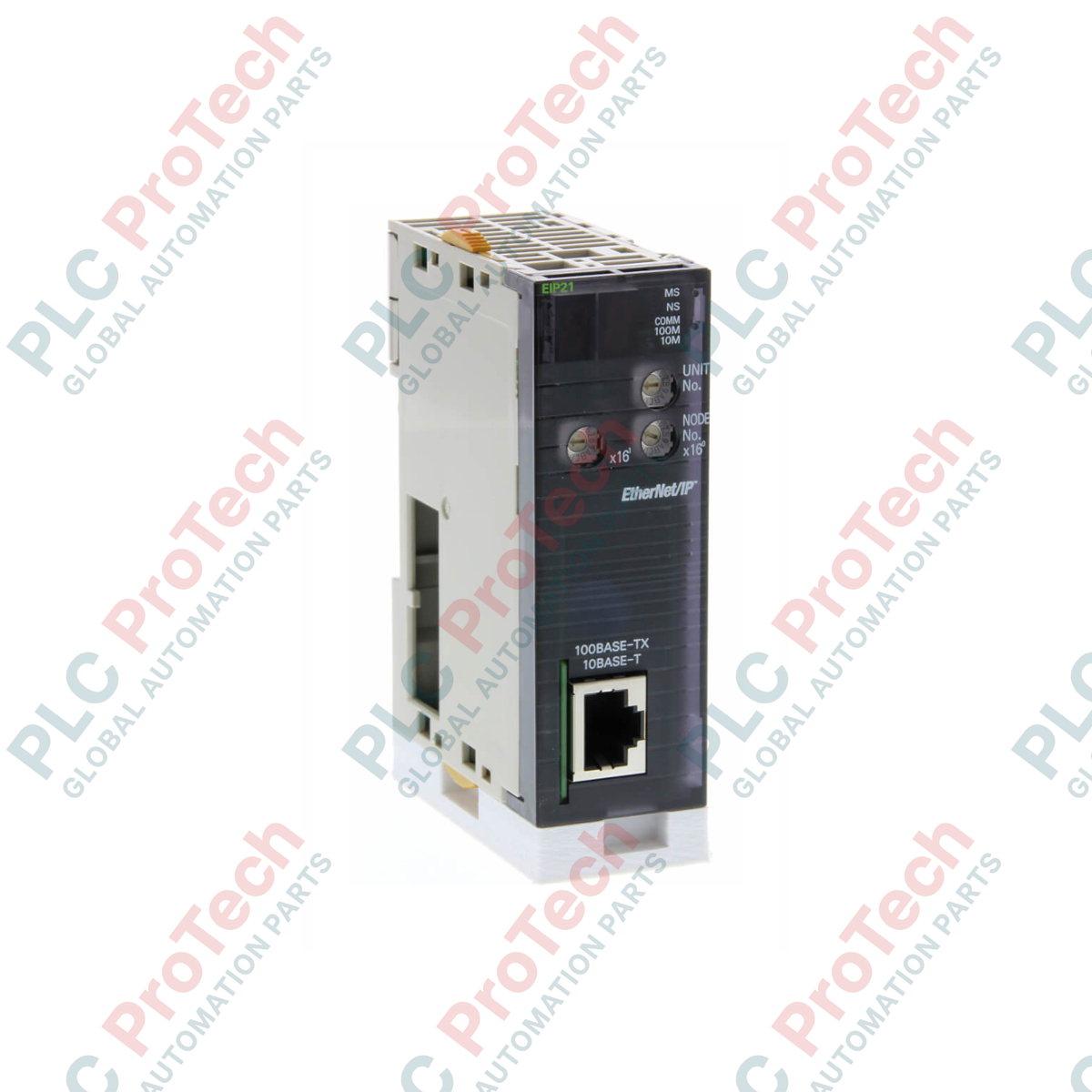
Facilitating high-speed industrial Ethernet communications within modular control architectures, the Omron CJ1W-EIP21 functions as a CPU Bus Unit designed to interface PLC controllers directly with industrial EtherNet/IP networks. This unit enables both high-speed tag data links (implicit messaging) for real-time I/O control and message communications (explicit messaging) for explicit data exchange. Integrating seamlessly onto either local CPU racks or expansion racks, it bridges logical plant-floor control layers with supervisory SCADA, MES, or enterprise database environments without requiring dedicated external gateways.
| Manufacturer | Omron Industrial Automation |
| Model Number | CJ1W-EIP21 |
| Unit Classification | CJ-series CPU Bus Unit |
| Supported Platforms | NJ-series, CJ-series, CP1H-series PLCs |
| Physical Mounting Locations | CPU Rack, Expansion Rack |
| Maximum Units per System | NJ System: 4 max | CJ/NSJ System: 8 max | CP1H System: 2 max |
| Media Access Control (MAC) | CSMA/CD |
| Modulation Method | Baseband |
| Transmission Topology | Star formation (via switching hubs) |
| Baud Rate | 100 Mbit/s (100Base-TX) |
| Maximum Segment Distance | 100 meters (node to network switch/hub) |
| Internal Current Consumption | 410 mA maximum at 5 V DC |
| Dimensions (H x W x D) | 90 mm x 31 mm x 65 mm |
| Unit Weight | 0.094 kg (94 g) |
| Shipping Weight (Calculated) | 1.5 kg |
| Interface Component | Description / Pin Assignment |
|---|---|
| RJ45 Connector | Standard 8-pin modular connector for 100Base-TX Ethernet cable (Category 5/5e shielded twisted pair recommended). |
| Rotary Switches | Two hex decimal rotary switches (x16 and x1) located on the front panel to configure the hardware node IP address suffix. |
| LED Indicators | RUN (Green), ERC (Red), ERH (Red), MS (Green/Red), NS (Green/Red), LNK/ACT (Yellow). |
Based on industrial commissioning logs, the configuration and management of the CJ1W-EIP21 require precise adherence to network bandwidth constraints and configuration rules.
The CJ1W-EIP21 can directly replace older CJ1W-ETN21 Ethernet modules in legacy network topographies, though configuration steps differ. When migrating to an NJ-series controller platform, the unit's maximum allowable instances drop from 8 units (CJ-series limit) to 4 units due to increased backplane bandwidth demands. Ensure the unit's firmware matches the Sysmac Studio or CX-Programmer library version to avoid catalog mismatch faults during upload.
A common real-world failure mode occurs when Tag Data Link (implicit messaging) connections saturate the unit's maximum packet processing rate (PPS). Keep track of your packet limits using the Network Configurator tool. If the cumulative packet-per-second limit is exceeded, cyclic communications may time out, throwing an 'ERH' (EtherNet/IP Unit Error) status. To alleviate this, adjust the Requested Packet Interval (RPI) configurations upward for non-critical monitoring nodes.
To minimize high-frequency electrostatic interference on plant-floor environments, you must use double-shielded STP Cat 5e (or better) cabling. Clamp the shield securely to the rack's functional ground bar. When utilizing the rotary switches on the front bezel to set the IP address, note that the default hardware setting reads the node address as part of the Class C IP scheme (e.g., 192.168.250.X). If custom routing or non-standard subnets are required, set the rotary switches to '00' to enable software-configured IP parameters via CX-Programmer.
Align the top hook of the CJ1W-EIP21 module into the mounting slot of the CJ/NJ-series backplane.
Pivot the unit downward until the bottom connector snaps securely into the bus socket on the backplane.
Tighten the upper and lower mounting screws to secure the chassis. Ensure they are tightened to the recommended torque of 0.4 N-m.
Insert the RJ45 Ethernet patch cord until the locking tab clicks cleanly into place. Ensure proper strain relief is applied to prevent physical pull on the port.
Global Express Shipping
Returns & Warranty
Orders are processed and delivered Monday-Friday (excluding public holidays).
For full eligibility, restocking fees, and international return details, please view our official Refund & Return Policy .
| Country of origin |
Japan
|

Implement a 3-SPST switch XOR light circuit in LogixPro or RSLogix 500 using an internal relay bit. Includes truth tables, boolean equations, and verified.

Integrate Allen-Bradley CompactLogix, Caterpillar ATS, and generators into DeltaV DCS over Modbus RTU. Covers ProSoft MVI69-MCM, Miille DIN266 gateways.

ONS instruction fires but the OTE coil never latches in Studio 5000 because the one-shot is only true for one scan. Use OTL/OTU or seal-in logic instead.

Configure Allen-Bradley Kinetix 5500 servo drives on EtherNet/IP. Covers CIP Sync, IEEE 1588 V2 timing, Stratix selection, DLR topology, and HMI.

A moving-average filter is the sliding-window smoother most instrument engineers drop into DCS and PLC analog paths. Here is how the window works, how N and sample time set lag, and when a...

On Frame 5–9 gas turbines, GE Mark VI and Mark VIe run control as function-block application software. This article maps process, protection, and sequencing functions—and what Toolbox ST access...