Siemens

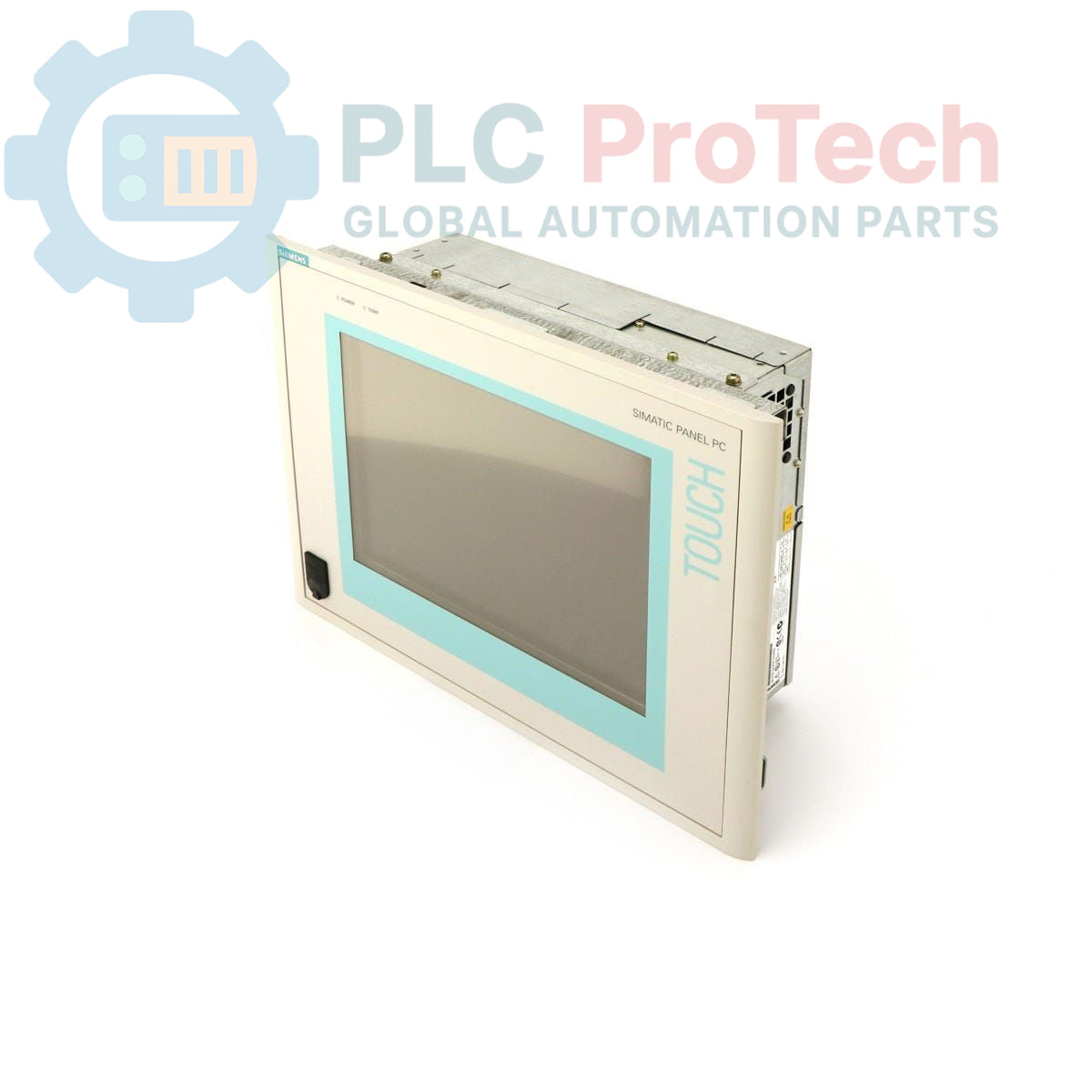
Siemens 6AV7613-0AF12-0AE0 SIMATIC Panel PC 670

SKU 6AV7613-0AF12-0AE0

In stock
  • 12-month warranty
  • Free returns within 30 days
  • Manufacturer: Siemens

  • Product No.: 6AV7613-0AF12-0AE0

  • Country of origin:Germany

  • Product Type: Panel PC

  • Barcode: 85371091

  • Payment: T/T, Western Union

  • Weight: 12g

  • Dimensions: 0.1 x 0.1 x 0.1 cm

  • Shipping port: Xiamen

  • Warranty: 12 months

Description

The Siemens 6AV7613-0AF12-0AE0 is a SIMATIC Panel PC 670 designed for industrial control and visualization applications. This unit features a 12-inch display with an integrated keypad for operator input. It is powered by a Pentium III 500 MHz processor with 256 KB of L2 cache and is equipped with 64 MB of RAM. For data storage and program loading, the device includes an 8.4 GB Hard Disk Drive (HDD), a 1.44 MB Floppy Disk Drive (FDD), and a CD-ROM drive. The system operates on a 24V DC power supply and comes pre-installed with the Windows 98 German Edition operating system.

Features

  • Processor: Intel Pentium III operating at 500 MHz
  • Memory: 64 MB RAM
  • Display: 12-inch screen with integrated keypad
  • Storage: 8.4 GB HDD, 1.44 MB FDD, and CD-ROM drive
  • Power Input: 24V DC
  • Operating System: Windows 98 (German Edition)
  • Product Status: Obsolete, suitable for legacy system maintenance and replacement

Applications

  • Human-Machine Interface (HMI) for machine control
  • Supervisory control and data acquisition (SCADA) nodes
  • Process visualization and monitoring
  • Factory floor data logging and diagnostics
  • Replacement for existing PC670 installations

Technical Specifications

Specification Value
Manufacturer Siemens
Part Number 6AV7613-0AF12-0AE0
Product Range SIMATIC Panel PC
Series PC670
Processor Pentium III 500 MHz
L2 Cache 256 KB
RAM 64 MB
Hard Disk Drive (HDD) 8.4 GB
Floppy Disk Drive (FDD) 1.44 MB
Optical Drive CD-ROM
Power Supply 24V DC
Operating System Windows 98 (German Edition)
Product Lifecycle Status Obsolete
Shipping Weight 12.00 kg
Commodity Code 85371091
ECCN N
Country of Origin Germany (Estimate)
Package Dimensions (Calculated) 0.1 x 0.1 x 0.1 cm

Installation Guidelines

CRITICAL WARNING: RISK OF ELECTRIC SHOCK AND EQUIPMENT DAMAGE

This equipment is intended for use by qualified personnel only. Disconnect all power sources before installation or servicing. Failure to de-energize the system can result in severe injury or death. This is an obsolete product; verify compatibility with existing systems before installation.

  1. 1
    De-energize Equipment: Implement lock-out/tag-out (LOTO) procedures to ensure the control panel and all related power sources are completely de-energized before beginning work. Verify absence of voltage.
  2. 2
    Panel Mounting: Prepare the panel cutout according to the PC670 series specifications. Ensure the mounting surface is clean, flat, and can support the weight of the unit. Insert the Panel PC into the cutout and secure it evenly using all provided mounting clamps to ensure a proper seal.
  3. 3
    Connect Power and Ground: Connect the 24V DC power supply to the designated terminals, observing correct polarity. Connect the functional earth (FE) or chassis ground terminal to the control panel's main ground bus using a low-impedance conductor.
  4. 4
    Connect Peripherals: Connect any required communication cables (e.g., Ethernet, serial) and I/O devices. Ensure all connectors are fully seated and secured. Maintain proper separation between power and signal wiring.
  5. 5
    System Power-Up: After verifying all connections, remove LOTO devices and re-energize the control panel. Power on the Panel PC and confirm that the operating system boots correctly and the application software loads as expected.

FAQ

What operating system is installed on the 6AV7613-0AF12-0AE0?

This unit comes with Windows 98, German Edition (DE) pre-installed.

What is the required input voltage for this Panel PC?

The 6AV7613-0AF12-0AE0 requires a 24V DC power supply for operation.

What storage options are included with this device?

This model includes a 1.44 MB Floppy Disk Drive, an 8.4 GB Hard Disk Drive, and a CD-ROM drive.

Is the Siemens 6AV7613-0AF12-0AE0 a current product?

No, this product is classified as obsolete. It is primarily used for maintaining or replacing components in existing legacy automation systems.

View all FAQs →

Quantity
Shipping & Returns

Global Express Shipping

  • Standard Delivery: 4–6 business days via DHL, FedEx, and UPS.
  • Express Dispatch: Same-day dispatch for in-stock orders placed before 2:00 PM (GMT+8).
  • Worldwide Coverage: Serving over 150 countries.

Returns & Warranty

  • 30-Day Guarantee: Returns accepted for in-stock products in original, factory-sealed packaging.
  • 12-Month Warranty: Every industrial component is backed by our technical warranty.
Reviews
1 of 1
Only 7 item(s) left in stock
Quantity
View full details

Global Express Shipping

  • Standard Delivery: 4-6 Business Days via DHL, FedEx, and UPS.
  • Express Dispatch: Same-day dispatch for in-stock orders placed before 2:00 PM (GMT+8).
  • Worldwide Coverage: Serving over 150 countries, including rapid delivery to Saudi Arabia and UAE.

Returns & Warranty

  • 30-Day Guarantee: Returns accepted for in-stock products in original, factory-sealed packaging.
  • 12-Month Warranty: Every industrial component is backed by our professional technical warranty.

Orders are processed and delivered Monday-Friday (excluding public holidays).


For full eligibility, restocking fees, and international return details, please view our official Refund & Return Policy .

TECHNICAL SPECIFICATIONS

Country of origin
Germany

Technical knowledge

Commissioning PLX32-EIP-MBTCP: Subnets, Registers, and RPI

A commissioning checklist for the ProSoft PLX32-EIP-MBTCP covering subnet separation, register contracts, EtherNet/IP timing, failure tests and replacement records.

Diagnosing IC693MDL916 Relay Outputs Before Module Replacement

A field checklist for IC693MDL916 relay commands, terminal blocks, load current, switching rate and contact-side measurements.

Troubleshooting Beckhoff KL1512 Counter Inputs and Mapping

A field checklist for KL1512 signal thresholds, counter direction, process data and the KL1512-to-KS1512 wiring difference.

Troubleshooting Beckhoff EPP2008-0001 Output Faults

A field checklist for EPP2008-0001 current limits, supply voltage, channel LEDs, connector coding and load-related output faults.

Moving TwinCAT 3 Licenses with C9900-L100: Build and Device Checks

Before moving a TwinCAT 3 license with a Beckhoff C9900-L100, verify the TwinCAT build, XML device description, exact order code and cabinet limits.

Replacing a Beckhoff EL4032: Wiring and Output Checks

A field checklist for replacing a Beckhoff EL4032, covering the ±10 V load, terminal map, power contacts, EtherCAT state, and watchdog behavior.