


Diagnosing IC693MDL916 Relay Outputs Before Module Replacement
A field checklist for IC693MDL916 relay commands, terminal blocks, load current, switching rate and contact-side measurements.
Manufacturer: Siemens
Product No.: 6AV7881-4AF00-8DA0
Country of origin:Germany
Product Type: Panel PC
Barcode: 85371098
Payment: T/T, Western Union
Weight: 4650g
Dimensions: 24.0 cm x 14.0 cm x 10.0 cm
Shipping port: Xiamen
Warranty: 12 months
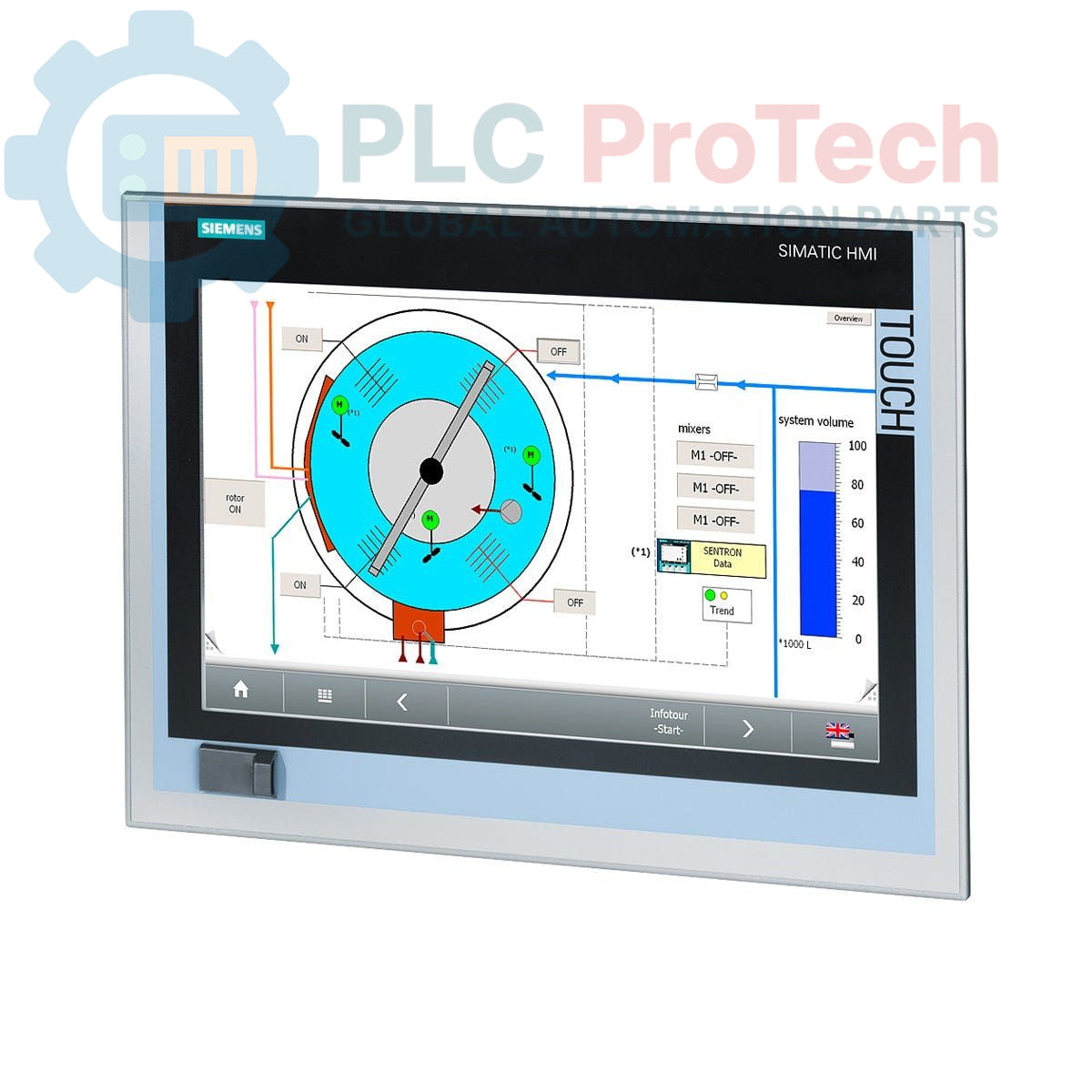
This is a Siemens SIMATIC IPC277D Nanopanel PC, model 6AV7881-4AF00-8DA0, designed for machine-level visualization and control tasks. The unit features a 15-inch Touch TFT display, an Intel Atom E660 (1.3 GHz) processor, and 2 GB of RAM. Storage is provided by an 80 GB SATA Solid-State Drive, and the system operates on a 24 V DC power supply. It comes pre-installed with Windows Embedded Standard 7 SP1 and offers extensive connectivity through dual Gigabit Ethernet ports, multiple USB interfaces, and a serial port.
| General Information | |
|---|---|
| Brand | Siemens |
| Model | 6AV7881-4AF00-8DA0 |
| Series | SIMATIC IPC277D |
| Product Type | Nanopanel PC |
| Product Lifecycle Status | Phase-Out |
| Performance | |
| Processor | Intel Atom E660 (1.3 GHz) |
| RAM | 2 GB |
| Storage & Display | |
| Storage Type | SATA Solid-State Drive (SSD) |
| Storage Capacity | 80 GB |
| Expansion Slot | Compact Flash (CF) Slot |
| Display | 15 inch Touch TFT |
| Interfaces | |
| Ethernet | 2 x RJ45 (10/100/1000 Mbps) |
| USB | 3 x USB 2.0 (High Current), 1 x Front USB |
| Serial | 1 x COM1 |
| Electrical & Software | |
| Power Supply | 24 V DC |
| Operating System | Windows Embedded Standard 7 SP1 |
| Included Software | None (Without SIMATIC Software) |
| Logistics | |
| Shipping Weight | 4.65 kg |
| Package Dimensions (Calculated) | 24.0 cm x 14.0 cm x 10.0 cm |
| Commodity Code | 85371098 |
| Country of Origin (Estimate) | Germany |
| Manufacturer | Siemens |
CRITICAL WARNING: RISK OF ELECTRIC SHOCK AND EQUIPMENT DAMAGE
Installation must be performed by qualified personnel only. Disconnect and lock out all power sources before accessing the control cabinet. This device contains electrostatically sensitive components; use appropriate ESD protection measures during handling and installation.

Global Express Shipping
Returns & Warranty


Global Express Shipping
Returns & Warranty
Orders are processed and delivered Monday-Friday (excluding public holidays).
For full eligibility, restocking fees, and international return details, please view our official Refund & Return Policy .
| Country of origin |
Germany
|

A field checklist for IC693MDL916 relay commands, terminal blocks, load current, switching rate and contact-side measurements.

A field checklist for KL1512 signal thresholds, counter direction, process data and the KL1512-to-KS1512 wiring difference.

A field checklist for EPP2008-0001 current limits, supply voltage, channel LEDs, connector coding and load-related output faults.

Before moving a TwinCAT 3 license with a Beckhoff C9900-L100, verify the TwinCAT build, XML device description, exact order code and cabinet limits.

A field checklist for replacing a Beckhoff EL4032, covering the ±10 V load, terminal map, power contacts, EtherCAT state, and watchdog behavior.

Before replacing a Yokogawa AAI835, verify the 4-in/4-out channel map, power-loss loop behavior, barrier type, output load, cable, and redundancy.