1 of 1

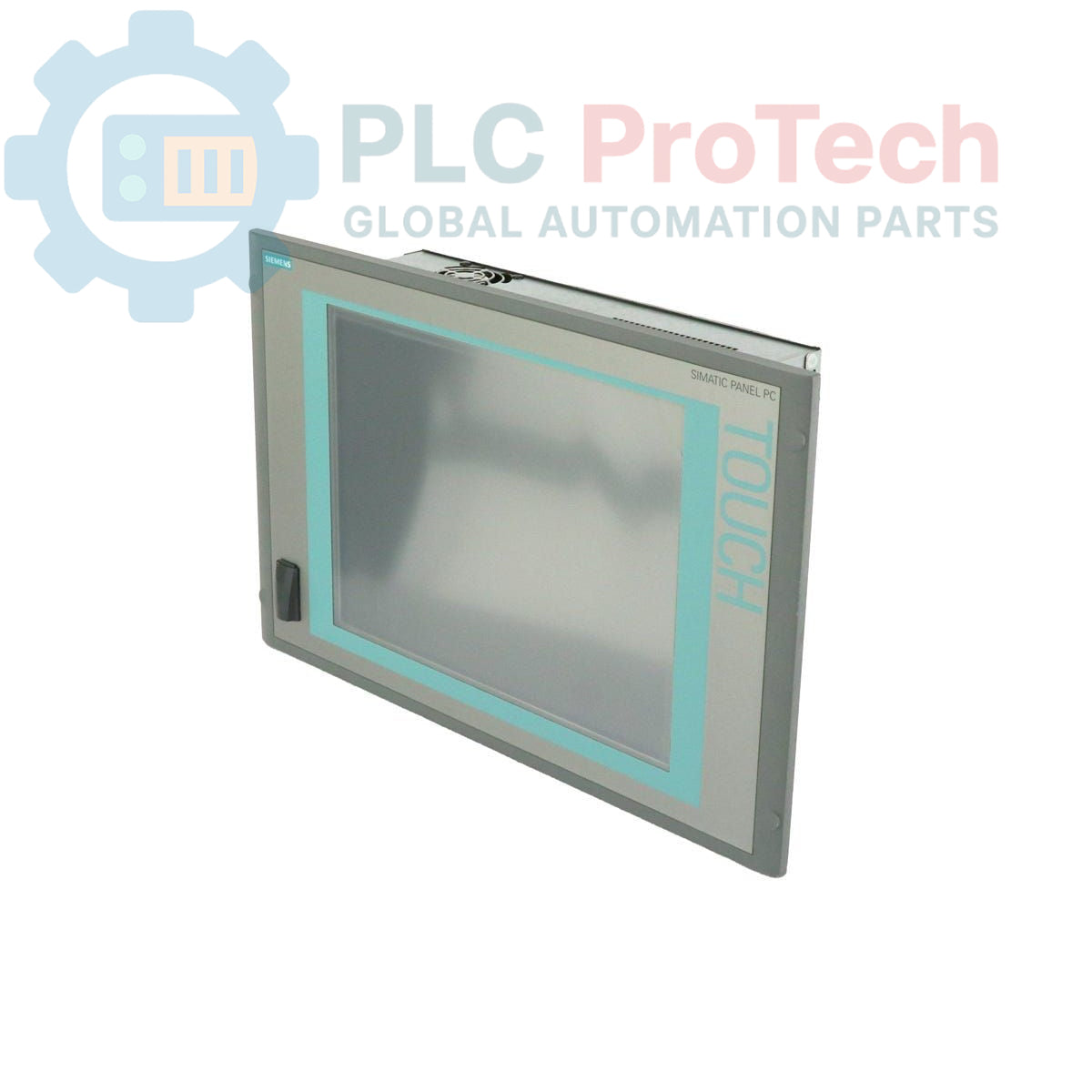
Siemens 6AV7885-2AK20-3BA8 SIMATIC HMI IPC 577C Panel PC

Siemens 6AV7885-2AK20-3BA8 SIMATIC HMI IPC 577C Panel PC

Only 3 item(s) left in stock
  • Manufacturer: Siemens

  • Product No.: 6AV7885-2AK20-3BA8

  • Country of origin:Germany

  • Product Type: Panel PC

  • Barcode: 85371098

  • Payment: T/T, Western Union

  • Weight: 15g

  • Dimensions: 64.00 x 64.00 x 42.00 cm

  • Shipping port: Xiamen

  • Warranty: 12 months

Quantity
View full details

Description

This device is a Siemens 6AV7885-2AK20-3BA8 SIMATIC HMI IPC 577C, a robust Panel PC designed for human-machine interface (HMI) applications in industrial environments. It features a 15-inch touch display, an Intel Core 2 Duo 1.86 GHz processor, and 2 GB of DDR3 RAM. The system is configured with a 4 GB CompactFlash card as the primary storage medium, which comes pre-installed with the Windows Embedded Standard 2009 operating system. Connectivity is provided through dual Gigabit Ethernet ports, an integrated PROFINET interface, and multiple USB ports. The unit operates on a 24 V DC power supply and includes a PCI slot for hardware expansion.

Features

  • 15-inch integrated touch screen display
  • Intel Core 2 Duo processor operating at 1.86 GHz
  • 2 GB of DDR3 system memory
  • 4 GB CompactFlash card for primary storage
  • Windows Embedded Standard 2009 operating system pre-installed
  • Integrated PROFINET (IE) communication interface
  • Dual 1 Gbit (10/100/1000) Ethernet ports
  • One available PCI expansion slot
  • Operates on a 24 V DC power source

Applications

  • Machine-level control and visualization
  • Process monitoring and data acquisition systems
  • Operator control stations in manufacturing
  • Factory and process automation control panels

Technical Specifications

Specification Value
Manufacturer Siemens
Product Series SIMATIC HMI IPC 577C
Display 15-inch Touch Display
Processor Intel Core 2 Duo, 1.86 GHz
Memory (RAM) 2 GB DDR3
Primary Storage 4 GB CompactFlash (CF) Card
Secondary Storage Not equipped
Operating System Windows Embedded Standard 2009 (pre-installed)
Power Supply 24 V DC
Ethernet Ports 2x 1 Gbit (10/100/1000 Mbps)
Industrial Communication PROFINET (IE)
USB Ports 4x USB (Rear), 1x USB (Front)
Expansion Slots 1x PCI slot
Product Lifecycle Status Phase-Out
Country of Origin Germany (Estimate)
Package Dimensions (Calculated) 64.00 x 64.00 x 42.00 cm
Shipping Weight 15.00 kg

Installation Guidelines

CRITICAL WARNING: RISK OF ELECTRIC SHOCK

Disconnect all power sources and follow Lockout/Tagout (LOTO) procedures before installation or servicing. This equipment must be installed in an enclosure that provides protection against direct contact. Installation must be performed by qualified personnel only.

  1. 1 De-energize System: Ensure the main power to the control cabinet or enclosure is completely shut off and locked out before beginning any work. Verify the absence of voltage.
  2. 2 Prepare Panel Cutout: Verify that the panel cutout dimensions match the requirements for the IPC 577C. Ensure the mounting surface is clean, flat, and free of debris to guarantee a proper seal.
  3. 3 Mount the Unit: Insert the Panel PC into the cutout from the front of the panel. Secure it from the rear using the provided mounting clamps, tightening them evenly to the specified torque to ensure environmental sealing.
  4. 4 Connect Power: Connect the 24 V DC power supply to the designated power terminal. Strictly observe correct polarity (+/-) to prevent damage to the unit. Use appropriately sized conductors for the load.
  5. 5 Establish Ground Connection: Connect the chassis of the Panel PC to the protective earth (PE) ground of the control cabinet using a low-impedance conductor. A reliable ground connection is essential for safety and noise immunity.
  6. 6 Connect Peripherals and Networks: Connect Ethernet, PROFINET, and any required USB devices. Ensure all cables are properly routed and secured to prevent strain on the connectors.
  7. 7 Final Check and Power-Up: After all connections are made and verified, close the control cabinet door. Remove the lockout/tagout device and re-energize the system. Verify that the Panel PC boots correctly.

Global Express Shipping

  • Standard Delivery: 4-6 Business Days via DHL, FedEx, and UPS.
  • Express Dispatch: Same-day dispatch for in-stock orders placed before 2:00 PM (GMT+8).
  • Worldwide Coverage: Serving over 150 countries, including rapid delivery to Saudi Arabia and UAE.

Returns & Warranty

  • 30-Day Guarantee: Returns accepted for in-stock products in original, factory-sealed packaging.
  • 12-Month Warranty: Every industrial component is backed by our professional technical warranty.

Orders are processed and delivered Monday-Friday (excluding public holidays).


For full eligibility, restocking fees, and international return details, please view our official Refund & Return Policy .

TECHNICAL SPECIFICATIONS

Country of origin
Germany

Recently Viewed Products

Technical knowledge

Deep-Dive Guide to Industrial Firewalls and OT Network Segmentation

Industrial firewalls play a critical role in OT cybersecurity, protecting PLC, DCS, and SCADA networks through segmentation, ingress/egress control, and IDS/IPS integration aligned with IEC 62443...

Guide to Robotic Grippers: From Delicate Handling to Heavy-Duty Automation

Modern robotic grippers are evolving beyond traditional mechanical jaws. From gecko-inspired adhesive systems and soft food-grade grippers to AI-powered warehouse tools, advanced gripping...

Throwback: How Early Electric Motors Changed Underground Mining

From rope-driven DC compressors to battery-powered mine carts, early mining operations marked a turning point in industrial electrification. This article explores how electric motors transformed...

Factory I/O: A Modern PLC Simulation Tool for Industrial Automation Training

Factory I/O is transforming PLC education by delivering immersive 3D industrial simulations for students, engineers, and maintenance teams. The platform bridges the gap between theory and real-world...

Programming Single-Axis Motion Cycles on a CMZ Servo Drive

This tutorial examines how onboard PLC functionality inside a CMZ SBD servo drive can execute standalone motion programs, including homing logic, position control, and cyclic axis movement without an...

Single-Axis Motion Control Setup with CMZ Servo Drives

This tutorial explores the commissioning of a single-axis servo motion system using a CMZ SBD drive, covering hardware setup, axis scaling, homing configuration, and safe motion verification for...