Description
The
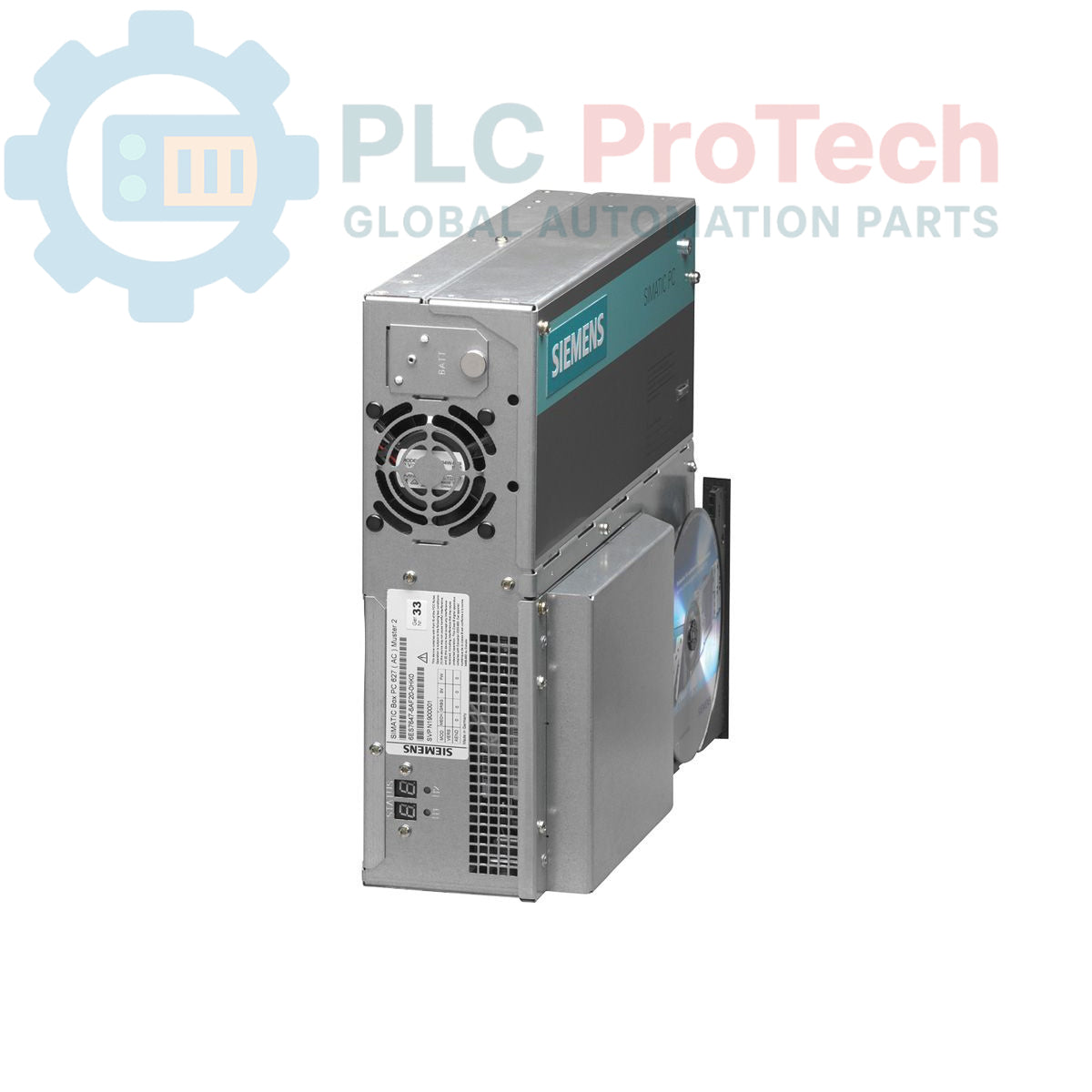
Siemens 6ES7647-6AB30-0EK1 is a SIMATIC Box PC 627, designed for industrial applications requiring a robust and integrated computing platform. This unit features onboard AGP graphics with 8-128 MB shared memory, dual 10/100 Mbit/s Ethernet RJ45 ports, and four USB V2.0 ports with high current capability. It includes a single serial COM1 port, an onboard RAID controller, and a slot for a Compact Flash drive. The system integrates a watchdog timer and temperature/fan monitoring for enhanced reliability. Powered by a Celeron M 370 1.5 GHz processor with a 400 MHz FSB and 1 MB SLC, it also supports PROFIBUS/MPI communication. The PC comes equipped with 1 GByte DDR2 533 SODIMM RAM, a 160 GByte SATA HDD, and a DVD ROM drive. It operates on an AC 110/230V industrial power unit with NAMUR compliance and includes a power cable for Europe. The system is pre-installed with Windows XP Professional Multi-Language SP2 (English, German, French, Italian, Spanish) and SIMATIC PC DiagMonitor Software V3.1.
Features
- Integrated AGP Graphics with 8-128 MB Shared Memory
- Dual 10/100 Mbit/s Ethernet RJ45 Interfaces
- Four USB V2.0 Ports (High Current)
- One Serial (COM1) Port
- Onboard RAID Controller
- Compact Flash Drive Slot
- Watchdog and Temperature/Fan Monitoring
- Two Free PCI Slots
- Celeron M 370 1.5 GHz Processor
- PROFIBUS/MPI Communication Support
- 1 GByte DDR2 533 SODIMM RAM
- AC 110/230V Industrial Power Unit with NAMUR
- 160 GByte SATA HDD and DVD ROM
- Pre-installed Windows XP Professional Multi-Language SP2
- Includes SIMATIC PC DiagMonitor Software V3.1
Applications
The SIMATIC Box PC 627 is suitable for a wide range of industrial automation tasks, including:
- Human Machine Interface (HMI) systems
- Data acquisition and processing
- Process visualization and control
- Machine control and monitoring
- Industrial communication gateways
- Manufacturing execution systems (MES) client stations
Technical Specifications
| Parameter |
Value |
| Brand |
Siemens |
| Manufacturer |
Siemens |
| Range |
Simatic Box PC |
| Subrange |
PC627 |
| Type of Product |
PC box |
| PLM Product Phase |
Obsolete |
| Graphics |
AGP Graphics Onboard, 8-128 MB Shared Memory |
| Ethernet Interfaces |
2x 10/100 Mbit/s RJ45 |
| USB Ports |
4x USB V2.0 (High Current) |
| Serial Port |
1x (COM1) |
| RAID Controller |
Onboard |
| Compact Flash Slot |
1x |
| Monitoring |
Watchdog, Temperature-/Fan Monitoring |
| PCI Slots |
2x Free |
| CPU |
Celeron M 370 1.5 GHz, 400 MHz FSB, 1 MB SLC |
| Fieldbus Support |
PROFIBUS/MPI |
| RAM |
1 GByte DDR2 533 SODIMM |
| Power Unit |
AC 110/230V Industrial Power Unit with NAMUR |
| Power Cable |
Europe |
| Expansions |
Without Expansions (HW) |
| Hard Disk Drive |
160 GByte HDD SATA |
| Optical Drive |
DVD ROM |
| Operating System |
Windows XP Professional Multi-Language SP2 (EN, GE, FR, IT, SP) |
| Included Software |
SIMATIC PC DiagMonitor Software V3.1 |
| Package Dimensions (Calculated) |
92.00 x 21.00 x 14.00 cm |
| Shipping Weight |
7.05 kg |
| Commodity Code |
85371091 |
| Export Control Regulations (ECCN) |
N |
Connections / Interfaces
| Interface Type |
Quantity / Description |
| Ethernet |
2x RJ45 (10/100 Mbit/s) |
| USB |
4x USB V2.0 (High Current) |
| Serial |
1x COM1 |
| Fieldbus |
PROFIBUS/MPI |
Installation Guidelines
-
De-energization: Ensure all power to the installation area is disconnected and locked out before beginning any work.
-
Mounting: Mount the Box PC securely in a suitable industrial enclosure or control cabinet, ensuring adequate ventilation and clearance for cable routing and maintenance.
-
Power Connection: Connect the AC 110/230V industrial power unit to a stable and filtered power supply. Verify correct voltage and grounding.
-
Grounding: Establish a proper protective earth (PE) connection to the chassis of the Box PC to minimize electrical noise and ensure safety.
-
Ethernet Connections: Connect Ethernet cables to the RJ45 ports for network communication. Use shielded cables in noisy industrial environments if required.
-
USB and Serial Connections: Connect peripheral devices to the USB V2.0 ports and serial devices to the COM1 port as needed.
-
PROFIBUS/MPI Connection: If utilizing PROFIBUS/MPI, ensure proper bus termination and segment length according to the PROFIBUS/MPI guidelines.
-
Cooling: Ensure that the cooling fans are not obstructed and that the ambient temperature remains within the specified operating range to prevent overheating.
-
Cable Management: Route all cables neatly and secure them to prevent strain and interference. Separate power cables from signal cables where possible.
-
Initial Power-Up: After all connections are verified, re-energize the system and observe for proper boot-up and operation.