Description
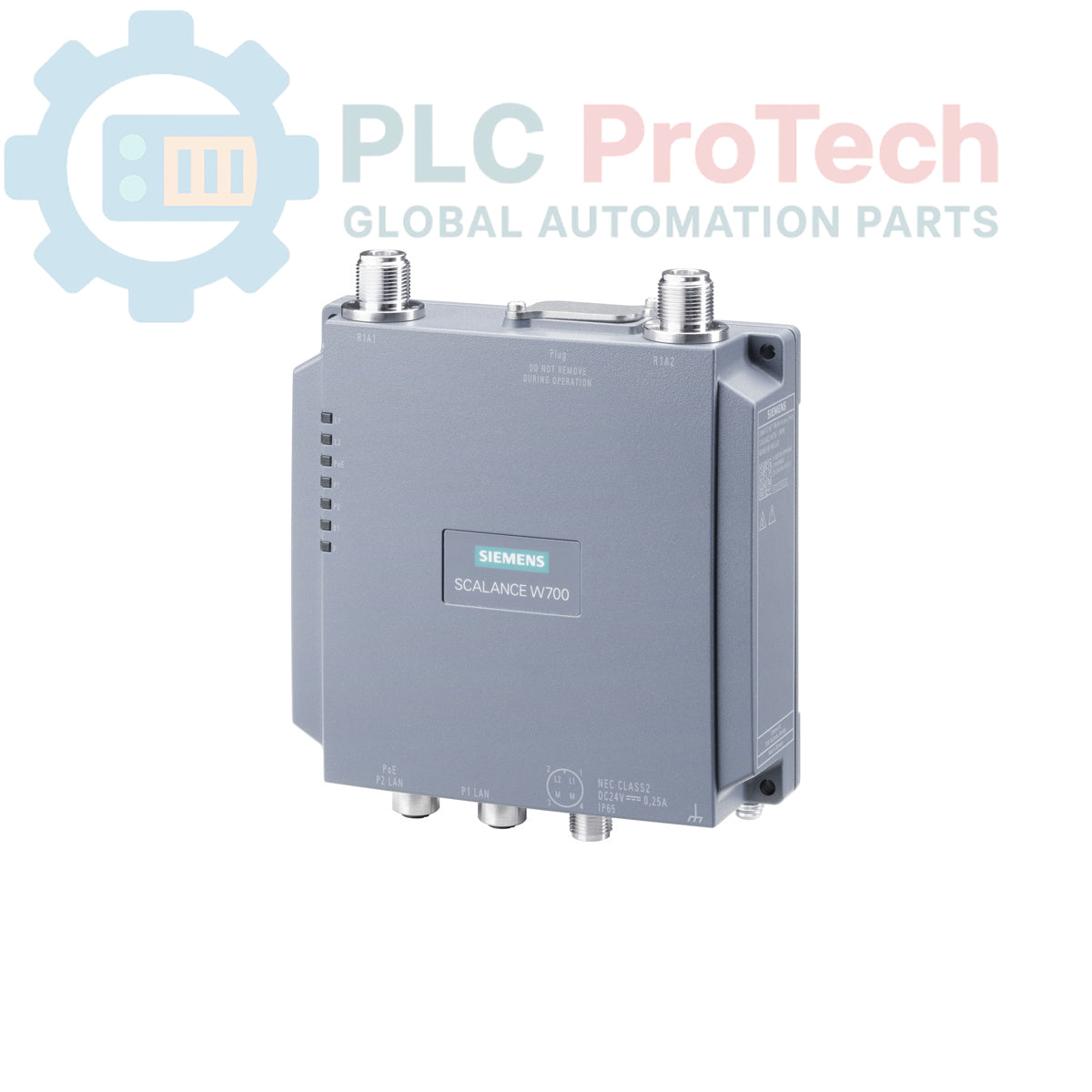
This is a Siemens 6GK5778-1GY00-0TA0 SCALANCE W778-1 M12 EEC, an industrial wireless LAN (IWLAN) access point designed for reliable communication in demanding environments. The device features a single radio interface supporting IEEE 802.11a/b/g/h/n standards for operation in both 2.4 GHz and 5 GHz frequency bands, achieving a gross data rate of up to 300 Mbit/s. It is equipped with an integrated 2-port switch with Power over Ethernet (PoE) capability, utilizing rugged M12 connectors for both network and power connections. The unit's robust IP65-rated enclosure, conformal coating, and wide operating temperature range from -30 to 70 degC ensure dependable performance in transportation, manufacturing, and process control applications. Advanced iFeatures can be enabled via an optional KEY-PLUG.
Features
- Single radio interface for flexible network deployment.
- Supports IEEE 802.11a/b/g/h/n wireless standards.
- Dual-band operation at 2.4 GHz and 5 GHz.
- Maximum gross data rate of 300 Mbit/s.
- Integrated 2-port switch with PoE functionality.
- Redundant 24 V DC power supply input.
- Rugged M12 A-coded connectors for network and power.
- IP65-rated enclosure for protection against dust and water ingress.
- Conformal coating for enhanced durability in harsh chemical or humid environments.
- Extended operating temperature range (-30 to 70 degC).
- iFeatures support enabled via an optional KEY-PLUG.
Applications
- Railway and transportation systems (EN 50155 compliant).
- Automated Guided Vehicles (AGVs) and mobile equipment.
- Machine-to-machine (M2M) communication networks.
- Process automation and control systems.
- Outdoor and washdown industrial environments.
- Automotive manufacturing and logistics.
Technical Specifications
| Category |
Specification |
| General |
|
| Manufacturer |
Siemens |
| Product Series |
SCALANCE |
| Model Number |
6GK5778-1GY00-0TA0 |
| Product Type |
IWLAN Access Point |
| Wireless Communication |
|
| Supported Standards |
IEEE 802.11a/b/g/h/n |
| Frequency Bands |
2.4 GHz / 5 GHz |
| Number of Radios |
1 |
| Gross Data Rate |
300 Mbit/s |
| Security Protocols |
WPA2/802.11i/e |
| Antenna Connection |
2 x N-CON port |
| Wired Interfaces |
|
| Ethernet Ports |
2 x M12, A-coded |
| Ethernet Speed |
Max. 100 Mbit/s |
| Switch Functionality |
Integrated 2-port switch |
| Power over Ethernet (PoE) |
Supported |
| Electrical |
|
| Power Supply |
Redundant 24 V DC |
| Mechanical & Environmental |
|
| Ingress Protection |
IP65 |
| Operating Temperature |
-30 to 70 degC |
| Special Features |
Conformal coating, KEY-PLUG slot for iFeatures |
| Compliance & Certifications |
|
| Railway Standard |
EN 50155 |
| Fire Protection Standard |
EN 45545 |
| CERT ID |
MSN65-W1-M12-E2 |
| Logistics & Trade |
|
| Country of Origin |
Germany (Estimate) |
| Package Dimensions (Calculated) |
24.0 x 18.5 x 10.0 cm |
| Shipping Weight |
0.60 kg |
| Commodity Code |
85389091 |
| ECCN |
5A002 |
Installation Guidelines
CRITICAL WARNING: RISK OF ELECTRIC SHOCK
Disconnect all power sources and follow Lockout/Tagout (LOTO) procedures before installation or maintenance. Work must be performed by qualified personnel only. Failure to de-energize equipment can result in severe injury or death.
-
1
Mount the device securely to a stable surface or panel, ensuring adequate clearance for M12 and N-CON connectors and allowing for proper heat dissipation.
-
2
Connect the appropriate antennas to the two N-CON ports. Ensure connections are tightened to the specified torque to maintain the IP65 rating. Use the included M12 sealing caps on any unused ports.
-
3
Terminate the M12 Ethernet cables for network connectivity. The device can be powered via PoE through these ports or by a separate DC power source.
-
4
If not using PoE, connect the redundant 24 V DC power supply using the appropriate M12 power connector. Verify correct polarity before energizing.
-
5
If using iFeatures, insert the correct Siemens KEY-PLUG into the designated slot before powering on the device.
-
6
After all connections are secure and verified, re-energize the system and proceed with software configuration according to the product manual.