Beschreibung
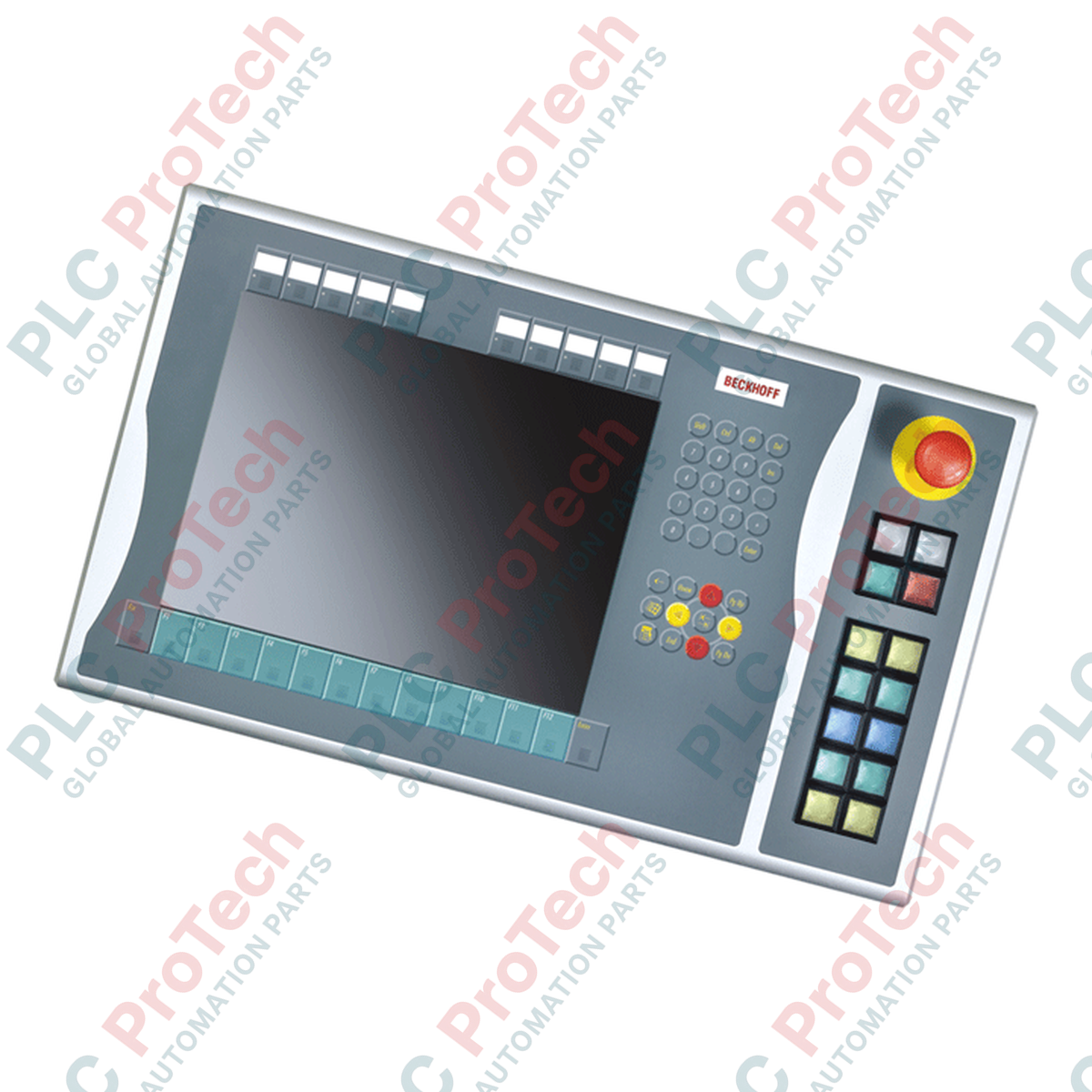
Das BECKHOFF C9900-E768 wurde zur Erweiterung physischer Bedienerschnittstellen an maschinennahen HMI-Installationen entwickelt und bietet externe taktile Bedienelemente, die direkt an der rechten Seite kompatibler Industriedisplays montiert werden. Dieses Zusatzmodul wurde speziell für 15-Zoll-CP6x22-00xx- und CP7x22-00xx-Control-Panels sowie Panel-PCs ohne integrierte Tastaturen entwickelt und ergänzt robuste physische Bedientasten bei gleichzeitiger struktureller Integration. Es ist eine optimale Hardwarelösung für Anwendungen, die sich in der aktiven Servicephase des Herstellers im Übergang befinden, und stellt sicher, dass Legacy-Systeme ihre taktilen Bedienelemente beibehalten. Die Integration quadratischer Siemens-Signum-Hardware und dualer Verbindungswege ermöglicht eine robuste und zuverlässige Leistung in anspruchsvollen Industrieumgebungen.
Merkmale
-
Schnittstellenerweiterung auf der rechten Seite: Lässt sich nahtlos am rechten Rahmen von 15-Zoll-Beckhoff-Displays montieren.
-
Industrielle Tastenanordnung: Verfügt über 14 quadratische Siemens-Signum-Drucktaster (30 x 30 mm) mit integrierten Signallampen.
-
Dedizierter Not-Halt: Enthält einen gut sichtbaren Siemens-Signum-Not-Halt-Taster zur direkten Einbindung in einen Hardware-Sicherheitskreis.
-
Doppelte Kontaktfunktion: Unterstützt einen primären Schließerkontakt (NO), der über CP-Link oder USB geführt wird, sowie einen sekundären festverdrahteten Schließerkontakt (NO), der über eine Klemmenleiste zugänglich ist.
-
Anpassbare Beschriftung: Klare, einsetzbare Beschriftungskappen ermöglichen die schnelle Beschriftung einzelner Tastenfunktionen vor Ort.
Anwendungen
-
Automobilmontagelinien: Integrierte Bedienelemente auf der rechten Seite für manuelle Maschinenübersteuerungen und Systemneustarts.
-
Visualisierung von Prozessanlagen: Festverdrahtete Not-Halt- und Steuerschnittstellenerweiterung direkt neben dem Hauptbildschirm.
-
Wartung von Legacy-Bedienpanels: Direkter Ersatz für CP6x22- und CP7x22-Installationen, die eine fortlaufende Unterstützung über den Servicelebenszyklus erfordern.
Technische Daten
| Parameter |
Spezifikation |
| Hersteller |
Beckhoff Automation GmbH & Co. KG |
| Artikelnummer / SKU |
C9900-E768 |
| Kompatible Displays |
15-Zoll-CP6xxx und CP7xxx ohne integrierte Tastatur (insbesondere CP6x22-00xx und CP7x22-00xx) |
| Montageposition |
Rechte Seite des Bedienfelds |
| Drucktastertyp |
14 x Siemens Signum quadratisch, 30 x 30 mm |
| Not-Halt-Typ |
1 x Siemens Signum, direkte festverdrahtete Konfiguration |
| Übertragung des Tastensignals |
USB oder CP-Link (Kontakt 1) / direkte Klemmenleiste (Kontakt 2) |
| Übertragung des Lampensignals |
Ausschließlich über CP-Link- oder USB-Schnittstelle |
| Lebenszyklusphase |
Servicephase (Legacy-Support) |
| Versandgewicht |
5,0 kg (11,0 lbs) |
Anschlüsse und Schnittstellen
| Schnittstellenpfad |
Funktions- und Anschlussbelegung |
| CP-Link- / USB-Bus-Verbindung |
Überträgt den digitalen Tastenstatus von Kontakt 1 für alle 14 Drucktaster und versorgt alle integrierten Signallampen mit Strom. |
| Hintere Klemmenleiste |
Ermöglicht den unabhängigen, fest verdrahteten Zugriff auf Kontakt 2 (Schließer) jedes der 14 Drucktaster. |
| Not-Halt-Klemmen |
Dedizierter, vollständig galvanisch getrennter Klemmenblock zur direkten Verdrahtung des Not-Halt-Schalters mit dem physischen Sicherheitsrelais der Anlage. |
Empirische technische Erkenntnisse
Alternative Modelle und Kompatibilität
Dieses Erweiterungspanel wurde speziell für Beckhoff-Displays mit 15 Zoll entwickelt. Der Versuch, diese mechanische Anordnung an Varianten mit 12 oder 19 Zoll anzupassen, führt zu einer Fehlstellung der Passbohrungen am Chassis und zum Scheitern der mechanischen Integration. Bei der Wartung älterer Varianten CP6x22 und CP7x22 ist sicherzustellen, dass die Firmwareversion des Host-Controllers die Konfiguration mit zwei Kontakten über CP-Link unterstützt, wenn Regelkreise ohne zusätzliche Verdrahtung der Klemmenreihe betrieben werden sollen.
Anwendungsfehler und technische Hinweise
Ein häufiger Konstruktionsfehler besteht darin, die 14 integrierten Signallampen fest verdrahten zu wollen. Diese Lampen erhalten Stromversorgung und Steuerbefehle ausschließlich über die USB-/CP-Link-Busverbindung. Wenn die digitale Kommunikationsverbindung unterbrochen ist, funktionieren die Signallampen nicht, selbst wenn die sekundären Schließerkontakte der Drucktaster über die fest verdrahtete Klemmenleiste weiterhin funktionieren.
Tipps für Inbetriebnahme und Verdrahtung
Führen Sie die fest verdrahteten digitalen Eingangskabel, die mit der sekundären Klemmenreihe verbunden sind, im Kabelkanal stets getrennt von Hochspannungs-Wechselstromkabeln, um bei langen Leitungswegen eine Einkopplung von Störungen zu verhindern. Bei Anwendungen mit starken Vibrationen ist sicherzustellen, dass die Zugentlastungen der Kabel innerhalb des Schaltschrankgehäuses verankert sind, damit keine Zugbelastung auf den Schnittstellenstecker wirkt.
Installationsrichtlinien
KRITISCHER WARNHINWEIS: EINHALTUNG DER SICHERHEITSVORSCHRIFTEN ERFORDERLICH
Schalten Sie vor Beginn der mechanischen Verbindung des C9900-E768 alle Stromversorgungen des Control Panels/Panel-PCs sowie alle Spannungen der zusätzlichen Klemmenleiste frei und sichern Sie sie gegen Wiedereinschalten. Der Not-Halt-Kreis muss vor der Wiederaufnahme der Maschinenproduktion einer vollständigen Funktionsprüfung unterzogen werden.
1
Richten Sie das Gehäuse der Drucktasterverlängerung an den vorgefertigten Befestigungspunkten auf der rechten Seite des 15-Zoll-Control-Panels aus.
2
Befestigen Sie die mechanische Baugruppe mit den angegebenen OEM-Befestigungselementen und stellen Sie sicher, dass die integrierte umlaufende Dichtung dicht gegen das Eindringen von Staub und Flüssigkeiten abschließt.
3
Verbinden Sie den internen USB- oder CP-Link-Kabelbaum, um die Tasterausgänge und die primäre Lampensteuerung mit der Hauptlogikplatine des Panels zu verbinden.
4
Verdrahten Sie den physischen Not-Halt-Schalter direkt mit Ihrem Sicherheitsrelais und schließen Sie optional die redundanten sekundären Schließerkontakte über die integrierte Klemmenleiste an die Eingangsmodule Ihrer SPS an.