


القای الکترومغناطیسی در سیمپیچهای صنعتی
درک کنید سیمپیچهای صنعتی چگونه نیروی مغناطیسی ایجاد میکنند، ولتاژ القا میکنند، گذراهای سوئیچینگ به وجود میآورند و در رلهها، سلونوئیدها، ترانسفورماتورها، موتورها و حسگرهای مجاورت در سرویس دچار...
تولیدکننده: BECKHOFF
شماره محصول: C9900-E675
کشور سازنده:آلمان
نوع محصول: افزونههای دکمه فشاری HMI
پرداخت: حواله بانکی (T/T)، وسترن یونیون
وزن: 500g
ابعاد: نقشههای دارای ابعاد اکستنشنهای دکمه فشاری بهصورت فایل DXF اتوکد
بندر حمل و نقل: شیامن
گارانتی: ۱۲ ماه
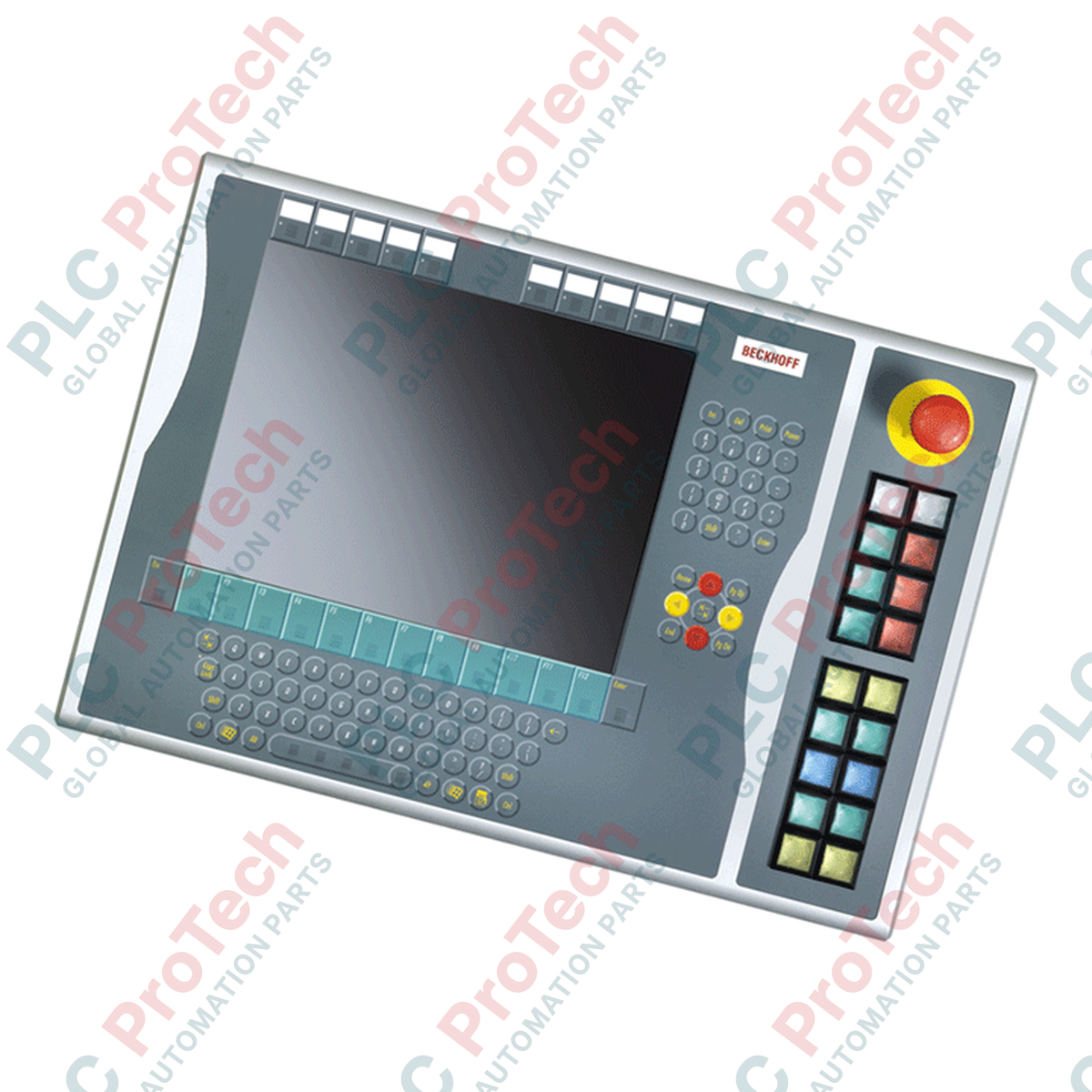
Beckhoff C9900-E675 برای گسترش رابط کنترل دستی اپراتور در ایستگاههای کاری صنعتی مدرن طراحی شده و اجرای فیزیکی فرمانها را مستقیماً در کنار پنلهای کنترل CP6xxx و CP7xxx فراهم میکند. این افزونه سختافزاری مستحکم بهطور ویژه برای نصب در سمت راست سامانههای کنترلی دارای نمایشگر ۱۵ اینچی همراه با چیدمان صفحهکلید الفباییعددی اندازهگذاری و مهندسی شده است؛ از جمله سریهای CP6x32-00xx و CP7x32-00xx. این ماژول که در مرحله خدمات خود قرار دارد، کانالهای ورودی فیزیکی قابلاعتمادی را برای تکمیل عملکرد لمسی و صفحهکلید در محیطهای صنعتی دشوار فراهم میکند.
| پارامتر | مشخصات |
|---|---|
| سازنده | Beckhoff Automation |
| شماره مدل | C9900-E675 |
| سازگاری | CP6x32-00xx و CP7x32-00xx (مدلهای نمایشگر ۱۵ اینچی با صفحهکلید الفباییعددی) |
| پیکربندی شستی | ۱۸× شستی با چراغهای سیگنال بازخورد |
| توقف اضطراری | ۱× شستی توقف اضطراری Siemens Signum (قابل سیمکشی مستقیم) |
| اندازه مکانیکی دکمه | ۳۰ × ۳۰ میلیمتر (مربع) |
| رابطهای انتقال | CP-Link یا USB، بهعلاوه ردیف ترمینال مستقل با سیمکشی مستقیم |
| کنترل چراغ سیگنال | فقط CP-Link / USB |
| پیکربندی کنتاکت | کنتاکتهای دوگانه معمولاً باز (N.O.) برای هر شستی |
| مرحله چرخه عمر | مرحله خدمات (پشتیبانی قدیمی و دسترسی به قطعات یدکی) |
| کشور مبدأ | آلمان |
| وزن حمل (محاسبهشده) | ۵٫۰ کیلوگرم |
| نقطه اتصال | تخصیص عملکرد / مدار |
|---|---|
| رابط CP-Link / USB | مسیر انتقال داده برای کنتاکت اولیه (N.O. اول) و فرمانهای توان/سیگنال برای همه چراغهای وضعیت یکپارچه. |
| ردیف ترمینال (داخلی) | ترمینالگذاری مستقیم مسی برای کنتاکت ثانویه (N.O. دوم) هر دکمه، با دور زدن الکترونیک فعال USB/CP-Link. |
| ترمینالهای توقف اضطراری | اتصال ترمینال ایزوله و سیمکشی مستقیم، اختصاصیافته به درج در حلقه رله ایمنی. |
از آنجا که این ماژول افزونه در مرحله سرویس خود قرار دارد، جایگزینهای فیزیکی باید دقیقاً با اندازه نمایشگر پنل میزبان مطابقت داشته باشند. C9900-E675 بهطور خاص برای نمایشگرهای ۱۵ اینچی دارای صفحهکلید الفباییعددی طراحی شده است. جایگزین کردن آن با ماژولهایی که برای اندازههای دیگر نمایشگر، مانند نمونههای ۱۲ یا ۱۹ اینچی، طراحی شدهاند، باعث ناهماهنگی فیزیکی نصب و وارد شدن تنش مکانیکی به آببندهای محفظه خواهد شد.
اگرچه بستهشدن استاندارد دکمهها از طریق CP-Link یا USB بهطور کارآمد منتقل میشود، هنگام بارگذاری سنگین گذرگاه PLC یا وقفههای سیستمعامل ممکن است تأخیر ارتباطی رخ دهد. بنابراین، اینترلاکهای حیاتی، نادیدهگیریهای فعال حرکت ماشین و مدارهای ایمنی باید از ردیف ترمینال ثانویه و سیمکشی مستقیم استفاده کنند و صرفاً به مسیر داده USB/CP-Link متکی نباشند.
در هنگام نصب اولیه، اطمینان حاصل کنید که کابلکشی داخلی ترمینالبلوک سیمکشی مستقیم، با شلبودن کافی هدایت شده باشد تا هنگام باز کردن یا سرویس مجموعه Control Panel، از وارد شدن کشش جلوگیری شود. برای همه سیگنالهای سیمکشی مستقیم، از کابل زوجتابیده شیلددار استفاده کنید تا سازگاری الکترومغناطیسی (EMC) بالا در محیطهای پرنویز نزدیک درایوهای فرکانس متغیر حفظ شود.
محفظه C9900-E675 را با کانالهای نصب واقع در سمت راست Control Panel مدل CP6x32 یا CP7x32 همراستا کنید.
اتصال مکانیکی را با استفاده از پیچهای مهار ارائهشده محکم کنید و از همسطح بودن نصب برای حفظ درجه حفاظت در برابر نفوذ مجموعه اطمینان حاصل کنید.
رابط داخلی USB یا CP-Link را به هدر متناظر روی مادربرد Control Panel هدایت و متصل کنید.
حلقه ایمنی توقف اضطراری سیمکشیشده و اتصالات ردیف ترمینال کمکی را تا PLC ایمنی متناظر یا توزیع ترمینالبلوک درون کابینت کنترل اصلی متصل کنید.
برق را مجدداً وصل کنید، بررسیهای حلقه سیگنال محلی را روی هر ۱۸ دکمه و چراغ انجام دهید و پیش از قرار دادن سیستم در وضعیت بهرهبرداری فعال، آزمون عملکردی ایمنی مدار توقف اضطراری را اجرا کنید.

Global Express Shipping
Returns & Warranty
ارسال سریع جهانی
بازگشت کالا و گارانتی
سفارشها از دوشنبه تا جمعه پردازش و تحویل داده میشوند (به جز تعطیلات رسمی).
برای شرایط کامل واجد شرایط بودن، هزینههای بازگردانی و جزئیات بازگشت بینالمللی، لطفاً صفحه رسمی ما را مشاهده کنید سیاست بازپرداخت و بازگشت کالا .
| Country of origin |
آلمان
|

درک کنید سیمپیچهای صنعتی چگونه نیروی مغناطیسی ایجاد میکنند، ولتاژ القا میکنند، گذراهای سوئیچینگ به وجود میآورند و در رلهها، سلونوئیدها، ترانسفورماتورها، موتورها و حسگرهای مجاورت در سرویس دچار...

با ترسیم وابستگیهای مشترک، جداسازی مسیرهای برق و شبکه، تعریف رفتار هنگام انتقال به سامانه پشتیبان، آشکارسازی عملکرد تنزلیافته و آزمون اثباتی هر خطای قابلتحمل، افزونگی سامانه کنترل را طراحی کنید.

یک روش ساختاریافته برای عیبیابی تابلو کنترل، شامل کار ایمن، نقشهها، مسیرهای برق، حفاظت شاخهها، منابع تغذیه DC، مدارهای برگشت، خروجیهای PLC، سوابق خطا و تأیید تعمیر.

راهنمای عملی اندازهگیری ولتاژ برای تابلوهای کنترل صنعتی، شامل نقاط مرجع، انتخاب مولتیمتر، بررسی برقدار-بیبرق-برقدار، افت ولتاژ، ولتاژ کاذب، انرژی ذخیرهشده و عیبهای مقطعی.

راهنمای عملی قفلگذاری و برچسبگذاری ایمنی که شناسایی انرژیهای خطرناک، ایزولهسازی، کنترل انرژی ذخیرهشده، راستیآزمایی، کار گروهی، آزمایش موقت، بازگردانی، بازرسیها و ممیزیها را پوشش میدهد.

راهنمای میدانی آمادهسازی هوای فشرده در محل مصرف، شامل فیلترها، رگلاتورها، تخلیهها، خشککنها، روانکاری، افت فشار، ایزولهسازی، پایش، راهاندازی و آزمون نشتی.