


پیادهسازی منطق نردبانی XOR سهکلیده با بیت داخلی
مدار روشنایی XOR با کلید ۳-SPST را در LogixPro یا RSLogix 500 با استفاده از یک بیت رله داخلی پیادهسازی کنید. شامل جدولهای درستی، معادلات بولی و تأییدشده است.

BECKHOFF C9900-E768 برای توسعه رابطهای فیزیکی اپراتور در نصبهای HMI سطح ماشین طراحی شده است و کنترلهای لمسی خارجی را مستقیماً در سمت راست نمایشگرهای صنعتی سازگار نصب میکند. این ماژول کمکی که بهطور خاص برای پنلهای کنترلی و پنلپیسیهای ۱۵ اینچی CP6x22-00xx و CP7x22-00xx بدون صفحهکلید یکپارچه ساخته شده، کلیدهای کنترل فیزیکی مقاوم را اضافه میکند و در عین حال یکپارچگی ساختاری را حفظ میکند. این راهکار سختافزاری برای کاربردهایی که در حال گذار از مرحله خدمات فعال سازنده هستند، گزینهای ایدئال است و تضمین میکند سامانههای قدیمی کنترلهای لمسی خود را حفظ کنند. یکپارچهسازی سختافزار مربعی Siemens Signum و سازوکارهای اتصال دومسیره، عملکردی مقاوم و قابلاعتماد را در محیطهای صنعتی دشوار ارائه میدهد.
| پارامتر | مشخصات |
|---|---|
| تولیدکننده | Beckhoff Automation GmbH & Co. KG |
| شماره کالا / SKU | C9900-E768 |
| نمایشگرهای سازگار | CP6xxx و CP7xxx پانزدهاینچی بدون صفحهکلید داخلی (بهطور مشخص CP6x22-00xx و CP7x22-00xx) |
| موقعیت نصب | سمت راست پنل |
| نوع شستی | ۱۴ × Siemens Signum مربعی، ۳۰ × ۳۰ میلیمتر |
| نوع توقف اضطراری | ۱ × Siemens Signum، پیکربندی سیمکشی مستقیم |
| انتقال سیگنال کلید | USB یا CP-Link (کنتاکت ۱) / ترمینالبلوک مستقیم (کنتاکت ۲) |
| انتقال سیگنال چراغ | منحصراً از طریق رابط CP-Link یا USB |
| مرحله چرخه عمر | مرحله خدمات (پشتیبانی از محصولات قدیمی) |
| وزن حمل | ۵٫۰ کیلوگرم (۱۱٫۰ پوند) |
| مسیر رابط | تخصیص عملکرد و سیمکشی |
|---|---|
| اتصال CP-Link / گذرگاه USB | وضعیت دیجیتال کلیدِ کنتاکت 1 هر 14 دکمه فشاری را منتقل میکند و برق همه چراغهای سیگنال یکپارچه را تأمین میکند. |
| نوار ترمینال پشتی | دسترسی مستقل و سیمکشیشده به کنتاکت ایزوله 2 (Normally Open) هر یک از 14 دکمه فشاری را فراهم میکند. |
| ترمینالهای توقف اضطراری | ترمینالبلوک اختصاصی و کاملاً ایزوله برای سیمکشی مستقیم کلید توقف اضطراری به مدار فیزیکی رله ایمنی کارخانه. |
این پنل توسعه بهطور خاص برای نمایشگرهای 15 اینچی Beckhoff طراحی شده است. تلاش برای نصب این طرح مکانیکی روی مدلهای 12 یا 19 اینچی باعث ناهماهنگی سوراخهای اتصال شاسی و عدم موفقیت در یکپارچهسازی فیزیکی خواهد شد. برای سرویس مدلهای قدیمی CP6x22 و CP7x22، اگر قصد دارید حلقههای کنترل را بدون سیمکشی ردیف ترمینال کمکی اجرا کنید، مطمئن شوید بازبینی میانافزار کنترلکننده میزبان از پیکربندی کنتاکت دوگانه از طریق CP-Link پشتیبانی میکند.
یک خطای رایج در طراحی، تلاش برای سیمکشی مستقیم 14 چراغ سیگنال یکپارچه است. این چراغها برق و فرمانها را صرفاً از طریق اتصال گذرگاه USB/CP-Link دریافت میکنند. اگر لینک ارتباط دیجیتال قطع شود، چراغهای سیگنال کار نخواهند کرد؛ حتی اگر کنتاکتهای NO ثانویه دکمههای فشاری از طریق نوار ترمینال سیمکشیشده همچنان فعال باشند.
همیشه کابلکشی ورودی دیجیتال سیمکشیشدهای را که به ردیف ترمینال ثانویه متصل است، در مسیر کابل از کابلهای AC ولتاژبالا جدا نگه دارید تا از کوپل نویز در مسیرهای طولانی جلوگیری شود. در کاربردهای دارای ارتعاش زیاد، بررسی کنید که مهارکنندههای کشش کابل درون محفظه پنل مهار شده باشند تا از واردشدن کشش به کانکتور رابط جلوگیری شود.
پیش از آغاز اتصال مکانیکی C9900-E768، تمام منابع برق ورودی به Control Panel/Panel PC و همه ولتاژهای نوار ترمینال کمکی را ایزوله و قفلگذاری کنید. مدار توقف اضطراری باید پیش از بازگرداندن دستگاه به تولید، تحت آزمایش کامل اعتبارسنجی عملکرد قرار گیرد.
محفظه رابط دکمه فشاری را با نقاط نصب ماشینکاریشده از پیش، در سمت راست Control Panel پانزدهاینچی همراستا کنید.
مجموعه مکانیکی را با استفاده از بستهای OEM مشخصشده محکم کنید و مطمئن شوید نوار آببندی پیرامونی یکپارچه، در برابر نفوذ گردوغبار و مایعات، آببندی محکمی ایجاد میکند.
دستهسیم داخلی USB یا CP-Link را برای اتصال خروجیهای دکمهها و کنترل چراغهای اصلی به برد منطق اصلی پنل متصل کنید.
کلید توقف اضطراری فیزیکی را مستقیماً به رله ایمنی وصل کنید و در صورت نیاز، کنتاکتهای NO ثانویه اضافی را از طریق ترمینالبلوک یکپارچه به ماژولهای ورودی PLC متصل کنید.
Global Express Shipping
Returns & Warranty

تولیدکننده: BECKHOFF
شماره محصول: C9900-E768
کشور سازنده:آلمان
نوع محصول: افزونههای شستی
پرداخت: حواله بانکی (T/T)، وسترن یونیون
وزن: 500g
ابعاد: نقشههای با ابعاد دکمه فشاری به صورت فایل AutoCAD DXF
بندر حمل و نقل: شیامن
گارانتی: ۱۲ ماه
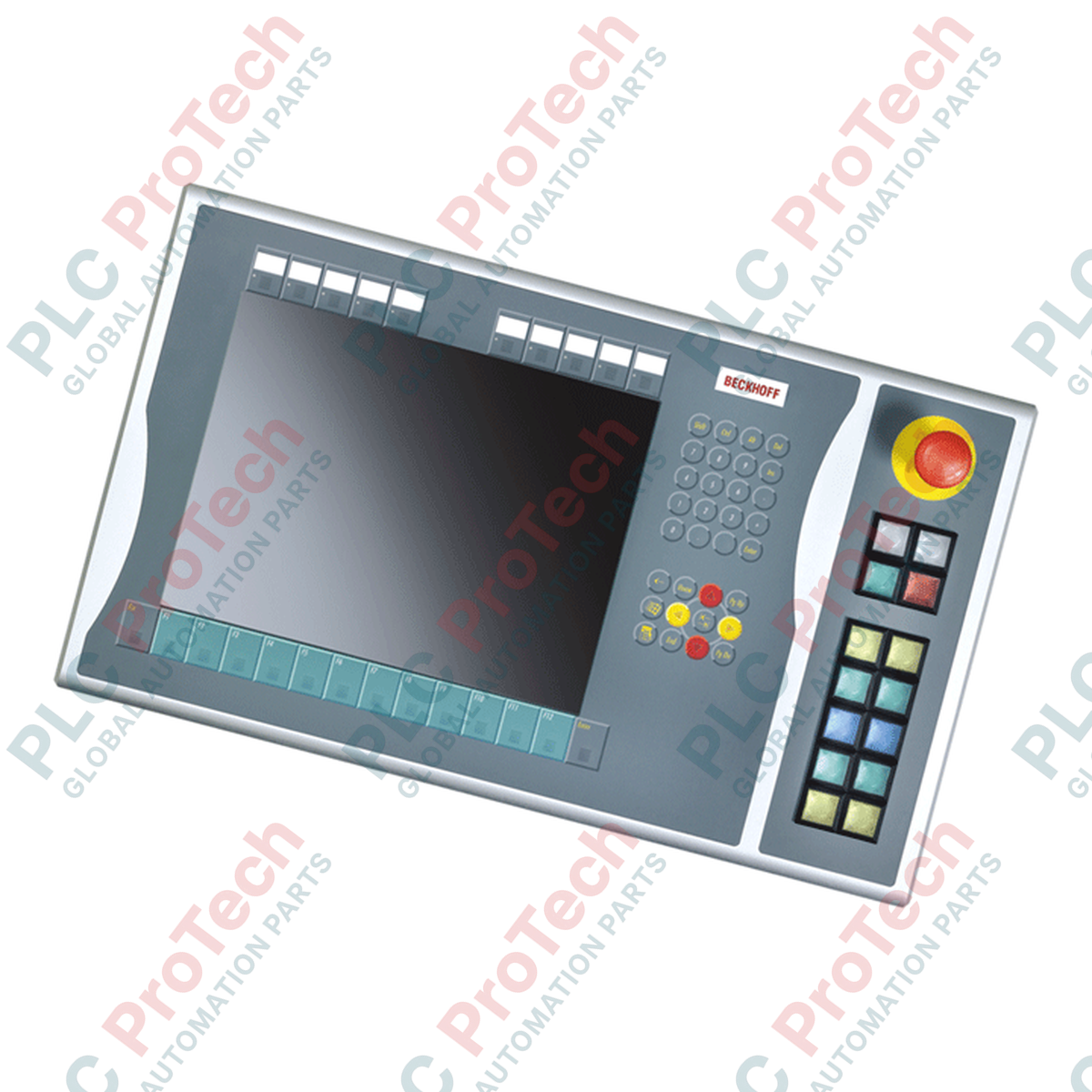
BECKHOFF C9900-E768 برای توسعه رابطهای فیزیکی اپراتور در نصبهای HMI سطح ماشین طراحی شده است و کنترلهای لمسی خارجی را مستقیماً در سمت راست نمایشگرهای صنعتی سازگار نصب میکند. این ماژول کمکی که بهطور خاص برای پنلهای کنترلی و پنلپیسیهای ۱۵ اینچی CP6x22-00xx و CP7x22-00xx بدون صفحهکلید یکپارچه ساخته شده، کلیدهای کنترل فیزیکی مقاوم را اضافه میکند و در عین حال یکپارچگی ساختاری را حفظ میکند. این راهکار سختافزاری برای کاربردهایی که در حال گذار از مرحله خدمات فعال سازنده هستند، گزینهای ایدئال است و تضمین میکند سامانههای قدیمی کنترلهای لمسی خود را حفظ کنند. یکپارچهسازی سختافزار مربعی Siemens Signum و سازوکارهای اتصال دومسیره، عملکردی مقاوم و قابلاعتماد را در محیطهای صنعتی دشوار ارائه میدهد.
| پارامتر | مشخصات |
|---|---|
| تولیدکننده | Beckhoff Automation GmbH & Co. KG |
| شماره کالا / SKU | C9900-E768 |
| نمایشگرهای سازگار | CP6xxx و CP7xxx پانزدهاینچی بدون صفحهکلید داخلی (بهطور مشخص CP6x22-00xx و CP7x22-00xx) |
| موقعیت نصب | سمت راست پنل |
| نوع شستی | ۱۴ × Siemens Signum مربعی، ۳۰ × ۳۰ میلیمتر |
| نوع توقف اضطراری | ۱ × Siemens Signum، پیکربندی سیمکشی مستقیم |
| انتقال سیگنال کلید | USB یا CP-Link (کنتاکت ۱) / ترمینالبلوک مستقیم (کنتاکت ۲) |
| انتقال سیگنال چراغ | منحصراً از طریق رابط CP-Link یا USB |
| مرحله چرخه عمر | مرحله خدمات (پشتیبانی از محصولات قدیمی) |
| وزن حمل | ۵٫۰ کیلوگرم (۱۱٫۰ پوند) |
| مسیر رابط | تخصیص عملکرد و سیمکشی |
|---|---|
| اتصال CP-Link / گذرگاه USB | وضعیت دیجیتال کلیدِ کنتاکت 1 هر 14 دکمه فشاری را منتقل میکند و برق همه چراغهای سیگنال یکپارچه را تأمین میکند. |
| نوار ترمینال پشتی | دسترسی مستقل و سیمکشیشده به کنتاکت ایزوله 2 (Normally Open) هر یک از 14 دکمه فشاری را فراهم میکند. |
| ترمینالهای توقف اضطراری | ترمینالبلوک اختصاصی و کاملاً ایزوله برای سیمکشی مستقیم کلید توقف اضطراری به مدار فیزیکی رله ایمنی کارخانه. |
این پنل توسعه بهطور خاص برای نمایشگرهای 15 اینچی Beckhoff طراحی شده است. تلاش برای نصب این طرح مکانیکی روی مدلهای 12 یا 19 اینچی باعث ناهماهنگی سوراخهای اتصال شاسی و عدم موفقیت در یکپارچهسازی فیزیکی خواهد شد. برای سرویس مدلهای قدیمی CP6x22 و CP7x22، اگر قصد دارید حلقههای کنترل را بدون سیمکشی ردیف ترمینال کمکی اجرا کنید، مطمئن شوید بازبینی میانافزار کنترلکننده میزبان از پیکربندی کنتاکت دوگانه از طریق CP-Link پشتیبانی میکند.
یک خطای رایج در طراحی، تلاش برای سیمکشی مستقیم 14 چراغ سیگنال یکپارچه است. این چراغها برق و فرمانها را صرفاً از طریق اتصال گذرگاه USB/CP-Link دریافت میکنند. اگر لینک ارتباط دیجیتال قطع شود، چراغهای سیگنال کار نخواهند کرد؛ حتی اگر کنتاکتهای NO ثانویه دکمههای فشاری از طریق نوار ترمینال سیمکشیشده همچنان فعال باشند.
همیشه کابلکشی ورودی دیجیتال سیمکشیشدهای را که به ردیف ترمینال ثانویه متصل است، در مسیر کابل از کابلهای AC ولتاژبالا جدا نگه دارید تا از کوپل نویز در مسیرهای طولانی جلوگیری شود. در کاربردهای دارای ارتعاش زیاد، بررسی کنید که مهارکنندههای کشش کابل درون محفظه پنل مهار شده باشند تا از واردشدن کشش به کانکتور رابط جلوگیری شود.
پیش از آغاز اتصال مکانیکی C9900-E768، تمام منابع برق ورودی به Control Panel/Panel PC و همه ولتاژهای نوار ترمینال کمکی را ایزوله و قفلگذاری کنید. مدار توقف اضطراری باید پیش از بازگرداندن دستگاه به تولید، تحت آزمایش کامل اعتبارسنجی عملکرد قرار گیرد.
محفظه رابط دکمه فشاری را با نقاط نصب ماشینکاریشده از پیش، در سمت راست Control Panel پانزدهاینچی همراستا کنید.
مجموعه مکانیکی را با استفاده از بستهای OEM مشخصشده محکم کنید و مطمئن شوید نوار آببندی پیرامونی یکپارچه، در برابر نفوذ گردوغبار و مایعات، آببندی محکمی ایجاد میکند.
دستهسیم داخلی USB یا CP-Link را برای اتصال خروجیهای دکمهها و کنترل چراغهای اصلی به برد منطق اصلی پنل متصل کنید.
کلید توقف اضطراری فیزیکی را مستقیماً به رله ایمنی وصل کنید و در صورت نیاز، کنتاکتهای NO ثانویه اضافی را از طریق ترمینالبلوک یکپارچه به ماژولهای ورودی PLC متصل کنید.
ارسال سریع جهانی
بازگشت کالا و گارانتی
سفارشها از دوشنبه تا جمعه پردازش و تحویل داده میشوند (به جز تعطیلات رسمی).
برای شرایط کامل واجد شرایط بودن، هزینههای بازگردانی و جزئیات بازگشت بینالمللی، لطفاً صفحه رسمی ما را مشاهده کنید سیاست بازپرداخت و بازگشت کالا .
| Country of origin |
آلمان
|

مدار روشنایی XOR با کلید ۳-SPST را در LogixPro یا RSLogix 500 با استفاده از یک بیت رله داخلی پیادهسازی کنید. شامل جدولهای درستی، معادلات بولی و تأییدشده است.

Allen-Bradley CompactLogix، تابلوهای انتقال خودکار Caterpillar و ژنراتورها را از طریق Modbus RTU در سیستم کنترل توزیعشده DeltaV یکپارچه کنید. این محتوا ProSoft MVI69-MCM و گیتویهای Miille DIN266...

دستور ONS اجرا میشود، اما کویل OTE در Studio 5000 هرگز لچ نمیشود، زیرا وانشات فقط در یک اسکن درست است. در عوض از OTL/OTU یا منطق خودنگهدار استفاده کنید.

درایوهای سرو Kinetix 5500 از Allen-Bradley را روی EtherNet/IP پیکربندی کنید. این دوره مباحث CIP Sync، زمانبندی IEEE 1588 V2، انتخاب Stratix، توپولوژی DLR و HMI را پوشش میدهد.

فیلتر میانگین متحرک، هموارساز پنجرهای لغزان است که بیشتر مهندسان ابزار دقیق آن را در مسیرهای آنالوگ DCS و PLC به کار میبرند. در اینجا نحوه کار پنجره، تأثیر N و زمان نمونهبرداری بر تأخیر، و زمان...

در توربینهای گازی Frame 5 تا 9، سیستمهای GE Mark VI و Mark VIe کنترل را بهصورت نرمافزار کاربردی مبتنی بر بلوکهای تابع اجرا میکنند. این مقاله عملکردهای فرایندی، حفاظتی و توالیگذاری را بررسی...