


1746-OA8 در مقایسه با 1746-OA16: تعداد خروجی و محدودیتهای جریان
مقایسه مستقیم تعداد خروجی، گروهبندی مشترک، جریان بکپلین و محدودیتهای بارِ تعدیلشده بر اساس دما در 1746-OA8 و 1746-OA16.
تولیدکننده: Omron
شماره محصول: CP1W-TS002
کشور سازنده:ژاپن
نوع محصول: ماژولهای ورودی دمای پیالسی
پرداخت: حواله بانکی (T/T)، وسترن یونیون
وزن: 3000g
ابعاد: ۱۱۰ میلیمتر x ۹۰ میلیمتر x ۸۰ میلیمتر
بندر حمل و نقل: شیامن
گارانتی: ۱۲ ماه
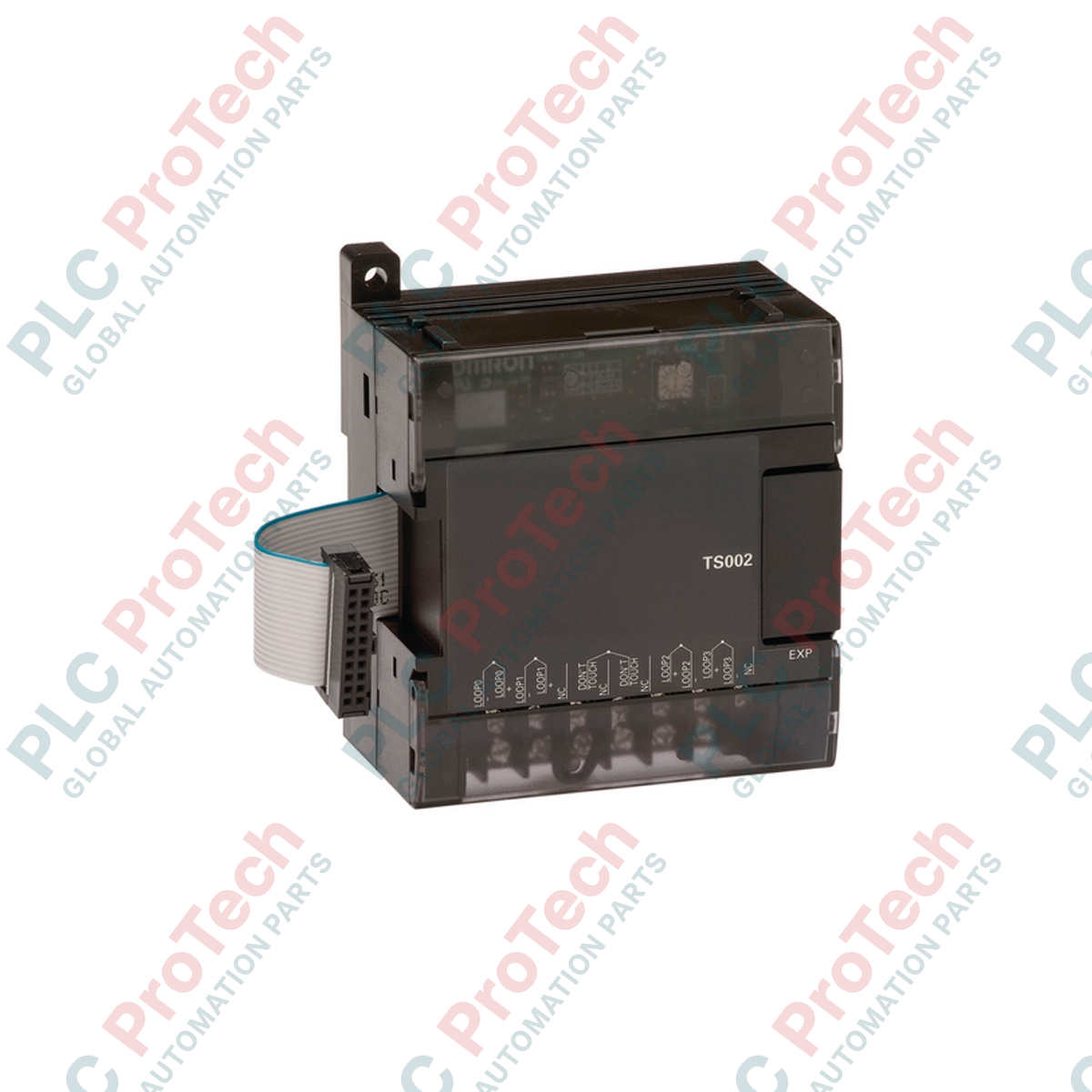
واحد توسعه حسگر دمای اُمرون CP1W-TS002 که برای یکپارچهسازی مستقیم با معماریهای PLC سری CP اُمرون طراحی شده است، با ارائه کانالهای اختصاصی اندازهگیری دقیق ترموکوپل، قابلیتهای سیستم را افزایش میدهد. این ماژول مستقیماً با واحدهای CPU مدلهای CP1H، CP1L و CP1E ارتباط برقرار میکند و پایش دقیق دما را بدون نیاز به ترانسمیترهای سیگنال خارجی امکانپذیر میسازد. این واحد از حداکثر چهار ورودی ترموکوپل پشتیبانی میکند که میتوان آنها را برای حسگرهای نوع K یا نوع J پیکربندی کرد تا نیازهای خاص هر کاربرد برآورده شود. این واحد با بهرهگیری از ایزولاسیون گالوانیکی قابلاعتماد از طریق فتوکپلرها بین کانالهای ورودی و منطق داخلی PLC، عملکرد پایدار و مصونیت بالا در برابر نویز را در محیطهای الکتریکی چالشبرانگیز تضمین میکند.
| پارامتر | جزئیات مشخصات |
|---|---|
| تولیدکننده | اُمرون |
| شماره مدل | CP1W-TS002 |
| نوع ماژول | واحد ورودی حسگر دما |
| نوع ورودی | ترموکوپل (نوع K یا نوع J، قابلتغییر) |
| تعداد ورودیها | ۴ کانال |
| کلمات ورودی اختصاصیافته | ۴ کلمه |
| زمان تبدیل | ۲۵۰ میلیثانیه برای ۲ یا ۴ نقطه |
| قالب داده | داده دودویی ۱۶ بیتی (هگزادسیمال ۴ رقمی) |
| روش ایزولاسیون | فتوکپلرها بین همه ورودیهای دما و مدارهای داخلی |
| مصرف فعلی | حداکثر ۵ ولت DC با جریان ۴۰ میلیآمپر؛ حداکثر ۲۴ ولت DC با جریان ۵۹ میلیآمپر |
| کشور سازنده | ژاپن |
| وزن ارسال (محاسبهشده) | ۰٫۳۸ کیلوگرم |
| ابعاد بستهبندی (محاسبهشده) | ۱۱۰ میلیمتر × ۹۰ میلیمتر × ۸۰ میلیمتر |
CP1W-TS002 جایگزین CP1W-TS001 با چگالی پایینتر میشود که فقط از دو ورودی پشتیبانی میکند و برای سیستمهایی که به توسعه مقیاس نیاز دارند مناسب است. این ماژول بهطور یکپارچه در سمت راست هر ماژول CPU از نوع CP1H، CP1L یا CP1E نصب میشود. توجه داشته باشید که واحدهای توسعه سری CP با بکپلینهای قدیمی سری C200H یا CJ سازگار نیستند.
هر چهار کانال ورودی باید از یک نوع ترموکوپل یکسان استفاده کنند (همه نوع K یا همه نوع J). ترکیب انواع حسگر در یک ماژول CP1W-TS002 پشتیبانی نمیشود و باعث ایجاد مقادیر تبدیل نادرست خواهد شد. ورودیهای بدون استفاده باید پیکربندی یا بهصورت فیزیکی سیمکشی شوند تا از ثبت خطاهای مدار باز در گزارش خطای PLC جلوگیری شود.
انتخاب نوع حسگر با کلیدهای DIP واقع در زیر پوشش محافظ ترمینال ماژول انجام میشود. این تنظیمات سختافزاری باید زمانی انجام شوند که سیستم PLC کاملاً خاموش باشد. CPU تغییرات وضعیت کلید DIP را که هنگام اجرای فعال سیستم ایجاد شوند، ثبت نمیکند.
برای انتخاب ترموکوپل نوع K یا نوع J مطابق با حسگرهای فیزیکی موجود در محل، کلید DIP واقع در زیر پوشش ماژول را تنظیم کنید.
کانکتور گذرگاه توسعه CP1W-TS002 را با درگاه توسعه روی واحد CPU یا ماژول توسعه قبلی همراستا کرده و محکم کنید.
سیمهای رابط ترموکوپل یا کابلهای جبرانساز را به ترمینالهای پیچی تعیینشده متصل کنید. برای به حداقل رساندن تداخل الکترومغناطیسی، سیمهای حسگر را از کابلهای برق AC با ولتاژ بالا جدا نگه دارید.
سیستم PLC را روشن کنید و با استفاده از نرمافزار CX-Programmer وضعیت تخصیص را بررسی کنید تا از خوانش صحیح کلمه ورودی اطمینان حاصل شود.

Global Express Shipping
Returns & Warranty
ارسال سریع جهانی
بازگشت کالا و گارانتی
سفارشها از دوشنبه تا جمعه پردازش و تحویل داده میشوند (به جز تعطیلات رسمی).
برای شرایط کامل واجد شرایط بودن، هزینههای بازگردانی و جزئیات بازگشت بینالمللی، لطفاً صفحه رسمی ما را مشاهده کنید سیاست بازپرداخت و بازگشت کالا .
| Country of origin |
ژاپن
|

مقایسه مستقیم تعداد خروجی، گروهبندی مشترک، جریان بکپلین و محدودیتهای بارِ تعدیلشده بر اساس دما در 1746-OA8 و 1746-OA16.

چکلیست میدانی برای ثبت سری سختافزار 1761-NET-DNI، میانافزار، فایل EDS، تنظیمات DF1، آدرس DeviceNet و پیکربندی پیامرسانی پیش از تعویض.

EL3062 یک ترمینال EtherCAT با بازه 0–10 ولت است. EL3062-0030 نسخه 0–30 ولت آن است. این چکلیست شناسایی، مقیاسبندی و راهاندازی را پوشش میدهد.

چکلیست میدانی برای تعویض ماژولهای خروجی رله Allen-Bradley 1769-OW8 بدون از دست دادن جزئیات گروه بار، سیمکشی و راهاندازی.

چکلیست میدانی برای تطبیق ورودیها و خروجیهای دیجیتال و آنالوگ PLC با حسگرها، بارها، مشترکها، گروههای ایزولاسیون، فیلترها و تنظیمات جایگزینی.

چکلیستی میدانی برای انتخاب، نصب، راهاندازی و عیبیابی فلومترهای مغناطیسی، با تأکید بر رسانایی، شرایط پر بودن لوله، اتصال به زمین، سیمکشی، بررسی صفر و اعتبارسنجی سیگنال PLC.