1 of 1

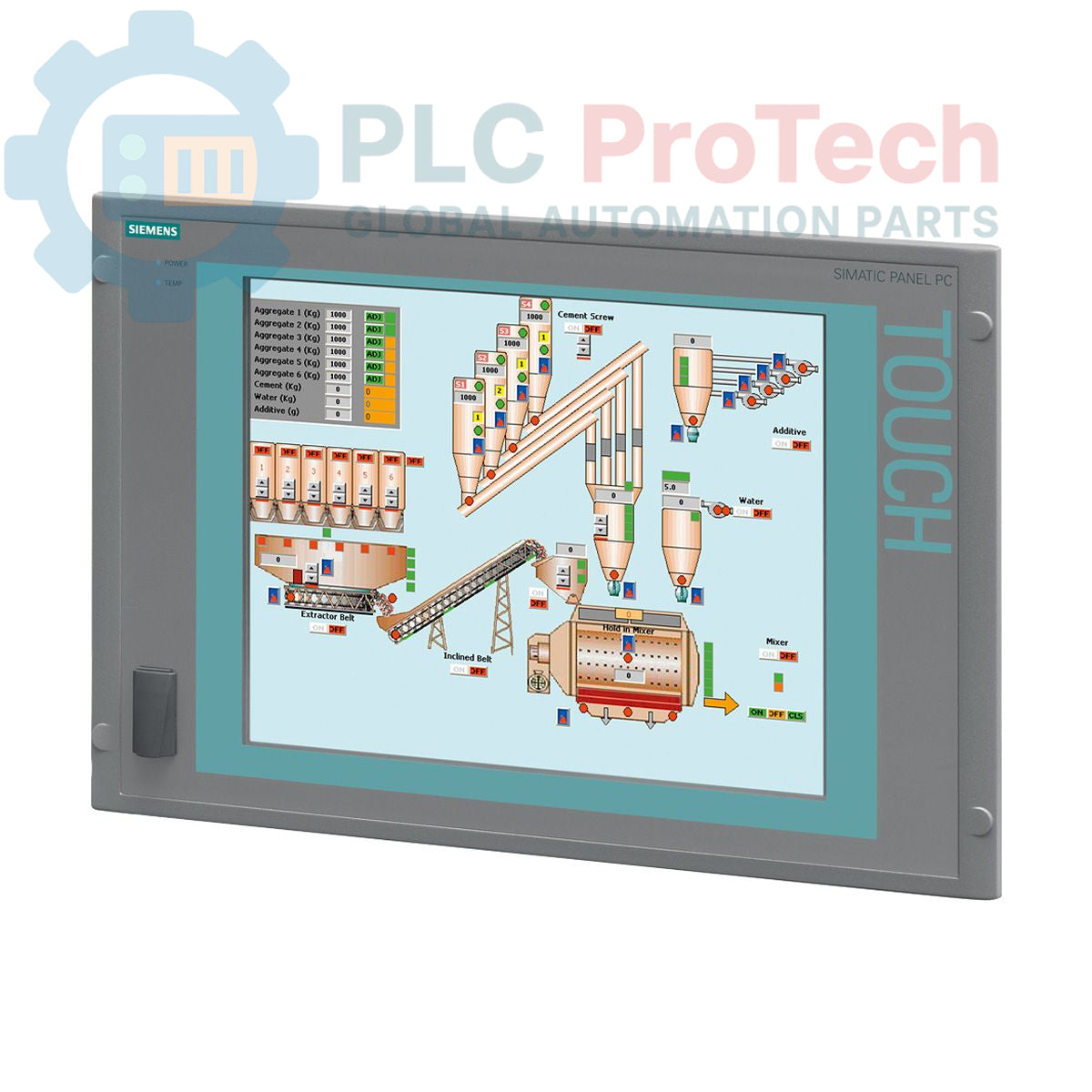
Siemens 6AV7872-0BC10-1AC0 SIMATIC Panel PC 677B

Siemens 6AV7872-0BC10-1AC0 SIMATIC Panel PC 677B

Only 5 item(s) left in stock
  • Manufacturer: Siemens

  • Product No.: 6AV7872-0BC10-1AC0

  • Country of origin:Germany

  • Product Type: Panel PC

  • Barcode: 85371091

  • Payment: T/T, Western Union

  • Weight: 17g

  • Dimensions: 67.0 x 83.0 x 11.5 cm

  • Shipping port: Xiamen

  • Warranty: 12 months

Quantity
View full details

Description

This is a Siemens SIMATIC Panel PC 677B, model 6AV7872-0BC10-1AC0, an integrated human-machine interface (HMI) designed for industrial control and visualization applications. It features a 15-inch touch display with 1024 x 768 resolution, powered by an Intel Core 2 Duo T5500 processor. The unit is equipped with a comprehensive set of interfaces, including dual Gigabit Ethernet, USB 2.0, a serial port, and an integrated PROFIBUS/MPI communication module. It operates on a 110/230 V AC power supply and comes pre-installed with the Windows XP Professional operating system.

Features

  • 15-inch TFT touch screen display with 1024 x 768 pixel resolution.
  • Intel Core 2 Duo T5500 processor operating at 1.66 GHz.
  • 512 MB of DDR2 RAM for application processing.
  • Integrated 160 GB SATA 3.5-inch hard disk drive for data storage.
  • Built-in DVD+/-RW optical drive for software installation and data backup.
  • Onboard PROFIBUS/MPI interface for industrial network connectivity.
  • Dual 10/100/1000 Mbit/s Ethernet ports for network redundancy or separation.
  • Convenient front-side USB port for easy peripheral access.

Applications

  • Machine-level control and visualization (HMI).
  • Supervisory Control and Data Acquisition (SCADA) nodes.
  • Process monitoring in manufacturing and production lines.
  • Industrial data logging and reporting systems.

Technical Specifications

Category Specification
General Information
Brand Siemens
Model 6AV7872-0BC10-1AC0
Series SIMATIC Panel PC 677B
Product Type Panel PC
Product Lifecycle Status Obsolete
Processor & Memory
CPU Intel Core 2 Duo T5500
CPU Clock Speed 1.66 GHz
RAM 512 MB DDR2
Buffered SRAM 2 MB
Storage
Hard Drive 160 GB SATA HDD (3.5-inch)
Cache 2 MB SLC
Optical Drive DVD+-R+-RW
Display
Display Size 15-inch
Display Type Touch Screen
Resolution 1024 x 768 pixels
Interfaces
Ethernet 2 x 10/100/1000 Mbit/s
USB 4 x USB 2.0 (rear), 1 x USB (front)
Serial 1 x COM1
Industrial Communication PROFIBUS/MPI
Expansion Slots 2 x PCI
Power Supply
Input Voltage 110/230 V AC
Compliance NAMUR
Software
Operating System Windows XP Professional MUI (de, en, fr, es, it, ja, zh, ko)
Logistics
Country of Origin Germany (Estimated)
Manufacturer Siemens
Package Dimensions (Calculated) 67.0 x 83.0 x 11.5 cm
Shipping Weight 17.00 kg

Installation Guidelines

CRITICAL WARNING: HAZARD OF ELECTRIC SHOCK

Disconnect all power sources before installation or servicing. Failure to de-energize equipment can result in severe injury or death. Installation must be performed by qualified personnel only. Use appropriate Lockout/Tagout (LOTO) procedures.

  1. 1 Ensure the control cabinet is fully de-energized and locked out. Verify the absence of voltage before proceeding.
  2. 2 Prepare the panel cutout according to the manufacturer's dimensional drawings. Ensure the mounting surface is clean, flat, and free of debris.
  3. 3 Insert the Panel PC into the cutout from the front. Secure it from the rear using all provided mounting clamps, tightening them evenly to the specified torque to maintain the IP rating.
  4. 4 Connect a low-impedance protective earth (PE) conductor to the designated grounding terminal on the PC chassis. This is critical for safety and noise immunity.
  5. 5 Connect the AC power supply cable to the unit's power input connector. Ensure the source voltage matches the 110/230 V AC rating.
  6. 6 Connect Ethernet, PROFIBUS, USB, and any other required communication or peripheral cables. Route cables to prevent strain and interference.
  7. 7 After verifying all connections are secure, remove the lockout/tagout devices and re-energize the cabinet. Power on the Panel PC and confirm that the operating system boots correctly.

What operating system is installed on the 6AV7872-0BC10-1AC0?

This Panel PC comes pre-installed with Windows XP Professional Multi-language User Interface (MUI), supporting languages such as German, English, French, Spanish, Italian, Japanese, Chinese, and Korean.

Does this unit have a PROFIBUS port?

Yes, it is equipped with an integrated PROFIBUS/MPI interface for direct connection to industrial automation networks.

What are the main communication interfaces available?

The device includes two Gigabit Ethernet ports (10/100/1000 Mbit/s), four rear USB 2.0 ports, one front-accessible USB port, and one serial (COM1) port.

What is the screen size and resolution?

The device features a 15-inch color TFT touch screen with a native resolution of 1024 x 768 pixels.

What type of storage and memory does this Panel PC have?

It is configured with 512 MB of DDR2 RAM, a 160 GB SATA hard disk drive, and a DVD+/-RW optical drive.

Global Express Shipping

  • Standard Delivery: 4-6 Business Days via DHL, FedEx, and UPS.
  • Express Dispatch: Same-day dispatch for in-stock orders placed before 2:00 PM (GMT+8).
  • Worldwide Coverage: Serving over 150 countries, including rapid delivery to Saudi Arabia and UAE.

Returns & Warranty

  • 30-Day Guarantee: Returns accepted for in-stock products in original, factory-sealed packaging.
  • 12-Month Warranty: Every industrial component is backed by our professional technical warranty.

Orders are processed and delivered Monday-Friday (excluding public holidays).


For full eligibility, restocking fees, and international return details, please view our official Refund & Return Policy .

TECHNICAL SPECIFICATIONS

Country of origin
Germany

Recently Viewed Products

Technical knowledge

Modernizing Bailey INFI 90 Symphony HMIs Running on OpenVMS Alpha

A practical guide to replacing aging Bailey Symphony operator stations running on OpenVMS Alpha. It compares Alpha emulation, OpenVMS x86 migration, OPC re-platforming, and phased ABB modernization.

Why Maintenance Data Is Essential for Industrial Reliability

Maintenance data connects work orders, sensor signals, asset history, costs, and technician knowledge. Used well, it improves planning, reliability, predictive maintenance, spare-parts control, and...

Сұйықтық қуат жүйелерін ауыстыруға арналған электрлік актуаторлар: Практикалық өнеркәсіптік автоматтандыру нұсқаулығы

Бұл мақала SMC компаниясының e-Actuator сериясы сияқты біріктірілген электрлік актюаторлардың дәстүрлі пневматикалық және гидравликалық жүйелерді ауыстыра отырып, өнеркәсіптік қозғалысты басқаруды...

Өнеркәсіптік автоматтандыру қолданбалары үшін OpenPLC көмегімен математикалық операциялар

Бұл мақалада PLC жүйелерінің өнеркәсіптік автоматтандыруда қосу, алу, көбейту, бөлу, модуль және дәрежелеу сияқты негізгі математикалық операцияларды қалай орындайтыны түсіндіріледі. Онда осы функция...

FBD PLC бағдарламалауындағы жетілдірілген булев логика: Негізгі логикадан тыс практикалық өнеркәсіптік қолданбалар

Мақалада PLC бағдарламалауында негізгі AND, OR және NOT операцияларынан тыс қолданылатын бірнеше күрделі Булев логика функциялары түсіндіріледі. Онда шындық кестелері, мультиплексорлар, импульс...

PLC бағдарламалаудағы логикалық операторлар: FBD логикалық қақпаларын түсіну

Булев логика әрбір ПЛК бағдарламасының негізі болып табылады. Қарапайым машина басқару жүйелерінен күрделі өнеркәсіптік автоматтандыру жүйелеріне дейін, логикалық қақпалар контроллерлердің өзгеретін...