


Aruhan Elektromagnet dalam Gegelung Industri
Fahami cara gegelung industri menghasilkan daya magnet, mendorong voltan, menjana transien pensuisan dan mengalami kegagalan dalam geganti, solenoid, transformer, motor dan penderia kehampiran dalam...
Pengilang: BECKHOFF
No. Produk: C9900-E675
Negara asal:Jerman
Jenis Produk: Sambungan Butang Tekan HMI
Pembayaran: T/T, Western Union
Berat: 500g
Dimensi: Lukisan dengan dimensi sambungan butang tekan sebagai fail AutoCAD DXF
Pelabuhan penghantaran: Xiamen
Jaminan: 12 bulan
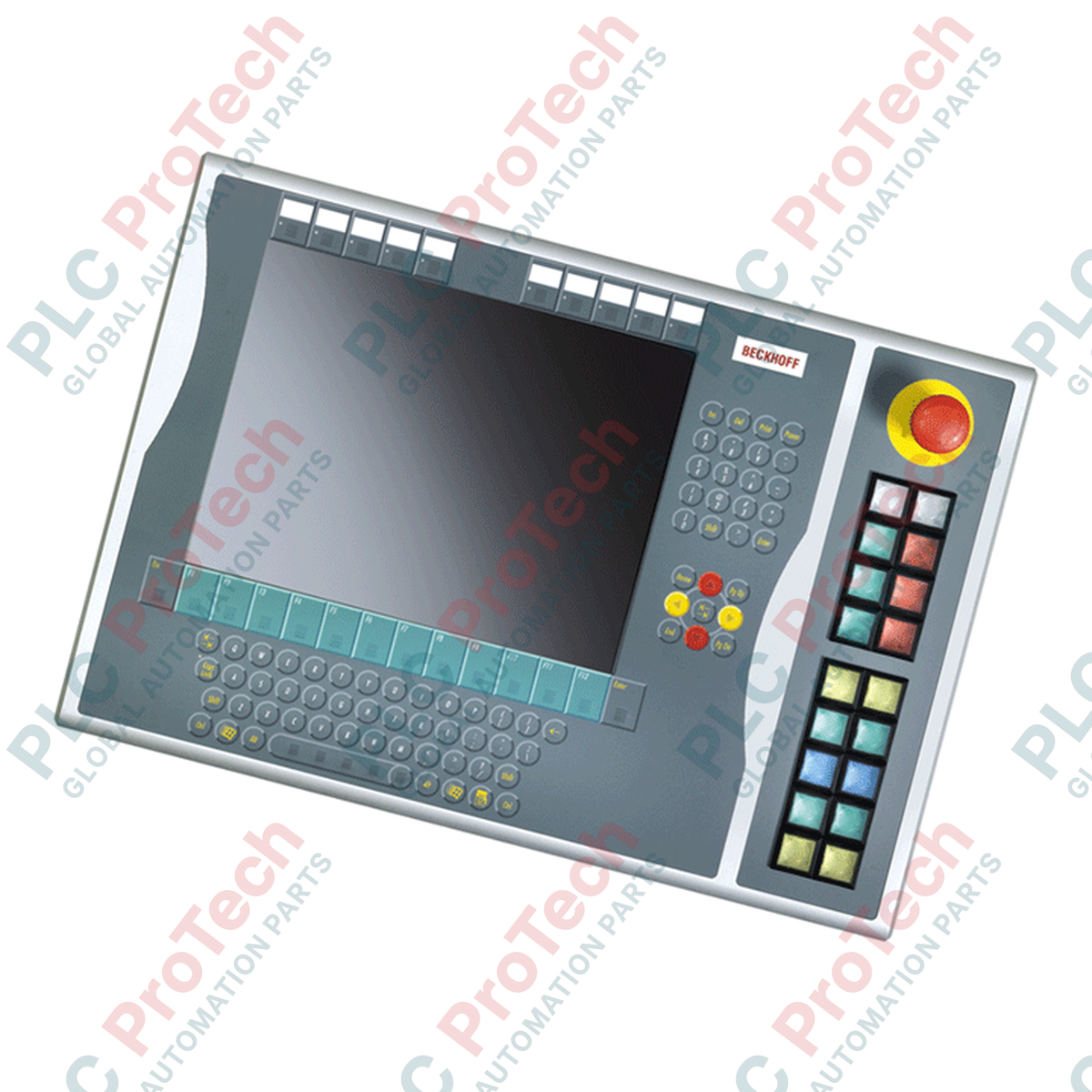
Direka untuk mengembangkan antara muka kawalan pengendali manual bagi stesen kerja industri moden, Beckhoff C9900-E675 menyediakan pelaksanaan arahan fizikal bersebelahan terus dengan panel kawalan CP6xxx dan CP7xxx. Sambungan perkakasan yang teguh ini bersaiz dan direka khusus untuk dipasang pada sebelah kanan sistem kawalan yang menggunakan paparan 15 inci berpasangan dengan susun atur papan kekunci alfanumerik, termasuk siri CP6x32-00xx dan CP7x32-00xx. Beroperasi dalam fasa perkhidmatannya, modul ini memastikan saluran input fizikal yang boleh dipercayai untuk melengkapi operasi skrin sentuh dan papan kekunci dalam persekitaran industri yang mencabar.
| Parameter | Spesifikasi |
|---|---|
| Pengilang | Beckhoff Automation |
| Nombor Model | C9900-E675 |
| Keserasian | CP6x32-00xx dan CP7x32-00xx (model paparan 15 inci dengan papan kekunci alfanumerik) |
| Konfigurasi Butang Tekan | 18x butang tekan dengan lampu isyarat maklum balas |
| Henti Kecemasan | 1x Siemens Signum Henti Kecemasan (boleh disambung dengan wayar secara terus) |
| Saiz Mekanikal Butang | 30 x 30 mm (Segi empat sama) |
| Antara Muka Penghantaran | CP-Link atau USB, serta baris terminal berwayar terus yang berasingan |
| Kawalan Lampu Isyarat | CP-Link / USB sahaja |
| Konfigurasi Sesentuh | Sesentuh Dwi Biasanya Terbuka (N.O.) bagi setiap butang tekan |
| Fasa Kitar Hayat | Fasa Perkhidmatan (Sokongan legasi dan ketersediaan alat ganti) |
| Negara Asal | Jerman |
| Berat Penghantaran (Dikira) | 5.0 kg |
| Titik Sambungan | Penetapan Fungsi / Litar |
|---|---|
| Antara Muka CP-Link / USB | Laluan penghantaran data untuk Sesentuh Utama (N.O. pertama) serta arahan kuasa/isyarat bagi semua lampu status bersepadu. |
| Baris Terminal (Dalaman) | Penamatan kuprum terus untuk Sesentuh Sekunder (N.O. ke-2) bagi setiap butang, memintas elektronik USB/CP-Link aktif. |
| Terminal Henti Kecemasan | Sambungan terminal berwayar terus terasing yang dikhususkan untuk penyisipan gelung geganti keselamatan. |
Oleh sebab modul sambungan ini berada dalam fasa servisnya, penggantian fizikal mesti sepadan tepat dengan saiz paparan panel hos. C9900-E675 direka khusus untuk paparan 15 inci dengan papan kekunci alfanumerik. Menukarnya dengan modul yang direka untuk saiz paparan alternatif (contohnya varian 12 inci atau 19 inci) akan menyebabkan ketidakjajaran pemasangan fizikal dan tekanan mekanikal pada kedap perumah.
Walaupun penutupan butang standard disampaikan dengan cekap melalui CP-Link atau USB, kependaman komunikasi boleh berlaku apabila bas PLC mengalami beban tinggi atau gangguan sistem pengendalian. Oleh itu, interlok kritikal, pengesampingan pergerakan mesin aktif dan litar keselamatan mesti menggunakan baris terminal berwayar terus sekunder, bukannya bergantung sepenuhnya pada laluan data USB/CP-Link.
Semasa pemasangan awal, pastikan pendawaian dalaman untuk blok terminal berwayar terus dihalakan dengan kelonggaran yang mencukupi bagi mengelakkan ketegangan ketika membuka atau menservis pemasangan panel kawalan. Gunakan kabel pasangan terpiuh berperisai untuk semua isyarat berwayar terus bagi mengekalkan keserasian elektromagnet (EMC) yang tinggi dalam persekitaran hingar tinggi berhampiran pemacu frekuensi boleh ubah.
Jajarkan perumah C9900-E675 dengan saluran pemasangan yang terletak di sebelah kanan Panel Kawalan CP6x32 atau CP7x32.
Ketatkan sambungan mekanikal menggunakan skru pengikat yang disediakan, dan pastikan pemasangan rata untuk mengekalkan penarafan perlindungan kemasukan pemasangan.
Halakan dan sambungkan penyambung USB atau CP-Link dalaman ke pengepala sepadan pada papan utama Panel Kawalan.
Tamatkan sambungan gelung keselamatan henti kecemasan berwayar terus dan baris terminal tambahan kembali ke PLC keselamatan atau blok terminal pengagihan yang sepadan di dalam kabinet kawalan utama.
Hidupkan semula kuasa, lakukan pemeriksaan gelung isyarat setempat pada semua 18 butang dan lampu, serta jalankan ujian keselamatan berfungsi bagi litar henti kecemasan sebelum sistem diaktifkan.

Global Express Shipping
Returns & Warranty
Penghantaran Ekspres Global
Pemulangan & Jaminan
Pesanan diproses dan dihantar Isnin-Jumaat (tidak termasuk cuti umum).
Untuk kelayakan penuh, yuran penyimpanan semula, dan butiran pemulangan antarabangsa, sila lihat rasmi kami Polisi Pemulangan & Bayaran Balik .
| Country of origin |
Jerman
|

Fahami cara gegelung industri menghasilkan daya magnet, mendorong voltan, menjana transien pensuisan dan mengalami kegagalan dalam geganti, solenoid, transformer, motor dan penderia kehampiran dalam...

Reka bentuk redundansi sistem kawalan dengan memetakan kebergantungan bersama, mengasingkan laluan kuasa dan rangkaian, mentakrifkan tingkah laku peralihan gagal, mendedahkan operasi terdegradasi,...

Kaedah penyelesaian masalah kabinet kawalan berstruktur yang merangkumi kerja selamat, lukisan, laluan kuasa, perlindungan cabang, bekalan DC, litar pulangan, output PLC, rekod kerosakan dan...

Panduan praktikal menguji voltan untuk panel kawalan industri, meliputi titik rujukan, pemilihan meter, pemeriksaan hidup-mati-hidup, kejatuhan voltan, voltan hantu, tenaga tersimpan dan kerosakan...

Panduan praktikal penguncian dan pelabelan yang merangkumi pengenalpastian tenaga berbahaya, pengasingan, kawalan tenaga tersimpan, pengesahan, kerja berkumpulan, ujian sementara, pemulihan,...

Panduan lapangan untuk penyediaan udara termampat di titik penggunaan, meliputi penapis, pengawal selia, saliran, pengering, pelinciran, kehilangan tekanan, pengasingan, pemantauan, pentauliahan dan...