1 of 1

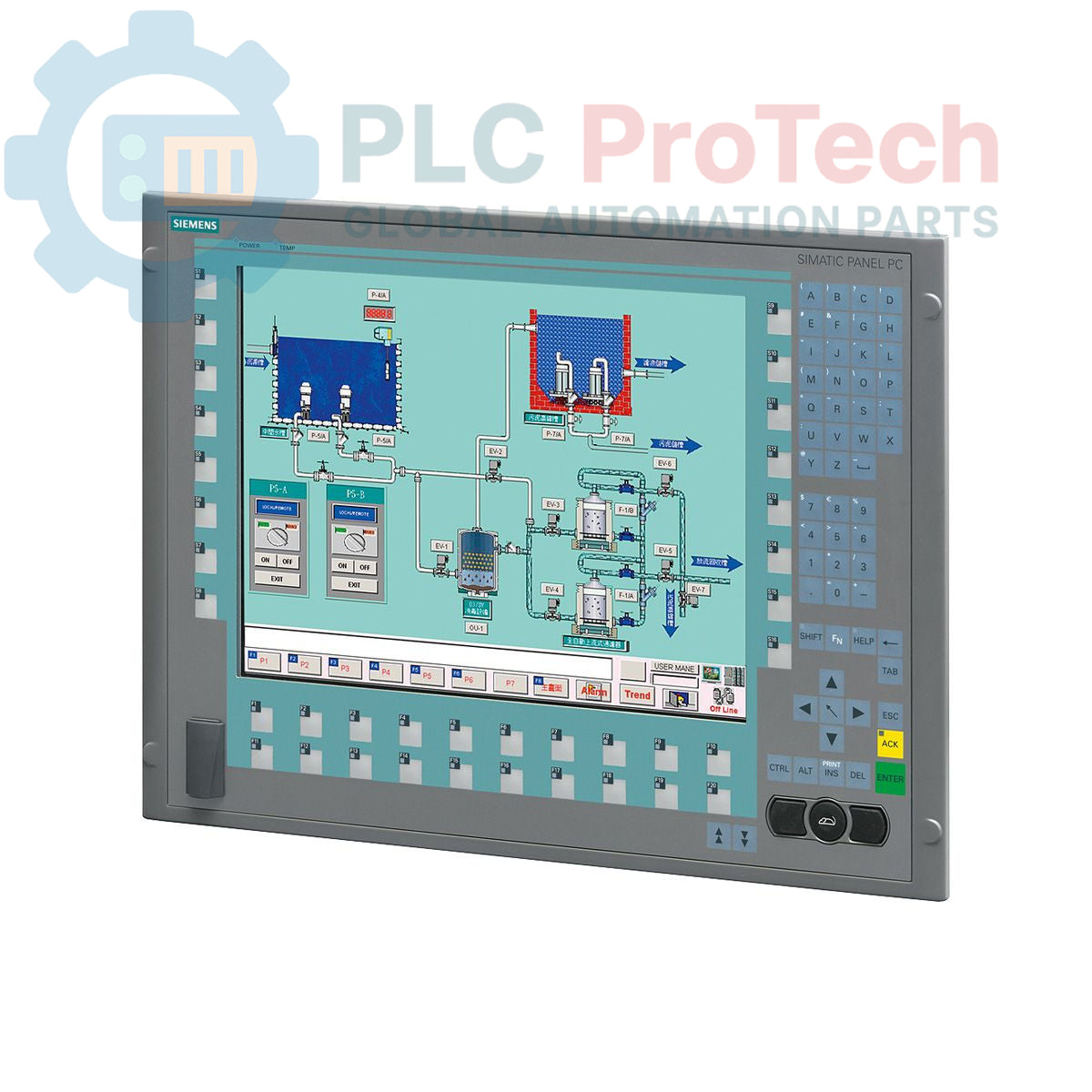
Siemens 6AV7873-0BB21-1AC0 SIMATIC Panel PC 677B 15-inch Key Panel PC

Siemens 6AV7873-0BB21-1AC0 SIMATIC Panel PC 677B 15-inch Key Panel PC

Only 4 item(s) left in stock
  • Manufacturer: Siemens

  • Product No.: 6AV7873-0BB21-1AC0

  • Country of origin:Jerman

  • Product Type: Panel PC

  • Barcode: 85371098

  • Payment: T/T, Western Union

  • Weight: 17g

  • Dimensions: 67.0 x 83.0 x 11.5 cm

  • Shipping port: Xiamen

  • Warranty: 12 months

Quantity
View full details

Description

The Siemens 6AV7873-0BB21-1AC0 is a SIMATIC Panel PC 677B designed for machine-level control and visualization applications. This unit features a 15-inch keypad display with 1024x768 resolution, powered by an Intel Celeron M 440 processor operating at 1.86 GHz. It is equipped with 1 GB of DDR2 RAM and a 250 GB SATA hard disk drive for data storage and application execution. Connectivity options include dual Gigabit Ethernet ports, four USB 2.0 ports, a serial port, and an integrated PROFIBUS/MPI interface. The system comes pre-installed with Windows XP Professional (MUI) and includes a DVD+/-R+/-RW optical drive for software installation and data backup.

Features

  • 15-inch keypad display with 1024 x 768 pixel resolution
  • Intel Celeron M 440 processor at 1.86 GHz
  • 1 GB DDR2 RAM for application processing
  • 250 GB 3.5-inch SATA Hard Disk Drive
  • Integrated PROFIBUS/MPI interface with 2 MB buffered SRAM
  • Dual 10/100/1000 Mbit/s Ethernet ports
  • Front-side accessible USB interface
  • Pre-installed with Windows XP Professional (Multi-User Interface)
  • Integrated DVD+/-R+/-RW optical drive

Applications

  • Machine-level Human Machine Interface (HMI)
  • Process visualization and control
  • Data acquisition and logging systems
  • Industrial automation control nodes

Technical Specifications

Category Specification
General
Brand Siemens
Model 6AV7873-0BB21-1AC0
Series SIMATIC Panel PC 677B
Product Type PC Panel
Lifecycle Status Obsolete
Processor & Memory
CPU Celeron M 440
CPU Clock Speed 1.86 GHz
Cache 1 MB SLC (Second Level Cache)
RAM 1 GB DDR2
Buffered SRAM 2 MB
Storage
Hard Drive 250 GB SATA HDD 3.5"
Optical Drive DVD+-R+-RW
Display
Size 15-inch
Type Keypad Interface
Resolution 1024 x 768 pixels
Interfaces & Expansion
Ethernet 2 x 10/100/1000 Mbit/s
USB 4 x USB 2.0
Front USB 1 x Front-side USB Interface
Serial 1 x COM1
Fieldbus PROFIBUS/MPI
Expansion Slots 1 x PCIe x4, 1 x PCI
Software
Operating System Windows XP Professional MUI
Languages DE, EN, FR, ES, IT, JA, ZH, KO
Power Supply
Input Voltage 110/230 V AC
Compliance NAMUR
Included Cable Europe Power Supply Cable
Logistics
Country of Origin Germany (Estimate)
Manufacturer Siemens
Package Dimensions 67.0 x 83.0 x 11.5 cm
Shipping Weight 17.00 kg
Commodity Code 85371098
ECCN N

Installation Guidelines

CRITICAL WARNING: HAZARD OF ELECTRIC SHOCK

Installation, wiring, and maintenance must be performed only by qualified personnel. Disconnect all power sources and apply appropriate Lockout/Tagout (LOTO) procedures before accessing the equipment. Failure to comply can result in severe injury or death.

  1. 1 De-energize Equipment: Ensure the control cabinet and all related circuits are fully de-energized and verified to be in a zero-energy state before beginning installation.
  2. 2 Verify Panel Cutout: Confirm that the panel cutout dimensions match the requirements for the Panel PC 677B chassis to ensure a proper fit and environmental seal.
  3. 3 Mount the Unit: Insert the Panel PC into the cutout from the front of the panel. Secure it from the rear using the provided mounting clamps, tightening them evenly to the specified torque to create a uniform seal.
  4. 4 Connect Protective Earth (PE): Connect the PE terminal on the Panel PC chassis to the control cabinet's main protective earth bus using a low-impedance conductor of the appropriate gauge. This is a critical safety connection.
  5. 5 Connect Power Supply: Connect the 110/230 V AC power supply cable to the unit's power input connector. Ensure the power source is stable and correctly rated.
  6. 6 Connect Interfaces: Connect all required communication cables, such as Ethernet, PROFIBUS, and USB. Ensure proper shielding and grounding practices are followed for all data cables to minimize electrical noise interference.
  7. 7 Final Check and Power-Up: After verifying all connections are secure and correct, remove LOTO devices and re-energize the cabinet. Power on the Panel PC and confirm that the operating system boots correctly and all interfaces are functional.

What processor is used in this Panel PC?

This unit is equipped with an Intel Celeron M 440 processor operating at a clock speed of 1.86 GHz.

What operating system is pre-installed on the 6AV7873-0BB21-1AC0?

The Panel PC comes with Windows XP Professional Multi-User Interface (MUI) pre-installed on the 250 GB hard disk drive.

Does this unit have PROFIBUS connectivity?

Yes, it includes an integrated PROFIBUS/MPI interface, making it suitable for direct connection to Siemens automation networks.

What is the display size and resolution?

It features a 15-inch display with a keypad interface and a native resolution of 1024 x 768 pixels.

What are the power supply requirements for this device?

The integrated power supply unit is designed for a 110/230 V AC input.

Global Express Shipping

  • Standard Delivery: 4-6 Business Days via DHL, FedEx, and UPS.
  • Express Dispatch: Same-day dispatch for in-stock orders placed before 2:00 PM (GMT+8).
  • Worldwide Coverage: Serving over 150 countries, including rapid delivery to Saudi Arabia and UAE.

Returns & Warranty

  • 30-Day Guarantee: Returns accepted for in-stock products in original, factory-sealed packaging.
  • 12-Month Warranty: Every industrial component is backed by our professional technical warranty.

Orders are processed and delivered Monday-Friday (excluding public holidays).


For full eligibility, restocking fees, and international return details, please view our official Refund & Return Policy .

TECHNICAL SPECIFICATIONS

Country of origin
Jerman

Recently Viewed Products

Technical knowledge

Panduan Mendalam tentang Firewall Industri dan Segmentasi Rangkaian OT

Firewall industri memainkan peranan penting dalam keselamatan siber OT, melindungi rangkaian PLC, DCS, dan SCADA melalui segmentasi, kawalan masuk/keluar, dan integrasi IDS/IPS yang selaras dengan...

Panduan Pengapit Robotik: Dari Pengendalian Halus ke Automasi Tugas Berat

Pengapit robotik moden sedang berkembang melebihi rahang mekanikal tradisional. Daripada sistem pelekat yang diinspirasikan oleh cicak dan pengapit lembut gred makanan hingga alat gudang yang...

Throwback: Bagaimana Motor Elektrik Awal Mengubah Perlombongan Bawah Tanah

Dari pemampat DC yang digerakkan tali ke troli lombong bertenaga bateri, operasi perlombongan awal menandakan titik perubahan dalam elektrifikasi industri. Artikel ini meneroka bagaimana motor...

Factory I/O: Alat Simulasi PLC Moden untuk Latihan Automasi Industri

Factory I/O sedang mengubah pendidikan PLC dengan menyediakan simulasi industri 3D yang mendalam untuk pelajar, jurutera, dan pasukan penyelenggaraan. Platform ini merapatkan jurang antara teori dan...

Pengaturcaraan Kitaran Gerakan Paksi Tunggal pada Pemacu Servo CMZ

Tutorial ini mengkaji bagaimana fungsi PLC terbina dalam pemacu servo CMZ SBD dapat melaksanakan program gerakan berdiri sendiri, termasuk logik homing, kawalan kedudukan, dan pergerakan paksi...

Persediaan Kawalan Gerakan Paksi Tunggal dengan Pemacu Servo CMZ

Tutorial ini meneroka penyediaan sistem gerakan servo paksi tunggal menggunakan pemacu CMZ SBD, merangkumi penyediaan perkakasan, penskalaan paksi, konfigurasi homing, dan pengesahan gerakan selamat...