Penerangan
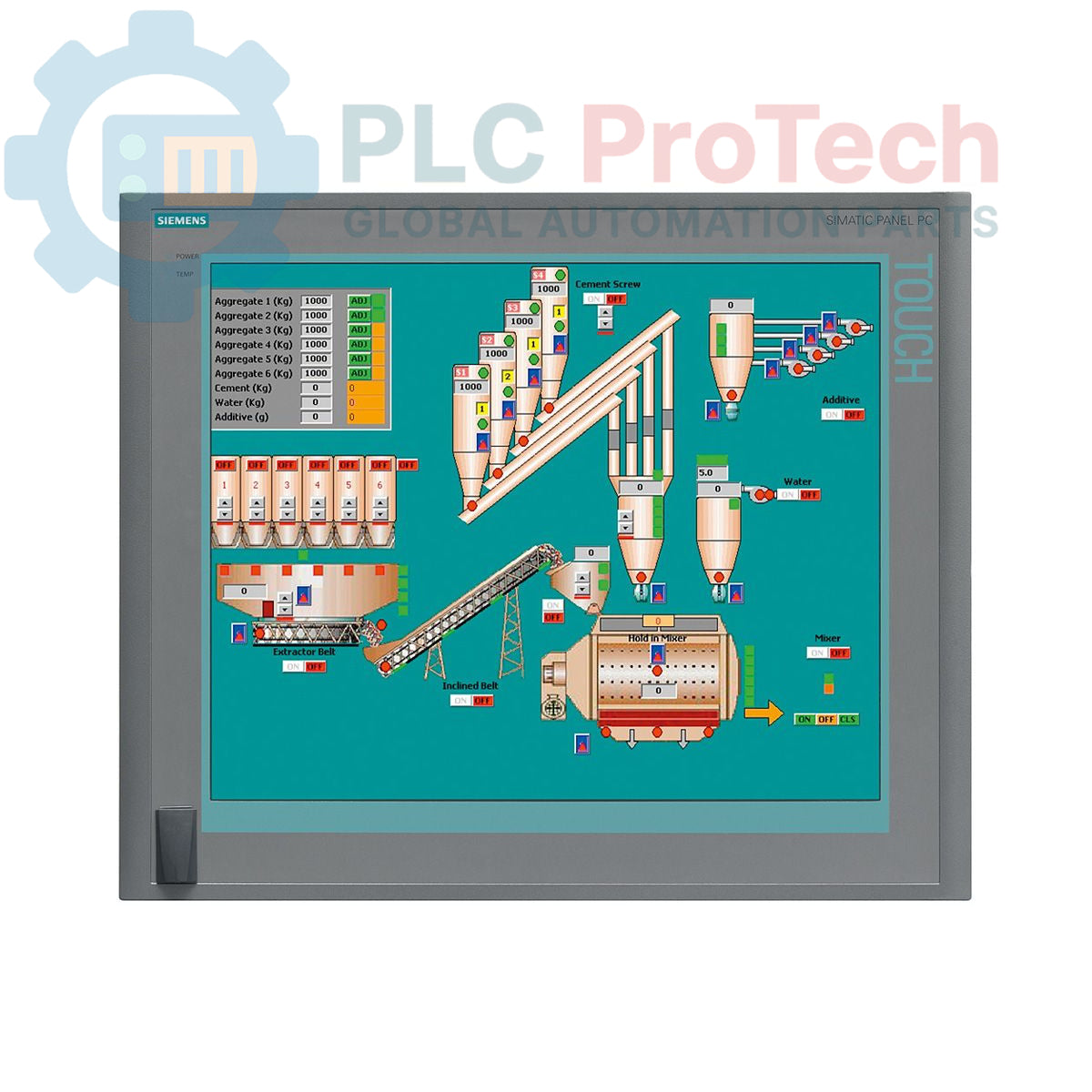
Siemens 6AV7875-0AE51-1AC0 ialah SIMATIC Panel PC 677B yang direka untuk aplikasi antara muka manusia-mesin (HMI) dan kawalan industri yang mencabar. Unit ini mempunyai paparan skrin sentuh 19 inci dengan resolusi 1280x1024, dikuasakan oleh pemproses Core 2 Duo T7400 2.16 GHz dan RAM DDR2 4 GB. Ia dilengkapi pilihan kesambungan yang komprehensif, termasuk dua port Ethernet Gigabit, antara muka PROFIBUS/MPI dan beberapa port USB 2.0. Storan disediakan oleh pemacu cakera keras SATA 250 GB, dan sistem ini diprapasang dengan Windows XP Professional MUI. Panel PC ini beroperasi dengan bekalan kuasa 24 V DC dan merangkumi dua slot PCI untuk pengembangan perkakasan.
Ciri-ciri
- Paparan skrin sentuh warna 19 inci dengan resolusi 1280 x 1024 piksel
- Pemproses Intel Core 2 Duo T7400 bersepadu (2.16 GHz)
- RAM DDR2 yang dipasang sebanyak 4 GB
- Pemacu Cakera Keras (HDD) SATA 250 GB 3.5 inci
- Pemacu optik DVD±R/±RW untuk sandaran data dan pemasangan perisian
- Dua port Ethernet 10/100/1000 Mbit/s untuk redundansi atau pengasingan rangkaian
- Antara muka PROFIBUS/MPI terbina dalam dengan SRAM berpenimbal 2 MB
- Empat port USB 2.0 di bahagian belakang dan satu port USB di bahagian hadapan untuk akses mudah
- Satu port bersiri COM1 untuk komunikasi dengan peranti lama
- Dua slot PCI tersedia untuk kad pengembangan
- Diprapasang dengan Windows XP Professional Multi-language User Interface (MUI)
Aplikasi
- Kawalan dan pemantauan pengendali pada peringkat mesin
- Sistem visualisasi proses dan SCADA
- Pemerolehan dan pengelogan data dalam persekitaran pembuatan
- Panel kawalan automasi kilang
- Platform pengkomputeran industri yang memerlukan sokongan sistem pengendalian lama
Spesifikasi Teknikal
| Spesifikasi |
Nilai |
| Jenama |
Siemens |
| Siri Produk |
SIMATIC Panel PC 677B |
| Nombor Bahagian |
6AV7875-0AE51-1AC0 |
| Status Kitar Hayat Produk |
Usang |
| Bekalan Kuasa |
24 V DC |
| Pemproses |
Intel Core 2 Duo T7400, 2.16 GHz |
| Cache Pemproses |
4 MB SLC |
| Memori (RAM) |
4 GB DDR2 |
| Storan |
HDD SATA 250 GB 3.5" |
| Pemacu Optik |
DVD±R/±RW |
| Jenis Paparan |
Skrin Sentuh 19 inci |
| Resolusi Paparan |
1280 x 1024 piksel |
| Port Ethernet |
2 x 10/100/1000 Mbit/s |
| Port USB |
4 x USB 2.0 (belakang), 1 x USB (hadapan) |
| Port Bersiri |
1 x COM1 |
| Antara Muka Bas Medan |
PROFIBUS/MPI (dengan SRAM berpenimbal 2 MB) |
| Slot Pengembangan |
2 x PCI |
| Sistem Pengendalian |
Windows XP Professional MUI (DE, EN, FR, ES, IT, JA, ZH, KO) |
| Berat Penghantaran |
17.00 kg |
| Kod Komoditi |
85371098 |
| ECCN |
N |
| Negara Asal |
Jerman (Anggaran) |
| Pengilang |
Siemens |
| Dimensi Bungkusan (Dikira) |
67.0 x 83.0 x 11.5 cm |
Garis Panduan Pemasangan
AMARAN PENTING: Voltan berbahaya mungkin wujud. Pemasangan mesti dilakukan oleh kakitangan yang berkelayakan sahaja. Pastikan kabinet kawalan dinyahdayakan serta dikunci dan dilabel (LOTO) sebelum memulakan sebarang kerja. Kegagalan mematuhi arahan ini boleh mengakibatkan kecederaan parah atau kematian.
-
1
Sediakan Bukaan Panel: Sahkan bahawa dimensi bukaan kepungan atau panel sepadan dengan spesifikasi pengilang untuk PC 677B. Pastikan permukaan pemasangan bersih, rata dan kukuh.
-
2
Pasang Unit: Masukkan Panel PC ke dalam bukaan dari bahagian hadapan. Kukuhkan dari bahagian belakang menggunakan semua pengapit pemasangan yang disediakan. Ketatkan pengapit secara sekata mengikut corak bersilang untuk memastikan kedapan yang seragam pada gasket panel.
-
3
Sambungkan Pembumian Perlindungan (PE): Sambungkan konduktor pembumian perlindungan berimpedans rendah kepada terminal pembumian yang ditetapkan pada casis PC. Ini penting untuk keselamatan dan imuniti hingar.
-
4
Sambungkan Kuasa DC: Sambungkan bekalan kuasa 24 V DC kepada terminal input kuasa. Sahkan kekutuban yang betul (+/-) sebelum menyambungkannya. Gunakan konduktor yang bersaiz sesuai untuk beban dan jarak.
-
5
Sambungkan Antara Muka: Sambungkan Ethernet, PROFIBUS, USB dan mana-mana kabel komunikasi atau periferal lain yang diperlukan. Pastikan semua penyambung dipasang sepenuhnya dan diketatkan. Kekalkan pemisahan yang betul antara pendawaian kuasa dan isyarat.
-
6
Menghidupkan Kuasa dan Pengesahan: Selepas mengesahkan semua sambungan, tanggalkan LOTO dan hidupkan semula bekalan kuasa kabinet utama. Hidupkan Panel PC dan sahkan bahawa sistem pengendalian dimulakan dengan betul serta semua peranti yang disambungkan dikenal pasti.