Description
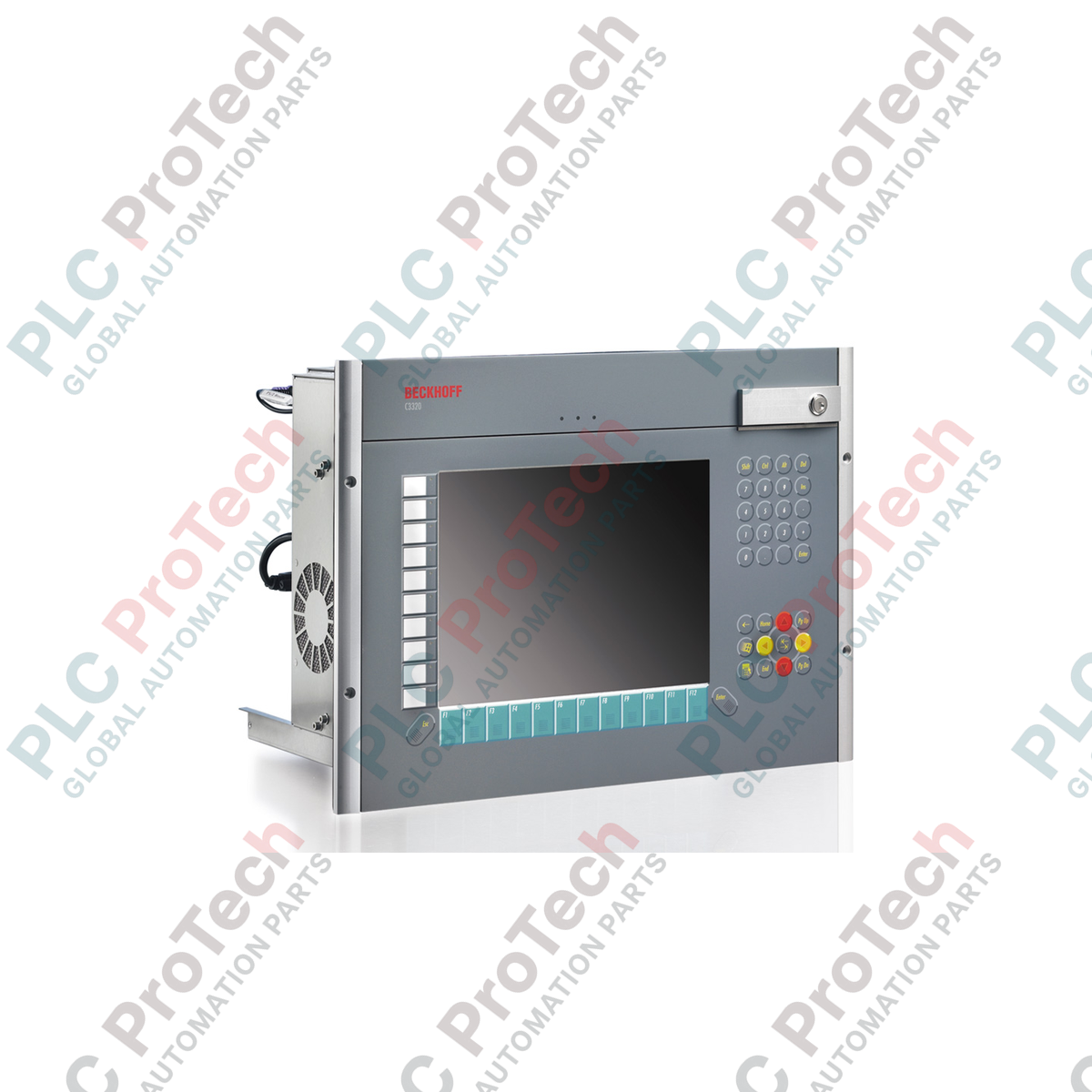
The BECKHOFF C3320-0070 is an industrial built-in Panel PC configured for mounting in standard 19-inch racks or control cabinet front doors. Occupying 8 rack units (8U) of height, this unit integrates a 12-inch visual display and an alphanumeric operator keyboard into a stainless steel-based housing with an aluminum front and a lockable front flap. This assembly delivers front-side IP65 environmental protection and rear-side IP20 protection for demanding plant-floor applications.
The internal architecture is built upon an ATX motherboard supporting 6th and 7th generation Intel processors, spanning Intel Celeron, Pentium, and Core i3, i5, or i7 multi-core processors. This modular architecture allows optimization for high-performance computing, HMI visualization, complex automation tasks, and database communication. The extensive chassis depth provides space for both standard and full-length expansion cards across multiple PCI and PCI Express (PCIe) slots.
For high-availability data storage, the BECKHOFF C3320-0070 is equipped with an on-board SATA RAID 1 controller, allowing mirrored storage configurations across 3.5-inch hard disks or solid-state drives (SSDs). Built-in connectivity includes dual Gigabit Ethernet ports, USB 3.0 interfaces, and multiple video outputs to interface with modern industrial control configurations and peripheral hardware.
Features
- 19-inch rack-mount format (8U height) featuring an integrated 12-inch display and complete front-panel keyboard.
- Rugged stainless steel-based housing with a durable aluminum front and lockable flap for key switch protection.
- IP65-rated front panel and IP20-rated rear enclosure, designed to withstand wet and dusty environments.
- High computational adaptability via support for Intel 6th and 7th generation Celeron, Pentium, and Core i3/i5/i7 processors on an ATX motherboard.
- On-board SATA RAID 1 controller supporting redundant drive storage for critical industrial operations.
- Dual on-board 100/1000BASE-T Ethernet interfaces enabling separate office and field network paths.
- Extensive physical slot expansion accommodating up to four short-format PCIe cards and three full-length PCI/PCIe cards.
Applications
- Rack-integrated human-machine interface (HMI) for machine control systems.
- Process visualization and SCADA supervisor stations in industrial cabinets.
- Centralized plant-floor data acquisition, storage, and processing requiring hardware expansion slots.
- Production line monitoring systems necessitating dedicated front-panel hardware keys and status indicators.
Technical Specifications
General and Mechanical
| Parameter |
Specification |
| Manufacturer |
BECKHOFF |
| Model |
C3320-0070 |
| Device Type |
19-inch built-in Industrial Panel PC |
| Housing Material |
Stainless steel-based housing, aluminum front panel, lockable front flap |
| Protection Rating |
Front side IP65, rear side IP20 |
| Dimensions (W x H x D) |
482.7 x 355 x 282 mm (19" x 14" x 11.1") |
| Depth Behind Front |
261 mm (10.4") |
| Rack Height Units |
8 high units (8U) |
| Weight (Basic Configuration) |
18 kg (39.8 lbs) |
| Operating Temperature |
0 to 55 degC |
Display and Operator Interface
| Parameter |
Specification |
| Display Size |
12-inch |
| Resolution |
800 x 600 pixels |
| Front Keyboard |
Alphanumeric front keyboard: 12 function keys, Escape, Enter, numeric keys, cursor keys |
| Special PLC Keys |
10 keys with integrated status LEDs, customizable using slide-in labels |
Computing and Storage
| Parameter |
Specification |
| Motherboard |
ATX motherboard for Intel 6th and 7th generation processors |
| Supported Processors |
Intel Celeron G3900 2.8 GHz (2 cores) up to Intel Core i7 7700 3.6 GHz (4 cores) |
| Memory Options |
4 GB DDR4 RAM up to 64 GB DDR4 RAM |
| SATA RAID Controller |
On-board SATA RAID 1 controller |
| Supported Storage Devices |
3.5-inch Hard Disk (1 TB to 4 TB), SSD, CFast |
Optical Drive
Optional multi-DVD drive |
Interfaces and Expansion
| Parameter |
Specification |
| Ethernet |
2 x 100/1000BASE-T on-board ports |
| Video Interfaces |
2 x DVI, 1 x DisplayPort |
| Standard Communication Ports |
4 x USB 3.0, 1 x RS232, PS/2 keyboard and mouse ports |
| Optional Additional Ports |
Up to 10 x USB 2.0, 3 x RS232 interfaces |
| Short Expansion Slots (up to 240 mm) |
2 x PCIe-x1, 1 x PCIe-x4, 1 x PCIe-x16 |
| Full-Length Expansion Slots |
2 x PCI, 1 x PCIe-x4 |
Electrical
| Parameter |
Specification |
| Power Supply Input Options |
100 to 240 V AC or 24 V DC |
| Uninterruptible Power Supply |
Optional integrated UPS with external battery connection |
Connections / Interfaces
| Interface Type |
Function and Configuration |
| Ethernet Ports (2 x RJ45) |
Dual independent gigabit network interfaces for field and control levels |
| DVI (2 x Outputs) |
Dual digital visual interfaces for external display duplication or extension |
| DisplayPort (1 x Output) |
High-resolution digital display output interface |
| USB 3.0 (4 x Type A) |
High-speed connections for data backup, peripherals, and diagnostic tools |
| RS232 (1 x DB9) |
Standard serial interface for legacy controllers, barcode scanners, or sensors |
| PS/2 Ports |
Dedicated input connections for external keyboard and mouse devices |
Installation Guidelines
- Verify that the cutout dimensions in the 19-inch rack or cabinet panel meet the exact dimensions of 482.7 mm width and 355 mm height.
- Ensure that all main power supplies are completely de-energized and locked out before attempting physical installation.
- Carefully insert the Panel PC from the front of the mounting cutout, ensuring the front panel gasket is properly aligned to achieve an IP65 seal.
- Secure the device using appropriate fasteners through the mounting flange into the rack rails or cabinet panel.
- Connect a heavy-duty grounding conductor to the dedicated protective earth screw terminal on the rear chassis.
- Plug in display cables, USB devices, and network communication cords before applying power.
- Connect the power cable to the configured power input socket (either 100 to 240 V AC or 24 V DC, depending on internal configuration).
- Power on the system and configure the operating system and TwinCAT network variables as required by the application.
Replacement and Maintenance Recommendations
When replacing a BECKHOFF C3320-0070 system, ensure that a complete backup of the hard drive or SSD configuration has been performed. If specialized PCI or PCIe plug-in cards are installed in the expansion slots of the existing unit, they must be safely transferred to the same designated slot numbers in the replacement unit to maintain correct hardware resource assignment within the operating system.