


Implementing 3-Switch XOR Ladder Logic with Internal Bit
Implement a 3-SPST switch XOR light circuit in LogixPro or RSLogix 500 using an internal relay bit. Includes truth tables, boolean equations, and verified.

Facilitating flexible physical integration on the factory floor, the Beckhoff C9900-M753 provides a robust mechanical interface for CP3912 through CP3924 multi-touch Control Panels equipped with push-button extensions. Designed to bridge the gap between human-machine interfaces (HMIs) and support systems, this rotatable and tiltable adapter ensures optimal operator ergonomics and viewing angles. It is engineered specifically for Rittal and Rolec mounting arm systems configured with a 48 mm diameter tube entering from the bottom, offering a secure, vibration-resistant mount for heavy-duty industrial control environments.
| Parameter | Specification Value |
|---|---|
| Manufacturer | Beckhoff Automation |
| Model Number | C9900-M753 |
| Device Type | Rotatable and tiltable mounting arm adapter |
| Compatible Control Panels | CP3912 to CP3924 Series |
| Push-Button Housing Compatibility | C9900-Gxxx Series |
| Support Arm Compatibility | Rittal and Rolec (bottom installation) |
| Connection Tube Diameter | 48 mm |
| Shipping Weight (Calculated) | 3.0 kg |
The C9900-M753 is specifically designed for configurations utilizing the auxiliary push-button extensions (C9900-Gxxx). If your installation uses a standard CP39xx Control Panel without an additional push-button box, a different adapter variant (such as the standard mounting arm joint without extension clearances) may be required to maintain physical alignment and NEMA/IP seal ratings.
When utilizing CP-Link 4 technology over long distances, high physical vibration on poorly supported mounting arms can lead to micro-interruptions in the structural grounding path. Ensure the 48 mm steel mounting tube is bonded securely to the main machine ground, and use the integrated mechanical rotation stops on the adapter to prevent over-rotation, which can shear or fatigue internal CP-Link 4 cables over time.
Always route the CP-Link 4 cable (combining power and signal) through the adapter's pivot point with a generous, pre-calculated service loop. Forcing a tight bend radius inside the 48 mm tube entry point will degrade signal integrity and cause intermittent display sync drops or communication timeouts during high-tilt operations.
CRITICAL WARNING
Isolate and completely shut down all electrical power to the Control Panel and connected machines before attempting physical installation. Failure to secure the HMI chassis adequately during the mounting process can result in severe mechanical damage or human injury. Ensure the structural arm assembly is rated to support the cumulative mass of the adapter, the CP39xx display, and the push-button unit.
Global Express Shipping
Returns & Warranty


Manufacturer: BECKHOFF
Product No.: C9900-M753
Country of origin:Germany
Product Type: HMI Mounting Accessories
Payment: T/T, Western Union
Weight: 500g
Shipping port: Xiamen
Warranty: 12 months
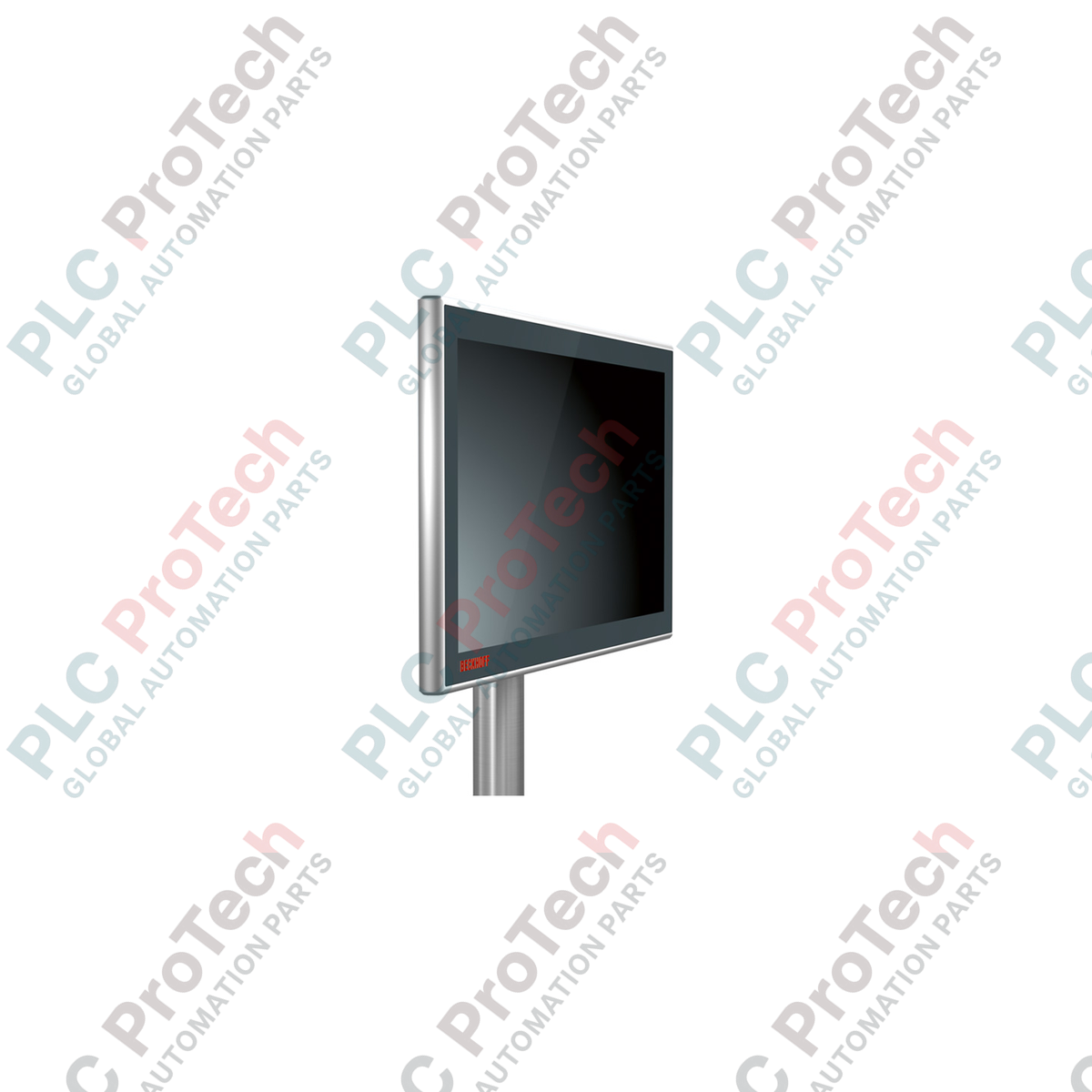
Facilitating flexible physical integration on the factory floor, the Beckhoff C9900-M753 provides a robust mechanical interface for CP3912 through CP3924 multi-touch Control Panels equipped with push-button extensions. Designed to bridge the gap between human-machine interfaces (HMIs) and support systems, this rotatable and tiltable adapter ensures optimal operator ergonomics and viewing angles. It is engineered specifically for Rittal and Rolec mounting arm systems configured with a 48 mm diameter tube entering from the bottom, offering a secure, vibration-resistant mount for heavy-duty industrial control environments.
| Parameter | Specification Value |
|---|---|
| Manufacturer | Beckhoff Automation |
| Model Number | C9900-M753 |
| Device Type | Rotatable and tiltable mounting arm adapter |
| Compatible Control Panels | CP3912 to CP3924 Series |
| Push-Button Housing Compatibility | C9900-Gxxx Series |
| Support Arm Compatibility | Rittal and Rolec (bottom installation) |
| Connection Tube Diameter | 48 mm |
| Shipping Weight (Calculated) | 3.0 kg |
The C9900-M753 is specifically designed for configurations utilizing the auxiliary push-button extensions (C9900-Gxxx). If your installation uses a standard CP39xx Control Panel without an additional push-button box, a different adapter variant (such as the standard mounting arm joint without extension clearances) may be required to maintain physical alignment and NEMA/IP seal ratings.
When utilizing CP-Link 4 technology over long distances, high physical vibration on poorly supported mounting arms can lead to micro-interruptions in the structural grounding path. Ensure the 48 mm steel mounting tube is bonded securely to the main machine ground, and use the integrated mechanical rotation stops on the adapter to prevent over-rotation, which can shear or fatigue internal CP-Link 4 cables over time.
Always route the CP-Link 4 cable (combining power and signal) through the adapter's pivot point with a generous, pre-calculated service loop. Forcing a tight bend radius inside the 48 mm tube entry point will degrade signal integrity and cause intermittent display sync drops or communication timeouts during high-tilt operations.
CRITICAL WARNING
Isolate and completely shut down all electrical power to the Control Panel and connected machines before attempting physical installation. Failure to secure the HMI chassis adequately during the mounting process can result in severe mechanical damage or human injury. Ensure the structural arm assembly is rated to support the cumulative mass of the adapter, the CP39xx display, and the push-button unit.
| Product Image | Model Number / Title | Condition | Availability | Action |
|---|---|---|---|---|

|
Allen-Bradley 2711P-T15C4D9 PanelView Plus 6 Terminal | Original New | In Stock | View Details |
Global Express Shipping
Returns & Warranty
Orders are processed and delivered Monday-Friday (excluding public holidays).
For full eligibility, restocking fees, and international return details, please view our official Refund & Return Policy .
| Country of origin |
Germany
|

Implement a 3-SPST switch XOR light circuit in LogixPro or RSLogix 500 using an internal relay bit. Includes truth tables, boolean equations, and verified.

Integrate Allen-Bradley CompactLogix, Caterpillar ATS, and generators into DeltaV DCS over Modbus RTU. Covers ProSoft MVI69-MCM, Miille DIN266 gateways.

ONS instruction fires but the OTE coil never latches in Studio 5000 because the one-shot is only true for one scan. Use OTL/OTU or seal-in logic instead.

Configure Allen-Bradley Kinetix 5500 servo drives on EtherNet/IP. Covers CIP Sync, IEEE 1588 V2 timing, Stratix selection, DLR topology, and HMI.

A moving-average filter is the sliding-window smoother most instrument engineers drop into DCS and PLC analog paths. Here is how the window works, how N and sample time set lag, and when a...

On Frame 5–9 gas turbines, GE Mark VI and Mark VIe run control as function-block application software. This article maps process, protection, and sequencing functions—and what Toolbox ST access...