


First TwinCAT PLC Project on a Beckhoff IPC
Build and verify a first TwinCAT PLC project on a Beckhoff IPC. This checklist covers target selection, EtherCAT discovery, I/O mapping, safe activation, restart tests, and commissioning records.
Manufacturer: BECKHOFF
Product No.: CP7901-0021-0000
Country of origin:Germany
Product Type: Industrial Control Panels
Payment: T/T, Western Union
Weight: 500g
Shipping port: Xiamen
Warranty: 12 months
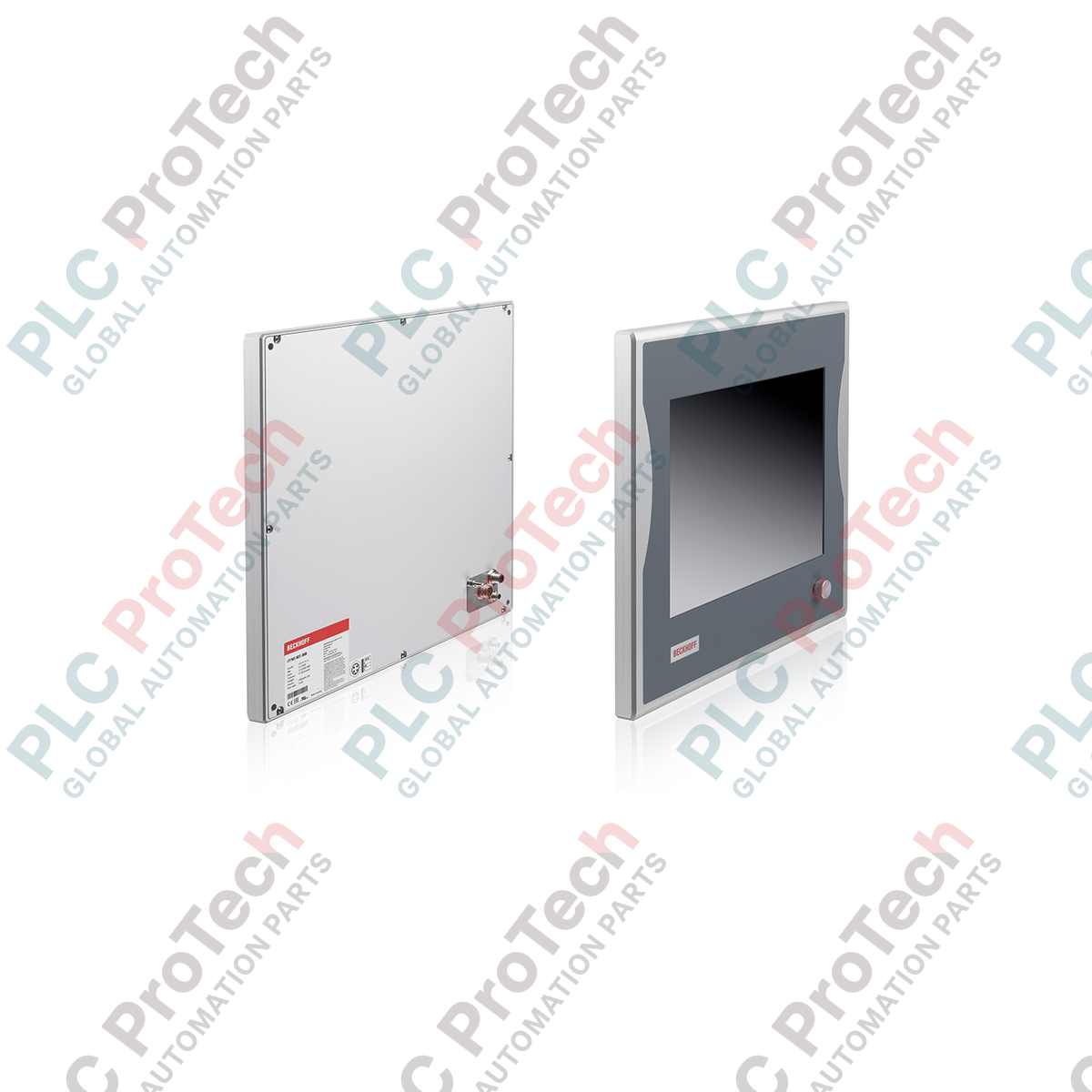
Providing a rugged, space-saving human-machine interface for distributed control architectures, the Beckhoff CP7901-0021-0000 features a high-contrast 12-inch TFT display integrated into a robust, IP65-rated aluminum housing. This operator panel utilizes integrated DVI-E and USB-E 2.0 signal extension technology, allowing seamless communication with a host industrial PC located up to 50 meters away. Built specifically for mounting arm installation, this unit combines durability with high-fidelity visualization, making it an excellent match for harsh manufacturing environments requiring localized control points without local processing overhead.
| Parameter | Specification |
|---|---|
| Manufacturer | Beckhoff |
| Model / Article Number | CP7901-0021-0000 |
| Display Size | 12-inch diagonal |
| Resolution | 800 x 600 pixels |
| Housing Material | Anodized aluminum, fully enclosed |
| Protection Rating | IP65 (all directions) |
| Interface Configuration | DVI-E (DVI Extended) and USB-E 2.0 (USB Extended) |
| Maximum Cable Length | Up to 50 meters |
| USB Transmission Rate | Up to 480 Mbit/s |
| Power Supply Input | 24 V DC |
| Operating Temperature | 0 to 55 degC |
| Mounting Standard | 4x threaded holes M6 x 18 mm on backplane |
| Country of Origin | Germany |
| Shipping Weight (Calculated) | 8.0 kg |
| Connector / Port | Function / Assignment |
|---|---|
| DVI-E Input | Connects to the industrial PC's graphic output via standard DVI-E compatible extension cabling. |
| USB-E 2.0 Input | Connects to the industrial PC's USB controller via extended-distance transmission technology. |
| 24 V DC Power Connector | Sealed terminal interface for operating power input (+24 V DC, 0 V, Ground). |
The CP7901 unit is specifically intended for use with Beckhoff transmitter cards (such as the CU8801 or CU8802) installed in the host control cabinet. It cannot be connected directly to a standard, non-extended DVI/USB port over long distances without these transmitter interfaces. Ensure firmware and hardware revisions match if replacing older CP7901 legacy modules containing CC-Link or custom USB 1.1 extension boards.
When utilizing the maximum 50-meter extension range, signal stability is highly dependent on cable quality. Avoid routing the DVI-E and USB-E 2.0 lines through high-interference paths containing motor supply leads or frequency inverter outputs. If communication drops intermittently, verify that the CAT5/CAT6 extension cables are shielded and the shield is properly terminated at both ends.
Always ground the mounting arm adapter directly to the plant's main equipotential bonding system. Standard mechanical arm joints can degrade grounding over time due to wear or lubricant buildup, leading to potential screen flickering or touch-input disruption caused by electrostatic charges.
Mount the control panel enclosure onto your industrial mounting arm adapter using four M6 x 18 mm screws, ensuring proper thread engagement and alignment with the rubber gasket.
Route the designated DVI-E, USB-E, and 24 V DC power cables through the internal channel of the mounting arm system, taking care not to exceed the maximum bend radius of the cables.
Insert the 24 V DC power wires into the terminal block connector, double-checking correct polarity, and secure the connector firmly to the housing.
Plug in the DVI-E and USB-E cables. Ensure all cable gland boots and connectors are tightened properly to maintain the IP65 environmental seal before powering on the system.

Global Express Shipping
Returns & Warranty
Global Express Shipping
Returns & Warranty
Orders are processed and delivered Monday-Friday (excluding public holidays).
For full eligibility, restocking fees, and international return details, please view our official Refund & Return Policy .
| Country of origin |
Germany
|

Build and verify a first TwinCAT PLC project on a Beckhoff IPC. This checklist covers target selection, EtherCAT discovery, I/O mapping, safe activation, restart tests, and commissioning records.

A practical commissioning sequence for KEPServerEX OPC UA connections: define data ownership, test tags locally, configure endpoint and certificate trust, limit access, then verify failure recovery...

Commissioning an Ethernet-connected PLC often starts with the laptop, not the controller. Learn how to record existing settings, choose a temporary address, test connectivity, and restore the plant...

Combustible dust controls require more than alarms. Learn how to map dust generation, select instrumentation, design interlocks, handle failed feedback, test safe states, and maintain the full...

Hairpin windings raise slot fill and support compact traction motors, but conductor geometry, AC losses, insulation damage, weld quality, and cooling determine whether the design meets its targets.

Use Ansible to standardize SCADA server changes without expanding OT risk. This guide covers inventories, idempotent playbooks, staged testing, credentials, logging, and practical rollback controls.