


Implementing 3-Switch XOR Ladder Logic with Internal Bit
Implement a 3-SPST switch XOR light circuit in LogixPro or RSLogix 500 using an internal relay bit. Includes truth tables, boolean equations, and verified.

Serving as a highly reliable visualization node in distributed control networks, the Omron NS5-TQ11B-V2 human-machine interface provides operators with real-time process monitoring and touch-input control. This 5.7-inch terminal integrates seamlessly into Omron Sysmac architectures and third-party PLC environments. Built with a high-contrast TFT active matrix color display, it delivers clear QVGA resolution even in challenging industrial lighting conditions. This model features a black bezel and comes equipped with dual serial and high-speed Ethernet communications to handle continuous field data exchange.
| Specification Parameter | Value / Rating |
|---|---|
| Manufacturer | Omron |
| Model Number | NS5-TQ11B-V2 |
| Display Type | TFT Active Matrix Color LCD |
| Display Size | 5.7 inches |
| Resolution | 320 x 240 pixels (QVGA) |
| Bezel Color | Black |
| Input Voltage | 24 VDC |
| Power Consumption | 15 W maximum |
| Operating Temperature | 0 to 50 degC |
| Degree of Protection | IP65f (front panel) |
| Dimensions (W x H x D) | 195 mm x 142 mm x 54 mm |
| Net Weight | 1.0 kg |
| Shipping Weight (Calculated) | 1.5 kg |
| Package Dimensions (Calculated) | 250 mm x 200 mm x 110 mm |
| Port / Connection | Connector Type | Function / Communication Protocol |
|---|---|---|
| Serial Port A | D-Sub 9-pin female | RS-232C (Host Link, NT Link, or 1:N Link connection) |
| Ethernet Port | RJ45 | 10/100Base-T Ethernet (FINS communication / Screen transfer) |
| USB Host | Type-A | USB flash drive memory interface (data logging, project backup/restore) |
| USB Slave | Type-B | PC connection for programming, configuration, and screen transfers |
| Power Terminal | 3-pin M3 screw terminal | 24 VDC (+/- 15%) input with functional ground terminal |
The V2 version of the NS5-TQ11B replaces older V1 designs directly, utilizing the same panel cutout size (184 mm x 131 mm). Screen projects developed for V1 terminals can be opened in CX-Designer and converted to V2 models by changing the model target in the system settings. Ensure your CX-Designer environment is updated to at least version 3.0 to leverage all V2 firmware capabilities and optimized communication drivers.
To prevent communication timeout faults (such as "Response Timeout" errors), isolate serial communication cabling from high-voltage AC lines. High electromagnetic noise environments can disrupt data packets over standard serial connections. If utilizing the USB Host port for long-term data logging, format the USB storage device to FAT16 or FAT32, as modern NTFS-formatted drives will fail to mount correctly on the terminal's OS.
When configuring Ethernet communications via FINS/UDP, verify that the Node Address of the HMI matches the last octet of its assigned static IP address. This alignment simplifies routing tables and prevents node-mapping failures during startup. Additionally, ensure the functional ground (FG) terminal is connected directly to a high-quality ground wire of 2 mm squared cross-section or larger.
CRITICAL WARNING:
Isolate and lock out the 24 VDC power source before making electrical connections. Do not perform terminal wiring while the circuit is energized. Over-tightening terminal screws can cause mechanical failure; tighten the power terminal block screws to a torque of exactly 0.5 N-m.
Global Express Shipping
Returns & Warranty

Manufacturer: Omron
Product No.: NS5-TQ11B-V2
Country of origin:Japan
Product Type: HMI Touchscreens
Payment: T/T, Western Union
Weight: 8000g
Dimensions: 250 mm x 200 mm x 110 mm
Shipping port: Xiamen
Warranty: 12 months
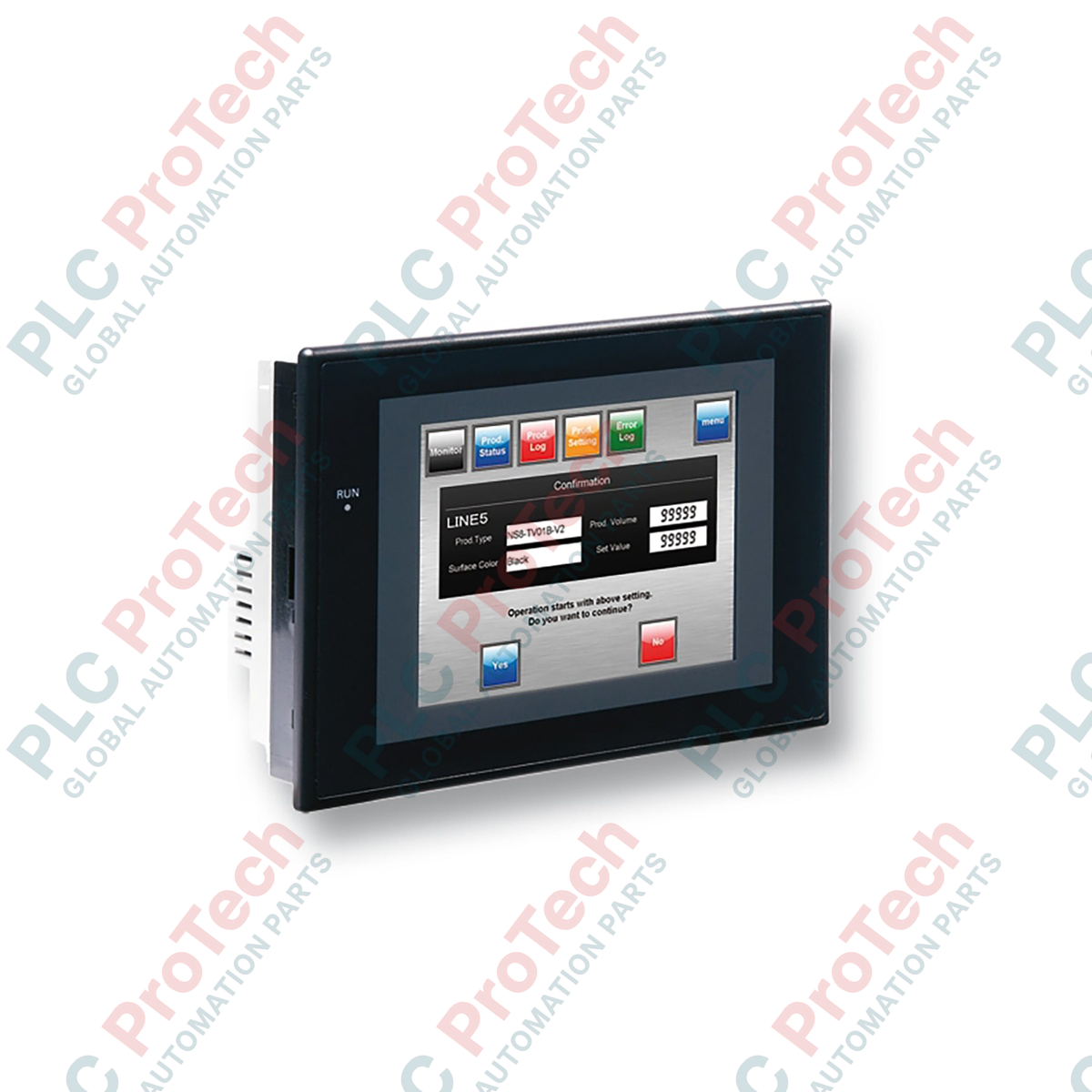
Serving as a highly reliable visualization node in distributed control networks, the Omron NS5-TQ11B-V2 human-machine interface provides operators with real-time process monitoring and touch-input control. This 5.7-inch terminal integrates seamlessly into Omron Sysmac architectures and third-party PLC environments. Built with a high-contrast TFT active matrix color display, it delivers clear QVGA resolution even in challenging industrial lighting conditions. This model features a black bezel and comes equipped with dual serial and high-speed Ethernet communications to handle continuous field data exchange.
| Specification Parameter | Value / Rating |
|---|---|
| Manufacturer | Omron |
| Model Number | NS5-TQ11B-V2 |
| Display Type | TFT Active Matrix Color LCD |
| Display Size | 5.7 inches |
| Resolution | 320 x 240 pixels (QVGA) |
| Bezel Color | Black |
| Input Voltage | 24 VDC |
| Power Consumption | 15 W maximum |
| Operating Temperature | 0 to 50 degC |
| Degree of Protection | IP65f (front panel) |
| Dimensions (W x H x D) | 195 mm x 142 mm x 54 mm |
| Net Weight | 1.0 kg |
| Shipping Weight (Calculated) | 1.5 kg |
| Package Dimensions (Calculated) | 250 mm x 200 mm x 110 mm |
| Port / Connection | Connector Type | Function / Communication Protocol |
|---|---|---|
| Serial Port A | D-Sub 9-pin female | RS-232C (Host Link, NT Link, or 1:N Link connection) |
| Ethernet Port | RJ45 | 10/100Base-T Ethernet (FINS communication / Screen transfer) |
| USB Host | Type-A | USB flash drive memory interface (data logging, project backup/restore) |
| USB Slave | Type-B | PC connection for programming, configuration, and screen transfers |
| Power Terminal | 3-pin M3 screw terminal | 24 VDC (+/- 15%) input with functional ground terminal |
The V2 version of the NS5-TQ11B replaces older V1 designs directly, utilizing the same panel cutout size (184 mm x 131 mm). Screen projects developed for V1 terminals can be opened in CX-Designer and converted to V2 models by changing the model target in the system settings. Ensure your CX-Designer environment is updated to at least version 3.0 to leverage all V2 firmware capabilities and optimized communication drivers.
To prevent communication timeout faults (such as "Response Timeout" errors), isolate serial communication cabling from high-voltage AC lines. High electromagnetic noise environments can disrupt data packets over standard serial connections. If utilizing the USB Host port for long-term data logging, format the USB storage device to FAT16 or FAT32, as modern NTFS-formatted drives will fail to mount correctly on the terminal's OS.
When configuring Ethernet communications via FINS/UDP, verify that the Node Address of the HMI matches the last octet of its assigned static IP address. This alignment simplifies routing tables and prevents node-mapping failures during startup. Additionally, ensure the functional ground (FG) terminal is connected directly to a high-quality ground wire of 2 mm squared cross-section or larger.
CRITICAL WARNING:
Isolate and lock out the 24 VDC power source before making electrical connections. Do not perform terminal wiring while the circuit is energized. Over-tightening terminal screws can cause mechanical failure; tighten the power terminal block screws to a torque of exactly 0.5 N-m.
| Product Image | Model Number / Title | Condition | Availability | Action |
|---|---|---|---|---|

|
Allen-Bradley 2711P-T15C4D9 PanelView Plus 6 Terminal | Original New | In Stock | View Details |
Global Express Shipping
Returns & Warranty
Orders are processed and delivered Monday-Friday (excluding public holidays).
For full eligibility, restocking fees, and international return details, please view our official Refund & Return Policy .
| Country of origin |
Japan
|

Implement a 3-SPST switch XOR light circuit in LogixPro or RSLogix 500 using an internal relay bit. Includes truth tables, boolean equations, and verified.

Integrate Allen-Bradley CompactLogix, Caterpillar ATS, and generators into DeltaV DCS over Modbus RTU. Covers ProSoft MVI69-MCM, Miille DIN266 gateways.

ONS instruction fires but the OTE coil never latches in Studio 5000 because the one-shot is only true for one scan. Use OTL/OTU or seal-in logic instead.

Configure Allen-Bradley Kinetix 5500 servo drives on EtherNet/IP. Covers CIP Sync, IEEE 1588 V2 timing, Stratix selection, DLR topology, and HMI.

A moving-average filter is the sliding-window smoother most instrument engineers drop into DCS and PLC analog paths. Here is how the window works, how N and sample time set lag, and when a...

On Frame 5–9 gas turbines, GE Mark VI and Mark VIe run control as function-block application software. This article maps process, protection, and sequencing functions—and what Toolbox ST access...