Siemens

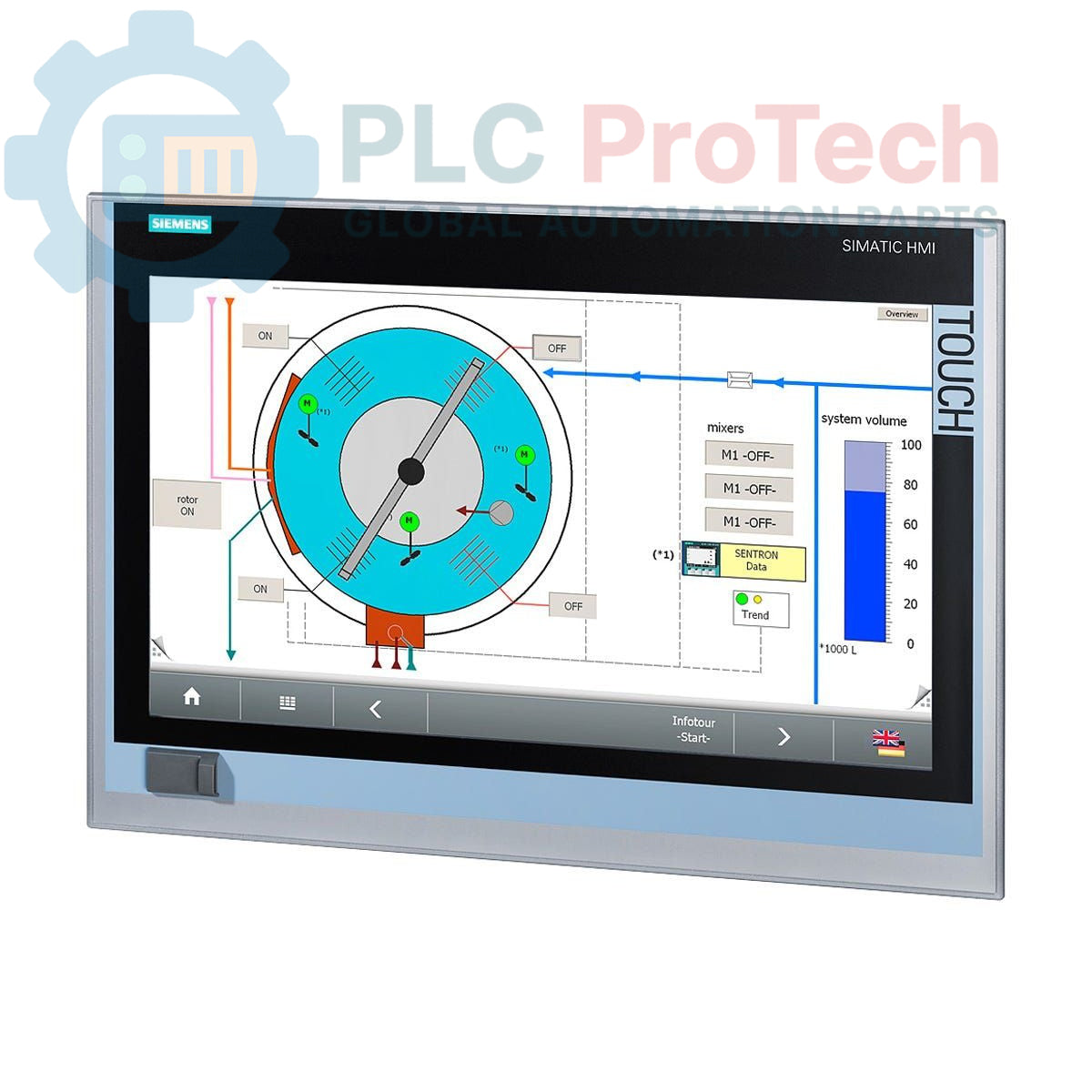
Siemens 6AV7240-3DC06-0HA0 SIMATIC IPC 477D Panel PC

SKU 6AV7240-3DC06-0HA0

In stock
  • 12-month warranty
  • Free returns within 30 days
  • Manufacturer: Siemens

  • Product No.: 6AV7240-3DC06-0HA0

  • Country of origin:Germany

  • Product Type: Industrial Panel PC

  • Barcode: 85371098

  • Payment: T/T, Western Union

  • Weight: 6400g

  • Dimensions: Corrections Applied: none

  • Shipping port: Xiamen

  • Warranty: 12 months

Description

The Siemens 6AV7240-3DC06-0HA0 is a SIMATIC IPC 477D Panel PC, designed for industrial applications requiring a robust human-machine interface and processing capabilities. This unit features a 19-inch touch display and is powered by an Intel Core i3-3217UE processor. It includes 4 GB of RAM and an 80 GB SSD (MLC) for reliable data storage. Connectivity options comprise four USB ports (rear), one USB port (front), two Gigabit Ethernet ports (IE/PN), and an additional 10/100/1000 Ethernet port, along with one RS-232 serial interface. The IPC comes pre-installed with Windows 7 Ultimate, 32-bit, and is powered by a 24 V DC industrial power supply, making it suitable for integration into various control systems.

Features

  • 19-inch Touch Display
  • Integrated Intel Core i3-3217UE Processor
  • 4 GB RAM
  • 80 GB SSD (MLC) Storage
  • Multiple USB Interfaces (4 rear, 1 front)
  • Dual Gigabit Ethernet (IE/PN) and 1x 10/100/1000 Ethernet
  • 1x RS-232 Serial Interface
  • Pre-installed Windows 7 Ultimate, 32-bit
  • 24 V DC Industrial Power Supply

Applications

The Siemens SIMATIC IPC 477D Panel PC is typically deployed in industrial environments for tasks such as:

  • Human-Machine Interface (HMI) for machine and process control
  • Data acquisition and logging
  • Process visualization and monitoring
  • Industrial automation and control systems
  • Embedded control applications

Technical Specifications

Brand Siemens
Manufacturer Siemens
Range Simatic Panel PC
Subrange IPC
Type of Product Industrial PCs
Model 6AV7240-3DC06-0HA0
Display 19" Touch
Processor Intel Core i3-3217UE
RAM 4 GB
Storage 80 GB SSD (MLC)
Operating System Windows 7 Ultimate, 32-bit
USB Ports (Rear) 4
USB Ports (Front) 1
Ethernet Ports 2x Gigabit Ethernet (IE/PN), 1x 10/100/1000 Ethernet
Serial Ports 1x RS-232
PCIe Slots None
Power Supply 24 V DC Industrial
Product Phase Phase-Out
Shipping Weight 6.40 kg
Commodity Code 85371098

Connections / Interfaces

Interface Type Quantity / Description
USB 4 (rear), 1 (front)
Ethernet 2x Gigabit Ethernet (IE/PN), 1x 10/100/1000 Ethernet
Serial 1x RS-232
Power 24 V DC Industrial Power Supply

Installation Guidelines

  1. De-energize System: Ensure all power to the installation area is disconnected and secured before beginning any work.
  2. Mounting: Securely mount the Panel PC in a suitable industrial enclosure or panel, ensuring adequate ventilation and access to ports.
  3. Power Connection: Connect the 24 V DC industrial power supply to the designated power input terminals, observing correct polarity.
  4. Grounding: Establish a proper protective earth (PE) connection to the Panel PC chassis to ensure electrical safety and minimize electromagnetic interference.
  5. Ethernet Connections: Connect industrial Ethernet cables to the Gigabit Ethernet ports (IE/PN) for network communication with PLCs or other devices. The 10/100/1000 Ethernet port can be used for general network connectivity.
  6. USB Connections: Utilize the front and rear USB ports for connecting peripherals such as keyboards, mice, or external storage devices.
  7. Serial Connection: Connect devices requiring RS-232 communication to the serial port.
  8. Cable Management: Route all cables neatly and securely, avoiding sharp bends and ensuring they do not obstruct cooling airflow.
  9. Re-energize System: After all connections are verified, restore power to the system and verify proper operation of the Panel PC.

FAQ

What is the display size and type of the 6AV7240-3DC06-0HA0?

The IPC features a 19-inch touch display.

What operating system is pre-installed on this Panel PC?

It comes with Windows 7 Ultimate, 32-bit pre-installed.

What kind of power supply does the IPC 477D require?

It requires a 24 V DC industrial power supply.

What are the primary communication interfaces available?

The IPC includes multiple USB ports, two Gigabit Ethernet (IE/PN) ports, one 10/100/1000 Ethernet port, and one RS-232 serial interface.

What is the storage capacity and type?

It is equipped with an 80 GB SSD (MLC).

View all FAQs →

Quantity
Shipping & Returns

Global Express Shipping

  • Standard Delivery: 4–6 business days via DHL, FedEx, and UPS.
  • Express Dispatch: Same-day dispatch for in-stock orders placed before 2:00 PM (GMT+8).
  • Worldwide Coverage: Serving over 150 countries.

Returns & Warranty

  • 30-Day Guarantee: Returns accepted for in-stock products in original, factory-sealed packaging.
  • 12-Month Warranty: Every industrial component is backed by our technical warranty.
Reviews
1 of 1
Only 4 item(s) left in stock
Quantity
View full details

Global Express Shipping

  • Standard Delivery: 4-6 Business Days via DHL, FedEx, and UPS.
  • Express Dispatch: Same-day dispatch for in-stock orders placed before 2:00 PM (GMT+8).
  • Worldwide Coverage: Serving over 150 countries, including rapid delivery to Saudi Arabia and UAE.

Returns & Warranty

  • 30-Day Guarantee: Returns accepted for in-stock products in original, factory-sealed packaging.
  • 12-Month Warranty: Every industrial component is backed by our professional technical warranty.

Orders are processed and delivered Monday-Friday (excluding public holidays).


For full eligibility, restocking fees, and international return details, please view our official Refund & Return Policy .

TECHNICAL SPECIFICATIONS

Country of origin
Germany

Technical knowledge

Commissioning PLX32-EIP-MBTCP: Subnets, Registers, and RPI

A commissioning checklist for the ProSoft PLX32-EIP-MBTCP covering subnet separation, register contracts, EtherNet/IP timing, failure tests and replacement records.

Diagnosing IC693MDL916 Relay Outputs Before Module Replacement

A field checklist for IC693MDL916 relay commands, terminal blocks, load current, switching rate and contact-side measurements.

Troubleshooting Beckhoff KL1512 Counter Inputs and Mapping

A field checklist for KL1512 signal thresholds, counter direction, process data and the KL1512-to-KS1512 wiring difference.

Troubleshooting Beckhoff EPP2008-0001 Output Faults

A field checklist for EPP2008-0001 current limits, supply voltage, channel LEDs, connector coding and load-related output faults.

Moving TwinCAT 3 Licenses with C9900-L100: Build and Device Checks

Before moving a TwinCAT 3 license with a Beckhoff C9900-L100, verify the TwinCAT build, XML device description, exact order code and cabinet limits.

Replacing a Beckhoff EL4032: Wiring and Output Checks

A field checklist for replacing a Beckhoff EL4032, covering the ±10 V load, terminal map, power contacts, EtherCAT state, and watchdog behavior.