Description
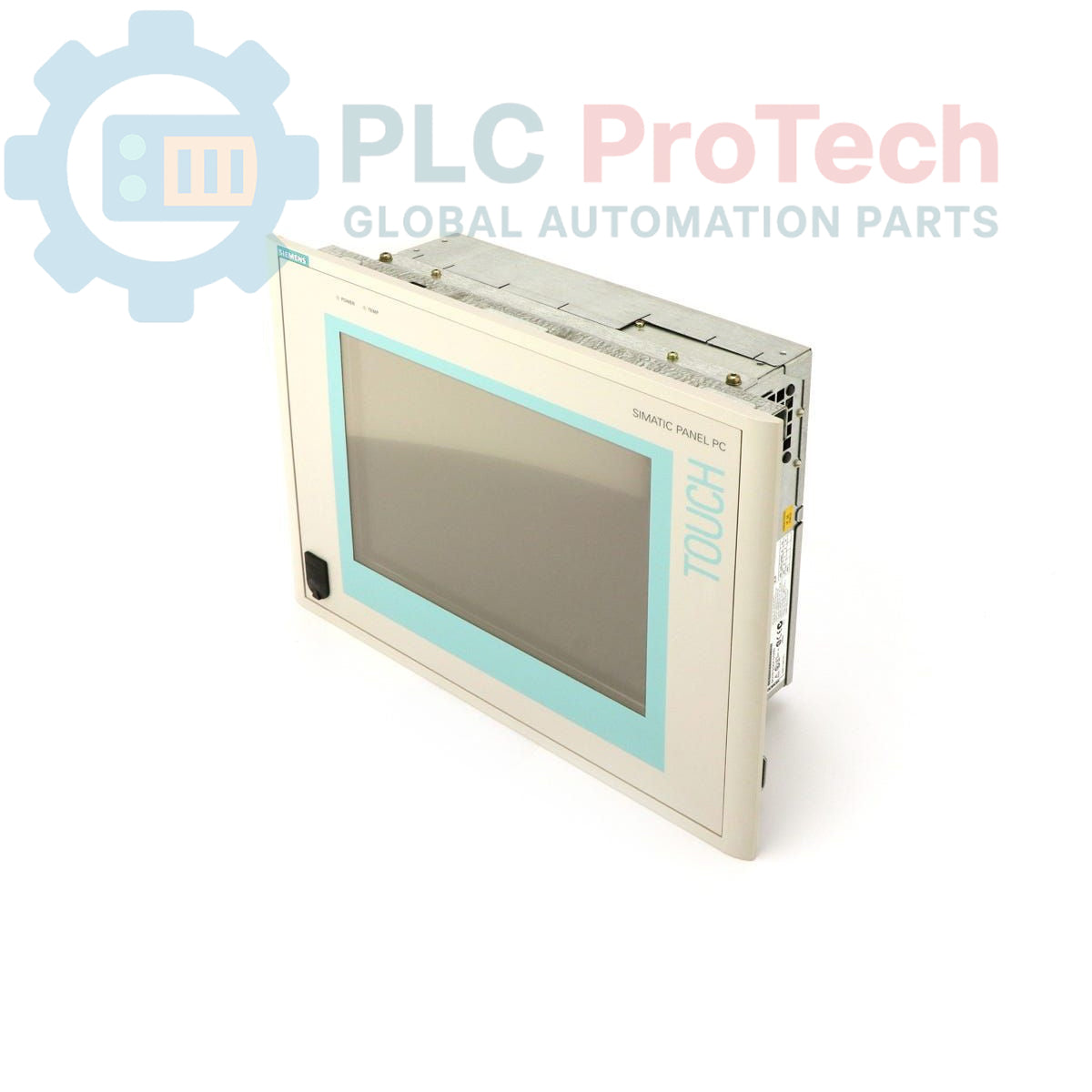
This device is a Siemens 6AV7612-0AE10-0BG0 SIMATIC Panel PC 670, an integrated human-machine interface (HMI) designed for industrial control and visualization applications. It features a 12-inch TFT touch display and is configured with a 300 MHz Celeron CPU, 64 MB of RAM, and a 40 GB hard drive. The unit is powered by a 115-230V AC supply and is pre-installed with a multi-language version of the Windows 2000 operating system. This model is noted as an obsolete part, suitable for maintenance and replacement in existing legacy systems.
Features
- 12-inch TFT color touch display
- Intel Celeron processor operating at 300 MHz
- 64 MB of installed RAM
- 40 GB internal hard drive for data and application storage
- Wide input voltage range of 115-230V AC
- Pre-installed with Windows 2000 (Multi-language: EN, GER, FR, IT, SP)
- Includes a U.S. mains power cable
Applications
- Machine-level operator control and monitoring
- Process visualization and data acquisition (SCADA)
- Industrial data logging and reporting
- Replacement HMI for legacy automation systems
- Factory floor information terminals
Technical Specifications
| Specification |
Value |
| Brand |
Siemens |
| Model |
6AV7612-0AE10-0BG0 |
| Product Series |
SIMATIC Panel PC 670 |
| Product Type |
Panel PC |
| Display |
12-inch TFT Touch Display |
| Processor (CPU) |
Celeron 300 MHz |
| Memory (RAM) |
64 MB |
| Storage |
40 GB Hard Drive (HD) |
| Operating System |
Windows 2000 Multi-Language (EN, GER, FR, IT, SP) |
| Power Supply |
115-230 V AC (U.S. Mains Cable included) |
| Product Lifecycle Status |
Obsolete |
| Shipping Weight |
4.00 kg |
| Commodity Code |
85371091 |
| ECCN |
N |
| Country of Origin |
Germany (Estimated) |
| Package Dimensions (Calculated) |
35 x 28 x 12 cm |
Installation Guidelines
CRITICAL WARNING: HAZARD OF ELECTRIC SHOCK
Installation must be performed by qualified personnel only. Disconnect and lock out all power sources before accessing terminals or performing any installation, wiring, or maintenance. Failure to comply can result in severe injury or death.
-
1
Prepare Mounting Location: Ensure the control panel or enclosure has a clean, flat, and appropriately sized cutout for the Panel PC. Verify that the mounting surface thickness is within the specified tolerance for the mounting clips.
-
2
Install the Unit: Insert the Panel PC into the cutout from the front of the panel. Secure it from the rear using the provided mounting clamps, tightening them evenly to ensure a proper seal and prevent bezel distortion.
-
3
Connect Protective Earth (PE): Connect the chassis ground terminal to the control cabinet's protective earth bus bar using a low-impedance conductor. This is critical for both safety and noise immunity.
-
4
Connect Power Supply: With the main power source de-energized, connect the provided 115-230V AC mains cable to the unit's power input connector. Ensure the source voltage matches the device's rating.
-
5
Connect Peripherals and Network: Connect any required communication cables (e.g., Ethernet, serial) and peripherals (e.g., keyboard, mouse). Route all cables away from high-voltage lines to minimize electrical noise interference.
-
6
Power On and Verify: After verifying all connections are secure and correct, remove the lockout/tagout and re-energize the main power source. Power on the Panel PC and confirm that the operating system boots correctly and the touch display is responsive.