Siemens

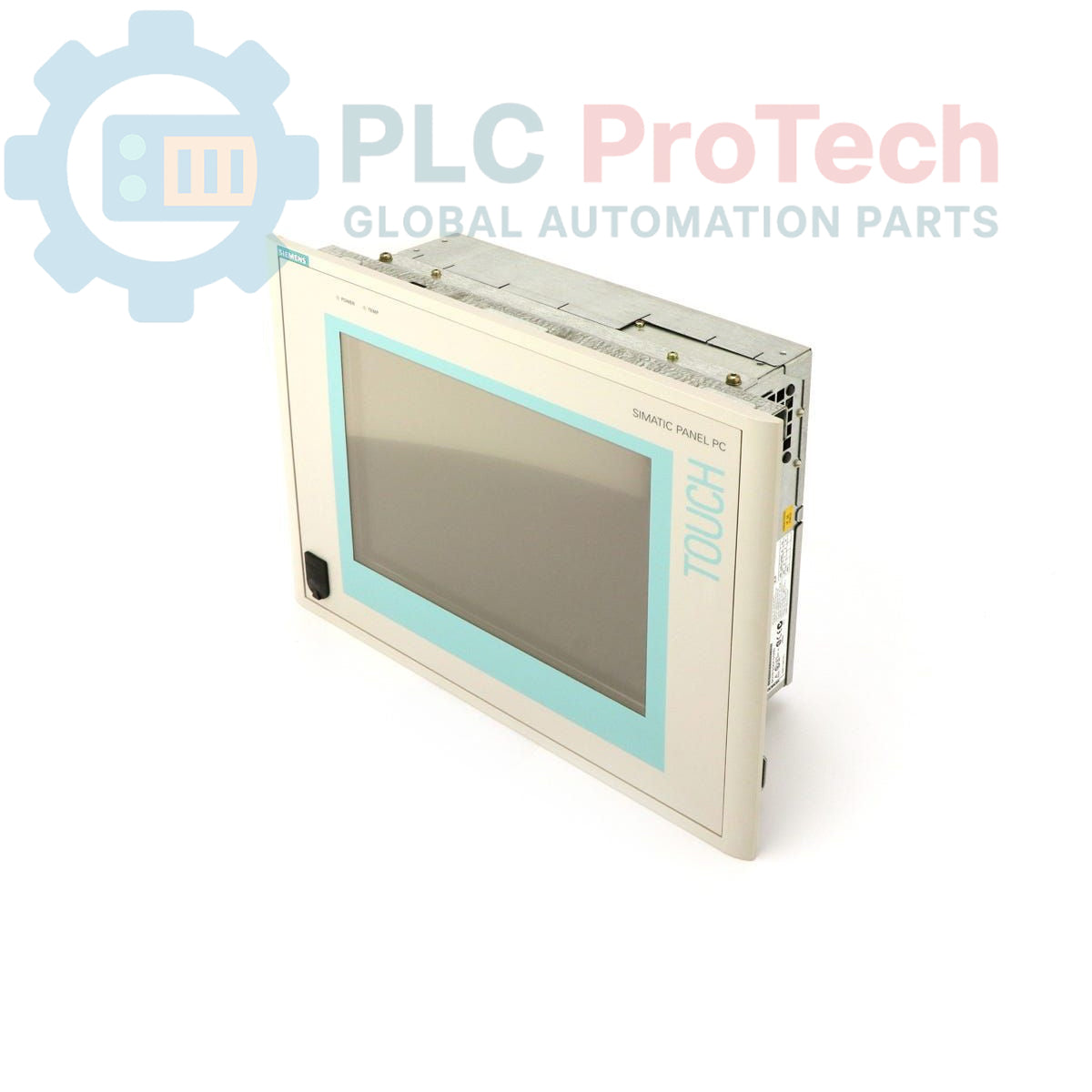
Siemens 6AV7614-0AA32-0AE0 SIMATIC Panel PC 670

SKU 6AV7614-0AA32-0AE0

In stock
  • 12-month warranty
  • Free returns within 30 days
  • Manufacturer: Siemens

  • Product No.: 6AV7614-0AA32-0AE0

  • Country of origin:Germany

  • Product Type: Panel PC

  • Barcode: 85371091

  • Payment: T/T, Western Union

  • Weight: 4g

  • Dimensions: 48 cm x 38 cm x 20 cm

  • Shipping port: Xiamen

  • Warranty: 12 months

Description

This is a Siemens 6AV7614-0AA32-0AE0 SIMATIC Panel PC 670, an integrated human-machine interface (HMI) designed for industrial control and visualization applications. It features a 15-inch TFT touch display for operator interaction. The standard configuration includes a Pentium III 500 MHz CPU, 256 MB of RAM, and a 20 GB hard drive for application and data storage. This panel operates on a 24 V DC power supply and comes pre-installed with a German version of Windows 98. As an obsolete product, it serves as a critical spare part for maintaining the operational life of existing automation systems.

Features

  • 15-inch TFT touch-sensitive display
  • Intel Pentium III 500 MHz processor
  • 256 MB RAM for application processing
  • 20 GB internal hard disk drive
  • Operates on a 24 V DC power supply
  • Pre-installed with Windows 98 (German language)

Applications

  • Machine control and visualization panels
  • Process monitoring and data acquisition systems
  • Factory automation control rooms
  • Replacement part for legacy systems utilizing the PC670 platform

Technical Specifications

Specification Value
Manufacturer Siemens
Product Series SIMATIC Panel PC 670
Part Number 6AV7614-0AA32-0AE0
Display Type 15-inch TFT with Touchscreen
CPU Pentium III, 500 MHz
Memory (RAM) 256 MB
Storage 20 GB Hard Drive (HD)
Input Voltage 24 V DC
Operating System Windows 98 (German)
Product Lifecycle Status Obsolete
Shipping Weight 4.00 kg
Commodity Code 85371091
ECCN N
Country of Origin Germany (Estimate)
Package Dimensions (Calculated) 48 cm x 38 cm x 20 cm

Installation Guidelines

CRITICAL WARNING: Hazardous voltages may be present. All installation and maintenance activities must be performed by qualified personnel with all power sources locked out and tagged out (LOTO). Failure to de-energize equipment can result in severe injury or death.
  1. 1 Ensure the control cabinet is completely de-energized and verified to be at a zero-energy state before beginning work.
  2. 2 Verify the panel cutout dimensions match the requirements for the PC 670 chassis. Ensure the mounting surface is clean, flat, and free of debris.
  3. 3 Insert the Panel PC into the cutout and secure it evenly from the rear using the provided mounting clamps. Do not overtighten the clamps, as this can warp the bezel.
  4. 4 Connect the 24 V DC power supply to the designated terminals. Strictly observe correct polarity (+/-) to prevent damage to the unit's internal electronics.
  5. 5 Connect all required communication, network (if applicable), and peripheral cables (e.g., keyboard, mouse) to their respective ports.
  6. 6 After confirming all connections are secure and tools are removed from the enclosure, follow proper procedures to re-energize the cabinet and test the Panel PC's functionality.

FAQ

What are the core hardware specifications of this Panel PC?

The 6AV7614-0AA32-0AE0 features a 15-inch TFT touch display, a Pentium III 500 MHz CPU, 256 MB of RAM, and a 20 GB hard drive.

What is the required input voltage for this unit?

This SIMATIC Panel PC requires a 24 V DC power supply for operation.

What operating system is installed on the device?

It comes pre-installed with a German-language version of Windows 98.

Is the Siemens 6AV7614-0AA32-0AE0 a current product?

No, this model is designated as obsolete by the manufacturer, making it suitable as a spare part for maintaining existing industrial systems.

View all FAQs →

Quantity
Shipping & Returns

Global Express Shipping

  • Standard Delivery: 4–6 business days via DHL, FedEx, and UPS.
  • Express Dispatch: Same-day dispatch for in-stock orders placed before 2:00 PM (GMT+8).
  • Worldwide Coverage: Serving over 150 countries.

Returns & Warranty

  • 30-Day Guarantee: Returns accepted for in-stock products in original, factory-sealed packaging.
  • 12-Month Warranty: Every industrial component is backed by our technical warranty.
Reviews
1 of 1
Only 4 item(s) left in stock
Quantity
View full details

Global Express Shipping

  • Standard Delivery: 4-6 Business Days via DHL, FedEx, and UPS.
  • Express Dispatch: Same-day dispatch for in-stock orders placed before 2:00 PM (GMT+8).
  • Worldwide Coverage: Serving over 150 countries, including rapid delivery to Saudi Arabia and UAE.

Returns & Warranty

  • 30-Day Guarantee: Returns accepted for in-stock products in original, factory-sealed packaging.
  • 12-Month Warranty: Every industrial component is backed by our professional technical warranty.

Orders are processed and delivered Monday-Friday (excluding public holidays).


For full eligibility, restocking fees, and international return details, please view our official Refund & Return Policy .

TECHNICAL SPECIFICATIONS

Country of origin
Germany

Technical knowledge

IC693CPU313 Memory Retention and Expansion Limits Before Replacement

A practical replacement guide for the GE Fanuc IC693CPU313, covering its embedded five-slot architecture, memory backup, firmware-dependent capacity and why it cannot use Series 90-30 expansion racks.

Bently Nevada 3500/40M vs 3500/42M: I/O and Channel Checks Before Replacement

A field-focused comparison of Bently Nevada 3500/40M and 3500/42M monitor inputs, channel-pair configuration, rear I/O options, external termination hardware and firmware checks before replacement.

Allen-Bradley 1746-NR4 RTD Faults: Wiring, Excitation, and Filter Checks

A field checklist for diagnosing Allen-Bradley 1746-NR4 RTD and resistance inputs, including sensor curves, lead compensation, excitation current, filter timing and channel diagnostics.

Replacing an Allen-Bradley 1785-L40B: PLC-5/40 Checks Before Migration

A field-focused checklist for replacing an Allen-Bradley 1785-L40B or planning a PLC-5/40 migration, covering backups, 1771 I/O mapping, DH+/RIO channels, revision risks and commissioning.

Allen-Bradley 1747-SN: RIO Mapping and Link Fault Checks

Replacing an Allen-Bradley 1747-SN scanner? Check SLC 500 logical rack and G-file mapping, link speed, cable termination, COMM/FAULT LEDs and hardware series before blaming the module or changing the...

Allen-Bradley 1771-IG: TTL Logic and 5 V Wiring Checks

Check 1771-IG TTL HIGH/LOW logic thresholds, field supply ripple and 1771-WC wiring before replacing an input module.