Description
The Siemens
6AV7892-0FG32-1BE1 is a
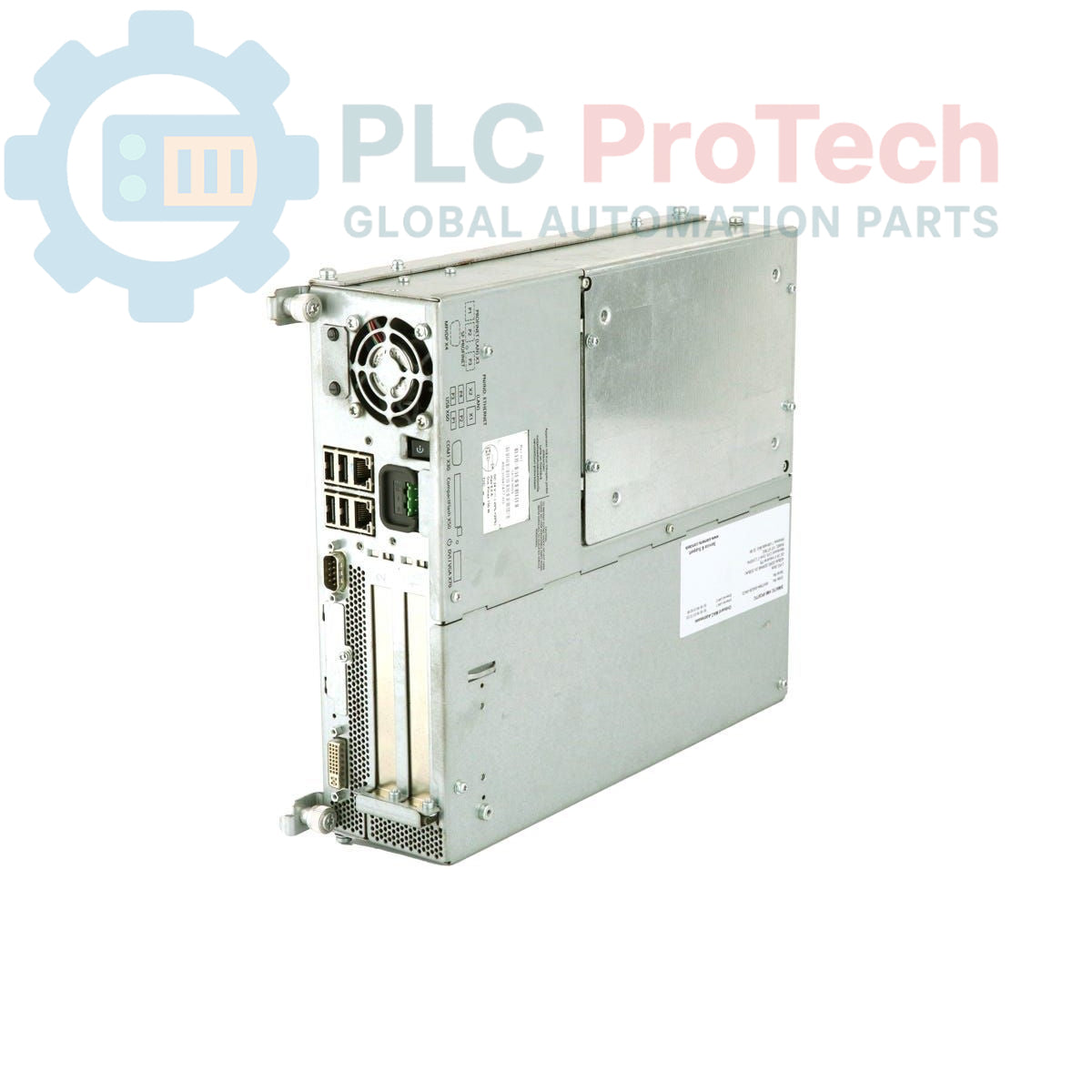
SIMATIC HMI IPC677C Panel PC designed for industrial human-machine interface (HMI) applications. This robust panel PC integrates a 15-inch touch display with a resolution of 1024x768, providing a clear and interactive operator interface. It is equipped with an Intel Core i7-610E processor, 4 GB DDR3 RAM, and a RAID1 configured storage system with two 320 GB SATA drives for data redundancy. Connectivity options include two Gigabit Ethernet ports, four USB V2.0 ports (including a front-side USB interface), and one serial (COM1) port. The unit also features a watchdog, temperature, and fan monitoring, along with an onboard RAID controller, ensuring reliable operation in demanding industrial environments. It comes pre-installed with Windows 7 Ultimate 64 Bit SP1 and SIMATIC IPC DIAGMONITOR V4.5.
Features
- Integrated 15-inch touch display with 1024x768 resolution
- Intel Core i7-610E processor (2C/4T, 2.53GHz, TB, HT, VT, 4 MB Cache)
- 4 GB DDR3 1066 DIMM RAM
- RAID1 storage with 2x 320 GB SATA (2.5") mirror disks
- DVD+-R+-RW optical drive
- 2x 10/100/1000 Mbit/s Ethernet ports
- 4x USB V2.0 ports (including front-side USB)
- 1x Serial (COM1) port
- Watchdog, temperature, and fan monitoring
- Onboard RAID controller
- 1x PCI and 1x PCIe (x16) free expansion slots
- 110/230 V AC power supply unit with NAMUR compatibility
- Pre-installed Windows 7 Ultimate 64 Bit SP1 (MUI)
- SIMATIC IPC DIAGMONITOR V4.5 enclosed
Applications
- Industrial visualization and control systems
- Machine operation and monitoring
- Process control and data acquisition
- Manufacturing execution systems (MES)
- Building automation and infrastructure management
- Logistics and material handling systems
Technical Specifications
| Manufacturer |
Siemens |
| Product Range |
SIMATIC Panel PC |
| Subrange |
IPC677C |
| Product Type |
Panel PC |
| Display Type |
15" Touch |
| Display Resolution |
1024x768 |
| Processor |
Intel Core i7-610E (2C/4T, 2.53GHz, TB, HT, VT, 4 MB Cache) |
| RAM |
4 GB DDR3 1066 DIMM |
| Storage |
RAID1 2x 320 GB SATA (2.5") (Mirror Disks) |
| Optical Drive |
DVD+-R+-RW |
| Ethernet Ports |
2x 10/100/1000 Mbit/s |
| USB Ports |
4x USB V2.0 (including front-side USB interface) |
| Serial Ports |
1x (COM1) |
| Expansion Slots |
1x PCI, 1x PCIe (x16) free |
| Power Supply |
110/230 V AC, with NAMUR, USA power supply cable |
| Monitoring |
Watchdog, Temperature and Fan Monitoring |
| RAID Controller |
Onboard |
| Operating System |
Windows 7 Ultimate 64 Bit SP1, MUI (DE, EN, FR, ES, IT) |
| Pre-installed Software |
SIMATIC IPC DIAGMONITOR V4.5 |
| Product Phase |
Phase-Out |
| Package Dimensions (Calculated) |
67.00 x 55.00 x 28.00 cm |
| Shipping Weight |
17.45 kg |
| Commodity Code |
85371098 |
| Export Control Regulations (ECCN) |
N |
Connections / Interfaces
| Connector Type |
Function |
| Ethernet (RJ45) |
2x 10/100/1000 Mbit/s network connection |
| USB V2.0 |
4x ports for peripherals (e.g., keyboard, mouse, storage), including a front-side interface |
| Serial (COM1) |
1x serial communication port |
Installation Guidelines
-
De-energize System: Before installation, ensure all power to the system and the Panel PC is disconnected and secured against accidental re-energization.
-
Mounting: Securely mount the Panel PC into the designated panel cutout. Ensure proper sealing to maintain the specified IP protection rating of the front panel.
-
Power Connection: Connect the 110/230 V AC power supply cable to the Panel PC's power input. Ensure the power source matches the specified voltage range.
-
Grounding: Establish a robust protective earth (PE) connection to the Panel PC chassis to ensure electrical safety and minimize electromagnetic interference.
-
Peripheral Connections: Connect Ethernet cables to the RJ45 ports for network communication. Connect USB devices and serial devices as required for the application.
-
Cable Management: Route all cables to prevent strain, interference, and damage. Use cable ties and conduits where appropriate to maintain a tidy and secure installation.
-
Environmental Considerations: Ensure the operating environment meets the specified temperature and humidity ranges for the Panel PC. Provide adequate ventilation to prevent overheating.
-
Initial Power-Up: After all connections are verified, re-energize the system and power on the Panel PC. Observe for proper boot-up and system functionality.