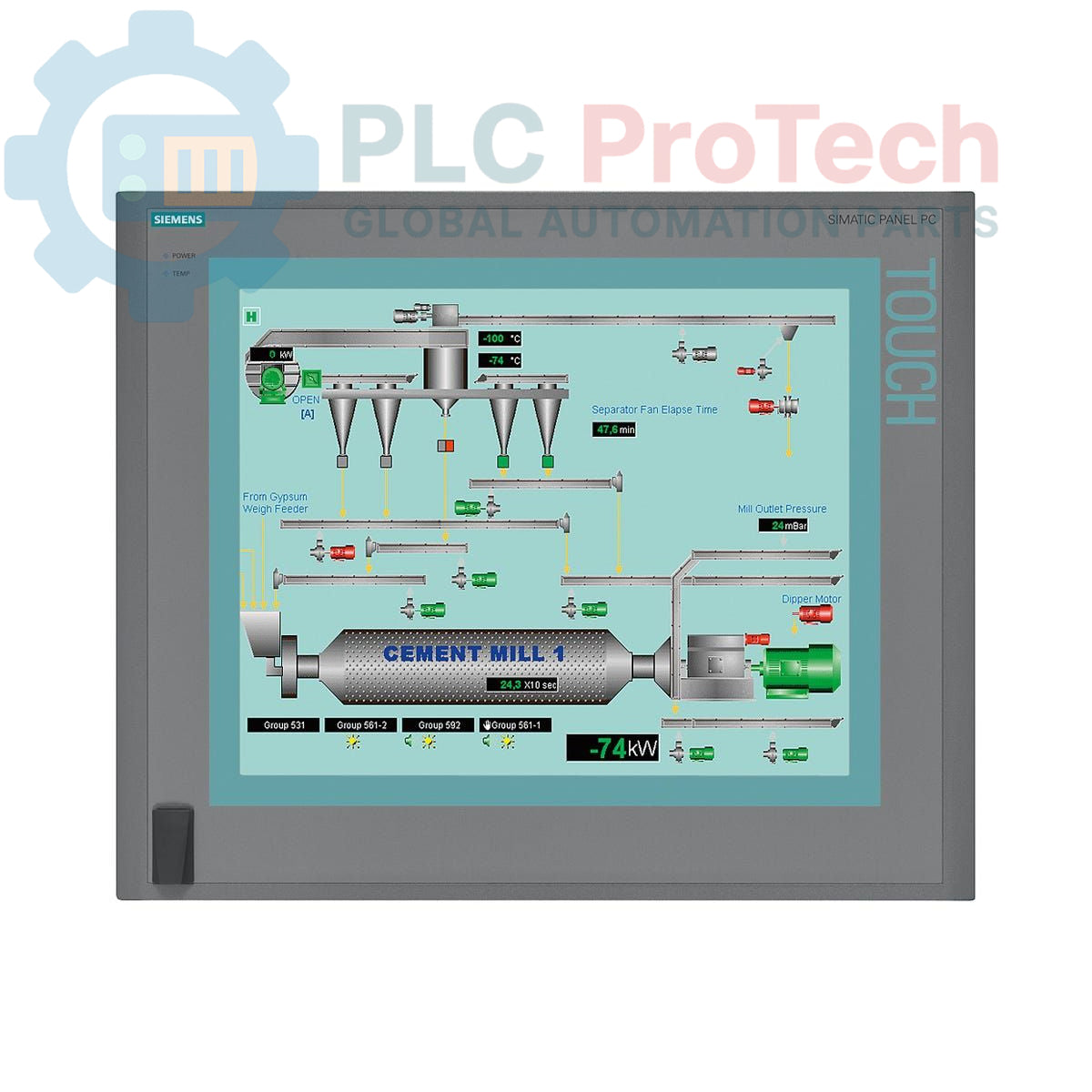
Description
The Siemens 6AV7894-0BD60-1AB0 is a SIMATIC HMI IPC677C Panel PC designed for industrial human-machine interface (HMI) applications. This unit features a 19-inch touchscreen display with a resolution of 1280x1024 pixels and includes a front-side USB interface for convenient access. Internally, it is equipped with a Core i3-330E processor (2 cores/4 threads, 2.13 GHz, with HT, VT, and 3 MB cache), 4 GB of DDR3 1066 DIMM ECC RAM, and a 250 GB SATA HDD. For data storage and recovery, it includes a DVD+-R+-RW drive and an onboard RAID controller. Connectivity is provided through two 10/100/1000 Mbit/s Ethernet ports, four USB V2.0 ports, and one serial (COM1) port. The system also incorporates essential industrial monitoring functions such as watchdog, temperature, and fan monitoring. It operates on a 110/230 V AC power supply unit with NAMUR compatibility and comes with a European power supply cable. The unit is pre-installed with Windows XP Professional SP3 MUI (Multi-User Interface) supporting German, English, French, Spanish, and Italian languages.
Features
- 19-inch touchscreen display with 1280x1024 resolution
- Integrated Core i3-330E processor (2C/4T, 2.13 GHz)
- 4 GB DDR3 1066 DIMM ECC RAM
- 250 GB SATA Hard Disk Drive and DVD+-R+-RW drive
- Onboard RAID controller for data redundancy
- Dual 10/100/1000 Mbit/s Ethernet interfaces
- Multiple USB V2.0 ports (4x rear, 1x front-side) and 1x serial (COM1) port
- Watchdog, temperature, and fan monitoring functions
- Two free PCI expansion slots
- Pre-installed with Windows XP Professional SP3 MUI
- 110/230 V AC power supply with NAMUR support
Applications
The Siemens SIMATIC HMI IPC677C Panel PC is suitable for a wide range of industrial automation applications, including:
- Machine operation and control panels
- Process visualization and monitoring in manufacturing plants
- Data acquisition and logging systems
- Supervisory Control and Data Acquisition (SCADA) systems
- Building automation and facility management
- Logistics and material handling systems
Technical Specifications
| Brand |
Siemens |
| Manufacturer |
Siemens |
| Range |
Simatic Panel PC |
| Subrange |
IPC677C |
| Product Type |
PC Panels |
| PLM Product Phase |
Phase-Out |
| Processor |
Core i3-330E (2C/4T, 2.13 GHz, HT, VT, 3 MB Cache) |
| RAM |
4 GB DDR3 1066 DIMM, ECC |
| Storage |
250 GB HDD SATA, DVD+-R+-RW |
| Display Size |
19 inches |
| Display Type |
Touchscreen |
| Display Resolution |
1280 x 1024 |
| Operating System |
Windows XP Professional SP3 MUI (DE, EN, FR, ES, IT) |
| Power Supply |
110/230 V AC |
| Ethernet Ports |
2x 10/100/1000 Mbit/s |
| USB Ports |
4x USB V2.0 (rear), 1x USB (front-side) |
| Serial Ports |
1x COM1 |
| Expansion Slots |
2x PCI free |
| RAID Controller |
Onboard |
| Monitoring Functions |
Watchdog, Temperature, Fan |
| Package Dimensions (Calculated) |
67.00 x 55.00 x 28.00 cm |
| Shipping Weight |
17.45 kg |
| Commodity Code |
85371091 |
| Export Control Regulations (ECCN) |
5A992 |
Connections / Interfaces
| Interface Type |
Quantity |
Description |
| Ethernet |
2 |
10/100/1000 Mbit/s |
| USB V2.0 |
4 |
Rear ports |
| USB |
1 |
Front-side interface |
| Serial |
1 |
COM1 |
| Power Input |
1 |
110/230 V AC with NAMUR |
Installation Guidelines
-
Safety First: Ensure all power to the installation area is de-energized before beginning any work.
-
Mounting: Securely mount the Panel PC into a suitable industrial enclosure or control cabinet, ensuring adequate space for ventilation and cable routing.
-
Power Connection: Connect the 110/230 V AC power supply cable to the designated power input terminal. Ensure proper grounding to prevent electrical hazards and interference.
-
Network Connections: Connect Ethernet cables to the 10/100/1000 Mbit/s ports for network communication. Use shielded cables in noisy industrial environments.
-
Peripheral Connections: Connect USB devices (e.g., keyboard, mouse) to the available USB ports. Utilize the front-side USB for frequent access. Connect serial devices to the COM1 port as required.
-
Environmental Considerations: Ensure the operating environment meets the specified temperature and humidity ranges for industrial PC equipment to maintain optimal performance and longevity.
-
Ventilation: Do not obstruct the ventilation openings of the Panel PC to allow for proper airflow and prevent overheating, especially given the fan monitoring feature.
-
System Startup: After all connections are made and verified, restore power to the system and allow the Panel PC to boot up.