1 de 1

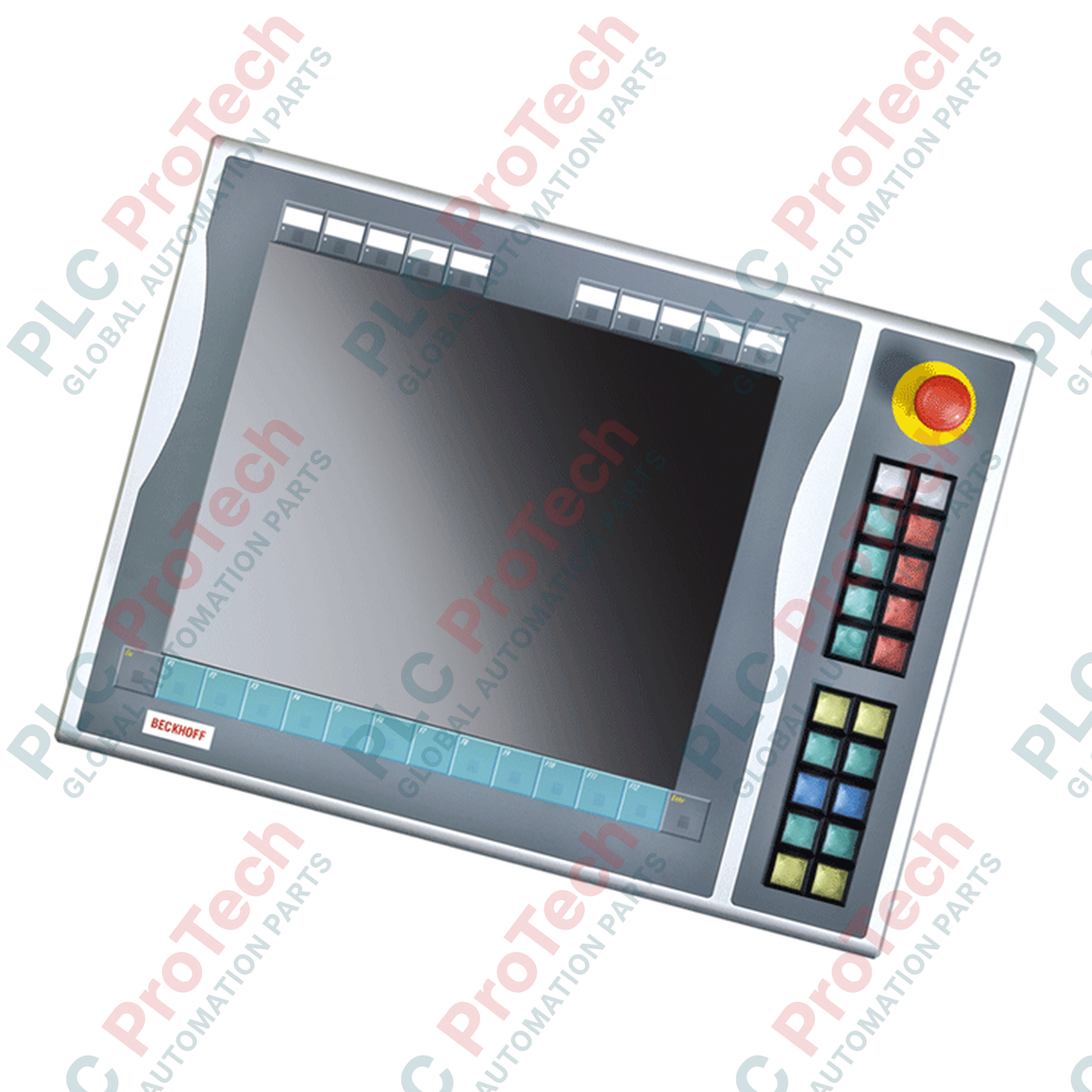
Beckhoff C9900-E731 Control Panel Push-Button Extension Module

Beckhoff C9900-E731 Control Panel Push-Button Extension Module

Apenas 10 item(ns) restante(s) em estoque
  • Fabricante: BECKHOFF

  • Nº do Produto: C9900-E731

  • País de origem:Alemanha

  • Tipo de Produto: Industrial HMI Accessories

  • Pagamento: T/T, Western Union

  • Peso: 500g

  • Dimensões: drawings with dimensions of the push-button e x tensions as AutoCAD DXF file

  • Porto de embarque: Xiamen

  • Garantia: 12 meses

Quantidade
Ver detalhes completos

Description

Designed to expand the manual control capabilities of CP6x13-00xx and CP7x13-00xx control panels, the Beckhoff C9900-E731 is a physical push-button extension designed for right-side installation. It integrates directly with 15-inch touch screen systems that do not feature built-in hardware keyboards. This module bridges physical tactile control and digital systems, offering independent physical contact routing for critical operator commands.

Features

  • Comprehensive Tactile Interface: Equipped with 20 square Siemens Signum push-button keys (30 x 30 mm) featuring built-in signal lamps.
  • Integrated Safety Control: Features 1 high-visibility Siemens Signum emergency stop key, routed independently for direct safety circuit integration.
  • Dual-Signal Contact Design: Transmits primary key closures via USB as a normally-open (NO) contact, while a second independent NO contact is routed to a physical terminal block for direct hardware interlocks.
  • Customizable Legend Plates: Slide-in labels allow rapid, clear labeling of individual button functions.
  • USB Communication Bus: Facilitates control of all integrated signal lamps exclusively through USB, minimizing enclosure wiring density.

Applications

  • Automotive assembly cell and production line HMIs.
  • Heavy machinery requiring physical cycle start, stop, and jog buttons adjacent to visual panels.
  • Safety-critical control zones requiring dual-channel hardware feedback loops.
  • Legacy panel system retrofitting during maintenance and service phases.

Technical Specifications Table

Specification Parameter Value / Rating
Manufacturer Beckhoff Automation GmbH & Co. KG
Model Number C9900-E731
Compatible Panels CP6x13-00xx and CP7x13-00xx (15-inch displays without keyboard)
Mounting Location Right side of host Control Panel / Panel PC
Push-Button Type 20 x Siemens Signum square keys (30 x 30 mm)
Indicator Lamps Integrated within the 20 push-buttons (USB controlled)
Emergency Stop Key 1 x Siemens Signum Emergency Stop (Direct wireable)
Contact Configurations 1st NO contact via USB; 2nd NO contact via hardwired terminal row
Lifecycle Status Service Phase (Legacy support)
Shipping Weight (Calculated) 5.0 kg

Connections and Interfaces

Connector / Interface Function / Circuit Assignment
USB Connection Transmits 1st NO contact signals and receives control inputs for all indicator lamps.
Internal Terminal Row Direct access point for wiring the independent 2nd NO contacts of the 20 push-buttons.
E-Stop Terminals Direct-wire interface for dual-channel emergency stop integration to external safety relays.

Alternative Models & Compatibility

The C9900-E731 is currently in its service phase. When retrofitting or replacing this unit, confirm that your existing host control panel features a 15-inch display without a physical keyboard (specifically models CP6x13 or CP7x13). This extension is mechanically tailored for right-side mounting only; left-side mount options require different model designations due to enclosure profile alignments.

Application Pitfalls & Engineering Notes

Safety Integration Notice: Under no circumstances should the USB communication interface be used to process safety-critical controls. The first contact (USB) is for visualization or standard control routines. High-safety functions—such as the integrated Emergency Stop and the secondary physical NO contacts—must be wired directly through the terminal row to an approved, dual-channel safety relay or a functional TwinSAFE terminal (e.g., Beckhoff EL1904).

Commissioning & Wiring Tips

When routing the direct wiring lines from the terminal row alongside the USB communication cable, utilize shielded cabling for the digital signals. High-frequency electromagnetic interference from nearby variable frequency drives (VFDs) can induce electrical noise on unshielded lines, resulting in false state transitions within the controller's input registers.

Installation Guidelines

CRITICAL WARNING:

Before starting any installation or maintenance, verify that all power to the Panel PC and control circuits is disconnected. Lock out and tag out all auxiliary power lines routed to the internal terminal row to prevent electric shock and unintended system startup.

1

Position the C9900-E731 extension against the right edge of the CP6x13 or CP7x13 panel. Verify that the sealing gasket is correctly seated around the mating lip to maintain IP65 integrity.

2

Secure the mechanical connection screws sequentially to ensure uniform compression of the structural sealing profile.

3

Connect the internal USB interface cable directly to a designated USB host port on the rear processing unit of the control panel.

4

Route physical safety conductors from the Emergency Stop switch and secondary NO contacts to the system terminal strip, using separate cable glands to keep safety lines clean of high-power cables.

Loading product navigation…

Can the indicator lamps on the C9900-E731 be operated without a USB connection?

No. All 20 signal lamps are controlled exclusively via the USB interface. A functional USB communication channel between the Panel PC and the extension is required for lamp operation.

Is the integrated Emergency Stop button routed through the USB bus?

No. The Siemens Signum Emergency Stop button is wired directly to terminal connections for safety. It operates completely independently of the USB logic circuits for compliance with industrial safety regulations.

Does this model support mounting on both the left and right sides of the panel?

No. The C9900-E731 is mechanically designed and profiled specifically for installation on the right-side edge of 15-inch Beckhoff Control Panels.

How do the dual contact paths for the standard push-buttons operate?

Each of the 20 standard buttons contains two separate contact paths. The first normally-open (NO) path is mapped to the internal USB matrix. The second NO contact is routed directly to physical terminals, permitting hardwired connection to standard PLC digital input cards or safety units.

Envio Expresso Global

  • Entrega Padrão: 4-6 dias úteis via DHL, FedEx e UPS.
  • Despacho Expresso: Envio no mesmo dia para pedidos em estoque realizados antes das 14:00 (GMT+8).
  • Cobertura Mundial: Atendendo mais de 150 países, incluindo entrega rápida para Arábia Saudita e Emirados Árabes Unidos.

Devoluções e Garantia

  • Garantia de 30 Dias: Devoluções aceitas para produtos em estoque na embalagem original, lacrada de fábrica.
  • Garantia de 12 Meses: Cada componente industrial é coberto pela nossa garantia técnica profissional.

Os pedidos são processados e entregues de segunda a sexta-feira (exceto feriados).


Para elegibilidade completa, taxas de reposição e detalhes de devolução internacional, por favor, consulte nosso oficial Política de Reembolso e Devolução .

TECHNICAL SPECIFICATIONS

Country of origin
Alemanha

Produtos Visualizados Recentemente

Conhecimento técnico

Atuadores Elétricos Projetados para Substituir Sistemas Hidráulicos: Um Guia Prático de Automação Industrial

Este artigo explica como os atuadores elétricos integrados, como a série e-Actuator da SMC, estão transformando o controle de movimento industrial ao substituir os sistemas pneumáticos e hidráulicos...

Operações Matemáticas Usando OpenPLC para Aplicações de Automação Industrial

Este artigo explica como os sistemas PLC realizam operações matemáticas básicas, como adição, subtração, multiplicação, divisão, módulo e exponenciação dentro da automação industrial. Ele mostra como...

Lógica Booleana Avançada com Programação FBD em CLP: Aplicações Industriais Práticas Além da Lógica Básica

O artigo explica várias funções avançadas de lógica Booleana usadas na programação de CLPs além das operações básicas AND, OR e NOT. Ele aborda como ferramentas como tabelas verdade, multiplexadores,...

Lógica Booleana na Programação de CLP: Entendendo Portas Lógicas FBD

A lógica booleana é a base de todo programa PLC. Desde controles simples de máquinas até sistemas complexos de automação industrial, as portas lógicas determinam como os controladores respondem a...

Guia Completo sobre Firewalls Industriais e Segmentação de Redes OT

Firewalls industriais desempenham um papel crucial na cibersegurança OT, protegendo redes PLC, DCS e SCADA por meio de segmentação, controle de entrada/saída e integração IDS/IPS alinhada aos...

Guia de Garras Robóticas: Do Manuseio Delicado à Automação Pesada

As garras robóticas modernas estão evoluindo além das tradicionais mandíbulas mecânicas. De sistemas adesivos inspirados em lagartos-gecko e garras macias de grau alimentício a ferramentas de armazém...