Описание
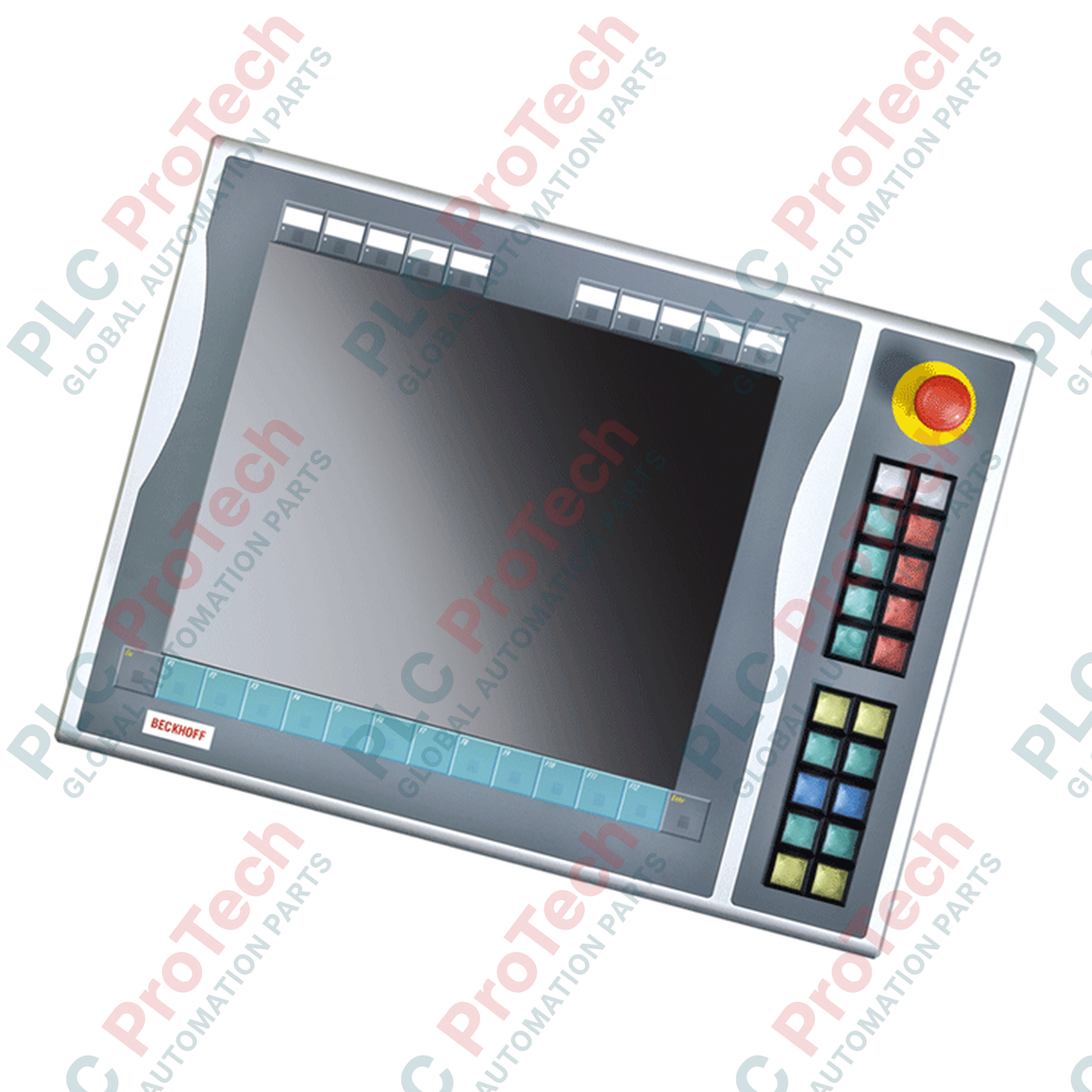
Разработанный для расширения возможностей ручного управления панелями CP6x13-00xx и CP7x13-00xx, Beckhoff C9900-E731 представляет собой физический модуль расширения с кнопками, предназначенный для установки справа. Он напрямую интегрируется с 15-дюймовыми сенсорными системами без встроенных аппаратных клавиатур. Этот модуль объединяет физическое тактильное управление с цифровыми системами, обеспечивая независимую маршрутизацию физических контактов для критически важных команд оператора.
Характеристики
-
Полноценный тактильный интерфейс: оснащено 20 квадратными кнопками Siemens Signum (30 × 30 мм) со встроенными сигнальными лампами.
-
Интегрированное управление безопасностью: оснащено одной хорошо заметной кнопкой аварийной остановки Siemens Signum, подключённой независимо для непосредственной интеграции в цепь безопасности.
-
Конструкция с двумя сигнальными контактами: передаёт замыкание основной кнопки через USB как нормально разомкнутый (NO) контакт, а второй независимый нормально разомкнутый контакт выводится на физический клеммный блок для прямой аппаратной блокировки.
-
Настраиваемые таблички с обозначениями: вставные этикетки позволяют быстро и понятно обозначить функции отдельных кнопок.
-
Шина связи USB: обеспечивает управление всеми интегрированными сигнальными лампами исключительно через USB, уменьшая плотность проводки внутри корпуса.
Применение
- Ячейки сборки автомобилей и человеко-машинные интерфейсы производственных линий.
- Тяжёлая техника, требующая физических кнопок запуска, остановки и пошагового перемещения цикла рядом с визуальными панелями.
- Критически важные зоны управления, требующие аппаратных контуров обратной связи с двумя каналами.
- Модернизация устаревшей панельной системы на этапах технического обслуживания и сервисных работ.
Таблица технических характеристик
| Параметр спецификации |
Значение / номинал |
| Производитель |
Beckhoff Automation GmbH & Co. KG |
| Номер модели |
C9900-E731 |
| Совместимые панели |
CP6x13-00xx и CP7x13-00xx (15-дюймовые дисплеи без клавиатуры) |
| Место монтажа |
Правая сторона основного пульта управления / панельного ПК |
| Тип кнопки |
20 квадратных кнопок Siemens Signum (30 × 30 мм) |
| Сигнальные лампы |
Интегрирована в 20 кнопок (управление через USB) |
| Кнопка аварийной остановки |
1 × Siemens Signum, аварийная остановка (прямое подключение проводами) |
| Конфигурации контактов |
1-й нормально разомкнутый контакт через USB; 2-й нормально разомкнутый контакт через аппаратно подключённый ряд клемм |
| Статус жизненного цикла |
Этап обслуживания (поддержка устаревших систем) |
| Расчётная масса при транспортировке |
5,0 кг |
Подключения и интерфейсы
| Разъём / интерфейс |
Назначение функций / цепей |
| USB-подключение |
Передаёт сигналы 1-го нормально разомкнутого контакта и принимает управляющие сигналы для всех сигнальных ламп. |
| Внутренний ряд клемм |
Точка прямого доступа для подключения независимых вторых нормально разомкнутых контактов 20 кнопок. |
| Клеммы аварийного останова |
Интерфейс прямого подключения для интеграции двухканального аварийного останова с внешними реле безопасности. |
Альтернативные модели и совместимость
C9900-E731 в настоящее время находится на этапе сервисной поддержки. При модернизации или замене этого устройства убедитесь, что существующая панель управления хоста оснащена 15-дюймовым дисплеем без физической клавиатуры, а именно моделью CP6x13 или CP7x13. Это расширение предназначено только для монтажа справа; для монтажа слева требуются другие обозначения моделей из-за особенностей совмещения профилей корпуса.
Типичные ошибки применения и инженерные примечания
Уведомление о включении в систему безопасности: Ни при каких обстоятельствах интерфейс USB не следует использовать для обработки функций, критичных для безопасности. Первый контакт (USB) предназначен для визуализации или стандартных процедур управления. Функции повышенной безопасности — такие как встроенный аварийный останов и вторичные физические нормально разомкнутые контакты — должны подключаться напрямую через ряд клемм к сертифицированному двухканальному реле безопасности или функциональной клемме TwinSAFE (например, Beckhoff EL1904).
Советы по вводу в эксплуатацию и подключению
При прокладке линий прямого подключения от ряда клемм рядом с коммуникационным USB-кабелем используйте экранированные кабели для цифровых сигналов. Высокочастотные электромагнитные помехи от расположенных поблизости преобразователей частоты (VFD) могут наводить электрический шум на неэкранированные линии, вызывая ложные переключения состояний во входных регистрах контроллера.
Рекомендации по монтажу
КРИТИЧЕСКОЕ ПРЕДУПРЕЖДЕНИЕ:
Перед началом любых монтажных или ремонтных работ убедитесь, что питание Panel PC и цепей управления отключено. Заблокируйте и промаркируйте все вспомогательные линии питания, проложенные к внутреннему ряду клемм, чтобы предотвратить поражение электрическим током и непреднамеренный запуск системы.
1
Расположите расширение C9900-E731 вплотную к правому краю панели CP6x13 или CP7x13. Убедитесь, что уплотнительная прокладка правильно установлена вокруг сопрягаемого выступа для сохранения степени защиты IP65.
2
Последовательно затяните винты механического соединения, чтобы обеспечить равномерное сжатие конструкционного уплотнительного профиля.
3
Подключите внутренний интерфейсный USB-кабель непосредственно к выделенному USB-порту хоста на задней панели процессорного блока панели управления.
4
Подключите физические проводники цепи безопасности от переключателя аварийного останова и вторичных нормально разомкнутых контактов к клеммной колодке системы, используя отдельные кабельные вводы, чтобы линии безопасности не пересекались с силовыми кабелями.