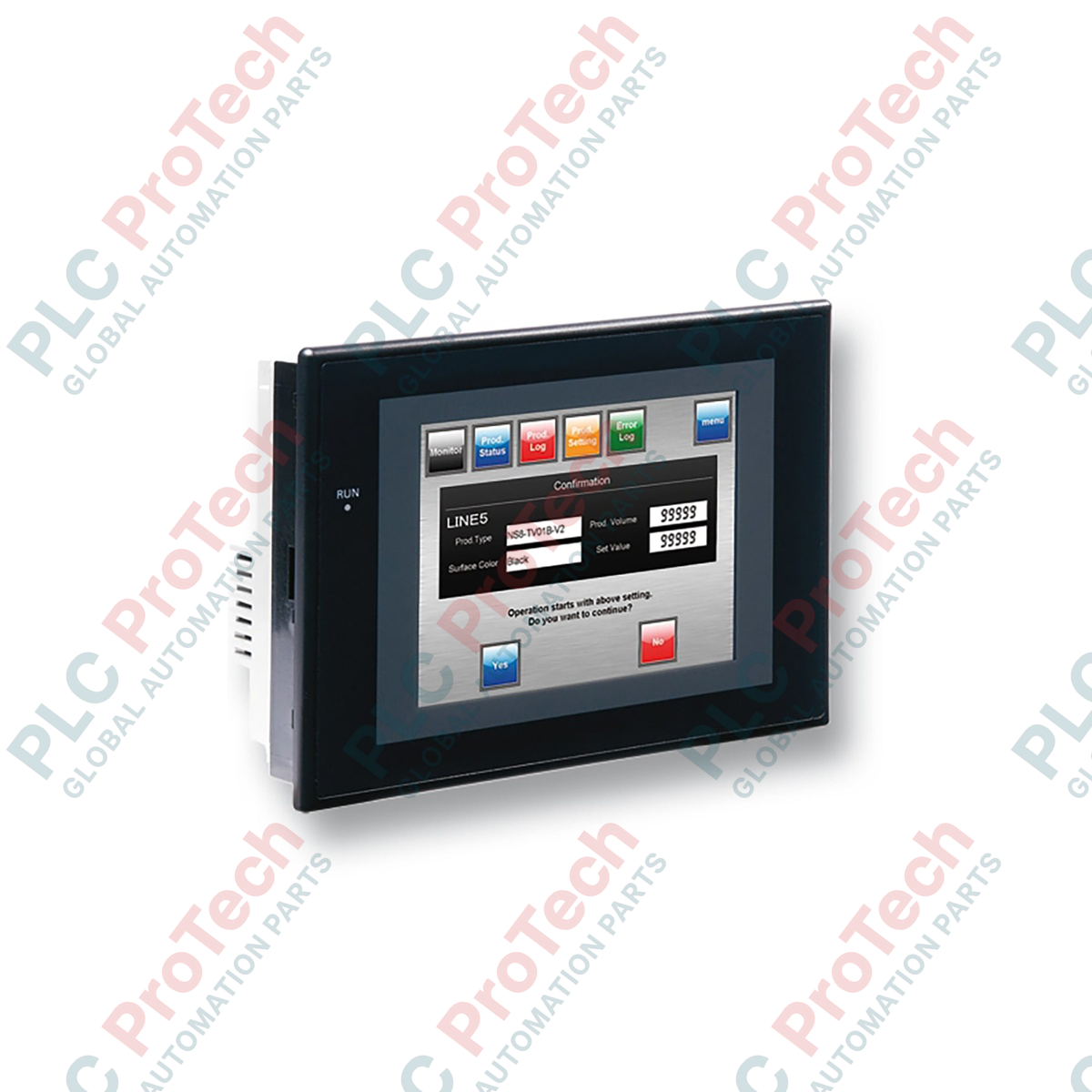
Описание
Высоконадёжный узел визуализации в распределённых сетях управления, человеко-машинный интерфейс Omron NS5-TQ11B-V2 обеспечивает операторам мониторинг процессов в реальном времени и управление с помощью сенсорного ввода. Этот терминал с диагональю 5,7 дюйма легко интегрируется в архитектуры Omron Sysmac и среды с ПЛК сторонних производителей. Благодаря высококонтрастному цветному дисплею TFT с активной матрицей он обеспечивает чёткое изображение с разрешением QVGA даже в сложных условиях промышленного освещения. Модель оснащена чёрной рамкой, двумя последовательными портами и высокоскоростной связью Ethernet для непрерывного обмена данными с полевым оборудованием.
Особенности
-
Контрастный дисплей: цветной ЖК-дисплей TFT с диагональю 5,7 дюйма, разрешением QVGA (320 x 240 пикселей) и долговечной подсветкой.
-
Универсальные коммуникации: встроенные порт Ethernet 10/100Base-T, порт RS-232C и интерфейсы USB.
-
Компактный корпус: чёрный корпус с экономией места, идеально подходящий для панелей управления с ограниченной глубиной.
-
Надёжная защита: передняя панель соответствует требованиям маслостойкого и пылезащищённого исполнения IP65f при правильной установке в панель.
-
Обширная библиотека драйверов: встроенная поддержка Omron Host Link, NT Link (1:N) и драйверов ПЛК сторонних производителей.
Применение
- Управление упаковочным оборудованием и вмешательство оператора.
- Системы транспортировки материалов и малые и средние конвейерные линии.
- Участки вспомогательной сборки автомобилей и испытательные стенды.
- Панели управления водоочистными сооружениями и терминалы мониторинга насосов.
Технические характеристики
| Параметр спецификации |
Значение / номинал |
| Производитель |
Omron |
| Номер модели |
NS5-TQ11B-V2 |
| Тип дисплея |
Цветной ЖК-дисплей TFT с активной матрицей |
| Размер дисплея |
5,7 дюйма |
| Разрешение |
320 x 240 пикселей (QVGA) |
| Цвет рамки |
Чёрный |
| Входное напряжение |
24 VDC |
| Потребляемая мощность |
не более 15 W |
| Рабочая температура |
от 0 до 50 °C |
| Степень защиты |
IP65f (передняя панель) |
| Размеры (Ш x В x Г) |
195 мм x 142 мм x 54 мм |
| 1,0 кг |
Масса нетто |
| Масса при транспортировке (расчётная) |
1,5 кг |
| Размеры упаковки (расчётные) |
250 мм x 200 мм x 110 мм |
Подключения и интерфейсы
| Порт / подключение |
Тип разъёма |
Функция / протокол связи |
| Последовательный порт A |
Гнездо D-Sub, 9 контактов |
RS-232C (подключение по протоколам Host Link, NT Link или 1:N Link) |
| Порт Ethernet |
RJ45 |
Ethernet 10/100Base-T (связь FINS / передача экранов) |
| USB Host |
Type-A |
Интерфейс USB для флэш-накопителя (регистрация данных, резервное копирование и восстановление проектов) |
| USB Slave |
Type-B |
Подключение к ПК для программирования, настройки и передачи экранов |
| Клемма питания |
3-контактная винтовая клемма M3 |
Вход 24 В постоянного тока (± 15%) с клеммой функционального заземления |
Практические инженерные выводы
Альтернативные модели и совместимость
Версия V2 NS5-TQ11B напрямую заменяет более старые конструкции V1, используя тот же размер выреза в панели — 184 мм × 131 мм. Проекты экранов, разработанные для терминалов V1, можно открыть в CX-Designer и преобразовать для моделей V2, изменив целевую модель в системных настройках. Убедитесь, что среда CX-Designer обновлена как минимум до версии 3.0, чтобы использовать все возможности прошивки V2 и оптимизированные коммуникационные драйверы.
Проблемы при применении и инженерные примечания
Чтобы предотвратить ошибки тайм-аута связи, например «Тайм-аут ответа», прокладывайте кабели последовательной связи отдельно от высоковольтных линий переменного тока. В условиях сильных электромагнитных помех передача пакетов данных по стандартным последовательным соединениям может нарушаться. Если порт USB Host используется для длительного ведения журнала данных, отформатируйте USB-накопитель в FAT16 или FAT32, поскольку накопители с современной файловой системой NTFS не будут корректно подключаться в ОС терминала.
Советы по вводу в эксплуатацию и подключению
При настройке Ethernet-связи через FINS/UDP убедитесь, что адрес узла HMI совпадает с последним октетом назначенного статического IP-адреса. Такое соответствие упрощает таблицы маршрутизации и предотвращает ошибки сопоставления узлов при запуске. Кроме того, убедитесь, что клемма функционального заземления (FG) напрямую подключена к качественному заземляющему проводу сечением не менее 2 мм².
Рекомендации по установке
КРИТИЧЕСКОЕ ПРЕДУПРЕЖДЕНИЕ:
Перед выполнением электрических подключений отключите источник питания 24 В постоянного тока и заблокируйте его от повторного включения. Не выполняйте монтаж проводов терминала под напряжением. Чрезмерная затяжка винтов терминала может привести к механической неисправности; затяните винты клеммной колодки питания с моментом ровно 0,5 Н·м.
1
Подготовьте чистый вырез в панели точно размером 184 мм по горизонтали и 131 мм по вертикали. Толщина панели должна составлять от 1,6 до 4,8 мм.
2
Вставьте терминал в вырез передней панели, убедившись, что водонепроницаемая прокладка правильно установлена в пазу рамки для обеспечения герметичности.
3
Закрепите устройство сзади с помощью входящих в комплект монтажных скоб. Равномерно затяните скобы с моментом 0,5–0,6 Н·м, чтобы предотвратить деформацию передней панели.
4
Подключите линии питания 24 В постоянного тока и отдельный кабель функционального заземления к клеммной колодке, затем убедитесь, что все коммуникационные кабели надежно подсоединены и зафиксированы.