1 of 1

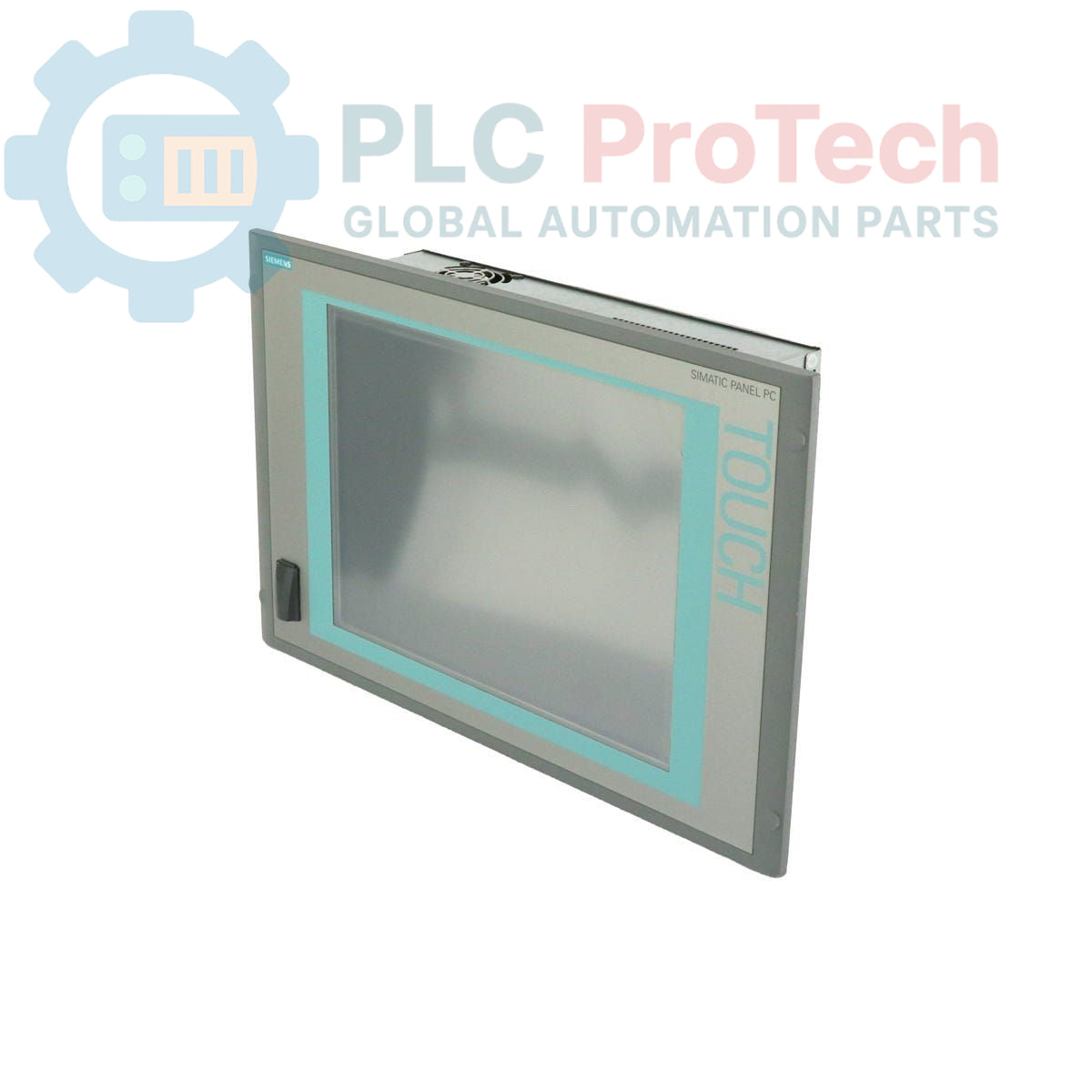
Siemens 6AV7885-2AK20-1DA8 SIMATIC IPC 577C HMI Panel PC

Siemens 6AV7885-2AK20-1DA8 SIMATIC IPC 577C HMI Panel PC

Only 8 item(s) left in stock
  • Manufacturer: Siemens

  • Product No.: 6AV7885-2AK20-1DA8

  • Country of origin:Germany

  • Product Type: Industrial PC

  • Barcode: 84714100

  • Payment: T/T, Western Union

  • Weight: 15g

  • Dimensions: 64.00 x 64.00 x 42.00 cm

  • Shipping port: Xiamen

  • Warranty: 12 months

Quantity
View full details

Description

The Siemens 6AV7885-2AK20-1DA8 is a SIMATIC IPC 577C HMI Panel PC designed for industrial applications requiring robust human-machine interface and computing capabilities. This unit features a 15-inch touch display and is powered by a Core 2 Duo 1.86 GHz processor. It includes 2 GB DDR3 RAM and a 320 GB SATA HDD with Windows XP Professional pre-installed. Connectivity options include multiple USB ports, Ethernet (10/100/1000), and PROFINET (IE), making it suitable for integration into various automation networks. The device operates on a 24 V DC power supply and supports a PCI expansion slot.

Features

  • Integrated 15-inch Touch Display
  • Core 2 Duo 1.86 GHz Processor
  • 2 GB DDR3 RAM
  • 320 GB SATA Hard Disk Drive (HDD)
  • Pre-installed Windows XP Professional operating system
  • Multiple USB ports: 4 (rear) + 1 (front)
  • Integrated Ethernet (10/100/1000) interface
  • PROFINET (IE) communication capability
  • PCI expansion slot for additional functionality
  • 24 V DC Power Supply

Applications

  • Industrial visualization and control systems
  • Machine operation and monitoring
  • Process control and data acquisition
  • Factory automation and manufacturing execution systems (MES)
  • Supervisory Control and Data Acquisition (SCADA) systems
  • Embedded control applications requiring HMI functionality

Technical Specifications

Brand Siemens
Manufacturer Siemens
Range Simatic Panel PC
Subrange HMI
Product Type Industrial PC
PLM Product Phase Phase-Out
Processor Core 2 Duo 1.86 GHz
Display Size 15-inch
Display Type Touch Display
RAM 2 GB DDR3
First Mass Storage 320 GB HDD SATA
Second Mass Storage Not equipped
Operating System Windows XP Professional (pre-installed, optional)
Power Supply 24 V DC
Ethernet Interface 10/100/1000 Mbit/s
PROFINET Interface Yes (IE)
USB Ports 4 (rear), 1 (front)
Expansion Slot PCI Slot
Package Dimensions (Calculated) 64.00 x 64.00 x 42.00 cm
Shipping Weight 15.00 kg
Commodity Code 84714100
Export Control Regulations (ECCN) 5A992

Installation Guidelines

  1. Safety First: Ensure all power to the installation area is de-energized and locked out before beginning any work.
  2. Mounting: Securely mount the Panel PC in a suitable industrial enclosure or control cabinet, ensuring adequate ventilation and clearance for cable routing and maintenance.
  3. Power Connection: Connect the 24 V DC power supply to the designated terminals, observing correct polarity. Verify the power source meets the specified voltage and current requirements.
  4. Grounding: Establish a robust protective earth (PE) connection to the Panel PC chassis to ensure electrical safety and minimize electromagnetic interference.
  5. Network Connections: Connect Ethernet cables to the 10/100/1000 Mbit/s ports and PROFINET cables to the PROFINET (IE) interface as required by the network architecture. Use shielded cables for industrial environments.
  6. USB Device Connection: Connect USB peripherals to the available front or rear USB ports.
  7. PCI Expansion: If utilizing the PCI slot, carefully install the expansion card according to its manufacturer's instructions, ensuring proper seating and securing.
  8. Cable Management: Route all cables neatly and securely, separating power and signal cables to prevent interference. Use cable ties and conduits where appropriate.
  9. Initial Power-Up: After all connections are verified, re-energize the power supply and observe the Panel PC's boot sequence.

What operating system is pre-installed on the 6AV7885-2AK20-1DA8?

The unit comes with Windows XP Professional pre-installed, which is only possible with an HDD or SSD configuration.

What are the primary communication interfaces available?

The Panel PC features Ethernet (10/100/1000 Mbit/s), PROFINET (IE), and multiple USB ports (4 rear, 1 front).

Can additional expansion cards be installed?

Yes, the IPC 577C includes a PCI slot for installing compatible expansion cards.

What is the power supply requirement for this Panel PC?

The device requires a 24 V DC power supply for operation.

Global Express Shipping

  • Standard Delivery: 4-6 Business Days via DHL, FedEx, and UPS.
  • Express Dispatch: Same-day dispatch for in-stock orders placed before 2:00 PM (GMT+8).
  • Worldwide Coverage: Serving over 150 countries, including rapid delivery to Saudi Arabia and UAE.

Returns & Warranty

  • 30-Day Guarantee: Returns accepted for in-stock products in original, factory-sealed packaging.
  • 12-Month Warranty: Every industrial component is backed by our professional technical warranty.

Orders are processed and delivered Monday-Friday (excluding public holidays).


For full eligibility, restocking fees, and international return details, please view our official Refund & Return Policy .

TECHNICAL SPECIFICATIONS

Country of origin
Germany

Recently Viewed Products

Technical knowledge

OpenVMS Alpha da ishlayotgan Bailey INFI 90 Symphony HMI larini zamonaviylashtirish

OpenVMS Alpha asosida ishlayotgan eskirgan Bailey Symphony operator stantsiyalarini almashtirish bo‘yicha amaliy qo‘llanma. Unda Alpha emulyatsiyasi, OpenVMS x86 ga ko‘chirish, OPC platformasini...

Nima uchun texnik xizmat ko‘rsatish ma’lumotlari sanoat ishonchliligi uchun muhimdir

Texnik xizmat ko‘rsatish ma’lumotlari ish buyurtmalari, sensor signallari, aktivlar tarixi, xarajatlar va texnik mutaxassislarning bilimlarini bog‘laydi. To‘g‘ri ishlatilganda, u rejalashtirish,...

Suyuqlik quvvat tizimlarini almashtirish uchun mo‘ljallangan elektr aktuatorlar: Amaliy sanoat avtomatizatsiyasi qo‘llanmasi

Ushbu maqola SMCning e-Actuator seriyasi kabi integratsiyalashgan elektr aktuatorlarining sanoat harakatini boshqarishda an’anaviy pnevmatik va gidravlik tizimlarni qanday almashtirayotganini...

Sanoat avtomatlashtirish ilovalari uchun OpenPLC yordamida matematik amallar bajarish

Ushbu maqola PLC tizimlari sanoat avtomatlashtirishida qo‘shish, ayirish, ko‘paytirish, bo‘lish, modulo va darajaga ko‘tarish kabi asosiy matematik amallarni qanday bajarishini tushuntiradi. Unda...

FBD PLC dasturlashda ilg‘or Boolean mantiqi: asosiy mantiqdan tashqari amaliy sanoat ilovalari

Maqola PLC dasturlashda asosiy AND, OR va NOT amallaridan tashqari bir nechta ilg‘or Boolean mantiq funksiyalarini tushuntiradi. Unda haqiqat jadvallari, multiplexerlar, impuls generatorlari va...

PLC dasturlashda Boolean mantiqi: FBD mantiq eshiklarini tushunish

Boolean mantiq har bir PLC dasturining asosidir. Oddiy mashina boshqaruvlaridan tortib murakkab sanoat avtomatlashtirish tizmlarigacha, mantiqiy eshiklar boshqaruvchilarning o‘zgaruvchan kirishlar va...