1 von 1

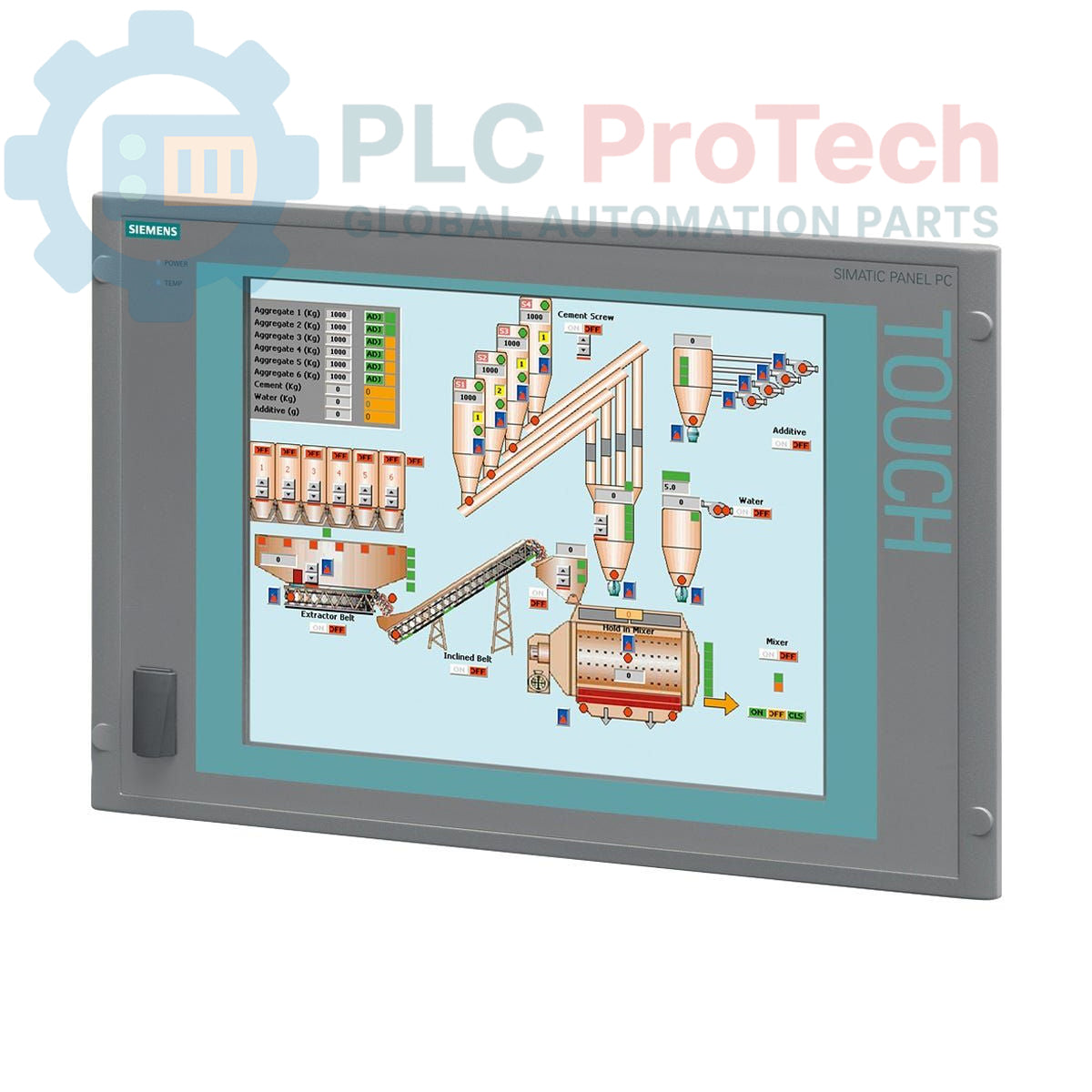
Siemens 6AV7872-0EC20-1AA0 SIMATIC Panel PC 677B

Siemens 6AV7872-0EC20-1AA0 SIMATIC Panel PC 677B

Only 5 item(s) left in stock
  • Manufacturer: Siemens

  • Product No.: 6AV7872-0EC20-1AA0

  • Country of origin:Deutschland

  • Product Type: Industrial Panel PC

  • Barcode: 85371098

  • Payment: T/T, Western Union

  • Weight: 17g

  • Dimensions: 60.00 x 56.50 x 30.00 cm

  • Shipping port: Xiamen

  • Warranty: 12 months

Anzahl
Vollständige Details anzeigen

Description

The Siemens 6AV7872-0EC20-1AA0 is a SIMATIC Panel PC 677B designed for industrial control and visualization applications. This robust panel PC features a 15-inch touch display with a resolution of 1024x768 pixels, making it suitable for human-machine interface (HMI) tasks. It is equipped with a Core 2 Duo T5500 processor running at 1.66 GHz, 512 MB of DDR2 RAM, and a 160 GB SATA hard disk drive. Connectivity options include two 10/100/1000 Mbit/s Ethernet ports, four USB V2.0 ports (plus a front-side USB interface), and one serial (COM1) port. The unit also supports PROFIBUS/MP communication and includes 2 MB of buffered SRAM. It operates on a 110/230 V AC power supply and comes pre-installed with Windows XP Professional MUI (Multi-User Interface) supporting multiple languages.

Features

  • 15-inch touch display with 1024x768 resolution
  • Core 2 Duo T5500 processor at 1.66 GHz
  • 512 MB DDR2 RAM and 160 GB SATA HDD
  • Dual 10/100/1000 Mbit/s Ethernet interfaces
  • Multiple USB V2.0 ports (4x rear, 1x front-side) and 1x serial (COM1) port
  • Integrated PROFIBUS/MP communication capability with 2 MB buffered SRAM
  • Pre-installed Windows XP Professional MUI operating system
  • 110/230 V AC power supply with NAMUR support

Applications

The Siemens SIMATIC Panel PC 677B is typically deployed in industrial environments for:
  • Process visualization and control
  • Machine operation and monitoring
  • Data acquisition and logging systems
  • Manufacturing execution systems (MES) interfaces
  • Building automation and infrastructure control

Technical Specifications

Manufacturer Siemens
Range Simatic Panel PC
Subrange PC677B
Product Phase Obsolete
CPU Core 2 Duo T5500, 1.66 GHz
CPU Cache 2 MB SLC
RAM 512 MB DDR2
Storage 160 GB SATA HDD 3.5"
Optical Drive Not included
Display Size 15 inches
Display Type Touch
Display Resolution 1024 x 768
Ethernet Ports 2x 10/100/1000 Mbit/s
USB Ports 4x USB V2.0 (rear), 1x USB (front-side)
Serial Ports 1x (COM1)
Expansion Slots 2x PCI
Fieldbus Interface PROFIBUS/MP
Buffered SRAM 2 MB
Operating System Windows XP Professional MUI (DE, EN, FR, ES, IT, JA, ZH, KO)
Power Supply 110/230 V AC (with NAMUR)
Package Dimensions (Calculated) 60.00 x 56.50 x 30.00 cm
Shipping Weight 17.00 kg
Commodity Code 85371098
Export Control Regulations (ECCN) N

Connections / Interfaces

  • Ethernet: 2x RJ45 ports for 10/100/1000 Mbit/s connectivity.
  • USB: 4x USB V2.0 ports (rear), 1x front-side USB interface.
  • Serial: 1x COM1 port.
  • PROFIBUS/MP: Integrated interface for fieldbus communication.
  • Power Input: AC power connector for 110/230 V AC supply.

Installation Guidelines

  1. Power De-energization: Ensure all power to the installation area is disconnected and locked out before beginning any work.
  2. Mounting: Mount the Panel PC securely into a suitable panel cutout, ensuring proper ventilation clearances as specified by the manufacturer.
  3. Power Connection: Connect the 110/230 V AC power supply cable to the designated power input terminal. Ensure correct voltage and grounding.
  4. Grounding: Establish a robust protective earth (PE) connection to the Panel PC chassis to minimize electromagnetic interference and ensure safety.
  5. Ethernet Connections: Connect industrial Ethernet cables to the RJ45 ports for network integration.
  6. USB and Serial Devices: Connect peripheral devices such as keyboards, mice, or barcode scanners to the available USB ports. Use the COM1 port for serial communication devices if required.
  7. PROFIBUS/MP Connection: If utilizing PROFIBUS/MP, connect the appropriate bus cable to the dedicated interface, ensuring correct termination.
  8. Cable Routing: Route all cables to prevent strain, interference, and damage, separating power and signal cables where possible.
  9. Environmental Considerations: Ensure the operating environment meets the specified temperature, humidity, and vibration ratings for optimal performance and longevity.
  10. Power-Up: Once all connections are verified, restore power to the system and observe for proper boot-up and operation.

What operating system is pre-installed on the Panel PC?

The Siemens 6AV7872-0EC20-1AA0 comes with Windows XP Professional MUI (Multi-User Interface) pre-installed, supporting multiple languages.

What are the primary communication interfaces available?

It features two 10/100/1000 Mbit/s Ethernet ports, four USB V2.0 ports (plus one front-side), one serial (COM1) port, and an integrated PROFIBUS/MP interface.

What is the display size and resolution?

The Panel PC is equipped with a 15-inch touch display offering a resolution of 1024x768 pixels.

Does this Panel PC include an optical drive?

No, the Siemens 6AV7872-0EC20-1AA0 is supplied without an optical drive.

What are the power supply requirements for this unit?

The Panel PC operates on a 110/230 V AC power supply and includes NAMUR support.

Global Express Shipping

  • Standard Delivery: 4-6 Business Days via DHL, FedEx, and UPS.
  • Express Dispatch: Same-day dispatch for in-stock orders placed before 2:00 PM (GMT+8).
  • Worldwide Coverage: Serving over 150 countries, including rapid delivery to Saudi Arabia and UAE.

Returns & Warranty

  • 30-Day Guarantee: Returns accepted for in-stock products in original, factory-sealed packaging.
  • 12-Month Warranty: Every industrial component is backed by our professional technical warranty.

Orders are processed and delivered Monday-Friday (excluding public holidays).


For full eligibility, restocking fees, and international return details, please view our official Refund & Return Policy .

TECHNICAL SPECIFICATIONS

Country of origin
Deutschland

Recently Viewed Products

Technical knowledge

Umfassender Leitfaden zu industriellen Firewalls und OT-Netzwerksegmentierung

Industrielle Firewalls spielen eine entscheidende Rolle in der OT-Cybersicherheit, indem sie PLC-, DCS- und SCADA-Netzwerke durch Segmentierung, Ein- und Ausgangskontrolle sowie IDS/IPS-Integration...

Leitfaden für Roboter-Greifer: Von der schonenden Handhabung bis zur Schwerlastautomatisierung

Moderne robotische Greifer entwickeln sich über traditionelle mechanische Greifbacken hinaus. Von gecko-inspirierten Haftsystemen und weichen, lebensmittelechten Greifern bis hin zu KI-gestützten...

Rückblick: Wie frühe Elektromotoren den Untertagebergbau veränderten

Von seilgetriebenen Gleichstromkompressoren bis hin zu batteriebetriebenen Grubenwagen markierten frühe Bergbauoperationen einen Wendepunkt in der industriellen Elektrifizierung. Dieser Artikel...

Factory I/O: Ein modernes PLC-Simulationswerkzeug für die Ausbildung in der Industrieautomatisierung

Factory I/O revolutioniert die SPS-Ausbildung, indem es immersive 3D-Industriesimulationen für Studenten, Ingenieure und Wartungsteams bereitstellt. Die Plattform überbrückt die Lücke zwischen...

Programmierung von Ein-Achsen-Bewegungszyklen auf einem CMZ-Servoantrieb

Dieses Tutorial untersucht, wie die integrierte SPS-Funktionalität in einem CMZ SBD-Servoantrieb eigenständige Bewegungsprogramme ausführen kann, einschließlich Referenzfahrt-Logik,...

Einachsige Bewegungssteuerung mit CMZ-Servoantrieben einrichten

Dieses Tutorial behandelt die Inbetriebnahme eines einachsigen Servobewegungssystems mit einem CMZ SBD-Antrieb und umfasst die Hardwareeinrichtung, Achsenskalierung, Homing-Konfiguration und die...