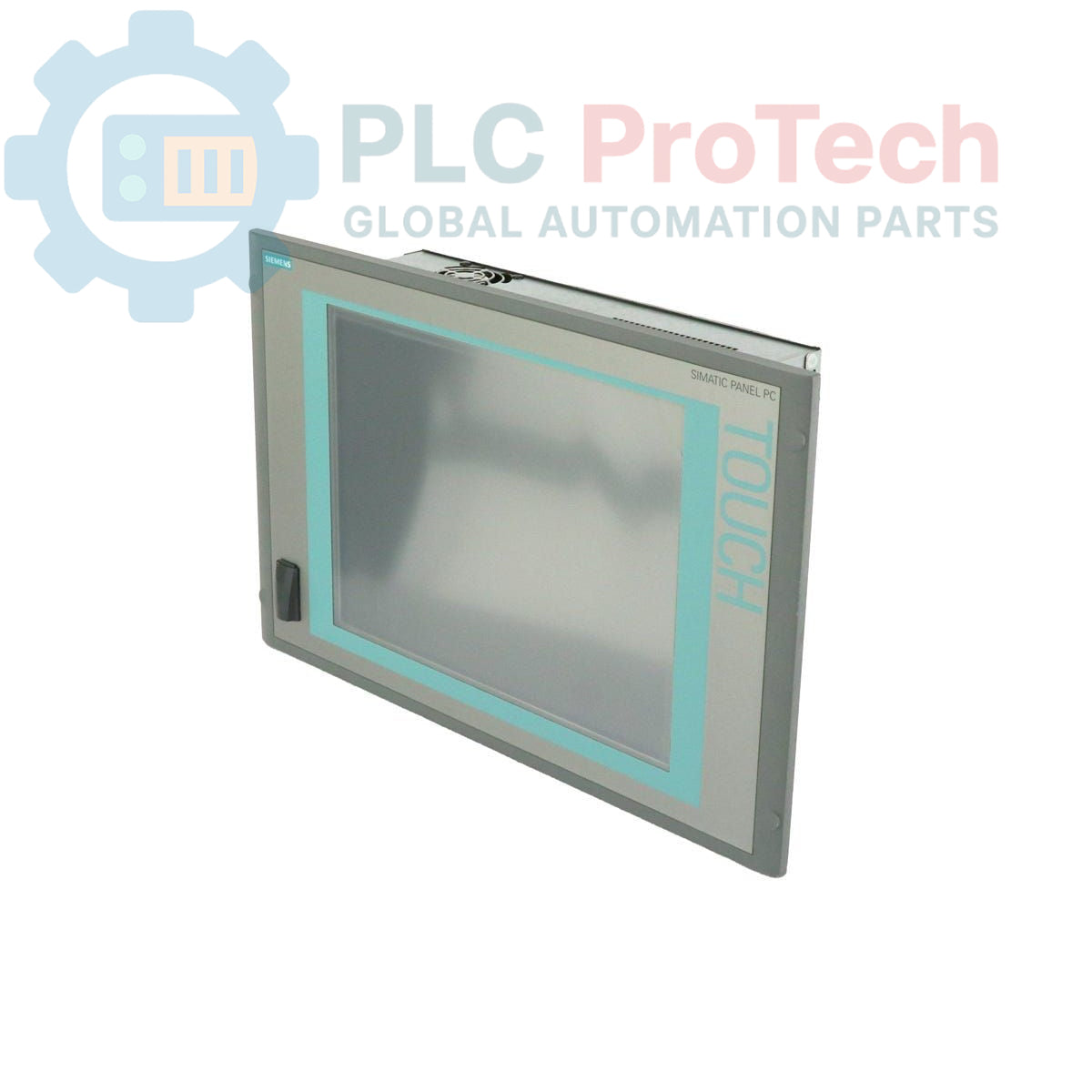
Beschreibung
Dieses Gerät ist ein Siemens 6AV7885-2AK20-3BA8 SIMATIC HMI IPC 577C, ein robustes Panel-PC-System für Mensch-Maschine-Schnittstellen (HMI) in industriellen Umgebungen. Es verfügt über ein 15-Zoll-Touchdisplay, einen Intel-Core-2-Duo-Prozessor mit 1,86 GHz und 2 GB DDR3-RAM. Das System ist mit einer 4-GB-CompactFlash-Karte als Primärspeichermedium ausgestattet und wird mit dem vorinstallierten Betriebssystem Windows Embedded Standard 2009 geliefert. Die Konnektivität wird durch zwei Gigabit-Ethernet-Anschlüsse, eine integrierte PROFINET-Schnittstelle und mehrere USB-Anschlüsse gewährleistet. Das Gerät wird über eine 24-V-DC-Stromversorgung betrieben und verfügt über einen PCI-Steckplatz zur Hardwareerweiterung.
Merkmale
- Integriertes 15-Zoll-Touchdisplay
- Intel-Core-2-Duo-Prozessor mit 1,86 GHz
- 2 GB DDR3-Arbeitsspeicher
- 4-GB-CompactFlash-Karte als Primärspeicher
- Betriebssystem Windows Embedded Standard 2009 vorinstalliert
- Integrierte PROFINET-(IE)-Kommunikationsschnittstelle
- Zwei 1-Gbit-Ethernet-Anschlüsse (10/100/1000)
- Ein verfügbarer PCI-Erweiterungssteckplatz
- Betrieb mit einer 24-V-DC-Stromquelle
Anwendungen
- Steuerung und Visualisierung auf Maschinenebene
- Prozessüberwachungs- und Datenerfassungssysteme
- Bedienerstationen in der Fertigung
- Bedienpanels für die Fabrik- und Prozessautomatisierung
Technische Daten
| Spezifikation |
Wert |
| Hersteller |
Siemens |
| Produktserie |
SIMATIC HMI IPC 577C |
| Display |
15-Zoll-Touchdisplay |
| Prozessor |
Intel Core 2 Duo, 1,86 GHz |
| Arbeitsspeicher (RAM) |
2 GB DDR3 |
| Primärspeicher |
4-GB-CompactFlash-Karte (CF) |
| Sekundärspeicher |
Nicht ausgestattet |
| Betriebssystem |
Windows Embedded Standard 2009 (vorinstalliert) |
| Stromversorgung |
24 V DC |
| Ethernet-Anschlüsse |
2x 1 Gbit (10/100/1000 Mbit/s) |
| Industrielle Kommunikation |
PROFINET (IE) |
| USB-Anschlüsse |
4x USB (Rückseite), 1x USB (Vorderseite) |
| Erweiterungssteckplätze |
1x PCI-Steckplatz |
| Produktlebenszyklusstatus |
Auslaufmodell |
| Herkunftsland |
Deutschland (Schätzung) |
| Abmessungen der Verpackung (berechnet) |
64,00 x 64,00 x 42,00 cm |
| Versandgewicht |
15,00 kg |
Installationsrichtlinien
KRITISCHE WARNUNG: STROMSCHLAGGEFAHR
Trennen Sie alle Stromquellen und befolgen Sie vor der Installation oder Wartung die Lockout-/Tagout-Verfahren (LOTO). Dieses Gerät muss in einem Gehäuse installiert werden, das Schutz vor direktem Kontakt bietet. Die Installation darf nur von qualifiziertem Personal durchgeführt werden.
-
1
System spannungsfrei schalten: Stellen Sie sicher, dass die Hauptstromversorgung des Schaltschranks oder Gehäuses vollständig abgeschaltet und verriegelt ist, bevor Sie mit den Arbeiten beginnen. Überprüfen Sie, dass keine Spannung anliegt.
-
2
Panelausschnitt vorbereiten: Überprüfen Sie, ob die Abmessungen des Panelausschnitts den Anforderungen des IPC 577C entsprechen. Stellen Sie sicher, dass die Montagefläche sauber, eben und frei von Rückständen ist, um eine ordnungsgemäße Abdichtung zu gewährleisten.
-
3
Gerät montieren: Setzen Sie den Panel PC von der Vorderseite des Panels in den Ausschnitt ein. Befestigen Sie ihn von hinten mit den mitgelieferten Montageklemmen und ziehen Sie diese gleichmäßig mit dem angegebenen Drehmoment an, um eine Abdichtung gegen Umwelteinflüsse zu gewährleisten.
-
4
Stromversorgung anschließen: Schließen Sie die 24-V-DC-Stromversorgung an die dafür vorgesehene Stromversorgungsklemme an. Achten Sie unbedingt auf die richtige Polarität (+/-), um Schäden am Gerät zu vermeiden. Verwenden Sie für die Last geeignete Leiterquerschnitte.
-
5
Erdungsverbindung herstellen: Verbinden Sie das Gehäuse des Panel PC über einen Leiter mit niedriger Impedanz mit dem Schutzleiter (PE) des Schaltschranks. Eine zuverlässige Erdungsverbindung ist für die Sicherheit und Störfestigkeit unerlässlich.
-
6
Peripheriegeräte und Netzwerke anschließen: Schließen Sie Ethernet, PROFINET und alle erforderlichen USB-Geräte an. Stellen Sie sicher, dass alle Kabel ordnungsgemäß verlegt und befestigt sind, um eine Belastung der Anschlüsse zu verhindern.
-
7
Abschlussprüfung und Einschalten: Nachdem alle Verbindungen hergestellt und überprüft wurden, schließen Sie die Tür des Schaltschranks. Entfernen Sie die Lockout-/Tagout-Vorrichtung und schalten Sie das System wieder ein. Überprüfen Sie, ob der Panel PC ordnungsgemäß hochfährt.