1 von 1

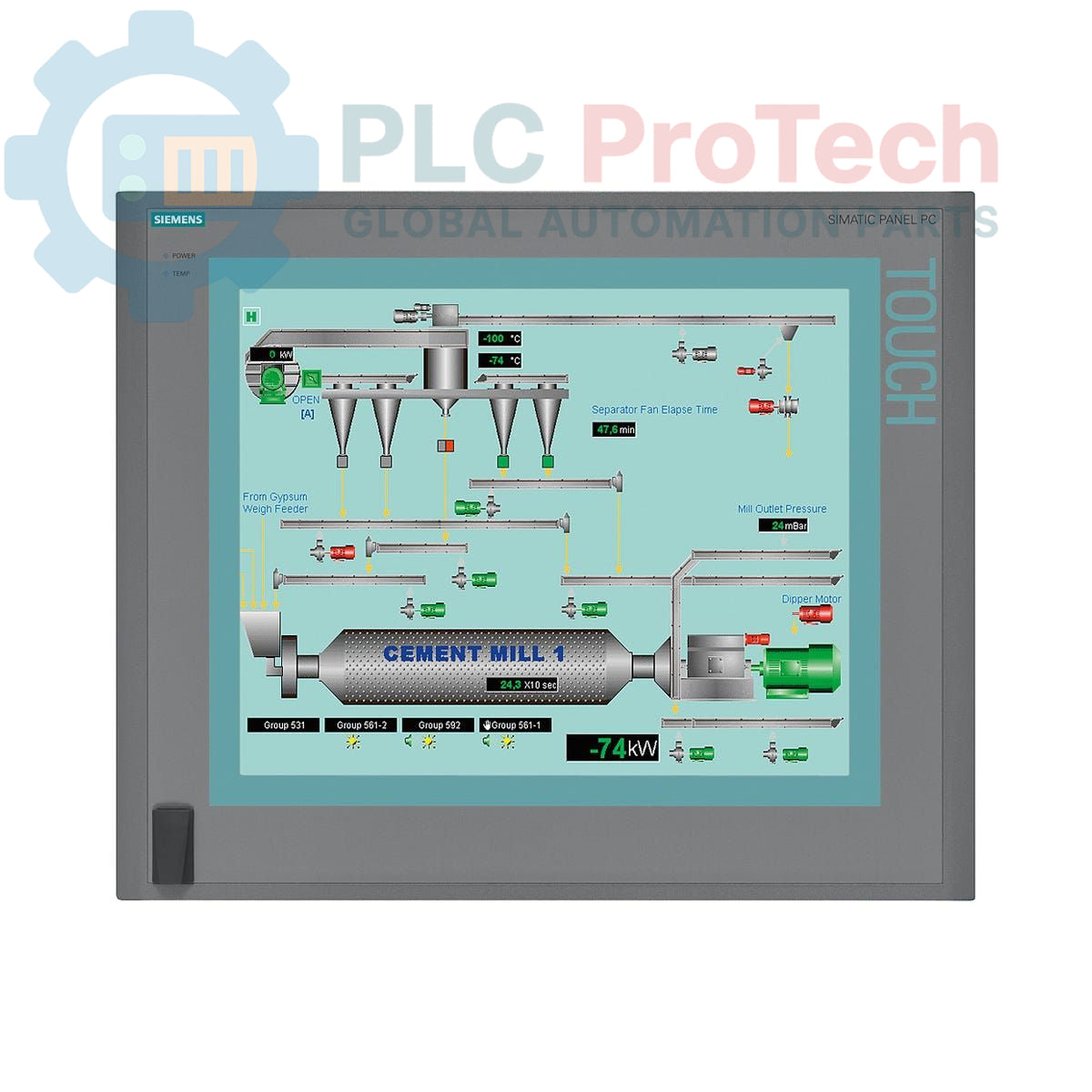
Siemens 6AV7894-0BJ31-1AE0 SIMATIC IPC677C Panel PC

Siemens 6AV7894-0BJ31-1AE0 SIMATIC IPC677C Panel PC

Only 3 item(s) left in stock
  • Manufacturer: Siemens

  • Product No.: 6AV7894-0BJ31-1AE0

  • Country of origin:Deutschland

  • Product Type: Panel PC

  • Barcode: 85371098

  • Payment: T/T, Western Union

  • Weight: 17450g

  • Dimensions: 67.0 x 55.0 x 28.0 cm

  • Shipping port: Xiamen

  • Warranty: 12 months

Anzahl
Vollständige Details anzeigen

Description

The Siemens 6AV7894-0BJ31-1AE0 is a SIMATIC IPC677C Panel PC designed for demanding human-machine interface (HMI) and control applications. This unit is equipped with a 19-inch touch display with a native resolution of 1280x1024 pixels and a convenient front-side USB port. It is powered by an Intel Core i7-610E processor and includes 4 GB of DDR3 RAM and a 500 GB SATA HDD for storage. For robust connectivity, it features dual Gigabit Ethernet ports, a dedicated PROFINET interface, four USB 2.0 ports, and a serial port. The system comes pre-installed with Windows 7 Ultimate (64-bit) and includes integrated system monitoring for watchdog, temperature, and fan status.

Features

  • 19-inch resistive touch display with 1280x1024 resolution
  • Intel Core i7-610E processor (2 cores, 4 threads, 2.53 GHz)
  • 4 GB DDR3 1066 DIMM system memory
  • 500 GB SATA Hard Disk Drive and DVD+/-R/RW optical drive
  • Dedicated PROFINET interface (CP 1616-compatible) with 3x RJ45 ports
  • Dual 10/100/1000 Mbit/s Ethernet ports
  • Onboard RAID controller for data redundancy
  • Integrated monitoring for watchdog, temperature, and fan
  • Two free PCI slots for expansion
  • Pre-installed Windows 7 Ultimate 64-bit SP1 (MUI)

Applications

  • Process visualization and control systems
  • Machine-level data acquisition and logging
  • Supervisory Control and Data Acquisition (SCADA) nodes
  • Industrial automation gateways
  • Factory floor operator stations

Technical Specifications

Specification Value
Brand Siemens
Product Series SIMATIC IPC677C
Product Type Panel PC
Display 19-inch Touchscreen
Resolution 1280 x 1024 pixels
Processor Intel Core i7-610E (2C/4T, 2.53 GHz, 4 MB Cache)
Memory (RAM) 4 GB DDR3 1066 DIMM
Buffered SRAM 2 MB
Storage 500 GB HDD SATA
Optical Drive DVD+/-R/RW
Ethernet Ports 2 x 10/100/1000 Mbit/s
PROFINET Interface Yes (3x RJ45, CP 1616-compatible)
USB Ports 4 x USB 2.0 (rear), 1 x USB (front)
Serial Port 1 x COM1
Expansion Slots 2 x PCI (free)
Power Supply 110/230 V AC with NAMUR
Operating System Windows 7 Ultimate 64-bit SP1, MUI (German, English, French, Spanish, Italian)
PLM Product Phase Phase-Out
Country of Origin Germany (Estimate)
Manufacturer Siemens
Package Dimensions (Calculated) 67.0 x 55.0 x 28.0 cm
Shipping Weight 17.45 kg

Installation Guidelines

CRITICAL WARNING

This equipment contains components sensitive to electrostatic discharge (ESD). Always use appropriate personal grounding (e.g., wrist strap) when handling, installing, or servicing. Disconnect and lock out all power sources before making any physical connections or modifications to prevent electrical shock and equipment damage.

  1. 1
    Panel Cutout and Mounting: Prepare the control cabinet panel cutout according to the dimensions specified for the IPC677C. Ensure the mounting surface is clean, flat, and rigid. Insert the Panel PC into the cutout from the front and secure it evenly using all provided mounting clamps to achieve the specified environmental protection rating.
  2. 2
    Protective Earth (PE) Connection: Connect the chassis of the Panel PC to the control cabinet's protective earth system using a low-impedance conductor. This connection is critical for operator safety and electromagnetic compatibility (EMC). Use the designated PE terminal on the device.
  3. 3
    Power Supply Connection: Connect the 110/230 V AC power supply using the provided power cable. Ensure the source voltage matches the power supply's rating. Route power cables separately from signal and communication cables to minimize noise interference.
  4. 4
    I/O and Network Cabling: Connect Ethernet, PROFINET, USB, and serial cables as required by the application. Use shielded cables for all network and communication lines. Ensure cable shields are properly terminated at one end, typically at the cabinet ground bar, to prevent ground loops. Secure all connectors firmly.

Global Express Shipping

  • Standard Delivery: 4-6 Business Days via DHL, FedEx, and UPS.
  • Express Dispatch: Same-day dispatch for in-stock orders placed before 2:00 PM (GMT+8).
  • Worldwide Coverage: Serving over 150 countries, including rapid delivery to Saudi Arabia and UAE.

Returns & Warranty

  • 30-Day Guarantee: Returns accepted for in-stock products in original, factory-sealed packaging.
  • 12-Month Warranty: Every industrial component is backed by our professional technical warranty.

Orders are processed and delivered Monday-Friday (excluding public holidays).


For full eligibility, restocking fees, and international return details, please view our official Refund & Return Policy .

TECHNICAL SPECIFICATIONS

Country of origin
Deutschland

Recently Viewed Products

Technical knowledge

Umfassender Leitfaden zu industriellen Firewalls und OT-Netzwerksegmentierung

Industrielle Firewalls spielen eine entscheidende Rolle in der OT-Cybersicherheit, indem sie PLC-, DCS- und SCADA-Netzwerke durch Segmentierung, Ein- und Ausgangskontrolle sowie IDS/IPS-Integration...

Leitfaden für Roboter-Greifer: Von der schonenden Handhabung bis zur Schwerlastautomatisierung

Moderne robotische Greifer entwickeln sich über traditionelle mechanische Greifbacken hinaus. Von gecko-inspirierten Haftsystemen und weichen, lebensmittelechten Greifern bis hin zu KI-gestützten...

Rückblick: Wie frühe Elektromotoren den Untertagebergbau veränderten

Von seilgetriebenen Gleichstromkompressoren bis hin zu batteriebetriebenen Grubenwagen markierten frühe Bergbauoperationen einen Wendepunkt in der industriellen Elektrifizierung. Dieser Artikel...

Factory I/O: Ein modernes PLC-Simulationswerkzeug für die Ausbildung in der Industrieautomatisierung

Factory I/O revolutioniert die SPS-Ausbildung, indem es immersive 3D-Industriesimulationen für Studenten, Ingenieure und Wartungsteams bereitstellt. Die Plattform überbrückt die Lücke zwischen...

Programmierung von Ein-Achsen-Bewegungszyklen auf einem CMZ-Servoantrieb

Dieses Tutorial untersucht, wie die integrierte SPS-Funktionalität in einem CMZ SBD-Servoantrieb eigenständige Bewegungsprogramme ausführen kann, einschließlich Referenzfahrt-Logik,...

Einachsige Bewegungssteuerung mit CMZ-Servoantrieben einrichten

Dieses Tutorial behandelt die Inbetriebnahme eines einachsigen Servobewegungssystems mit einem CMZ SBD-Antrieb und umfasst die Hardwareeinrichtung, Achsenskalierung, Homing-Konfiguration und die...