


پیادهسازی منطق نردبانی XOR سهکلیده با بیت داخلی
مدار روشنایی XOR با کلید ۳-SPST را در LogixPro یا RSLogix 500 با استفاده از یک بیت رله داخلی پیادهسازی کنید. شامل جدولهای درستی، معادلات بولی و تأییدشده است.
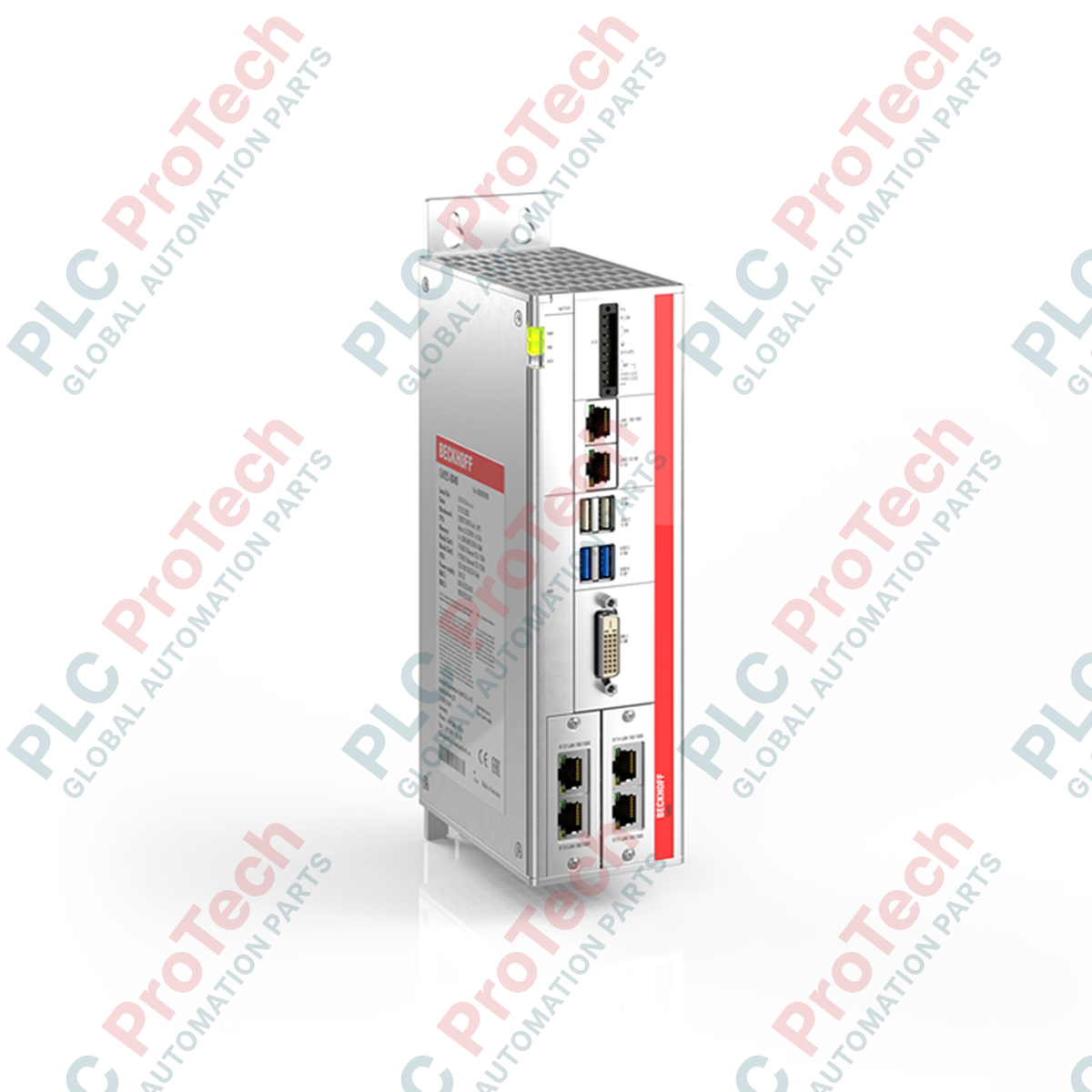
رایانه صنعتی Beckhoff C6925-0020 برای نصب مستقیم درون تابلوهای کنترل جمعوجور طراحی شده و قابلیت پردازشی قدرتمندی را در قالبی کمجا و با خنکسازی غیرفعال ارائه میدهد. این دستگاه با ادغام یک مادربرد ۳٫۵ اینچی و پردازنده Intel Celeron ULV، وظایف کنترلی قطعی را بدون فرسودگی مکانیکی ناشی از فنهای خنککننده انجام میدهد. Beckhoff C6925-0020 با برخورداری از محفظه آلومینیومی مقاوم، برای تحمل محیطهای صنعتی ساخته شده و بهعنوان بستری کارآمد برای برنامههای مبتنی بر TwinCAT عمل میکند.
| تولیدکننده | اتوماسیون بکهوف |
|---|---|
| شماره مدل / شماره قطعه | C6925-0020 |
| پردازنده | Intel Celeron ULV 827E (۱٫۴ گیگاهرتز، ۱ هسته) |
| فرمفاکتور مادربرد | مادربرد ۳٫۵ اینچی |
| رده عملکرد TwinCAT | TC2، TC3: ۵۰ |
| نوع خنکسازی | غیرفعال (بدون فن) |
| شکاف حافظه اصلی | ۱ × شکاف CFast |
| شکافهای توسعه | ۲ × شکاف ماژول PCIe (برای ماژولهای PCIe بکهوف) |
| رابطهای استاندارد | ۴ × USB 2.0، ۱ × DVI |
| ولتاژ ورودی | ۲۴ ولت DC |
| درجه حفاظت | IP20 |
| دمای عملیاتی | ۰ تا ۵۵ درجه سانتیگراد |
| ابعاد (W × ارتفاع × عمق) | ۶۵ × ۲۳۳ × ۱۲۱ میلیمتر (بدون صفحه نصب) |
| وزن خالص دستگاه | ۱٫۷ کیلوگرم (۳٫۹ پوند) |
| وزن حمل (محاسبهشده) | ۴٫۰ کیلوگرم |
سری C6925 تکامل مستقیم مدلهای قدیمیتر IPC کابینتی Beckhoff است. هنگام جایگزینی واحدهای قدیمی C69xx، مطمئن شوید پیکربندی فعلی TwinCAT شما با معماری Celeron تکهستهای بهدرستی نگاشت شده است. برای کاربردهایی که به وظایف چندرشتهای یا بار سنگینتر HMI نیاز دارند، پیش از راهاندازی در محل، محدودیتهای تخصیص CPU را بررسی کنید.
از آنجا که این کنترلر کاملاً به خنککاری غیرفعال متکی است، نصب عمودی برای ایجاد جریان طبیعی هوای همرفتی الزامی است. نصب افقی IPC یا کاهش فضای آزاد اطراف آن، دفع حرارت را محدود میکند و هنگامی که دمای محیط داخل محفظه از ۵۰ درجه سانتیگراد بیشتر شود، به کاهش خودکار سرعت پردازنده یا خاموشی ایمنی حرارتی منجر خواهد شد.
همیشه از منبع تغذیه تثبیتشده ۲۴ ولت DC استفاده کنید. ریپل زیاد یا جهشهای گذرای ولتاژ روی گذرگاه اصلی DC میتوانند باعث ریست سختافزار شوند. اگر از افزونه UPS اختیاری استفاده میکنید، مطمئن شوید سامانه ذخیرهسازی خازنی یا باتری آن در نرمافزار عملیاتی کاملاً کالیبره شده است تا در هنگام قطع ناگهانی برق، ذخیرهسازی ایمن وضعیتها امکانپذیر باشد.
IPC را با استفاده از صفحه نصب پشتیِ از پیش نصبشده، بهصورت عمودی روی دیوار کابینت کنترل نصب کنید. برای امکان خنککاری همرفتیِ بدون مانع، حداقل ۵ سانتیمتر (۲ اینچ) فضای آزاد در بالا و پایین دستگاه در نظر بگیرید.
برای به حداقل رساندن تداخل الکترومغناطیسی (EMI) و محافظت از منطق حساس مادربرد، اتصال زمین حفاظتی عملکردی را مستقیماً به پیچ اتصال زمین کممقاومت روی محفظه شاسی وصل کنید.
کارت CFast از پیش پیکربندیشده، حاوی سیستمعامل و فایلهای دودویی زمان اجرا، را پیش از اعمال برق اصلی سیستم در شیار اختصاصی فلش قرار دهید.
خطوط منبع تغذیه ۲۴ ولت DC را به دوشاخه ترمینال برق متصل کنید و پیش از روشن کردن منبع، قطبیت صحیح (+ / -) را بررسی کنید.
Global Express Shipping
Returns & Warranty

تولیدکننده: BECKHOFF
شماره محصول: C6925-0020
کشور سازنده:آلمان
نوع محصول: رایانههای صنعتی
پرداخت: حواله بانکی (T/T)، وسترن یونیون
وزن: 4000g
ابعاد: ۶۵ × ۲۳۳ × ۱۲۱ میلیمتر
بندر حمل و نقل: شیامن
گارانتی: ۱۲ ماه
رایانه صنعتی Beckhoff C6925-0020 برای نصب مستقیم درون تابلوهای کنترل جمعوجور طراحی شده و قابلیت پردازشی قدرتمندی را در قالبی کمجا و با خنکسازی غیرفعال ارائه میدهد. این دستگاه با ادغام یک مادربرد ۳٫۵ اینچی و پردازنده Intel Celeron ULV، وظایف کنترلی قطعی را بدون فرسودگی مکانیکی ناشی از فنهای خنککننده انجام میدهد. Beckhoff C6925-0020 با برخورداری از محفظه آلومینیومی مقاوم، برای تحمل محیطهای صنعتی ساخته شده و بهعنوان بستری کارآمد برای برنامههای مبتنی بر TwinCAT عمل میکند.
| تولیدکننده | اتوماسیون بکهوف |
|---|---|
| شماره مدل / شماره قطعه | C6925-0020 |
| پردازنده | Intel Celeron ULV 827E (۱٫۴ گیگاهرتز، ۱ هسته) |
| فرمفاکتور مادربرد | مادربرد ۳٫۵ اینچی |
| رده عملکرد TwinCAT | TC2، TC3: ۵۰ |
| نوع خنکسازی | غیرفعال (بدون فن) |
| شکاف حافظه اصلی | ۱ × شکاف CFast |
| شکافهای توسعه | ۲ × شکاف ماژول PCIe (برای ماژولهای PCIe بکهوف) |
| رابطهای استاندارد | ۴ × USB 2.0، ۱ × DVI |
| ولتاژ ورودی | ۲۴ ولت DC |
| درجه حفاظت | IP20 |
| دمای عملیاتی | ۰ تا ۵۵ درجه سانتیگراد |
| ابعاد (W × ارتفاع × عمق) | ۶۵ × ۲۳۳ × ۱۲۱ میلیمتر (بدون صفحه نصب) |
| وزن خالص دستگاه | ۱٫۷ کیلوگرم (۳٫۹ پوند) |
| وزن حمل (محاسبهشده) | ۴٫۰ کیلوگرم |
سری C6925 تکامل مستقیم مدلهای قدیمیتر IPC کابینتی Beckhoff است. هنگام جایگزینی واحدهای قدیمی C69xx، مطمئن شوید پیکربندی فعلی TwinCAT شما با معماری Celeron تکهستهای بهدرستی نگاشت شده است. برای کاربردهایی که به وظایف چندرشتهای یا بار سنگینتر HMI نیاز دارند، پیش از راهاندازی در محل، محدودیتهای تخصیص CPU را بررسی کنید.
از آنجا که این کنترلر کاملاً به خنککاری غیرفعال متکی است، نصب عمودی برای ایجاد جریان طبیعی هوای همرفتی الزامی است. نصب افقی IPC یا کاهش فضای آزاد اطراف آن، دفع حرارت را محدود میکند و هنگامی که دمای محیط داخل محفظه از ۵۰ درجه سانتیگراد بیشتر شود، به کاهش خودکار سرعت پردازنده یا خاموشی ایمنی حرارتی منجر خواهد شد.
همیشه از منبع تغذیه تثبیتشده ۲۴ ولت DC استفاده کنید. ریپل زیاد یا جهشهای گذرای ولتاژ روی گذرگاه اصلی DC میتوانند باعث ریست سختافزار شوند. اگر از افزونه UPS اختیاری استفاده میکنید، مطمئن شوید سامانه ذخیرهسازی خازنی یا باتری آن در نرمافزار عملیاتی کاملاً کالیبره شده است تا در هنگام قطع ناگهانی برق، ذخیرهسازی ایمن وضعیتها امکانپذیر باشد.
IPC را با استفاده از صفحه نصب پشتیِ از پیش نصبشده، بهصورت عمودی روی دیوار کابینت کنترل نصب کنید. برای امکان خنککاری همرفتیِ بدون مانع، حداقل ۵ سانتیمتر (۲ اینچ) فضای آزاد در بالا و پایین دستگاه در نظر بگیرید.
برای به حداقل رساندن تداخل الکترومغناطیسی (EMI) و محافظت از منطق حساس مادربرد، اتصال زمین حفاظتی عملکردی را مستقیماً به پیچ اتصال زمین کممقاومت روی محفظه شاسی وصل کنید.
کارت CFast از پیش پیکربندیشده، حاوی سیستمعامل و فایلهای دودویی زمان اجرا، را پیش از اعمال برق اصلی سیستم در شیار اختصاصی فلش قرار دهید.
خطوط منبع تغذیه ۲۴ ولت DC را به دوشاخه ترمینال برق متصل کنید و پیش از روشن کردن منبع، قطبیت صحیح (+ / -) را بررسی کنید.
ارسال سریع جهانی
بازگشت کالا و گارانتی
سفارشها از دوشنبه تا جمعه پردازش و تحویل داده میشوند (به جز تعطیلات رسمی).
برای شرایط کامل واجد شرایط بودن، هزینههای بازگردانی و جزئیات بازگشت بینالمللی، لطفاً صفحه رسمی ما را مشاهده کنید سیاست بازپرداخت و بازگشت کالا .
| Country of origin |
آلمان
|

مدار روشنایی XOR با کلید ۳-SPST را در LogixPro یا RSLogix 500 با استفاده از یک بیت رله داخلی پیادهسازی کنید. شامل جدولهای درستی، معادلات بولی و تأییدشده است.

Allen-Bradley CompactLogix، تابلوهای انتقال خودکار Caterpillar و ژنراتورها را از طریق Modbus RTU در سیستم کنترل توزیعشده DeltaV یکپارچه کنید. این محتوا ProSoft MVI69-MCM و گیتویهای Miille DIN266...

دستور ONS اجرا میشود، اما کویل OTE در Studio 5000 هرگز لچ نمیشود، زیرا وانشات فقط در یک اسکن درست است. در عوض از OTL/OTU یا منطق خودنگهدار استفاده کنید.

درایوهای سرو Kinetix 5500 از Allen-Bradley را روی EtherNet/IP پیکربندی کنید. این دوره مباحث CIP Sync، زمانبندی IEEE 1588 V2، انتخاب Stratix، توپولوژی DLR و HMI را پوشش میدهد.

فیلتر میانگین متحرک، هموارساز پنجرهای لغزان است که بیشتر مهندسان ابزار دقیق آن را در مسیرهای آنالوگ DCS و PLC به کار میبرند. در اینجا نحوه کار پنجره، تأثیر N و زمان نمونهبرداری بر تأخیر، و زمان...

در توربینهای گازی Frame 5 تا 9، سیستمهای GE Mark VI و Mark VIe کنترل را بهصورت نرمافزار کاربردی مبتنی بر بلوکهای تابع اجرا میکنند. این مقاله عملکردهای فرایندی، حفاظتی و توالیگذاری را بررسی...