


پیادهسازی منطق نردبانی XOR سهکلیده با بیت داخلی
مدار روشنایی XOR با کلید ۳-SPST را در LogixPro یا RSLogix 500 با استفاده از یک بیت رله داخلی پیادهسازی کنید. شامل جدولهای درستی، معادلات بولی و تأییدشده است.

برای نصب در تابلوهای کنترلی با صرفهجویی در فضا، Beckhoff CP2619-0000 یک پلتفرم فشرده و قدرتمند HMI و PLC ارائه میدهد که پردازنده ARM Cortex-A8 را با نمایشگر چندلمسی مقاوم ۱۹ اینچی ترکیب میکند. این سیستم بهطور ویژه برای وظایف کنترل و تصویربرداری در محیطهای بسیار خودکار طراحی شده و سیستمعامل Windows Embedded Compact 7 را اجرا میکند. این کنترلر بدون فن و بسیار قابلاعتماد، با برخورداری از رابط EtherCAT یکپارچه در کنار ارتباطات صنعتی استاندارد، مستقیماً در محل کار میکند. صفحهنمایش لمسی شیشهای چندانگشتی ۱۹ اینچی ردهبالا، حتی در شرایط دشوار کف کارخانه، مقاومت مکانیکی بالا و کنترل دقیق رابط کاربری را فراهم میکند.
| پارامتر | مقدار / مشخصات |
|---|---|
| تولیدکننده | Beckhoff Automation |
| مدل / شماره قطعه | CP2619-0000 |
| اندازه نمایشگر | ۱۹ اینچ |
| وضوح نمایشگر | ۱۲۸۰ × ۱۰۲۴ پیکسل |
| فناوری صفحه لمسی | فناوری چندلمسی خازنی پیشبینیشده (PCT) |
| پردازنده | ARM Cortex-A8، یک گیگاهرتز |
| حافظه سیستم | ۱ گیگابایت حافظه RAM از نوع DDR3 |
| شیار حافظه اصلی | ۱ × شیار microSD (شامل ۵۱۲ مگابایت، پشتیبانی تا ۱۶ گیگابایت) |
| حافظه پایدار | ۱۲۸ کیلوبایت NOVRAM |
| سیستمعامل | Windows Embedded Compact 7 (نسخه انگلیسی) |
| رابطهای شبکه | ۱ × اترنت 10/100BASE-T روی برد، ۱ × EtherCAT روی برد |
| رابطهای ورودی/خروجی | ۲ × USB 2.0 (پشت)، ۱ × RS232 (پشت)، ۱ × USB 2.0 (جلو) |
| ورودی منبع تغذیه | ۲۴ ولت DC (نامی) |
| درجه حفاظت | درجه حفاظت IP65 در جلو، IP20 در پشت |
| دمای کار | ۰ تا ۵۵ درجه سانتیگراد |
| جنس محفظه | محفظه آلومینیومی با پنل جلویی شیشهای بادوام |
| سازگاری با TwinCAT | TwinCAT 2 / TwinCAT 3 (کلاس عملکرد ۳۰) |
| وزن حمل (محاسبهشده) | ۵٫۰ کیلوگرم |
| برچسب رابط | نوع اتصال | تخصیص عملکرد / هدف |
|---|---|---|
| ۲۴ ولت DC | ترمینال اتصال ۳ پین | ورودی برق اصلی سیستم با اتصال زمین حفاظتی (PE) |
| LAN | RJ45 | رابط اترنت 10/100BASE-T برای اتصال شبکه اصلی TCP/IP |
| EtherCAT | RJ45 | پورت مستر EtherCAT داخلی برای ارتباط بلادرنگ حرکت و ورودی/خروجی |
| COM1 | D-sub نری ۹ پین | رابط سریال RS232 برای تجهیزات جانبی قدیمی یا اتصالات نقطهبهنقطه |
| USB 1 / 2 (پشت) | USB Type-A | دو پورت میزبان USB 2.0 برای صفحهکلید، ماوس یا فلشدرایوهای دائمی جانبی |
| USB (جلو) | USB Type-A | پورت USB با دسترسی از جلو و محافظتشده با دریچه ضدگردوغبار، بهینهشده برای کارهای سرویس |
مدل CP2619-0000 از یک BSP سفارشی Windows Embedded Compact 7 (بسته پشتیبانی برد) استفاده میکند که بهطور ویژه برای پردازندههای ARM Cortex-A8 ساخته شده است. هنگام انتقال پروژههای PLC در TwinCAT 2 به این سختافزار، مطمئن شوید همه تنظیمات هدف برای پلتفرم ARM، نه معماریهای استاندارد x86، کامپایل شدهاند. توجه داشته باشید که TwinCAT 3 برای فعال کردن کامپایل و اجرای زمان اجرا روی این پلتفرم، به مجوزهای PLC ویژه متناسب با دستگاههای Performance Class 30 نیاز دارد.
از آنجا که این Panel PC به خنککاری همرفتی غیرفعال از طریق محفظه آلومینیومی پشتی متکی است، هنگام نصب داخل تابلوهای کنترل بدون تهویه باید حداقل ۵۰ میلیمتر فضای آزاد در بالا، پایین و پشت دستگاه حفظ شود. کارکرد دستگاه در دمای بالاتر از ۵۵ درجه سانتیگراد، برای محافظت از چیپست ARM باعث فعال شدن کاهش خودکار فرکانس پردازنده میشود که میتواند بر زمان چرخه بلادرنگ PLC در شبکه EtherCAT اثر نامطلوب بگذارد.
همیشه مطمئن شوید ترمینال برق ۳ پین ۲۴ ولت DC از یک منبع برق پایدار و عاری از نویز تغذیه میشود. ترمینال ارت حفاظتی (PE) باید مستقیماً با استفاده از هادی کمامپدانس با سطح مقطع حداقل ۲٫۵ mm2 به شینه ارت مرکزی تجهیزات سیمکشی شود. برای جلوگیری از قطع ارتباط در شبکه EtherCAT از طریق RJ45، فقط از کابلهای پچ صنعتی Cat.5e یا Cat.6 با شیلد دوبل و روکش فلزی صنعتی استفاده کنید.
پیش از شروع نصب، همه منابع برق تغذیهکننده تابلو کنترل را ایزوله و قفلگذاری کنید. هیچ رابطی را در حالت برقدار وصل یا جدا نکنید، بهویژه اتصال برق اصلی ۲۴ ولت DC یا سیمکشی پورت سریال را. قطع نکردن برق تجهیزات خارجی پیش از نصب سختافزار میتواند به مادربرد اصلی داخلی یا مدارهای حسگر لمسی آسیب شدید وارد کند.
Global Express Shipping
Returns & Warranty

تولیدکننده: BECKHOFF
شماره محصول: CP2619-0000
کشور سازنده:آلمان
نوع محصول: رایانههای پنلی چندلمسی
پرداخت: حواله بانکی (T/T)، وسترن یونیون
وزن: 500g
بندر حمل و نقل: شیامن
گارانتی: ۱۲ ماه
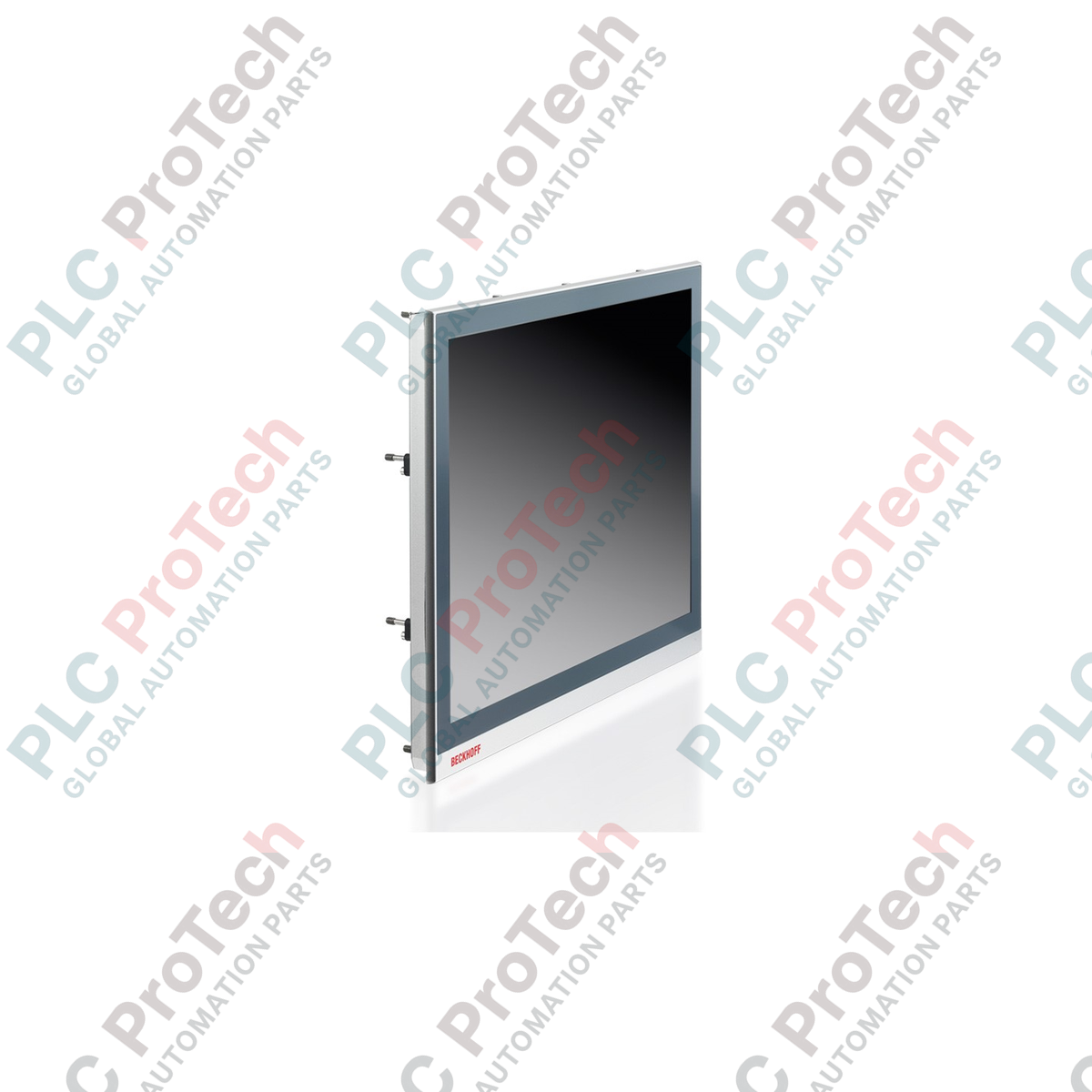
برای نصب در تابلوهای کنترلی با صرفهجویی در فضا، Beckhoff CP2619-0000 یک پلتفرم فشرده و قدرتمند HMI و PLC ارائه میدهد که پردازنده ARM Cortex-A8 را با نمایشگر چندلمسی مقاوم ۱۹ اینچی ترکیب میکند. این سیستم بهطور ویژه برای وظایف کنترل و تصویربرداری در محیطهای بسیار خودکار طراحی شده و سیستمعامل Windows Embedded Compact 7 را اجرا میکند. این کنترلر بدون فن و بسیار قابلاعتماد، با برخورداری از رابط EtherCAT یکپارچه در کنار ارتباطات صنعتی استاندارد، مستقیماً در محل کار میکند. صفحهنمایش لمسی شیشهای چندانگشتی ۱۹ اینچی ردهبالا، حتی در شرایط دشوار کف کارخانه، مقاومت مکانیکی بالا و کنترل دقیق رابط کاربری را فراهم میکند.
| پارامتر | مقدار / مشخصات |
|---|---|
| تولیدکننده | Beckhoff Automation |
| مدل / شماره قطعه | CP2619-0000 |
| اندازه نمایشگر | ۱۹ اینچ |
| وضوح نمایشگر | ۱۲۸۰ × ۱۰۲۴ پیکسل |
| فناوری صفحه لمسی | فناوری چندلمسی خازنی پیشبینیشده (PCT) |
| پردازنده | ARM Cortex-A8، یک گیگاهرتز |
| حافظه سیستم | ۱ گیگابایت حافظه RAM از نوع DDR3 |
| شیار حافظه اصلی | ۱ × شیار microSD (شامل ۵۱۲ مگابایت، پشتیبانی تا ۱۶ گیگابایت) |
| حافظه پایدار | ۱۲۸ کیلوبایت NOVRAM |
| سیستمعامل | Windows Embedded Compact 7 (نسخه انگلیسی) |
| رابطهای شبکه | ۱ × اترنت 10/100BASE-T روی برد، ۱ × EtherCAT روی برد |
| رابطهای ورودی/خروجی | ۲ × USB 2.0 (پشت)، ۱ × RS232 (پشت)، ۱ × USB 2.0 (جلو) |
| ورودی منبع تغذیه | ۲۴ ولت DC (نامی) |
| درجه حفاظت | درجه حفاظت IP65 در جلو، IP20 در پشت |
| دمای کار | ۰ تا ۵۵ درجه سانتیگراد |
| جنس محفظه | محفظه آلومینیومی با پنل جلویی شیشهای بادوام |
| سازگاری با TwinCAT | TwinCAT 2 / TwinCAT 3 (کلاس عملکرد ۳۰) |
| وزن حمل (محاسبهشده) | ۵٫۰ کیلوگرم |
| برچسب رابط | نوع اتصال | تخصیص عملکرد / هدف |
|---|---|---|
| ۲۴ ولت DC | ترمینال اتصال ۳ پین | ورودی برق اصلی سیستم با اتصال زمین حفاظتی (PE) |
| LAN | RJ45 | رابط اترنت 10/100BASE-T برای اتصال شبکه اصلی TCP/IP |
| EtherCAT | RJ45 | پورت مستر EtherCAT داخلی برای ارتباط بلادرنگ حرکت و ورودی/خروجی |
| COM1 | D-sub نری ۹ پین | رابط سریال RS232 برای تجهیزات جانبی قدیمی یا اتصالات نقطهبهنقطه |
| USB 1 / 2 (پشت) | USB Type-A | دو پورت میزبان USB 2.0 برای صفحهکلید، ماوس یا فلشدرایوهای دائمی جانبی |
| USB (جلو) | USB Type-A | پورت USB با دسترسی از جلو و محافظتشده با دریچه ضدگردوغبار، بهینهشده برای کارهای سرویس |
مدل CP2619-0000 از یک BSP سفارشی Windows Embedded Compact 7 (بسته پشتیبانی برد) استفاده میکند که بهطور ویژه برای پردازندههای ARM Cortex-A8 ساخته شده است. هنگام انتقال پروژههای PLC در TwinCAT 2 به این سختافزار، مطمئن شوید همه تنظیمات هدف برای پلتفرم ARM، نه معماریهای استاندارد x86، کامپایل شدهاند. توجه داشته باشید که TwinCAT 3 برای فعال کردن کامپایل و اجرای زمان اجرا روی این پلتفرم، به مجوزهای PLC ویژه متناسب با دستگاههای Performance Class 30 نیاز دارد.
از آنجا که این Panel PC به خنککاری همرفتی غیرفعال از طریق محفظه آلومینیومی پشتی متکی است، هنگام نصب داخل تابلوهای کنترل بدون تهویه باید حداقل ۵۰ میلیمتر فضای آزاد در بالا، پایین و پشت دستگاه حفظ شود. کارکرد دستگاه در دمای بالاتر از ۵۵ درجه سانتیگراد، برای محافظت از چیپست ARM باعث فعال شدن کاهش خودکار فرکانس پردازنده میشود که میتواند بر زمان چرخه بلادرنگ PLC در شبکه EtherCAT اثر نامطلوب بگذارد.
همیشه مطمئن شوید ترمینال برق ۳ پین ۲۴ ولت DC از یک منبع برق پایدار و عاری از نویز تغذیه میشود. ترمینال ارت حفاظتی (PE) باید مستقیماً با استفاده از هادی کمامپدانس با سطح مقطع حداقل ۲٫۵ mm2 به شینه ارت مرکزی تجهیزات سیمکشی شود. برای جلوگیری از قطع ارتباط در شبکه EtherCAT از طریق RJ45، فقط از کابلهای پچ صنعتی Cat.5e یا Cat.6 با شیلد دوبل و روکش فلزی صنعتی استفاده کنید.
پیش از شروع نصب، همه منابع برق تغذیهکننده تابلو کنترل را ایزوله و قفلگذاری کنید. هیچ رابطی را در حالت برقدار وصل یا جدا نکنید، بهویژه اتصال برق اصلی ۲۴ ولت DC یا سیمکشی پورت سریال را. قطع نکردن برق تجهیزات خارجی پیش از نصب سختافزار میتواند به مادربرد اصلی داخلی یا مدارهای حسگر لمسی آسیب شدید وارد کند.
| Product Image | Model Number / Title | Condition | Availability | Action |
|---|---|---|---|---|

|
ترمینال پنلویو پلاس ۶ آلن-بردلی 2711P-T15C4D9 | Original New | In Stock | View Details |
ارسال سریع جهانی
بازگشت کالا و گارانتی
سفارشها از دوشنبه تا جمعه پردازش و تحویل داده میشوند (به جز تعطیلات رسمی).
برای شرایط کامل واجد شرایط بودن، هزینههای بازگردانی و جزئیات بازگشت بینالمللی، لطفاً صفحه رسمی ما را مشاهده کنید سیاست بازپرداخت و بازگشت کالا .
| Country of origin |
آلمان
|

مدار روشنایی XOR با کلید ۳-SPST را در LogixPro یا RSLogix 500 با استفاده از یک بیت رله داخلی پیادهسازی کنید. شامل جدولهای درستی، معادلات بولی و تأییدشده است.

Allen-Bradley CompactLogix، تابلوهای انتقال خودکار Caterpillar و ژنراتورها را از طریق Modbus RTU در سیستم کنترل توزیعشده DeltaV یکپارچه کنید. این محتوا ProSoft MVI69-MCM و گیتویهای Miille DIN266...

دستور ONS اجرا میشود، اما کویل OTE در Studio 5000 هرگز لچ نمیشود، زیرا وانشات فقط در یک اسکن درست است. در عوض از OTL/OTU یا منطق خودنگهدار استفاده کنید.

درایوهای سرو Kinetix 5500 از Allen-Bradley را روی EtherNet/IP پیکربندی کنید. این دوره مباحث CIP Sync، زمانبندی IEEE 1588 V2، انتخاب Stratix، توپولوژی DLR و HMI را پوشش میدهد.

فیلتر میانگین متحرک، هموارساز پنجرهای لغزان است که بیشتر مهندسان ابزار دقیق آن را در مسیرهای آنالوگ DCS و PLC به کار میبرند. در اینجا نحوه کار پنجره، تأثیر N و زمان نمونهبرداری بر تأخیر، و زمان...

در توربینهای گازی Frame 5 تا 9، سیستمهای GE Mark VI و Mark VIe کنترل را بهصورت نرمافزار کاربردی مبتنی بر بلوکهای تابع اجرا میکنند. این مقاله عملکردهای فرایندی، حفاظتی و توالیگذاری را بررسی...