


پیادهسازی منطق نردبانی XOR سهکلیده با بیت داخلی
مدار روشنایی XOR با کلید ۳-SPST را در LogixPro یا RSLogix 500 با استفاده از یک بیت رله داخلی پیادهسازی کنید. شامل جدولهای درستی، معادلات بولی و تأییدشده است.

این دستگاه که برای نصب در محیطهای میدانی دشوار، یعنی مکانهایی بدون فضای کافی در تابلو کنترل، طراحی شده است، Beckhoff CP7711-0001-0040 را با نمایشگر صنعتی بسیار قابلاعتماد و هسته پردازشی رایانهای مقاوم در بستهای کاملاً آببندیشده یکپارچه میکند. این رایانه پنلی دوازدهاینچی دارای محفظه آلومینیومی مقاومی است که حفاظت کامل در برابر نفوذ عوامل محیطی را فراهم میکند. این محصول با بهرهگیری از پلتفرم مدرن پردازنده Intel Atom، بهعنوان کنترلکننده محلی قدرتمند و گره بصریسازی عمل میکند و با ارتباط مستقیم از طریق شبکههای استاندارد، آرایشهای پیچیده سالن تولید را سادهتر میسازد.
| پارامتر | مقدار مشخصه |
|---|---|
| تولیدکننده | Beckhoff Automation |
| شماره قطعه / SKU | CP7711-0001-0040 |
| پیکربندی نمایشگر | نمایشگر LCD TFT دوازدهاینچی (وضوح ۸۰۰ × ۶۰۰) |
| نوع رابط | صفحهنمایش لمسی مقاومتی آنالوگ با قابلیت لمس تکانگشتی |
| گزینه پردازنده | Intel Atom x5-E3930 با فرکانس ۱٫۳ گیگاهرتز (۲ هسته) |
| حافظه سیستم | ۴ گیگابایت حافظه DDR4 |
| سیستم ذخیرهسازی | شیار CFast (پشتیبانی از رسانههای حالتجامد مقاوم تا ظرفیت ۳۲۰ گیگابایت) |
| شبکه اصلی | ۲ رابط 10/100/1000BASE-T با استاندارد IP65 |
| اتصال سریال | ۱ × RS232 (از طریق آداپتور صفحه پشتی DIN دوازدهپین به D-sub نهپین) |
| ولتاژ تغذیه | ۲۴ ولت DC |
| درجه حفاظت | IP65 (ضد گردوغبار و مقاوم در برابر پاشش پرفشار آب) |
| ساختار محفظه | محفظه آلومینیومی کاملاً آببندیشده |
| دمای کاری | ۰ تا ۴۵ درجه سانتیگراد |
| نصب مکانیکی | ۴ سوراخ رزوهدار M6 با عمق ۱۸ میلیمتر در آداپتور نصب صفحه پشتی |
| سیستمعامل هدف | Windows 10 IoT Enterprise |
| کشور مبدأ | آلمان |
| وزن حمل (محاسبهشده) | ۸٫۰ کیلوگرم (۱۷٫۶۴ پوند) |
| ابعاد بستهبندی (محاسبهشده) | 410 میلیمتر × 350 میلیمتر × 180 میلیمتر |
CP7711-0001-0040 دارای مشخصات سختافزاری مدرنی شامل معماری کممصرف Intel Atom و حافظه DDR4 است. هنگام جایگزینی نسخههای قدیمیتر CP7711 که از پردازندههای قدیمی استفاده میکنند، مطمئن شوید محیطهای اجرایی TwinCAT برای پشتیبانی از ساختار اجرای x64 بهروزرسانی شدهاند. پیکربندیهای مجوز در کلاس عملکرد 40 مربوط به TwinCAT 3 قرار میگیرند.
از آنجا که این دستگاه از مدیریت حرارتی غیرفعال و بدون فن استفاده میکند، اتلاف گرما کاملاً از طریق پنل پشتی آلومینیومی انجام میشود. روی پرههای هیتسینک صفحه پشتی، پوشش، رنگ یا برچسب چسبدار نچسبانید. از نصب Panel PC در محفظههای بسته و موضعی که همرفت طبیعی هوا را محدود میکنند خودداری کنید؛ زیرا این کار هنگام کارکرد نزدیک آستانه بالایی 45 degC میتواند موجب کاهش فرکانس حرارتی شود.
حفظ آببندی رطوبت و گردوغبار IP65 به مسیریابی دقیق رابطها از میان آداپتور بازوی نگهدارنده نیاز دارد. پیش از سفتکردن پیچهای پوشش، مطمئن شوید خطوط واشر لاستیکی روی دریچه دسترسی رابطها تمیز و کاملاً صاف و همسطح قرار گرفتهاند. برای اتصالات استاندارد شبکه، از کابلهای اترنت صنعتی باکیفیت و شیلددار، همراه با سوکتهای RJ45 فشرده و قابل نصب در محل استفاده کنید تا از تداخل و مشکلات مربوط به فضای عبور کابل در ساختار بازوی نصب جلوگیری شود.
Global Express Shipping
Returns & Warranty

تولیدکننده: BECKHOFF
شماره محصول: CP7711-0001-0040
کشور سازنده:آلمان
نوع محصول: رایانههای پنلی صنعتی
پرداخت: حواله بانکی (T/T)، وسترن یونیون
وزن: 500g
ابعاد: ۴۱۰ میلیمتر × ۳۵۰ میلیمتر × ۱۸۰ میلیمتر
بندر حمل و نقل: شیامن
گارانتی: ۱۲ ماه
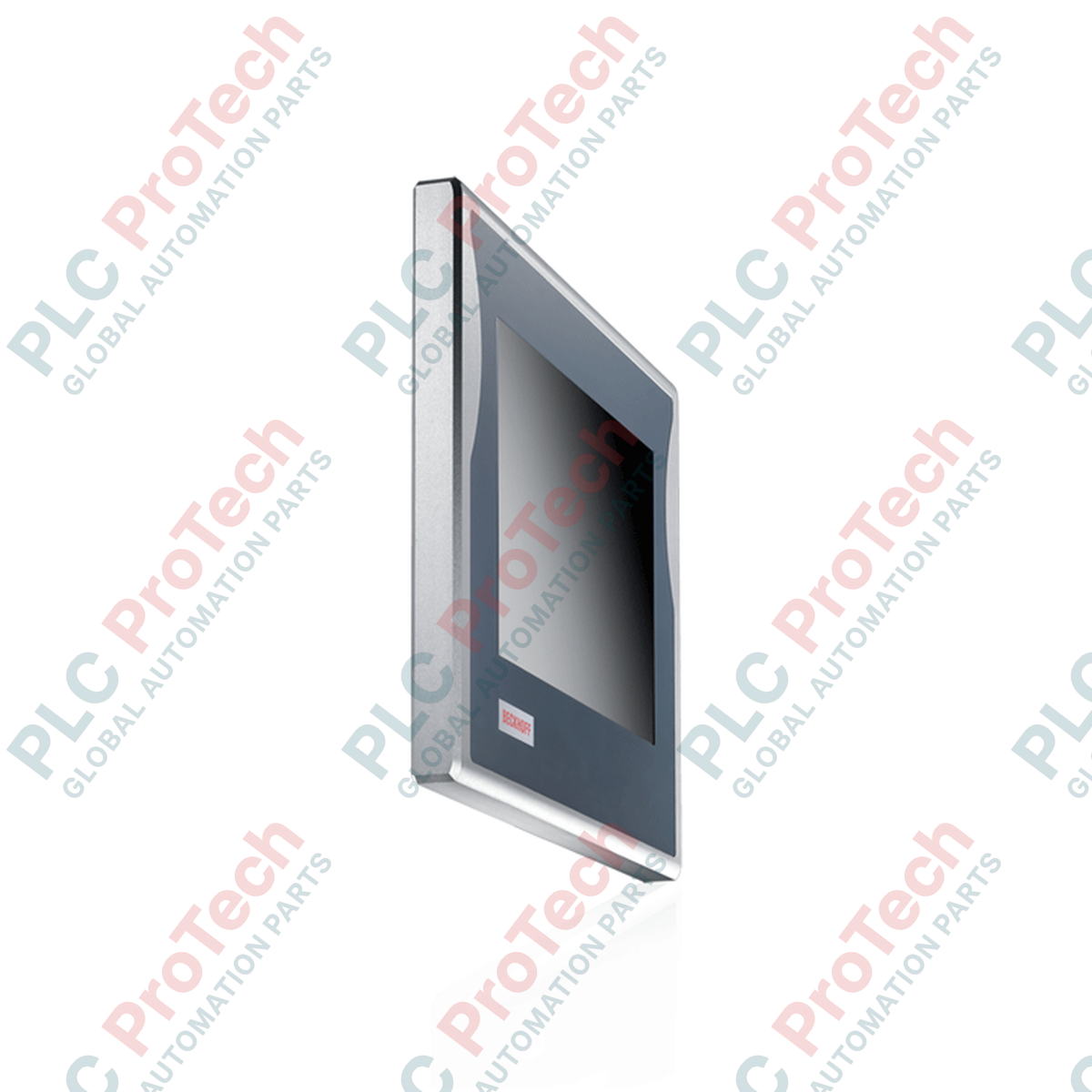
این دستگاه که برای نصب در محیطهای میدانی دشوار، یعنی مکانهایی بدون فضای کافی در تابلو کنترل، طراحی شده است، Beckhoff CP7711-0001-0040 را با نمایشگر صنعتی بسیار قابلاعتماد و هسته پردازشی رایانهای مقاوم در بستهای کاملاً آببندیشده یکپارچه میکند. این رایانه پنلی دوازدهاینچی دارای محفظه آلومینیومی مقاومی است که حفاظت کامل در برابر نفوذ عوامل محیطی را فراهم میکند. این محصول با بهرهگیری از پلتفرم مدرن پردازنده Intel Atom، بهعنوان کنترلکننده محلی قدرتمند و گره بصریسازی عمل میکند و با ارتباط مستقیم از طریق شبکههای استاندارد، آرایشهای پیچیده سالن تولید را سادهتر میسازد.
| پارامتر | مقدار مشخصه |
|---|---|
| تولیدکننده | Beckhoff Automation |
| شماره قطعه / SKU | CP7711-0001-0040 |
| پیکربندی نمایشگر | نمایشگر LCD TFT دوازدهاینچی (وضوح ۸۰۰ × ۶۰۰) |
| نوع رابط | صفحهنمایش لمسی مقاومتی آنالوگ با قابلیت لمس تکانگشتی |
| گزینه پردازنده | Intel Atom x5-E3930 با فرکانس ۱٫۳ گیگاهرتز (۲ هسته) |
| حافظه سیستم | ۴ گیگابایت حافظه DDR4 |
| سیستم ذخیرهسازی | شیار CFast (پشتیبانی از رسانههای حالتجامد مقاوم تا ظرفیت ۳۲۰ گیگابایت) |
| شبکه اصلی | ۲ رابط 10/100/1000BASE-T با استاندارد IP65 |
| اتصال سریال | ۱ × RS232 (از طریق آداپتور صفحه پشتی DIN دوازدهپین به D-sub نهپین) |
| ولتاژ تغذیه | ۲۴ ولت DC |
| درجه حفاظت | IP65 (ضد گردوغبار و مقاوم در برابر پاشش پرفشار آب) |
| ساختار محفظه | محفظه آلومینیومی کاملاً آببندیشده |
| دمای کاری | ۰ تا ۴۵ درجه سانتیگراد |
| نصب مکانیکی | ۴ سوراخ رزوهدار M6 با عمق ۱۸ میلیمتر در آداپتور نصب صفحه پشتی |
| سیستمعامل هدف | Windows 10 IoT Enterprise |
| کشور مبدأ | آلمان |
| وزن حمل (محاسبهشده) | ۸٫۰ کیلوگرم (۱۷٫۶۴ پوند) |
| ابعاد بستهبندی (محاسبهشده) | 410 میلیمتر × 350 میلیمتر × 180 میلیمتر |
CP7711-0001-0040 دارای مشخصات سختافزاری مدرنی شامل معماری کممصرف Intel Atom و حافظه DDR4 است. هنگام جایگزینی نسخههای قدیمیتر CP7711 که از پردازندههای قدیمی استفاده میکنند، مطمئن شوید محیطهای اجرایی TwinCAT برای پشتیبانی از ساختار اجرای x64 بهروزرسانی شدهاند. پیکربندیهای مجوز در کلاس عملکرد 40 مربوط به TwinCAT 3 قرار میگیرند.
از آنجا که این دستگاه از مدیریت حرارتی غیرفعال و بدون فن استفاده میکند، اتلاف گرما کاملاً از طریق پنل پشتی آلومینیومی انجام میشود. روی پرههای هیتسینک صفحه پشتی، پوشش، رنگ یا برچسب چسبدار نچسبانید. از نصب Panel PC در محفظههای بسته و موضعی که همرفت طبیعی هوا را محدود میکنند خودداری کنید؛ زیرا این کار هنگام کارکرد نزدیک آستانه بالایی 45 degC میتواند موجب کاهش فرکانس حرارتی شود.
حفظ آببندی رطوبت و گردوغبار IP65 به مسیریابی دقیق رابطها از میان آداپتور بازوی نگهدارنده نیاز دارد. پیش از سفتکردن پیچهای پوشش، مطمئن شوید خطوط واشر لاستیکی روی دریچه دسترسی رابطها تمیز و کاملاً صاف و همسطح قرار گرفتهاند. برای اتصالات استاندارد شبکه، از کابلهای اترنت صنعتی باکیفیت و شیلددار، همراه با سوکتهای RJ45 فشرده و قابل نصب در محل استفاده کنید تا از تداخل و مشکلات مربوط به فضای عبور کابل در ساختار بازوی نصب جلوگیری شود.
| Product Image | Model Number / Title | Condition | Availability | Action |
|---|---|---|---|---|

|
ترمینال پنلویو پلاس ۶ آلن-بردلی 2711P-T15C4D9 | Original New | In Stock | View Details |
ارسال سریع جهانی
بازگشت کالا و گارانتی
سفارشها از دوشنبه تا جمعه پردازش و تحویل داده میشوند (به جز تعطیلات رسمی).
برای شرایط کامل واجد شرایط بودن، هزینههای بازگردانی و جزئیات بازگشت بینالمللی، لطفاً صفحه رسمی ما را مشاهده کنید سیاست بازپرداخت و بازگشت کالا .
| Country of origin |
آلمان
|

مدار روشنایی XOR با کلید ۳-SPST را در LogixPro یا RSLogix 500 با استفاده از یک بیت رله داخلی پیادهسازی کنید. شامل جدولهای درستی، معادلات بولی و تأییدشده است.

Allen-Bradley CompactLogix، تابلوهای انتقال خودکار Caterpillar و ژنراتورها را از طریق Modbus RTU در سیستم کنترل توزیعشده DeltaV یکپارچه کنید. این محتوا ProSoft MVI69-MCM و گیتویهای Miille DIN266...

دستور ONS اجرا میشود، اما کویل OTE در Studio 5000 هرگز لچ نمیشود، زیرا وانشات فقط در یک اسکن درست است. در عوض از OTL/OTU یا منطق خودنگهدار استفاده کنید.

درایوهای سرو Kinetix 5500 از Allen-Bradley را روی EtherNet/IP پیکربندی کنید. این دوره مباحث CIP Sync، زمانبندی IEEE 1588 V2، انتخاب Stratix، توپولوژی DLR و HMI را پوشش میدهد.

فیلتر میانگین متحرک، هموارساز پنجرهای لغزان است که بیشتر مهندسان ابزار دقیق آن را در مسیرهای آنالوگ DCS و PLC به کار میبرند. در اینجا نحوه کار پنجره، تأثیر N و زمان نمونهبرداری بر تأخیر، و زمان...

در توربینهای گازی Frame 5 تا 9، سیستمهای GE Mark VI و Mark VIe کنترل را بهصورت نرمافزار کاربردی مبتنی بر بلوکهای تابع اجرا میکنند. این مقاله عملکردهای فرایندی، حفاظتی و توالیگذاری را بررسی...