


پیادهسازی منطق نردبانی XOR سهکلیده با بیت داخلی
مدار روشنایی XOR با کلید ۳-SPST را در LogixPro یا RSLogix 500 با استفاده از یک بیت رله داخلی پیادهسازی کنید. شامل جدولهای درستی، معادلات بولی و تأییدشده است.

معماریهای HMI صنعتی و نمایش بصری که در فواصل فیزیکی طولانی اجرا میشوند، به قابلیتهای انتقال پربازده پنل کنترل اقتصادی Beckhoff CP7913-0001-0000 متکی هستند. این رابط کاربری اپراتور، یک نمایشگر TFT ۱۹ اینچی ممتاز با وضوح بومی ۱۲۸۰ x ۱۰۲۴ پیکسل را درون محفظه آلومینیومی مقاوم و کاملاً بسته با استاندارد IP65 جای میدهد؛ محفظهای که برای نصب مستقیم روی بازوی نصب طراحی شده است. این دستگاه با فناوری یکپارچه DVI-E و USB-E 2.0، امکان بهرهبرداری از راه دور را فراهم میکند و اجازه میدهد پنل بدون افت سیگنال تا ۵۰ متر دورتر از رایانه صنعتی قرار گیرد. این طراحی، سختافزار رایانه را از محیطهای خشن کف کارخانه دور میکند و در عین حال بازخورد گرافیکی بلادرنگ و تعامل سریع اپراتور را حفظ میکند.
| پارامتر | مشخصات |
|---|---|
| تولیدکننده | Beckhoff |
| شماره مدل | CP7913-0001-0000 |
| نوع دستگاه | پنل کنترلی اقتصادی |
| اندازه نمایشگر | نمایشگر TFT LCD ۱۹ اینچی |
| وضوح تصویر | ۱۲۸۰ × ۱۰۲۴ پیکسل |
| جنس بدنه | آلومینیوم آنودایزشده |
| انواع رابط | DVI-E و USB-E 2.0 (کانکتورهای دارای درجه حفاظت IP65) |
| حداکثر فاصله لینک | ۵۰ متر |
| درجه حفاظت | IP65 (کاملاً آببندیشده، از همه طرف) |
| دمای کاری | ۰ تا ۵۵ درجه سانتیگراد |
| ولتاژ تغذیه | ۲۴ ولت DC (۱۵٪- / ۲۰٪+) |
| نصب مکانیکی | ۴ سوراخ رزوهدار M6 × ۱۸ میلیمتر در صفحه پشتی |
| وزن حمل (محاسبهشده) | ۱۰٫۰ کیلوگرم (۲۲٫۰۵ پوند) |
| درگاه / رابط | نگاشت عملکردی و مشخصات |
|---|---|
| کانکتور DVI-E | استاندارد DVI توسعهیافته. سیگنالهای ویدئویی دیجیتال را از طریق کابلهای CAT6A/CAT7 از واحد فرستنده دریافت میکند. |
| کانکتور USB-E 2.0 | درگاه USB توسعهیافته. انتقال دادههای ماوس، صفحهکلید یا صفحهنمایش لمسی را با سرعت کامل ۴۸۰ مگابیتبرثانیه تا فاصله ۵۰ متر امکانپذیر میکند. |
| ورودی برق | کانکتور گرد صنعتی با درجه حفاظت IP65 برای تغذیه ۲۴ ولت DC. باید از یک منبع تغذیه SELV/PELV تنظیمشده و کمنویز تهیه شود. |
مدل CP7913-0001-0000 به خانواده ماژولار CP79xx تعلق دارد. برخلاف پنلهای استاندارد DVI/USB که به تبدیل فعال HDMI به DVI نیاز دارند و در فواصل بیش از ۵ متر دچار قطعی میشوند، سری CP79xx فرستندهگیرندههای اختصاصی مبتنی بر سختافزار را مستقیماً در پنل یکپارچه کرده است. این سری بهصورت بومی با جعبههای فرستنده Beckhoff CU8801 یا کارتهای فرستنده PCIe نصبشده در رایانه صنعتی میزبان سازگار است. برای جلوگیری از مشکلات گاهبهگاه همگامسازی، اطمینان حاصل کنید که سیستمعاملافزار کارت فرستنده سمت میزبان با بازبینی سختافزاری گیرنده داخلی پنل مطابقت داشته باشد.
اگرچه CP7913 در همه طرف دارای درجه حفاظت چشمگیر IP65 است، رفتار حرارتی آن درون محفظه آلومینیومی بسته به دفع گرما از طریق همرفت بستگی دارد. در محیطهایی با دمای بیش از ۴۵ درجه سانتیگراد، از تابش مستقیم نور خورشید یا منابع گرمایی مادونقرمز با تشعشع زیاد، مانند کورههای صنعتی مجاور، اجتناب کنید. اگر دستگاه روی بازوی کنسولی کاملاً محصور و با مسیرهای کابل فشرده نصب شده است، اطمینان حاصل کنید که کابلها مانع دفع گرما از صفحه پشتی آلومینیومی نشوند؛ این صفحه بهعنوان هیتسینک اصلی سیستم عمل میکند.
هنگام نصب کابلهای DVI-E و USB-E، همیشه آنها را در داکتهای کابل جداگانه و دور از کابلهای برق موتور با ولتاژ بالا، درایوهای فرکانس متغیر (VFD) و بارهای القایی سنگین عبور دهید تا از ازدسترفتن فریم ناشی از تداخل الکترومغناطیسی جلوگیری شود. اطمینان حاصل کنید که آداپتور بازوی نصب بهطور مطمئن به زمین عملکردی اصلی (FE) شاسی ماشین متصل شده باشد. این مسیر اتصال زمین برای تخلیه بارهای ساکنی که در محیطهای کمرطوبت روی شیشه نمایشگر جمع میشوند، حیاتی است و از قطع تصادفی USB جلوگیری میکند.
Global Express Shipping
Returns & Warranty

تولیدکننده: BECKHOFF
شماره محصول: CP7913-0001-0000
کشور سازنده:آلمان
نوع محصول: پنلهای کنترل صنعتی
پرداخت: حواله بانکی (T/T)، وسترن یونیون
وزن: 500g
بندر حمل و نقل: شیامن
گارانتی: ۱۲ ماه
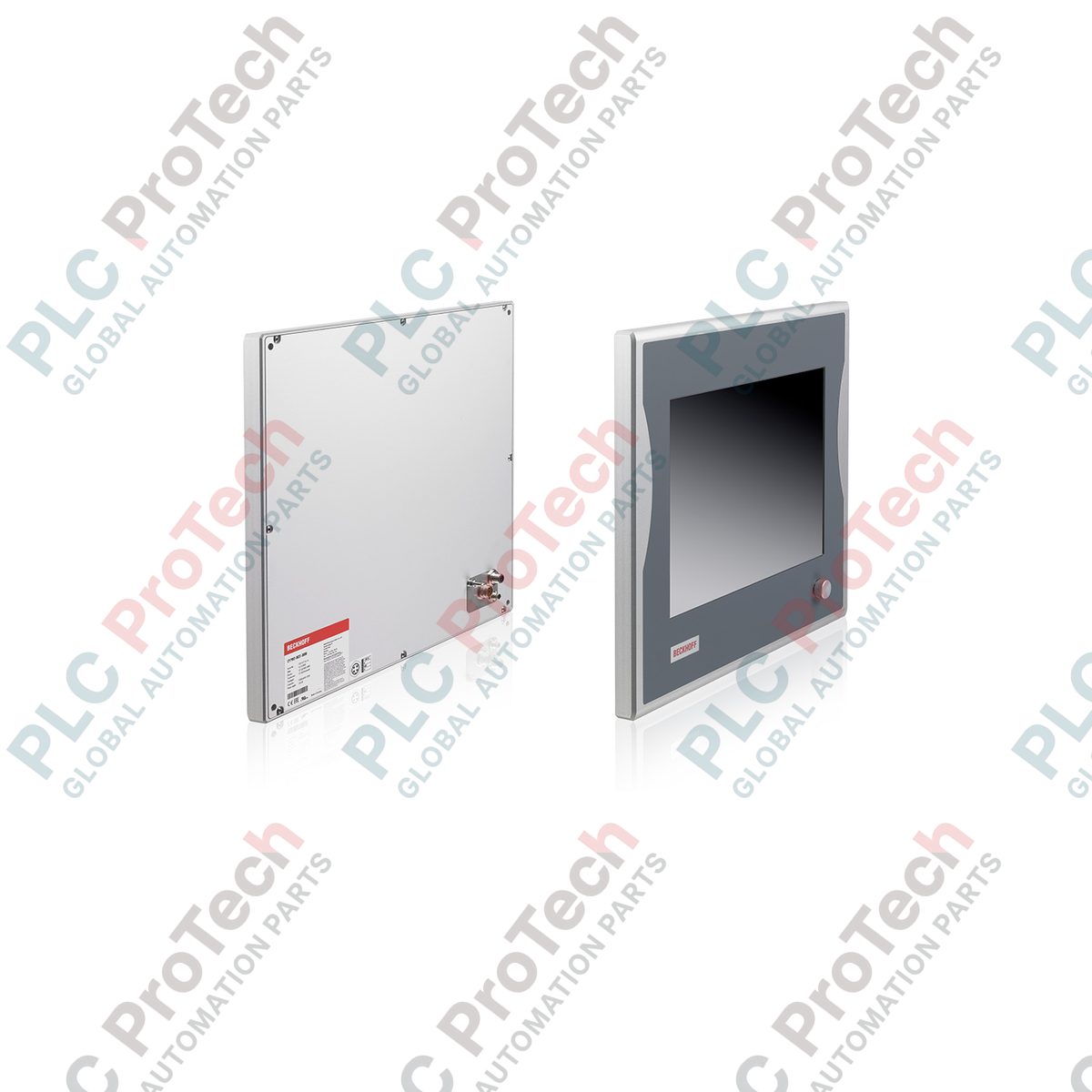
معماریهای HMI صنعتی و نمایش بصری که در فواصل فیزیکی طولانی اجرا میشوند، به قابلیتهای انتقال پربازده پنل کنترل اقتصادی Beckhoff CP7913-0001-0000 متکی هستند. این رابط کاربری اپراتور، یک نمایشگر TFT ۱۹ اینچی ممتاز با وضوح بومی ۱۲۸۰ x ۱۰۲۴ پیکسل را درون محفظه آلومینیومی مقاوم و کاملاً بسته با استاندارد IP65 جای میدهد؛ محفظهای که برای نصب مستقیم روی بازوی نصب طراحی شده است. این دستگاه با فناوری یکپارچه DVI-E و USB-E 2.0، امکان بهرهبرداری از راه دور را فراهم میکند و اجازه میدهد پنل بدون افت سیگنال تا ۵۰ متر دورتر از رایانه صنعتی قرار گیرد. این طراحی، سختافزار رایانه را از محیطهای خشن کف کارخانه دور میکند و در عین حال بازخورد گرافیکی بلادرنگ و تعامل سریع اپراتور را حفظ میکند.
| پارامتر | مشخصات |
|---|---|
| تولیدکننده | Beckhoff |
| شماره مدل | CP7913-0001-0000 |
| نوع دستگاه | پنل کنترلی اقتصادی |
| اندازه نمایشگر | نمایشگر TFT LCD ۱۹ اینچی |
| وضوح تصویر | ۱۲۸۰ × ۱۰۲۴ پیکسل |
| جنس بدنه | آلومینیوم آنودایزشده |
| انواع رابط | DVI-E و USB-E 2.0 (کانکتورهای دارای درجه حفاظت IP65) |
| حداکثر فاصله لینک | ۵۰ متر |
| درجه حفاظت | IP65 (کاملاً آببندیشده، از همه طرف) |
| دمای کاری | ۰ تا ۵۵ درجه سانتیگراد |
| ولتاژ تغذیه | ۲۴ ولت DC (۱۵٪- / ۲۰٪+) |
| نصب مکانیکی | ۴ سوراخ رزوهدار M6 × ۱۸ میلیمتر در صفحه پشتی |
| وزن حمل (محاسبهشده) | ۱۰٫۰ کیلوگرم (۲۲٫۰۵ پوند) |
| درگاه / رابط | نگاشت عملکردی و مشخصات |
|---|---|
| کانکتور DVI-E | استاندارد DVI توسعهیافته. سیگنالهای ویدئویی دیجیتال را از طریق کابلهای CAT6A/CAT7 از واحد فرستنده دریافت میکند. |
| کانکتور USB-E 2.0 | درگاه USB توسعهیافته. انتقال دادههای ماوس، صفحهکلید یا صفحهنمایش لمسی را با سرعت کامل ۴۸۰ مگابیتبرثانیه تا فاصله ۵۰ متر امکانپذیر میکند. |
| ورودی برق | کانکتور گرد صنعتی با درجه حفاظت IP65 برای تغذیه ۲۴ ولت DC. باید از یک منبع تغذیه SELV/PELV تنظیمشده و کمنویز تهیه شود. |
مدل CP7913-0001-0000 به خانواده ماژولار CP79xx تعلق دارد. برخلاف پنلهای استاندارد DVI/USB که به تبدیل فعال HDMI به DVI نیاز دارند و در فواصل بیش از ۵ متر دچار قطعی میشوند، سری CP79xx فرستندهگیرندههای اختصاصی مبتنی بر سختافزار را مستقیماً در پنل یکپارچه کرده است. این سری بهصورت بومی با جعبههای فرستنده Beckhoff CU8801 یا کارتهای فرستنده PCIe نصبشده در رایانه صنعتی میزبان سازگار است. برای جلوگیری از مشکلات گاهبهگاه همگامسازی، اطمینان حاصل کنید که سیستمعاملافزار کارت فرستنده سمت میزبان با بازبینی سختافزاری گیرنده داخلی پنل مطابقت داشته باشد.
اگرچه CP7913 در همه طرف دارای درجه حفاظت چشمگیر IP65 است، رفتار حرارتی آن درون محفظه آلومینیومی بسته به دفع گرما از طریق همرفت بستگی دارد. در محیطهایی با دمای بیش از ۴۵ درجه سانتیگراد، از تابش مستقیم نور خورشید یا منابع گرمایی مادونقرمز با تشعشع زیاد، مانند کورههای صنعتی مجاور، اجتناب کنید. اگر دستگاه روی بازوی کنسولی کاملاً محصور و با مسیرهای کابل فشرده نصب شده است، اطمینان حاصل کنید که کابلها مانع دفع گرما از صفحه پشتی آلومینیومی نشوند؛ این صفحه بهعنوان هیتسینک اصلی سیستم عمل میکند.
هنگام نصب کابلهای DVI-E و USB-E، همیشه آنها را در داکتهای کابل جداگانه و دور از کابلهای برق موتور با ولتاژ بالا، درایوهای فرکانس متغیر (VFD) و بارهای القایی سنگین عبور دهید تا از ازدسترفتن فریم ناشی از تداخل الکترومغناطیسی جلوگیری شود. اطمینان حاصل کنید که آداپتور بازوی نصب بهطور مطمئن به زمین عملکردی اصلی (FE) شاسی ماشین متصل شده باشد. این مسیر اتصال زمین برای تخلیه بارهای ساکنی که در محیطهای کمرطوبت روی شیشه نمایشگر جمع میشوند، حیاتی است و از قطع تصادفی USB جلوگیری میکند.
ارسال سریع جهانی
بازگشت کالا و گارانتی
سفارشها از دوشنبه تا جمعه پردازش و تحویل داده میشوند (به جز تعطیلات رسمی).
برای شرایط کامل واجد شرایط بودن، هزینههای بازگردانی و جزئیات بازگشت بینالمللی، لطفاً صفحه رسمی ما را مشاهده کنید سیاست بازپرداخت و بازگشت کالا .
| Country of origin |
آلمان
|

مدار روشنایی XOR با کلید ۳-SPST را در LogixPro یا RSLogix 500 با استفاده از یک بیت رله داخلی پیادهسازی کنید. شامل جدولهای درستی، معادلات بولی و تأییدشده است.

Allen-Bradley CompactLogix، تابلوهای انتقال خودکار Caterpillar و ژنراتورها را از طریق Modbus RTU در سیستم کنترل توزیعشده DeltaV یکپارچه کنید. این محتوا ProSoft MVI69-MCM و گیتویهای Miille DIN266...

دستور ONS اجرا میشود، اما کویل OTE در Studio 5000 هرگز لچ نمیشود، زیرا وانشات فقط در یک اسکن درست است. در عوض از OTL/OTU یا منطق خودنگهدار استفاده کنید.

درایوهای سرو Kinetix 5500 از Allen-Bradley را روی EtherNet/IP پیکربندی کنید. این دوره مباحث CIP Sync، زمانبندی IEEE 1588 V2، انتخاب Stratix، توپولوژی DLR و HMI را پوشش میدهد.

فیلتر میانگین متحرک، هموارساز پنجرهای لغزان است که بیشتر مهندسان ابزار دقیق آن را در مسیرهای آنالوگ DCS و PLC به کار میبرند. در اینجا نحوه کار پنجره، تأثیر N و زمان نمونهبرداری بر تأخیر، و زمان...

در توربینهای گازی Frame 5 تا 9، سیستمهای GE Mark VI و Mark VIe کنترل را بهصورت نرمافزار کاربردی مبتنی بر بلوکهای تابع اجرا میکنند. این مقاله عملکردهای فرایندی، حفاظتی و توالیگذاری را بررسی...