


تعویض ABB DSQC 351: بررسیهای کنترلر و شبکه
مواردی که باید پیش از تعویض ABB 3HNE 00006-1 DSQC 351 ثبت شوند: نسل کنترلر، سیمکشی X3/X5/X20/X21، تنظیمات DeviceNet، نگاشت INTERBUS و وضعیت LEDها.
تولیدکننده: BECKHOFF
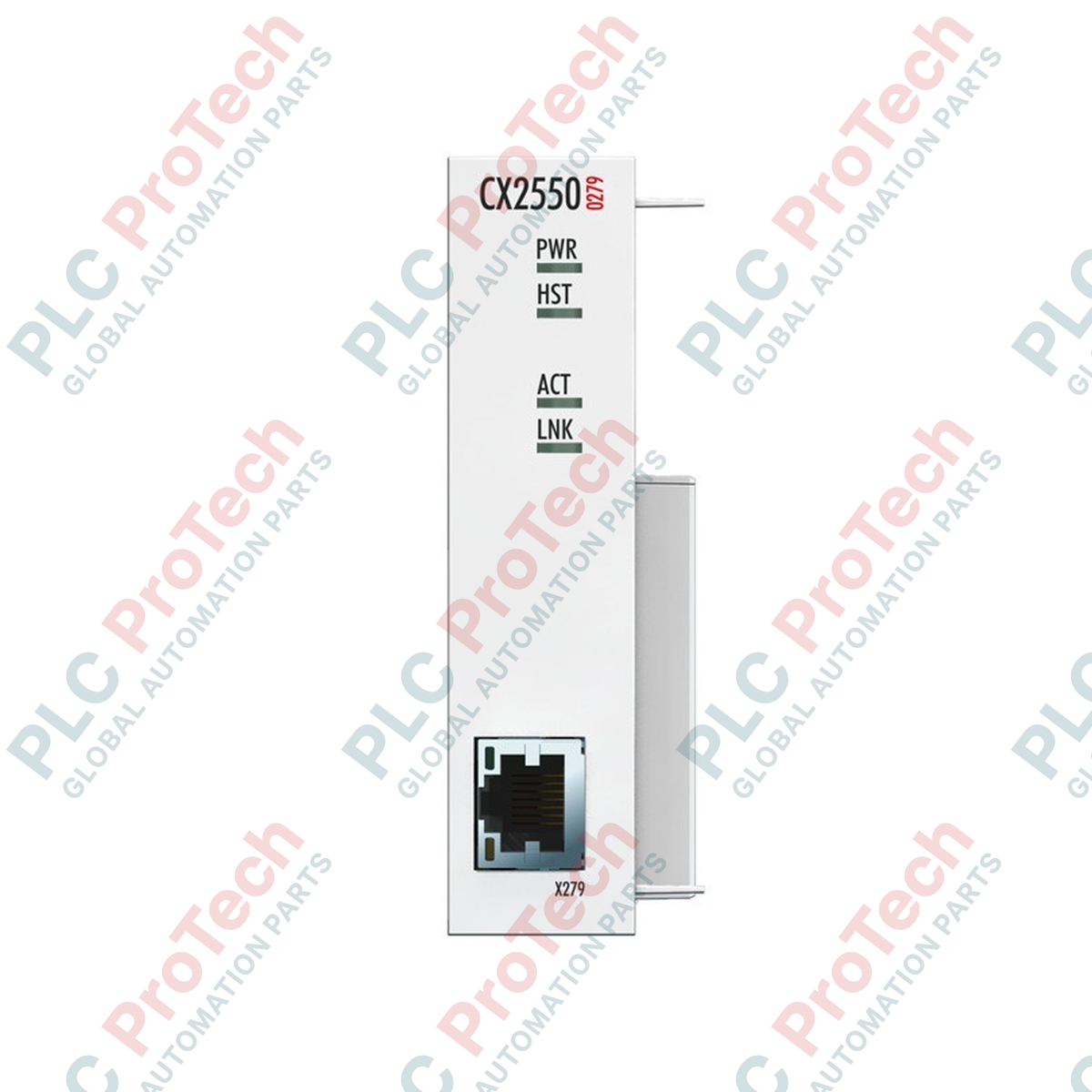
شماره محصول: CX2550-0279
کشور سازنده:آلمان
نوع محصول: ماژولهای اکستندر USB
پرداخت: حواله بانکی (T/T)، وسترن یونیون
وزن: 500g
ابعاد: ۲۴ میلیمتر × ۹۹ میلیمتر × ۵۴٫۵ میلیمتر
بندر حمل و نقل: شیامن
گارانتی: ۱۲ ماه
Beckhoff CX2550-0279 بهعنوان یک ماژول توسعه مستقیم باس سیستم برای رایانههای تعبیهشده CX20xx عمل میکند و امکان انتقال سیگنال USB 2.0 از راه دور تا فاصله 50 متر را فراهم میسازد. این ماژول فرستنده مستقیماً در سمت چپ بلوک پردازنده CX20xx نصب میشود و خطوط استاندارد USB داخلی را به سیگنال تفاضلی سریالشدهای تبدیل میکند که برای مسیرهای طولانی روی رسانههای فیزیکی استاندارد مشابه اترنت مناسب است. این پیکربندی بهطور ویژه برای اتصال پنلهای کنترلی مانند سری CP29xx-0000 بدون افت سیگنال یا افزایش ناگهانی تأخیر بهینه شده است و یکپارچهسازی بدون وقفه تجهیزات جانبی را در محیطهای پیچیده صنعتی تضمین میکند.
| پارامتر مشخصات | مقدار فنی |
|---|---|
| سازنده | Beckhoff |
| شماره مدل | CX2550-0279 |
| نوع رابط | 1 x USB Extended 2.0 (از طریق سوکت RJ45) |
| حداکثر طول کابل | 50 متر (با استفاده از کابلکشی Cat.5E) |
| تغذیه توان | از طریق باس سیستم (با استفاده از ماژولهای CX2100-0xxx) |
| عیبیابی LED | توان (1x)، میزبان (1x)، فعالیت (1x)، پیوند (1x) |
| ابعاد (W x H x D) | 24 میلیمتر x 99 میلیمتر x 54.5 میلیمتر |
| وزن | تقریباً 190 گرم |
| دمای کاری | -25 تا +60 درجه سانتیگراد |
| دمای نگهداری | -40 تا +85 درجه سانتیگراد |
| رطوبت نسبی | 95٪، بدون میعان |
| درجه حفاظت | IP20 |
| مقاومت در برابر لرزش/شوک | مطابق با EN 60068-2-6 / EN 60068-2-27 |
| مصونیت/انتشار EMC | مطابق با EN 61000-6-2 / EN 61000-6-4 |
| نوع درگاه | چیدمان پین کانکتور / LED | شرح سیگنال |
|---|---|---|
| درگاه خروجی RJ45 | پینهای 1 تا 8 | زوجهای انتقال تفاضلی USB روی کابل شیلددار Cat.5E. به سوئیچهای اترنت متصل نکنید. |
| LED: PWR | روشن (سبز) | توان داخلی سیستم با موفقیت از طریق باس سیستم تأمین میشود. |
| LED: HOST | روشن (سبز) | اتصال با رابط میزبان CPU اصلی CX20xx برقرار شد. |
| LED: LINK | روشن (سبز) | اتصال فعال با گیرنده راه دور CP29xx برقرار شد. |
این ماژول بهطور خاص بهعنوان فرستنده نقطهبهنقطه (Tx) عمل میکند و باید با یک گیرنده مناسب جفت شود؛ این گیرنده معمولاً مستقیماً در پنلهای کنترلی Beckhoff CP29xx-0000 یا جعبههای گیرنده خارجی یکپارچه است. این ماژول از نظر فیزیکی برای لغزش و جا افتادن در شکاف توسعه سمت چپ سری CX20xx طراحی شده است. پیش از راهاندازی، مطمئن شوید پیکربندی CPU در TwinCAT ماژول اضافی را روی باس سیستم PC شناسایی میکند.
یک خطای رایج در محل نصب، در نظر گرفتن رابط فیزیکی RJ45 جلوی این واحد بهعنوان یک پورت شبکه اترنت است. اتصال این رابط به سوئیچ، روتر یا هاب استاندارد LAN میتواند فوراً به تجهیزات شبکه یا مدارهای فرستندهگیرنده داخلی کنترلر آسیب الکتریکی وارد کند. مسیر توسعه را کاملاً نقطهبهنقطه نگه دارید.
برای انتقالهایی که به محدوده 50 متر نزدیک میشوند، همیشه از کابل مسی باکیفیت و کاملاً شیلددار (S/FTP Cat.5E یا Cat.6) استفاده کنید. از عبور دادن این مسیر لایه فیزیکی در نزدیکی کابلهای خروجی درایو فرکانس متغیر (VFD) یا خطوط ولتاژ بالا خودداری کنید، زیرا کوپل شدن نویز روی خطوط دیفرانسیلی میتواند باعث قطع و وصلهای لحظهای سیگنالهای ماوس/صفحهکلید و لمسی پنل شود.

Global Express Shipping
Returns & Warranty
ارسال سریع جهانی
بازگشت کالا و گارانتی
سفارشها از دوشنبه تا جمعه پردازش و تحویل داده میشوند (به جز تعطیلات رسمی).
برای شرایط کامل واجد شرایط بودن، هزینههای بازگردانی و جزئیات بازگشت بینالمللی، لطفاً صفحه رسمی ما را مشاهده کنید سیاست بازپرداخت و بازگشت کالا .
| Country of origin |
آلمان
|

مواردی که باید پیش از تعویض ABB 3HNE 00006-1 DSQC 351 ثبت شوند: نسل کنترلر، سیمکشی X3/X5/X20/X21، تنظیمات DeviceNet، نگاشت INTERBUS و وضعیت LEDها.

مقایسه IC693CPU360 و IC693CPU364 از نظر رابط اترنت، بار +5 VDC، حافظه، محدودیتهای رک و بررسیهای جایگزینی.

مجموعهای از مراحل عیبیابی مبتنی بر بررسی فیلد برای مشکلات خروجی آنالوگ 1756-OF4: حالت کانال، ترمینال قابلجداشدن، مقیاسبندی و بررسیهای الکتریکی کنترلشده.

مقایسه مستقیم تعداد خروجی، گروهبندی مشترک، جریان بکپلین و محدودیتهای بارِ تعدیلشده بر اساس دما در 1746-OA8 و 1746-OA16.

چکلیست میدانی برای ثبت سری سختافزار 1761-NET-DNI، میانافزار، فایل EDS، تنظیمات DF1، آدرس DeviceNet و پیکربندی پیامرسانی پیش از تعویض.

EL3062 یک ترمینال EtherCAT با بازه 0–10 ولت است. EL3062-0030 نسخه 0–30 ولت آن است. این چکلیست شناسایی، مقیاسبندی و راهاندازی را پوشش میدهد.