


پیادهسازی منطق نردبانی XOR سهکلیده با بیت داخلی
مدار روشنایی XOR با کلید ۳-SPST را در LogixPro یا RSLogix 500 با استفاده از یک بیت رله داخلی پیادهسازی کنید. شامل جدولهای درستی، معادلات بولی و تأییدشده است.

این ماژول خروجی دیجیتال Beckhoff IP2042-B528 که برای بهینهسازی چیدمانهای کنترل غیرمتمرکز طراحی شده است، امکان سوئیچکردن بارهای پُرظرفیت را مستقیماً روی دستگاه و از طریق رابط فیلدباس DeviceNet فراهم میکند. با انتقال لایه ورودی/خروجی از کابینت کنترل مرکزی به قاب تجهیزات، نیاز به سیمکشی را کاهش داده و افت سیگنال را به حداقل میرساند. این ماژول دارای هشت خروجی دیجیتال مستقل است که برای سوئیچکردن بارهای ۲۴ ولت DC تا ۲ آمپر در هر کانال طراحی شدهاند و با استفاده از کانکتورهای M12 استاندارد با قفل پیچی، انتقال مطمئن سیگنال را در شرایط کاری سخت تضمین میکنند.
| پارامتر | مشخصات |
|---|---|
| سازنده | Beckhoff |
| شماره مدل | IP2042-B528 |
| رابط فیلدباس | DeviceNet (با رابط T داخلی) |
| تعداد کانالها | ۸ خروجی دیجیتال |
| ولتاژ خروجی نامی | ۲۴ ولت DC |
| حداکثر جریان خروجی (هر کانال) | ۲ آمپر |
| حداکثر جریان تجمعی (کل ماژول) | ۱۲ آمپر |
| نوع اتصال | کانکتور M12 با قفل پیچی |
| محدوده دمای کاری | ۰ تا ۵۵ درجه سانتیگراد |
| محدوده دمای نگهداری | ۲۵- تا ۸۵ درجه سانتیگراد |
| کشور مبدأ | آلمان |
| وزن ارسال (محاسبهشده) | ۰٫۴۵ کیلوگرم |
| ابعاد بستهبندی (محاسبهشده) | ۱۸۰ میلیمتر × ۸۰ میلیمتر × ۵۰ میلیمتر |
این ماژول از B528 پسوند رابط DeviceNet. این محصول جایگزین مستقیم و قابلنصبجایگزین برای نسخههای دیگر Fieldbus Box، مانند B510 (CANopen) یا B310 (PROFIBUS)، نیست؛ زیرا این نسخهها به فایلهای پیکربندی کاملاً متفاوت (EDS در برابر GSD) و اسکنرهای مستر متفاوت نیاز دارند. پیش از تعویض ماژولها، همیشه مطمئن شوید اسکنر شبکه در PLC یا رایانه صنعتی شما از ارتباطات DeviceNet پشتیبانی میکند.
اگرچه هر کانال میتواند تا ۲ آمپر را تأمین کند، محدودیت جریان تجمعی کل ماژول بهطور دقیق ۱۲ آمپر تعیین شده است. راهاندازی همزمان هر هشت کانال با جریان پیوسته ۲ آمپر، ۱۶ آمپر مصرف میکند و از آستانه حرارتی باسبار داخلی فراتر میرود. برای جلوگیری از خرابی زودهنگام ماژول، مدیریت چرخه کاری یا اینترلاکهای مبتنی بر نرمافزار را بهگونهای اجرا کنید که بار جریان فعال در بهرهبرداری پیوسته از ۱۲ آمپر بیشتر نشود.
کانکتور T یکپارچه برای زنجیرهایکردن بسیار便利 است، اما نیاز به ترمینیشن را از بین نمیبرد. مطمئن شوید آخرین ماژول روی خط ترانک فیزیکی DeviceNet به یک مقاومت ترمینیشن استاندارد ۱۲۱ اهم مجهز باشد. برای محافظت در برابر نویز القاشده توسط درایوهای فرکانس متغیر (VFD) نزدیک، اطمینان حاصل کنید شیلد کابلهای فیلدباس M12 از طریق زبانههای نصب فلزی ماژول بهطور مطمئن به بستر ماشین اتصال زمین شده باشند.
پیش از نصب، سیمکشی یا جداسازی، همه منابع تغذیه کمکی و فیلدباس ۲۴ V DC را ایزوله و قفلگذاری کنید. وصل یا جدا کردن کانکتورهای M12 فعال در حالت بار میتواند موجب افت کیفیت تماسهای الکتریکی، وضعیتهای غیرقابلپیشبینی خروجیهای ایمنی یا آسیب به قطعات سوئیچینگ داخلی شود.
Global Express Shipping
Returns & Warranty

تولیدکننده: BECKHOFF
شماره محصول: IP2042-B528
کشور سازنده:آلمان
نوع محصول: ماژولهای جعبه Fieldbus
پرداخت: حواله بانکی (T/T)، وسترن یونیون
وزن: 2000g
ابعاد: ۱۸۰ میلیمتر × ۸۰ میلیمتر × ۵۰ میلیمتر
بندر حمل و نقل: شیامن
گارانتی: ۱۲ ماه
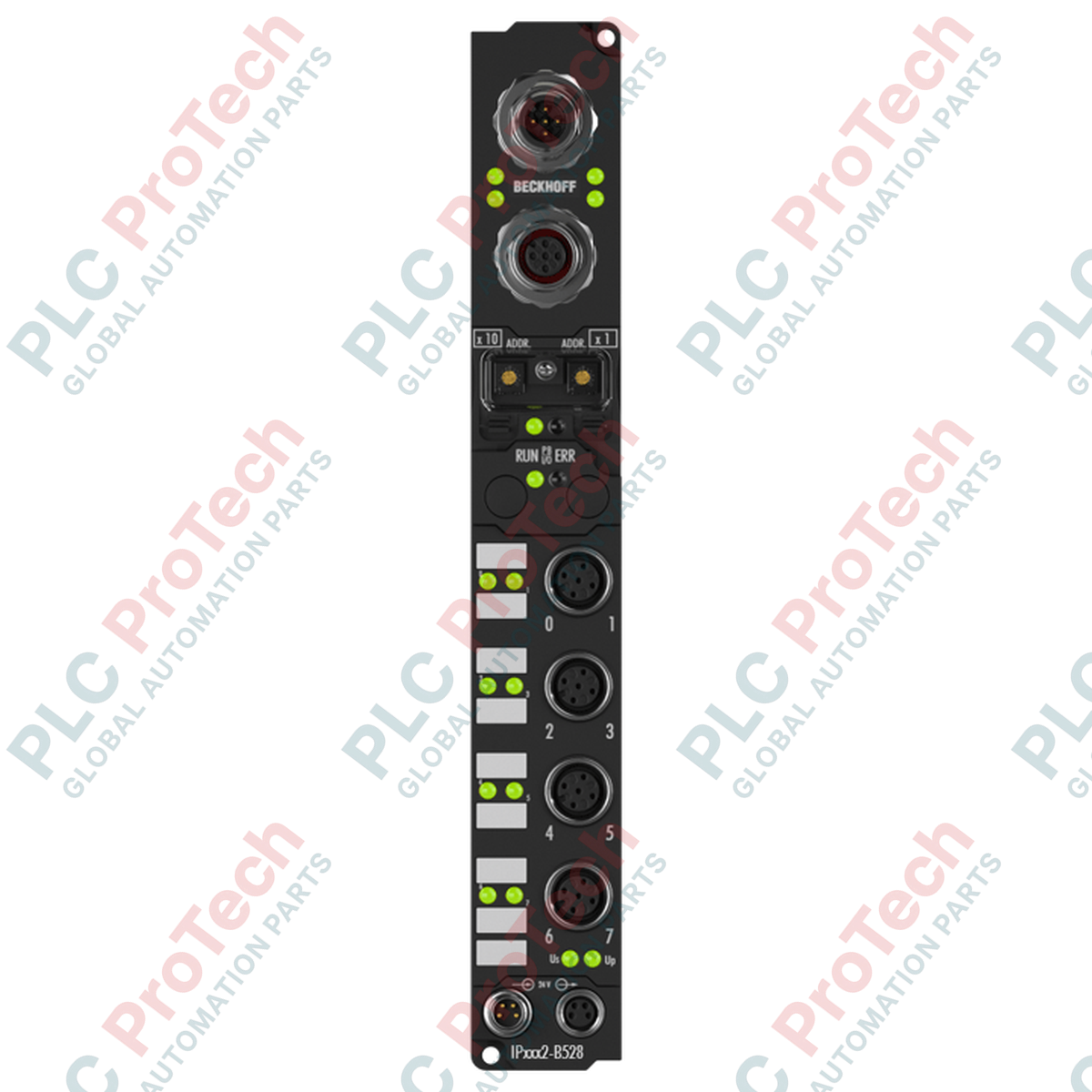
این ماژول خروجی دیجیتال Beckhoff IP2042-B528 که برای بهینهسازی چیدمانهای کنترل غیرمتمرکز طراحی شده است، امکان سوئیچکردن بارهای پُرظرفیت را مستقیماً روی دستگاه و از طریق رابط فیلدباس DeviceNet فراهم میکند. با انتقال لایه ورودی/خروجی از کابینت کنترل مرکزی به قاب تجهیزات، نیاز به سیمکشی را کاهش داده و افت سیگنال را به حداقل میرساند. این ماژول دارای هشت خروجی دیجیتال مستقل است که برای سوئیچکردن بارهای ۲۴ ولت DC تا ۲ آمپر در هر کانال طراحی شدهاند و با استفاده از کانکتورهای M12 استاندارد با قفل پیچی، انتقال مطمئن سیگنال را در شرایط کاری سخت تضمین میکنند.
| پارامتر | مشخصات |
|---|---|
| سازنده | Beckhoff |
| شماره مدل | IP2042-B528 |
| رابط فیلدباس | DeviceNet (با رابط T داخلی) |
| تعداد کانالها | ۸ خروجی دیجیتال |
| ولتاژ خروجی نامی | ۲۴ ولت DC |
| حداکثر جریان خروجی (هر کانال) | ۲ آمپر |
| حداکثر جریان تجمعی (کل ماژول) | ۱۲ آمپر |
| نوع اتصال | کانکتور M12 با قفل پیچی |
| محدوده دمای کاری | ۰ تا ۵۵ درجه سانتیگراد |
| محدوده دمای نگهداری | ۲۵- تا ۸۵ درجه سانتیگراد |
| کشور مبدأ | آلمان |
| وزن ارسال (محاسبهشده) | ۰٫۴۵ کیلوگرم |
| ابعاد بستهبندی (محاسبهشده) | ۱۸۰ میلیمتر × ۸۰ میلیمتر × ۵۰ میلیمتر |
این ماژول از B528 پسوند رابط DeviceNet. این محصول جایگزین مستقیم و قابلنصبجایگزین برای نسخههای دیگر Fieldbus Box، مانند B510 (CANopen) یا B310 (PROFIBUS)، نیست؛ زیرا این نسخهها به فایلهای پیکربندی کاملاً متفاوت (EDS در برابر GSD) و اسکنرهای مستر متفاوت نیاز دارند. پیش از تعویض ماژولها، همیشه مطمئن شوید اسکنر شبکه در PLC یا رایانه صنعتی شما از ارتباطات DeviceNet پشتیبانی میکند.
اگرچه هر کانال میتواند تا ۲ آمپر را تأمین کند، محدودیت جریان تجمعی کل ماژول بهطور دقیق ۱۲ آمپر تعیین شده است. راهاندازی همزمان هر هشت کانال با جریان پیوسته ۲ آمپر، ۱۶ آمپر مصرف میکند و از آستانه حرارتی باسبار داخلی فراتر میرود. برای جلوگیری از خرابی زودهنگام ماژول، مدیریت چرخه کاری یا اینترلاکهای مبتنی بر نرمافزار را بهگونهای اجرا کنید که بار جریان فعال در بهرهبرداری پیوسته از ۱۲ آمپر بیشتر نشود.
کانکتور T یکپارچه برای زنجیرهایکردن بسیار便利 است، اما نیاز به ترمینیشن را از بین نمیبرد. مطمئن شوید آخرین ماژول روی خط ترانک فیزیکی DeviceNet به یک مقاومت ترمینیشن استاندارد ۱۲۱ اهم مجهز باشد. برای محافظت در برابر نویز القاشده توسط درایوهای فرکانس متغیر (VFD) نزدیک، اطمینان حاصل کنید شیلد کابلهای فیلدباس M12 از طریق زبانههای نصب فلزی ماژول بهطور مطمئن به بستر ماشین اتصال زمین شده باشند.
پیش از نصب، سیمکشی یا جداسازی، همه منابع تغذیه کمکی و فیلدباس ۲۴ V DC را ایزوله و قفلگذاری کنید. وصل یا جدا کردن کانکتورهای M12 فعال در حالت بار میتواند موجب افت کیفیت تماسهای الکتریکی، وضعیتهای غیرقابلپیشبینی خروجیهای ایمنی یا آسیب به قطعات سوئیچینگ داخلی شود.
ارسال سریع جهانی
بازگشت کالا و گارانتی
سفارشها از دوشنبه تا جمعه پردازش و تحویل داده میشوند (به جز تعطیلات رسمی).
برای شرایط کامل واجد شرایط بودن، هزینههای بازگردانی و جزئیات بازگشت بینالمللی، لطفاً صفحه رسمی ما را مشاهده کنید سیاست بازپرداخت و بازگشت کالا .
| Country of origin |
آلمان
|

مدار روشنایی XOR با کلید ۳-SPST را در LogixPro یا RSLogix 500 با استفاده از یک بیت رله داخلی پیادهسازی کنید. شامل جدولهای درستی، معادلات بولی و تأییدشده است.

Allen-Bradley CompactLogix، تابلوهای انتقال خودکار Caterpillar و ژنراتورها را از طریق Modbus RTU در سیستم کنترل توزیعشده DeltaV یکپارچه کنید. این محتوا ProSoft MVI69-MCM و گیتویهای Miille DIN266...

دستور ONS اجرا میشود، اما کویل OTE در Studio 5000 هرگز لچ نمیشود، زیرا وانشات فقط در یک اسکن درست است. در عوض از OTL/OTU یا منطق خودنگهدار استفاده کنید.

درایوهای سرو Kinetix 5500 از Allen-Bradley را روی EtherNet/IP پیکربندی کنید. این دوره مباحث CIP Sync، زمانبندی IEEE 1588 V2، انتخاب Stratix، توپولوژی DLR و HMI را پوشش میدهد.

فیلتر میانگین متحرک، هموارساز پنجرهای لغزان است که بیشتر مهندسان ابزار دقیق آن را در مسیرهای آنالوگ DCS و PLC به کار میبرند. در اینجا نحوه کار پنجره، تأثیر N و زمان نمونهبرداری بر تأخیر، و زمان...

در توربینهای گازی Frame 5 تا 9، سیستمهای GE Mark VI و Mark VIe کنترل را بهصورت نرمافزار کاربردی مبتنی بر بلوکهای تابع اجرا میکنند. این مقاله عملکردهای فرایندی، حفاظتی و توالیگذاری را بررسی...