


راهاندازی OPC UA در KEPServerEX: چکلیست میدانی
یک توالی عملی برای راهاندازی اتصالهای OPC UA در KEPServerEX: مالکیت دادهها را مشخص کنید، تگها را بهصورت محلی آزمایش کنید، نقطه پایانی و اعتماد به گواهی را پیکربندی کنید، دسترسی را محدود کنید،...
تولیدکننده: Bently Nevada
شماره محصول: 167699-02
کشور سازنده:ایالات متحده آمریکا
نوع محصول: رابطهای اپراتور
پرداخت: حواله بانکی (T/T)، وسترن یونیون
وزن: 320g
ابعاد: ۲۵۰ × ۱۸۰ × ۱۲۰ میلیمتر
بندر حمل و نقل: شیامن
گارانتی: ۱۲ ماه
ماژول Bently Nevada 167699-02 که بهطور ویژه برای بصریسازی محلی ماشینآلات طراحی شده است، بهعنوان رابط اپراتور و ماژول نمایشگر اختصاصی مانیتور تجهیزات همهمنظوره 1900/65A عمل میکند. این ماژول رابط فیزیکی اصلی و محلی است و به تیمهای نگهداری و اپراتورهای کارخانه اجازه میدهد دادههای سلامت لحظهای ماشینآلات، الگوهای ارتعاش و معیارهای هشدار را مستقیماً در اسکید تجهیزات مشاهده کنند. این ماژول با برخورداری از استحکام صنعتی، مستقیماً با واحد اصلی مانیتور ارتباط برقرار میکند تا بدون نیاز به ایستگاههای کاری ثانویه سامانه کنترل، عیبیابی را با نمایش خوانا و واضح ارائه دهد.
| پارامتر مشخصات | مقدار / جزئیات |
|---|---|
| تولیدکننده | Bently Nevada (Baker Hughes) |
| شماره قطعه / SKU | 167699-02 |
| نوع دستگاه | رابط اپراتور / ماژول نمایشگر |
| سازگاری | مانیتور تجهیزات همهمنظوره Bently Nevada 1900/65A |
| کشور مبدأ | ایالات متحده |
| وزن حمل (محاسبهشده) | ۳٫۰ کیلوگرم |
| ابعاد بستهبندی (محاسبهشده) | ۲۵۰ × ۱۸۰ × ۱۲۰ میلیمتر |
مدلهای جایگزین و سازگاری: 167699-02 رابط نمایشگر اختصاصی است که منحصراً برای سری مانیتورهای 1900/65A طراحی شده است. اطمینان حاصل کنید که میانافزار واحد پایه اصلی با سطح بازبینی ماژول نمایشگر جایگزین مطابقت دارد تا از بروز مشکلات جابهجایی آفست کانالها هنگام راهاندازی جلوگیری شود.
اشکالات کاربردی و نکات مهندسی: هنگام نصب این رابط اپراتور درون تابلوهای کنترل با ارتعاش زیاد یا نزدیک اسکیدهای دوار، اطمینان حاصل کنید که محفظه به میراگرهای عایق مناسب مجهز است. تشدید سازهای مداوم میتواند باعث خستگی اتصالات کابل نواری داخلی شود و به لرزش تصویر یا قطعووصل ارتباط بینجامد.
نکات راهاندازی و سیمکشی: پیش از وصل یا جدا کردن کابل رابط نمایشگر، همیشه شاسی اصلی مانیتور 1900/65A را کاملاً ایزوله کنید. تعویض نمایشگر در حالت روشن ممکن است باعث ایجاد گذراهای الکتریکی روی گذرگاه ارتباطی شود و به اختلال در منطق مانیتور یا کاهش عملکرد اجزای فرستندهگیرنده رابط بینجامد.
پیش از اقدام به نصب، اتصال یا سرویس رابط اپراتور، اطمینان حاصل کنید که تمام منابع تغذیه اصلی متصل به مجموعه مانیتور 1900/65A کاملاً بیبرق و قفلگذاری شدهاند. برای محافظت از منطق ریزپردازنده داخلی، اقدامات پیشگیری از تخلیه الکتریسیته ساکن باید در سراسر فرایند نصب فیزیکی رعایت شوند.
برش پنل را مطابق مشخصات مکانیکی دستورالعملهای محفظه 1900/65A آماده کنید.
پنل نمایشگر را بهطور محکم نصب کنید تا آببندی محیطی، درجه حفاظت موردنظر در برابر گردوغبار و رطوبت را تأمین کند.
کابل رابط را از مسیرهای لولهکشی ولتاژ بالا دور نگه دارید تا از ایجاد تداخل الکترومغناطیسی و اعوجاج سیگنالهای دیجیتال جلوگیری شود.
واحد مانیتور اصلی را روشن کنید و بررسی کنید که روال راهاندازی، پیکربندیهای سیستم را بهدرستی روی صفحهنمایش نگاشت میکند.

Global Express Shipping
Returns & Warranty


| Product Image | Model Number / Title | Condition | Availability | Action |
|---|---|---|---|---|

|
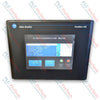
ترمینال رابط اپراتوری رنگی PanelView 1000، مدل Allen-Bradley 2711-T10C20 | Original New | In Stock | View Details |
|
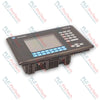
ترمینال رابط اپراتوری پنلویو 1000 آلن-بردلی 2711-K10G1 | Original New | In Stock | View Details |
|
ترمینال اچامآی رنگی پنلویو ۹۰۰ آلن-بردلی 2711-K9C9 | Original New | In Stock | View Details |
ارسال سریع جهانی
بازگشت کالا و گارانتی
سفارشها از دوشنبه تا جمعه پردازش و تحویل داده میشوند (به جز تعطیلات رسمی).
برای شرایط کامل واجد شرایط بودن، هزینههای بازگردانی و جزئیات بازگشت بینالمللی، لطفاً صفحه رسمی ما را مشاهده کنید سیاست بازپرداخت و بازگشت کالا .
| Country of origin |
ایالات متحده آمریکا
|

یک توالی عملی برای راهاندازی اتصالهای OPC UA در KEPServerEX: مالکیت دادهها را مشخص کنید، تگها را بهصورت محلی آزمایش کنید، نقطه پایانی و اعتماد به گواهی را پیکربندی کنید، دسترسی را محدود کنید،...

راهاندازی یک PLC متصل به اترنت اغلب با لپتاپ شروع میشود، نه کنترلر. یاد بگیرید چگونه تنظیمات موجود را ثبت کنید، یک نشانی موقت انتخاب کنید، اتصال را آزمایش کنید و پیکربندی شبکه کارخانه را با ایمنی...

کنترل گردوغبار قابلاشتعال به چیزی فراتر از هشدارها نیاز دارد. بیاموزید چگونه تولید گردوغبار را نقشهبرداری کنید، تجهیزات اندازهگیری را انتخاب کنید، اینترلاکها را طراحی کنید، با بازخوردهای ناموفق...

سیمپیچیهای هِیرپین ضریب پُرشدگی شیار را افزایش میدهند و از موتورهای کششیِ فشرده پشتیبانی میکنند، اما هندسهٔ هادی، تلفات جریان متناوب، آسیب عایق، کیفیت جوش و خنککاری تعیین میکنند که آیا طراحی به...

از Ansible برای استانداردسازی تغییرات سرورهای SCADA بدون افزایش ریسک OT استفاده کنید. این راهنما موجودیها، پلیبوکهای ایدمپوتنت، آزمایش مرحلهای، اعتبارنامهها، ثبت گزارشها و کنترلهای عملی بازگشت...

یک VPN مسیر دسترسی به شبکه صنعتی را رمزگذاری میکند، اما کار امن از راه دور روی PLC به کنترل هویت، دسترسی بخشبندیشده، تأیید تغییرات، ثبت رویدادها، محدودههای عملیاتی ایمن و رویههای بازیابیِ...