


پیادهسازی منطق نردبانی XOR سهکلیده با بیت داخلی
مدار روشنایی XOR با کلید ۳-SPST را در LogixPro یا RSLogix 500 با استفاده از یک بیت رله داخلی پیادهسازی کنید. شامل جدولهای درستی، معادلات بولی و تأییدشده است.

با یکپارچهسازی مستقیم در سمت چپترین شیار رک حفاظت از ماشینآلات 3500، Bently Nevada 3500/20-01-02-00 بهعنوان درگاه ارتباطی اصلی میان ماژولهای پایش داخلی رک و سامانههای کنترل خارجی عمل میکند. این مجموعه خاص با میانافزار استاندارد ماژول رابط رک (RIM) پیکربندی شده و شامل ماژول ورودی/خروجی رابط سریال RS232/RS422 است. این ماژول، پیوند فیزیکی و منطقی برای پیکربندی سیستم، پایش وضعیت و یکپارچهسازی دادههای سریال را فراهم میکند. با مسیریابی دادههای حیاتی وضعیت ماشین از طریق رابط سریال، این ماژول ارتباط مستقیم PLC یا DCS را بدون تحمیل بار اضافی بر گذرگاه پیکربندی سیستم امکانپذیر میکند.
| پارامتر | مقدار مشخصه |
|---|---|
| تولیدکننده | Bently Nevada |
| کد مدل | 3500/20-01-02-00 |
| نوع رابط رک | RIM استاندارد (01) |
| نوع ماژول ورودی/خروجی | ماژول ورودی/خروجی رابط سریال RS232 / RS422 (02) |
| تأییدیههای سازمانی | ندارد (00) |
| محل قرارگیری در صفحه پشتی | شیار اختصاصی ۱ (سمت چپترین موقعیت) |
| ارتباطات سریال | Modbus RTU از طریق RS232/RS422 |
| کشور مبدأ | ایالات متحده (USA) |
| وزن خالص | ۱٫۳۶ کیلوگرم (مجموع ماژول اصلی و ماژول ورودی/خروجی) |
| وزن حمل (محاسبهشده) | ۳٫۰۰ کیلوگرم |
| کانکتور / رابط | تخصیص عملکرد |
|---|---|
| درگاه کاربردی جلویی | اتصال سریال RS232 برای برنامهریزی محلی و راهاندازی رک |
| درگاه سریال ورودی/خروجی پشتی | کانکتور ۹ پین D-sub قابل پیکربندی برای شبکههای چندنقطهای RS232 یا RS422 |
RIM استاندارد قدیمی 3500/20 از نظر فیزیکی و عملکردی با رابط دادههای گذرا 3500/22M (TDI) جایگزین شده است. هنگام برنامهریزی برای مهاجرت یا جایگزینی سیستم، توجه داشته باشید که فایلهای نرمافزار پیکربندی باید برای پشتیبانی از 3500/22M تبدیل شوند و ماژول فیزیکی ورودی/خروجی نیز باید به مشخصات متناظر TDI ارتقا یابد. این دو بدون سازگار کردن نرمافزار، بهصورت اتصال و استفاده مستقیم با یکدیگر قابل تعویض نیستند.
این RIM استاندارد فاقد بافرهای جمعآوری دادههای گذرا است. اگر فرایند شما برای عیبیابی عمیق در نرمافزار System 1 به ثبت شکلموجهای دینامیکی، مانند نمودارهای بود، قطبی یا آبشاری، نیاز دارد، باید از 3500/22M TDI استفاده کنید. همچنین، پیش از قرار دادن ماژول 3500/20، مطمئن شوید سوئیچهای دیپ آدرس سختافزار در کنار آن بهدرستی تنظیم شدهاند تا از تداخل آدرسدهی بکپلین جلوگیری شود.
هنگام یکپارچهسازی شبکه چندنقطهای RS422، همیشه آخرین دستگاه زنجیره را با یک مقاومت ترمینیشن ۱۲۰ اهم خاتمه دهید تا از بازتاب سیگنال جلوگیری شود. برای مسیرهای طولانی RS422 استفاده از کابل زوجتابیده شیلددار الزامی است و شیلد باید در یک نقطه، معمولاً سمت میزبان، زمین شود تا از ایجاد حلقههای زمین که عملکرد حسگرهای آنالوگ مانیتورهای مجاور را مختل میکنند جلوگیری شود.
هشدار حیاتی:
پیش از نصب یا خارج کردن ماژول ورودی/خروجی پشتی، مطمئن شوید ماژولهای منبع تغذیه رک 3500 کاملاً خاموش و قفلگذاری شدهاند. تعویض مستقیم ماژول فیزیکی ورودی/خروجی پشتی در حالت روشن میتواند به مدارهای رابط آسیب دائمی وارد کند و موجب فعال شدن هشدارهای غیرمنتظره رک شود.
منبع تغذیه رک را ایزوله کنید و با استفاده از بند مچی ضدالکتریسیته ساکن که به یک نقطه مطمئن اتصال بدنه متصل است، خود را زمین کنید.
ماژول ورودی/خروجی RS232/RS422 پشتی را با ریلهای راهنما در شیار 1 رک 3500 همراستا کنید، آن را در جای خود بلغزانید و بستهای اسیر را محکم کنید.
ماژول اصلی RIM مدل 3500/20 را در جلوی رک، در شیار 1، قرار دهید. آن را با فشار به داخل بلغزانید تا کانکتور ماژول بهدرستی در بکپلین بنشیند.
پیچهای اسیر پنل جلویی را محکم کنید، برق رک را دوباره وصل کنید و بررسی کنید که LED OK روی پنل جلویی به رنگ سبز ثابت درآید.
Global Express Shipping
Returns & Warranty


تولیدکننده: Bently Nevada
شماره محصول: 3500/20-01-02-00
کشور سازنده:ایالات متحده آمریکا
نوع محصول: ماژولهای رابط رک
پرداخت: حواله بانکی (T/T)، وسترن یونیون
وزن: 320g
بندر حمل و نقل: شیامن
گارانتی: ۱۲ ماه
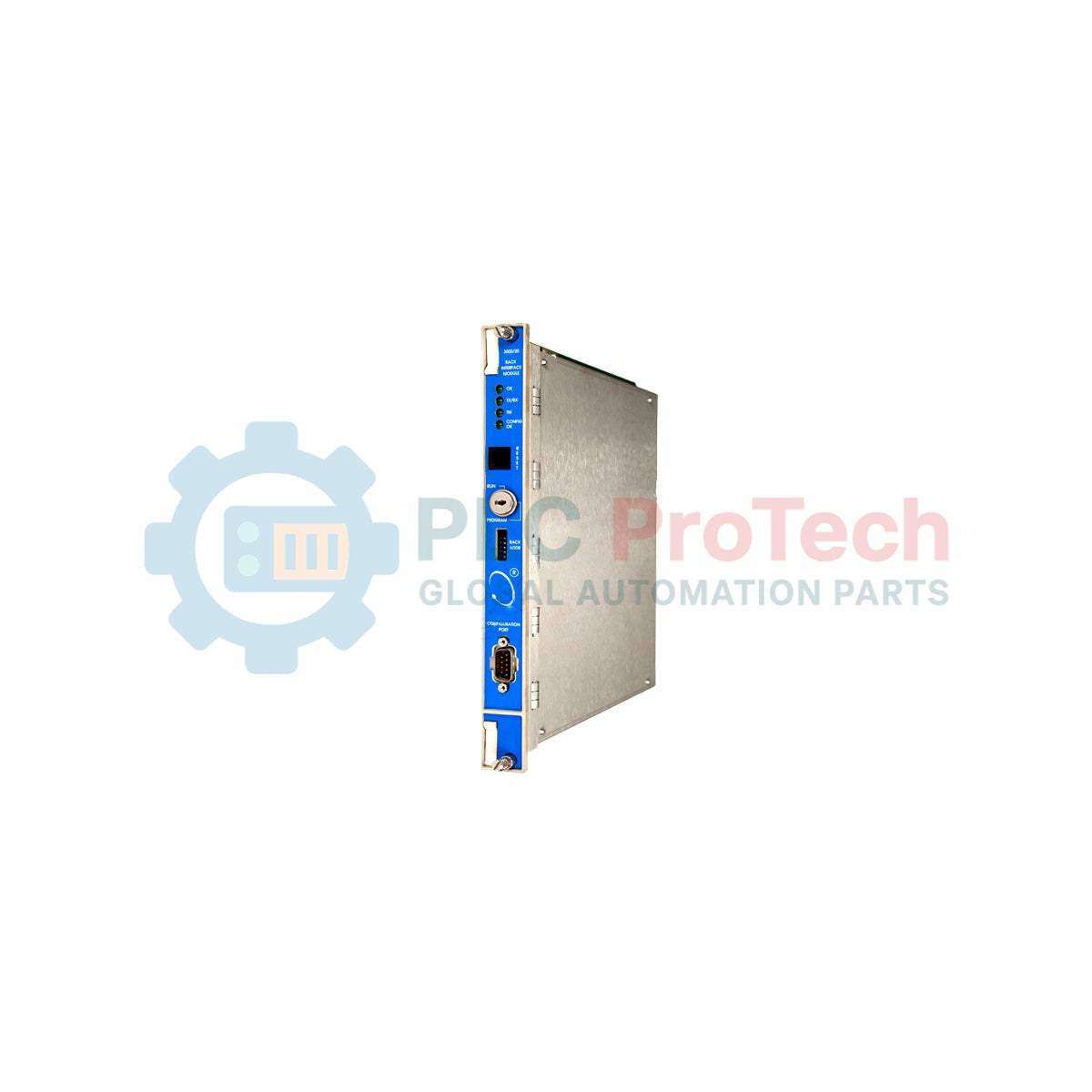
با یکپارچهسازی مستقیم در سمت چپترین شیار رک حفاظت از ماشینآلات 3500، Bently Nevada 3500/20-01-02-00 بهعنوان درگاه ارتباطی اصلی میان ماژولهای پایش داخلی رک و سامانههای کنترل خارجی عمل میکند. این مجموعه خاص با میانافزار استاندارد ماژول رابط رک (RIM) پیکربندی شده و شامل ماژول ورودی/خروجی رابط سریال RS232/RS422 است. این ماژول، پیوند فیزیکی و منطقی برای پیکربندی سیستم، پایش وضعیت و یکپارچهسازی دادههای سریال را فراهم میکند. با مسیریابی دادههای حیاتی وضعیت ماشین از طریق رابط سریال، این ماژول ارتباط مستقیم PLC یا DCS را بدون تحمیل بار اضافی بر گذرگاه پیکربندی سیستم امکانپذیر میکند.
| پارامتر | مقدار مشخصه |
|---|---|
| تولیدکننده | Bently Nevada |
| کد مدل | 3500/20-01-02-00 |
| نوع رابط رک | RIM استاندارد (01) |
| نوع ماژول ورودی/خروجی | ماژول ورودی/خروجی رابط سریال RS232 / RS422 (02) |
| تأییدیههای سازمانی | ندارد (00) |
| محل قرارگیری در صفحه پشتی | شیار اختصاصی ۱ (سمت چپترین موقعیت) |
| ارتباطات سریال | Modbus RTU از طریق RS232/RS422 |
| کشور مبدأ | ایالات متحده (USA) |
| وزن خالص | ۱٫۳۶ کیلوگرم (مجموع ماژول اصلی و ماژول ورودی/خروجی) |
| وزن حمل (محاسبهشده) | ۳٫۰۰ کیلوگرم |
| کانکتور / رابط | تخصیص عملکرد |
|---|---|
| درگاه کاربردی جلویی | اتصال سریال RS232 برای برنامهریزی محلی و راهاندازی رک |
| درگاه سریال ورودی/خروجی پشتی | کانکتور ۹ پین D-sub قابل پیکربندی برای شبکههای چندنقطهای RS232 یا RS422 |
RIM استاندارد قدیمی 3500/20 از نظر فیزیکی و عملکردی با رابط دادههای گذرا 3500/22M (TDI) جایگزین شده است. هنگام برنامهریزی برای مهاجرت یا جایگزینی سیستم، توجه داشته باشید که فایلهای نرمافزار پیکربندی باید برای پشتیبانی از 3500/22M تبدیل شوند و ماژول فیزیکی ورودی/خروجی نیز باید به مشخصات متناظر TDI ارتقا یابد. این دو بدون سازگار کردن نرمافزار، بهصورت اتصال و استفاده مستقیم با یکدیگر قابل تعویض نیستند.
این RIM استاندارد فاقد بافرهای جمعآوری دادههای گذرا است. اگر فرایند شما برای عیبیابی عمیق در نرمافزار System 1 به ثبت شکلموجهای دینامیکی، مانند نمودارهای بود، قطبی یا آبشاری، نیاز دارد، باید از 3500/22M TDI استفاده کنید. همچنین، پیش از قرار دادن ماژول 3500/20، مطمئن شوید سوئیچهای دیپ آدرس سختافزار در کنار آن بهدرستی تنظیم شدهاند تا از تداخل آدرسدهی بکپلین جلوگیری شود.
هنگام یکپارچهسازی شبکه چندنقطهای RS422، همیشه آخرین دستگاه زنجیره را با یک مقاومت ترمینیشن ۱۲۰ اهم خاتمه دهید تا از بازتاب سیگنال جلوگیری شود. برای مسیرهای طولانی RS422 استفاده از کابل زوجتابیده شیلددار الزامی است و شیلد باید در یک نقطه، معمولاً سمت میزبان، زمین شود تا از ایجاد حلقههای زمین که عملکرد حسگرهای آنالوگ مانیتورهای مجاور را مختل میکنند جلوگیری شود.
هشدار حیاتی:
پیش از نصب یا خارج کردن ماژول ورودی/خروجی پشتی، مطمئن شوید ماژولهای منبع تغذیه رک 3500 کاملاً خاموش و قفلگذاری شدهاند. تعویض مستقیم ماژول فیزیکی ورودی/خروجی پشتی در حالت روشن میتواند به مدارهای رابط آسیب دائمی وارد کند و موجب فعال شدن هشدارهای غیرمنتظره رک شود.
منبع تغذیه رک را ایزوله کنید و با استفاده از بند مچی ضدالکتریسیته ساکن که به یک نقطه مطمئن اتصال بدنه متصل است، خود را زمین کنید.
ماژول ورودی/خروجی RS232/RS422 پشتی را با ریلهای راهنما در شیار 1 رک 3500 همراستا کنید، آن را در جای خود بلغزانید و بستهای اسیر را محکم کنید.
ماژول اصلی RIM مدل 3500/20 را در جلوی رک، در شیار 1، قرار دهید. آن را با فشار به داخل بلغزانید تا کانکتور ماژول بهدرستی در بکپلین بنشیند.
پیچهای اسیر پنل جلویی را محکم کنید، برق رک را دوباره وصل کنید و بررسی کنید که LED OK روی پنل جلویی به رنگ سبز ثابت درآید.
ارسال سریع جهانی
بازگشت کالا و گارانتی
سفارشها از دوشنبه تا جمعه پردازش و تحویل داده میشوند (به جز تعطیلات رسمی).
برای شرایط کامل واجد شرایط بودن، هزینههای بازگردانی و جزئیات بازگشت بینالمللی، لطفاً صفحه رسمی ما را مشاهده کنید سیاست بازپرداخت و بازگشت کالا .
| Country of origin |
ایالات متحده آمریکا
|

مدار روشنایی XOR با کلید ۳-SPST را در LogixPro یا RSLogix 500 با استفاده از یک بیت رله داخلی پیادهسازی کنید. شامل جدولهای درستی، معادلات بولی و تأییدشده است.

Allen-Bradley CompactLogix، تابلوهای انتقال خودکار Caterpillar و ژنراتورها را از طریق Modbus RTU در سیستم کنترل توزیعشده DeltaV یکپارچه کنید. این محتوا ProSoft MVI69-MCM و گیتویهای Miille DIN266...

دستور ONS اجرا میشود، اما کویل OTE در Studio 5000 هرگز لچ نمیشود، زیرا وانشات فقط در یک اسکن درست است. در عوض از OTL/OTU یا منطق خودنگهدار استفاده کنید.

درایوهای سرو Kinetix 5500 از Allen-Bradley را روی EtherNet/IP پیکربندی کنید. این دوره مباحث CIP Sync، زمانبندی IEEE 1588 V2، انتخاب Stratix، توپولوژی DLR و HMI را پوشش میدهد.

فیلتر میانگین متحرک، هموارساز پنجرهای لغزان است که بیشتر مهندسان ابزار دقیق آن را در مسیرهای آنالوگ DCS و PLC به کار میبرند. در اینجا نحوه کار پنجره، تأثیر N و زمان نمونهبرداری بر تأخیر، و زمان...

در توربینهای گازی Frame 5 تا 9، سیستمهای GE Mark VI و Mark VIe کنترل را بهصورت نرمافزار کاربردی مبتنی بر بلوکهای تابع اجرا میکنند. این مقاله عملکردهای فرایندی، حفاظتی و توالیگذاری را بررسی...