


طراحی افزونگی در برق و ارتباطات
با ترسیم وابستگیهای مشترک، جداسازی مسیرهای برق و شبکه، تعریف رفتار هنگام انتقال به سامانه پشتیبان، آشکارسازی عملکرد تنزلیافته و آزمون اثباتی هر خطای قابلتحمل، افزونگی سامانه کنترل را طراحی کنید.
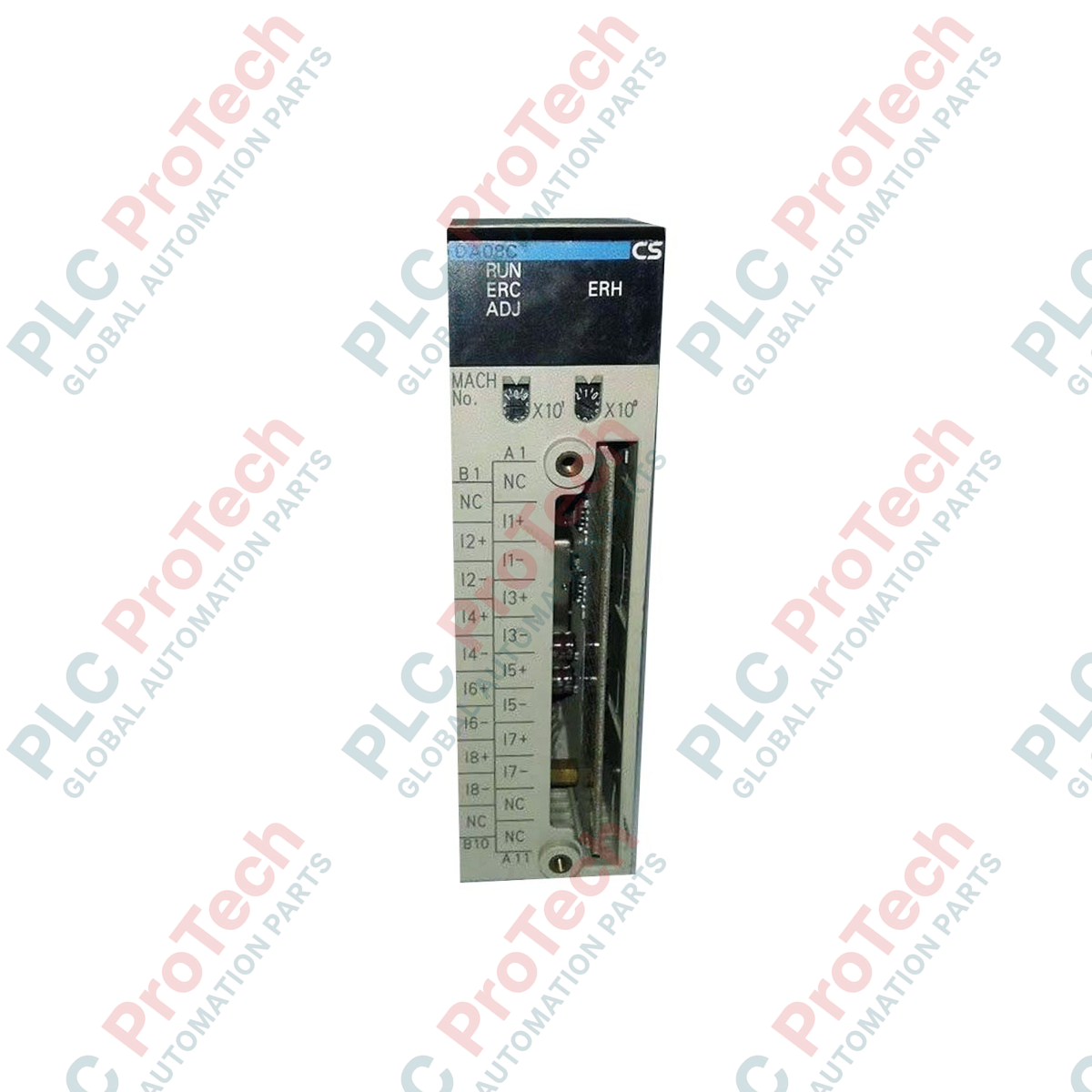
تولیدکننده: Omron
شماره محصول: CS1W-DA08C
کشور سازنده:ژاپن
نوع محصول: ماژولهای خروجی آنالوگ
پرداخت: حواله بانکی (T/T)، وسترن یونیون
وزن: 1500g
ابعاد: ۱۵۰ میلیمتر × ۱۳۵ میلیمتر × ۵۰ میلیمتر
بندر حمل و نقل: شیامن
گارانتی: ۱۲ ماه
پردازش سیگنالهای آنالوگ در معماری PLC سری CS1 امرن با دقت بالا توسط ماژول خروجی آنالوگ Omron CS1W-DA08C انجام میشود؛ این ماژول هشت کانال مستقل برای حلقههای کنترل فرایند فراهم میکند. این ماژول با چگالی بالا مستقیماً روی رک CPU سری CS1 یا رک توسعه نصب میشود و مقادیر دیجیتال موجود در حافظه PLC را به خروجیهای استاندارد ولتاژ یا جریان تبدیل میکند. هر کانال را میتوان بهطور مستقل برای محدودههای مختلف سیگنال پیکربندی کرد تا کنترلکننده بتواند همزمان با انواع مختلف عملگرهای میدانی، شیرهای کنترل و تنظیمکنندههای سرعت ارتباط برقرار کند. CS1W-DA08C که به ایزولاسیون صنعتی و ترمینالبلوک جداشدنی مجهز است، عملکردی مطمئن و زمان ازکارافتادگی حداقلی را هنگام سرویس میدانی تضمین میکند.
| پارامتر | مشخصات |
|---|---|
| تولیدکننده | Omron |
| شماره مدل | CS1W-DA08C |
| نوع ماژول | ماژول خروجی آنالوگ |
| تعداد خروجیهای آنالوگ | ۸ کانال |
| محدودههای سیگنال خروجی (ولتاژ) | ۱ تا ۵ ولت، ۰ تا ۱۰ ولت، ۰ تا ۵ ولت، ۱۰- تا ۱۰ ولت |
| محدودههای سیگنال خروجی (جریان) | ۴ تا ۲۰ میلیآمپر |
| روش انتخاب سیگنال | تنظیم جداگانه برای هر کانال خروجی از طریق حافظه PLC |
| اتصال خارجی | ترمینالبلوک قابل جدا شدن |
| مصرف جریان داخلی (۵ ولت DC) | ۰٫۱۳ آمپر |
| مصرف جریان خارجی (۲۴ ولت DC) | ۰٫۲۵ آمپر (در دادههای مرجع قدیمی ۲۵ ولت درج شده است) |
| دمای کاری | ۰ تا ۵۵ درجه سانتیگراد |
| کشور مبدأ | ژاپن |
| وزن حمل (محاسبهشده) | ۱٫۵ kg |
| ابعاد بستهبندی (محاسبهشده) | ۱۵۰ mm × ۱۳۵ mm × ۵۰ mm |
CS1W-DA08C برای سیستمهایی که به خروجیهای ولتاژ/جریان با چگالی بالا نیاز دارند، استاندارد است. این ماژول از نظر نوع اتصال با CS1W-DA08V تفاوت دارد؛ پسوند «C» نشاندهنده رابط ترمینالبلوک بهجای کانکتور با چگالی بالا است که سیمکشی مستقیم را در تابلوهای کنترل استاندارد سادهتر میکند. هنگام انتقال سختافزارهای قدیمی سری C500 به CS1، این ماژول جایگزین مدرن تعیینشده برای یونیتهای C500-DA001/DA005 است، هرچند ساختارهای آدرسدهی در CX-Programmer باید برای انطباق با تخصیصهای ناحیه DM در CS1 بهروزرسانی شوند.
یکی از نقاط رایج خرابی در محل، قطع منبع تغذیه خارجی ۲۴ VDC ماژول است. اگر توان خارجی از سطوح بحرانی کمتر شود، ماژول خطا ایجاد میکند و همه خروجیها به حالتهای بیبرق خود بازمیگردند؛ این حالت معمولاً بسته به پیکربندی وضعیت ایمن، 0V یا 0mA است. منطق PLC باید همیشه بیتهای وضعیت سلامت ماژول را پایش کند و برای جلوگیری از افزایش ناگهانی فرایند یا حرکت کنترلنشده شیر هنگام قطع برق، اینترلاکها را مدیریت کند.
برای اطمینان از یکپارچگی بالای سیگنال، برای همه مسیرهای آنالوگ از کابلهای زوجتابیده شیلددار استفاده کنید و شیلدها را فقط از یک طرف، معمولاً به شینه ارت پنل PLC، زمین کنید. پیش از روشنکردن رک، مطمئن شوید کلیدهای چرخشی شماره یونیت در جلوی CS1W-DA08C بهدرستی تنظیم شدهاند؛ این کلیدها آدرس شروع کلمات DM تخصیصیافته را تعیین میکنند که محدودههای کانالهای مجزا و پارامترهای تبدیل در آنها نوشته میشوند.
هشدار بسیار مهم:
پیش از نصب، جداسازی یا انجام تعمیرات روی ماژول، کل رک PLC را بیبرق کنید و همه منابع تغذیه خارجی ۲۴ VDC را خاموش کنید. تعویض ماژول در حالت روشن میتواند به آسیب دائمی سختافزار، ایجاد خطا در CPU یا حرکت ناخواسته عملگرها در محل منجر شود.
کلید چرخشی شماره یونیت در پنل جلویی ماژول را روی مقداری یکتا و منطبق با تخصیص I/O در CX-Programmer تنظیم کنید.
راهنماهای بالا و پایین ماژول را با شیار موردنظر روی بکپلین CS1 همراستا کنید و ماژول را محکم فشار دهید تا در جای خود کلیک کند.
ترمینالبلوک سیمکشیشده را به قسمت جلویی ماژول متصل کنید و پیچهای نگهدارنده را برای محکمکردن رابط سفت کنید.
برای راهاندازی، برق خارجی ۲۴ VDC را به ترمینالهای تعیینشده اعمال کنید، رک PLC را روشن کنید و دادههای پیکربندی را بارگذاری کنید.

Global Express Shipping
Returns & Warranty
| Product Image | Model Number / Title | Condition | Availability | Action |
|---|---|---|---|---|

|
ماژول خروجی آنالوگ Allen-Bradley 1746-NO8I SLC 500 | Original New | In Stock | View Details |
ارسال سریع جهانی
بازگشت کالا و گارانتی
سفارشها از دوشنبه تا جمعه پردازش و تحویل داده میشوند (به جز تعطیلات رسمی).
برای شرایط کامل واجد شرایط بودن، هزینههای بازگردانی و جزئیات بازگشت بینالمللی، لطفاً صفحه رسمی ما را مشاهده کنید سیاست بازپرداخت و بازگشت کالا .
| Country of origin |
ژاپن
|

با ترسیم وابستگیهای مشترک، جداسازی مسیرهای برق و شبکه، تعریف رفتار هنگام انتقال به سامانه پشتیبان، آشکارسازی عملکرد تنزلیافته و آزمون اثباتی هر خطای قابلتحمل، افزونگی سامانه کنترل را طراحی کنید.

یک روش ساختاریافته برای عیبیابی تابلو کنترل، شامل کار ایمن، نقشهها، مسیرهای برق، حفاظت شاخهها، منابع تغذیه DC، مدارهای برگشت، خروجیهای PLC، سوابق خطا و تأیید تعمیر.

راهنمای عملی اندازهگیری ولتاژ برای تابلوهای کنترل صنعتی، شامل نقاط مرجع، انتخاب مولتیمتر، بررسی برقدار-بیبرق-برقدار، افت ولتاژ، ولتاژ کاذب، انرژی ذخیرهشده و عیبهای مقطعی.

راهنمای عملی قفلگذاری و برچسبگذاری ایمنی که شناسایی انرژیهای خطرناک، ایزولهسازی، کنترل انرژی ذخیرهشده، راستیآزمایی، کار گروهی، آزمایش موقت، بازگردانی، بازرسیها و ممیزیها را پوشش میدهد.

راهنمای میدانی آمادهسازی هوای فشرده در محل مصرف، شامل فیلترها، رگلاتورها، تخلیهها، خشککنها، روانکاری، افت فشار، ایزولهسازی، پایش، راهاندازی و آزمون نشتی.

راهنمایی کاربردی دربارهٔ شیرهای پنوماتیک دستی، پایلوتدار و سلونوئیدی، شامل عملکرد پورتها، رفتار مونوستابل و بایاستابل، خروجیهای PLC، حالتهای ایمن، راهاندازی و عیبیابی.