1 of 1

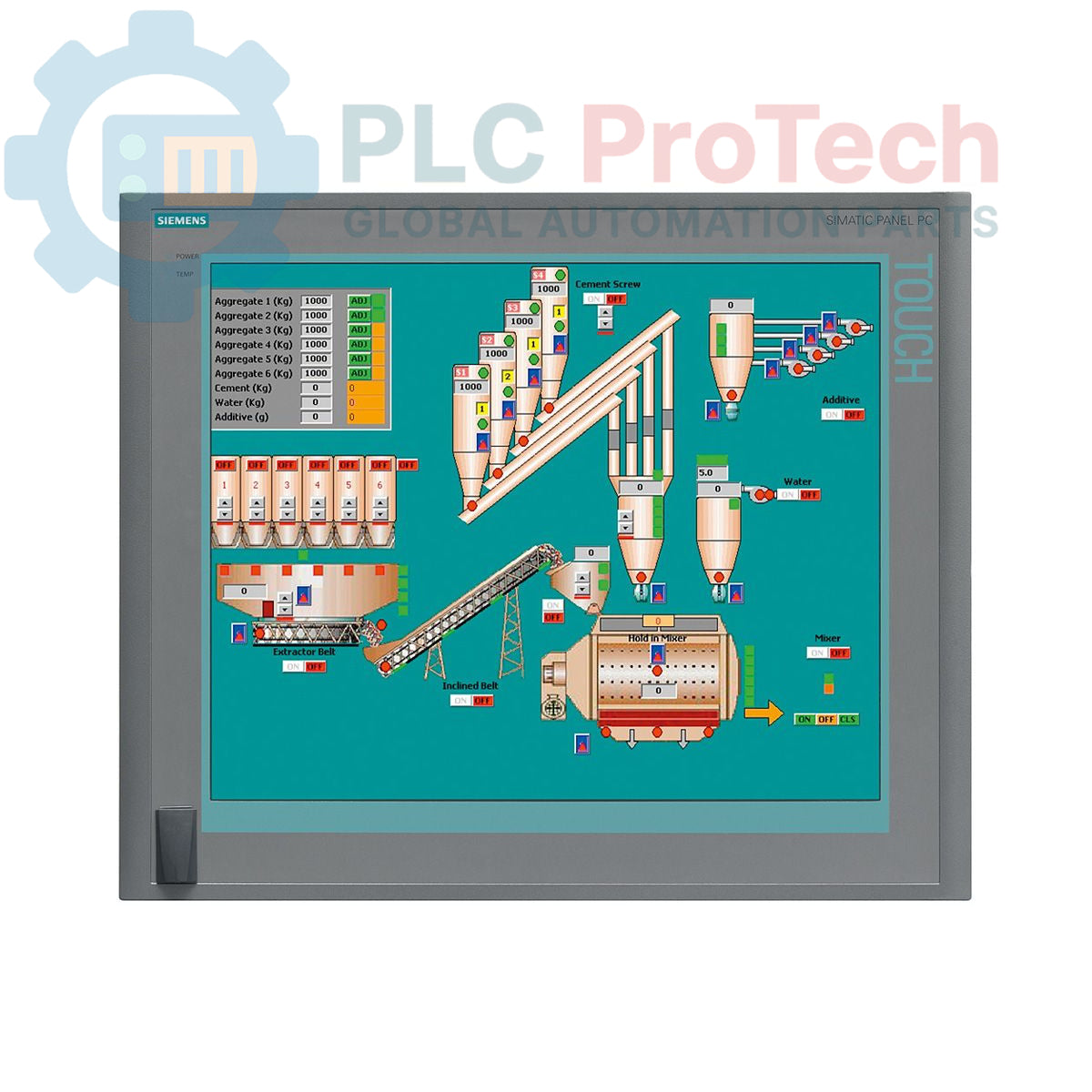
Siemens 6AV7875-0AE51-1AC0 SIMATIC Panel PC 677B 19-inch Touch Panel PC

Siemens 6AV7875-0AE51-1AC0 SIMATIC Panel PC 677B 19-inch Touch Panel PC

Only 4 item(s) left in stock
  • Manufacturer: Siemens

  • Product No.: 6AV7875-0AE51-1AC0

  • Country of origin:آلمان

  • Product Type: Panel PC

  • Barcode: 85371098

  • Payment: T/T, Western Union

  • Weight: 17g

  • Dimensions: ۶۷.۰ × ۸۳.۰ × ۱۱.۵ سانتی‌متر

  • Shipping port: Xiamen

  • Warranty: 12 months

Quantity
View full details

Description

The Siemens 6AV7875-0AE51-1AC0 is a SIMATIC Panel PC 677B designed for demanding industrial human-machine interface (HMI) and control applications. This unit features a 19-inch touchscreen display with a 1280x1024 resolution, powered by an Intel Core 2 Duo T7400 2.16 GHz processor and 4 GB of DDR2 RAM. It is equipped with extensive connectivity options, including dual Gigabit Ethernet ports, a PROFIBUS/MPI interface, and multiple USB 2.0 ports. Storage is provided by a 250 GB SATA hard disk drive, and the system comes pre-installed with Windows XP Professional MUI. This panel PC operates on a 24 V DC power supply and includes two PCI slots for hardware expansion.

Features

  • 19-inch color touchscreen display with 1280 x 1024 pixel resolution
  • Integrated Intel Core 2 Duo T7400 processor (2.16 GHz)
  • 4 GB of installed DDR2 RAM
  • 250 GB 3.5-inch SATA Hard Disk Drive (HDD)
  • DVD±R/±RW optical drive for data backup and software installation
  • Dual 10/100/1000 Mbit/s Ethernet ports for network redundancy or separation
  • Onboard PROFIBUS/MPI interface with 2 MB buffered SRAM
  • Four rear USB 2.0 ports and one front-side USB port for easy access
  • One serial COM1 port for legacy device communication
  • Two available PCI slots for expansion cards
  • Pre-installed with Windows XP Professional Multi-language User Interface (MUI)

Applications

  • Machine-level operator control and monitoring
  • Process visualization and SCADA systems
  • Data acquisition and logging in manufacturing environments
  • Factory automation control panels
  • Industrial computing platforms requiring legacy OS support

Technical Specifications

Specification Value
Brand Siemens
Product Series SIMATIC Panel PC 677B
Part Number 6AV7875-0AE51-1AC0
Product Lifecycle Status Obsolete
Power Supply 24 V DC
Processor Intel Core 2 Duo T7400, 2.16 GHz
Processor Cache 4 MB SLC
Memory (RAM) 4 GB DDR2
Storage 250 GB SATA HDD 3.5"
Optical Drive DVD±R/±RW
Display Type 19-inch Touchscreen
Display Resolution 1280 x 1024 pixels
Ethernet Ports 2 x 10/100/1000 Mbit/s
USB Ports 4 x USB 2.0 (rear), 1 x USB (front)
Serial Port 1 x COM1
Fieldbus Interface PROFIBUS/MPI (with 2 MB buffered SRAM)
Expansion Slots 2 x PCI
Operating System Windows XP Professional MUI (DE, EN, FR, ES, IT, JA, ZH, KO)
Shipping Weight 17.00 kg
Commodity Code 85371098
ECCN N
Country of Origin Germany (Estimate)
Manufacturer Siemens
Package Dimensions (Calculated) 67.0 x 83.0 x 11.5 cm

Installation Guidelines

CRITICAL WARNING: Hazardous voltages may be present. Installation must be performed by qualified personnel only. Ensure the control cabinet is de-energized and locked out/tagged out (LOTO) before beginning any work. Failure to comply can result in severe injury or death.
  1. 1 Prepare Panel Cutout: Verify that the enclosure or panel cutout dimensions match the manufacturer's specifications for the PC 677B. Ensure the mounting surface is clean, flat, and rigid.
  2. 2 Mount the Unit: Insert the Panel PC into the cutout from the front. Secure it from the rear using all provided mounting clamps. Tighten the clamps evenly in a crisscross pattern to ensure a uniform seal against the panel gasket.
  3. 3 Connect Protective Earth (PE): Connect a low-impedance protective earth conductor to the designated grounding terminal on the PC chassis. This is critical for both safety and noise immunity.
  4. 4 Connect DC Power: Connect the 24 V DC power supply to the power input terminals. Verify correct polarity (+/-) before connecting. Use appropriately sized conductors for the load and distance.
  5. 5 Connect Interfaces: Connect Ethernet, PROFIBUS, USB, and any other required communication or peripheral cables. Ensure all connectors are fully seated and secured. Maintain proper separation between power and signal wiring.
  6. 6 Power-Up and Verification: After verifying all connections, remove the LOTO and re-energize the main cabinet supply. Power on the Panel PC and confirm that the operating system boots correctly and all connected peripherals are recognized.

سیستم عامل نصب شده روی 6AV7875-0AE51-1AC0 چیست؟

این پنل پی‌سی با سیستم‌عامل Windows XP Professional با رابط کاربری چندزبانه (MUI) به‌صورت پیش‌فرض نصب شده است که از زبان‌هایی مانند آلمانی، انگلیسی، فرانسوی، اسپانیایی، ایتالیایی، ژاپنی، چینی و کره‌ای پشتیبانی می‌کند.

اندازه و وضوح صفحه نمایش این پنل پی‌سی چقدر است؟

این دستگاه مجهز به نمایشگر لمسی ۱۹ اینچی با وضوح اصلی 1280 در 1024 پیکسل است.

آیا این دستگاه اتصال PROFIBUS دارد؟

بله، شامل یک رابط یکپارچه PROFIBUS/MPI با ۲ مگابایت حافظه SRAM بافر شده برای ارتباط مطمئن فیلدباس است.

نیازمندی‌های منبع تغذیه این دستگاه چیست؟

پنل پی‌سی SIMATIC 677B زیمنس برای کارکرد به منبع تغذیه ۲۴ ولت DC نیاز دارد.

چند اسلات توسعه در دسترس است؟

این مدل دو اسلات PCI استاندارد برای نصب کارت‌های توسعه سخت‌افزاری اضافی دارد.

Global Express Shipping

  • Standard Delivery: 4-6 Business Days via DHL, FedEx, and UPS.
  • Express Dispatch: Same-day dispatch for in-stock orders placed before 2:00 PM (GMT+8).
  • Worldwide Coverage: Serving over 150 countries, including rapid delivery to Saudi Arabia and UAE.

Returns & Warranty

  • 30-Day Guarantee: Returns accepted for in-stock products in original, factory-sealed packaging.
  • 12-Month Warranty: Every industrial component is backed by our professional technical warranty.

Orders are processed and delivered Monday-Friday (excluding public holidays).


For full eligibility, restocking fees, and international return details, please view our official Refund & Return Policy .

TECHNICAL SPECIFICATIONS

Country of origin
آلمان

Recently Viewed Products

Technical knowledge

راهنمای جامع فایروال‌های صنعتی و تقسیم‌بندی شبکه OT

فایروال‌های صنعتی نقش حیاتی در امنیت سایبری OT ایفا می‌کنند و از شبکه‌های PLC، DCS و SCADA از طریق بخش‌بندی، کنترل ورود/خروج و ادغام IDS/IPS مطابق با اصول IEC 62443 محافظت می‌کنند.

راهنمای گیره‌های رباتیک: از جابجایی ظریف تا اتوماسیون سنگین

گیره‌های رباتیک مدرن فراتر از فک‌های مکانیکی سنتی در حال پیشرفت هستند. از سیستم‌های چسبنده الهام‌گرفته از گکوی، گیره‌های نرم با درجه‌بندی غذایی تا ابزارهای انبار مجهز به هوش مصنوعی، فناوری‌های...

بازگشت به گذشته: چگونه موتورهای الکتریکی اولیه معدن‌کاری زیرزمینی را تغییر دادند

از کمپرسورهای جریان مستقیم با نیروی طناب تا واگن‌های معدنی باتری‌دار، عملیات‌های اولیه معدن‌کاری نقطه عطفی در برق‌رسانی صنعتی بودند. این مقاله بررسی می‌کند که چگونه موتورهای الکتریکی پیش از ورود...

Factory I/O: یک ابزار شبیه‌سازی PLC مدرن برای آموزش اتوماسیون صنعتی

Factory I/O آموزش PLC را با ارائه شبیه‌سازی‌های صنعتی سه‌بعدی فراگیر برای دانشجویان، مهندسان و تیم‌های نگهداری متحول می‌کند. این پلتفرم فاصله بین نظریه و عمل واقعی اتوماسیون را پر می‌کند و در عین حال...

برنامه‌نویسی چرخه‌های حرکت تک‌محور روی درایو سروو CMZ

این آموزش بررسی می‌کند که چگونه عملکرد PLC داخلی درایو سروو CMZ SBD می‌تواند برنامه‌های حرکتی مستقل را اجرا کند، از جمله منطق خانه‌یابی، کنترل موقعیت و حرکت دوره‌ای محور بدون نیاز به PLC خارجی.

راه‌اندازی کنترل حرکت تک‌محور با درایوهای سروو CMZ

این آموزش به راه‌اندازی سیستم حرکت سروو تک‌محوره با استفاده از درایو CMZ SBD می‌پردازد و شامل تنظیمات سخت‌افزاری، مقیاس‌بندی محور، پیکربندی موقعیت‌یابی اولیه و تأیید حرکت ایمن برای محیط‌های اتوماسیون...