Description
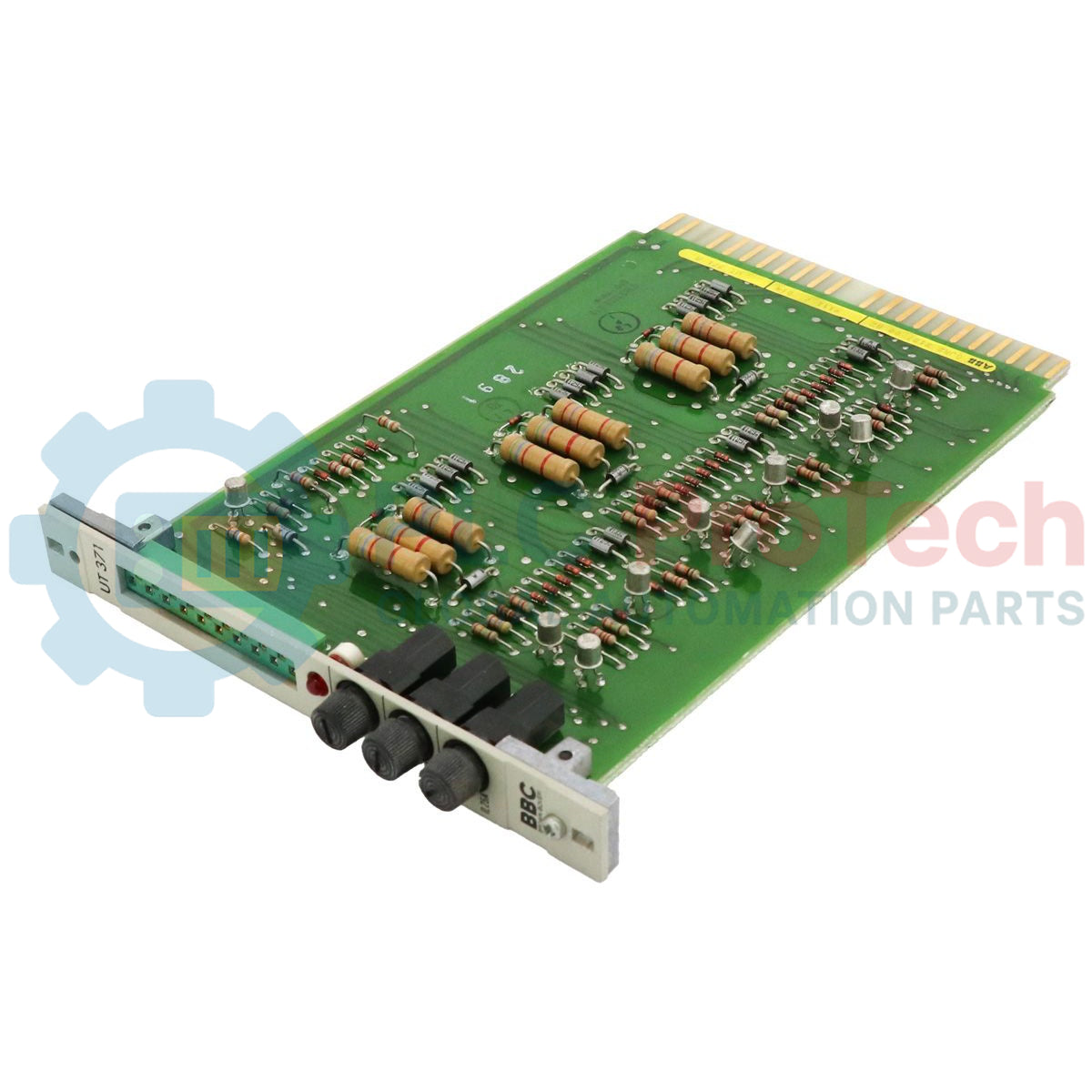
Conçu pour s’intégrer parfaitement à l’architecture de commande de turbines Procontrol P13 ancienne génération, l’ABB UT371A V2 GJR2212700R2 fait office d’interface dédiée d’interrogation diagnostique et de communication. Cette unité interroge les modules du bus local, récupère les rapports d’état diagnostique en temps réel et transmet les informations essentielles sur l’intégrité du matériel aux unités centrales de traitement, garantissant ainsi la sécurité opérationnelle et la supervision du système en temps réel.
Caractéristiques principales
- Conçu spécifiquement pour le protocole propriétaire de communication sur bus ABB Procontrol P13.
- Facilite les fonctions de diagnostic direct du module et d’interrogation de son état.
- Architecture physique très robuste, optimisée pour les environnements exigeants des installations industrielles et de production d’énergie.
- La conception à faible dégagement thermique contribue à maintenir des températures stables dans les armoires des racks de commande.
Applications
- Systèmes de commande de turbines à vapeur et à gaz exploitant la plateforme Procontrol P13.
- Installations de production d’énergie thermique, nucléaire et hydroélectrique.
- Installations industrielles lourdes nécessitant des diagnostics sur un réseau de bus ancien.
Spécifications techniques
| Paramètre |
Spécification |
| Fabricant |
ABB |
| Désignation du modèle |
UT371A V2 |
| Numéro d’article (SKU) |
GJR2212700R2 (GJR2-212700-R2) |
| Série de contrôle |
Procontrol P13 |
| Type de produit |
Module d’interrogation |
| Code marchandise |
85371091 |
| Poids d’expédition (calculé) |
0,36 kg (0,79 lb) |
Notes d’ingénierie et compatibilité système
Prise en charge des révisions antérieures : La variante UT371A V2 (GJR2212700R2) remplace directement les anciens modèles UT371. Avant le montage, les ingénieurs doivent vérifier que tous les cavaliers locaux et les commutateurs DIP d’identification de la station sont réglés à l’identique de la configuration du module défaillant, afin de maintenir l’alignement des adresses sur le bus P13 local.
Considérations thermiques : Les racks anciens fermés sont sujets aux points chauds. Assurez une ventilation adéquate de l’armoire et un espace suffisant autour du sous-rack afin de prolonger la durée de vie des composants de commande de la carte.
Vérification du diagnostic : Après l’insertion, les techniciens système doivent surveiller le terminal de diagnostic principal. Si le module d’interrogation ne parvient pas à effectuer l’interrogation, vérifiez l’intégrité de la connexion physique au fond de panier et le positionnement correct dans le logement, car une carte décalée peut déclencher des défauts de communication sur le bus.
Directives d’installation
AVERTISSEMENT CRITIQUE : Mettez le rack local hors tension ou vérifiez que les autorisations de remplacement à chaud correspondent aux procédures d’exploitation propres à l’installation avant d’insérer cette carte. Tout contact avec les connecteurs du fond de panier lorsque le courant est actif risque d’endommager la carte et de provoquer des pointes transitoires du signal.
1
Mettez le sous-rack cible hors tension ou activez les dispositifs de sécurité sur les boucles de diagnostic.
2
Alignez les cavaliers matériels et les adresses des commutateurs DIP conformément aux schémas d’origine.
3
Faites doucement glisser le module le long des rails du châssis jusqu’à ce que les connecteurs du fond de panier de la carte soient correctement enclenchés.
4
Appliquez l’alimentation, vérifiez que les LED de démarrage s’allument correctement et exécutez une analyse diagnostique du bus.