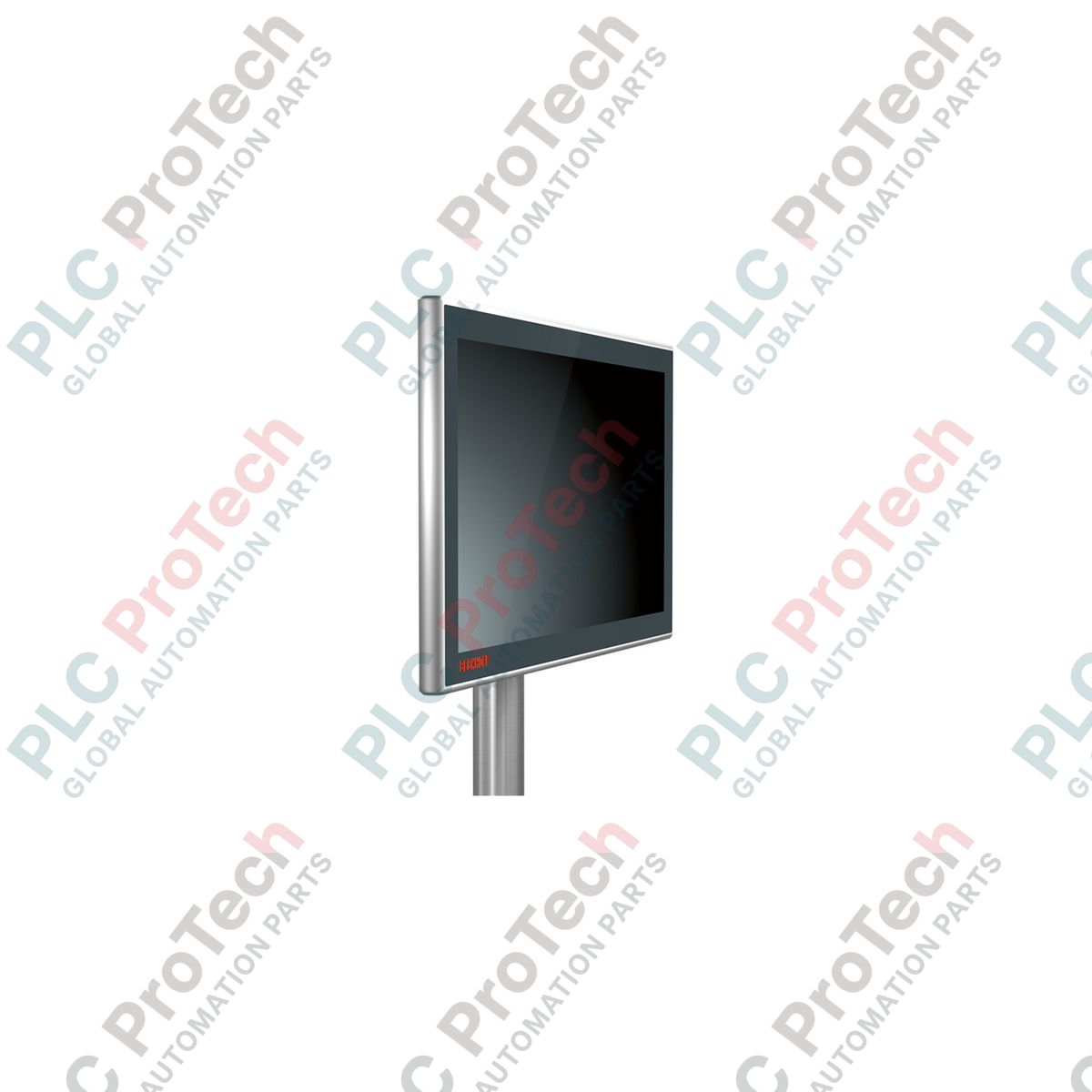
Description
Servant d’interface homme-machine extrêmement résistante pour les topologies de commande distribuées, le Beckhoff CP3915-0010 apporte une visualisation de niveau industriel directement sur le terrain. Ce panneau de commande haut de gamme associe un écran robuste de 15 pouces à une technologie tactile capacitive multipoint, le tout intégré dans un boîtier en aluminium IP65 sur tous les côtés, doté d’une façade en verre haute résistance. Conçu pour fonctionner de manière transparente avec le standard de transmission propriétaire CP-Link 4, l’appareil regroupe les signaux vidéo, les signaux de commande USB 2.0 et la distribution d’alimentation au sein d’une seule infrastructure réseau haut débit, permettant des installations soignées sur de longues distances sans dégradation du signal.
Caractéristiques principales
-
Affichage haute fidélité : écran de 15 pouces avec une résolution native de 1024 x 768 pixels pour une visualisation claire des processus.
-
Technologie multipoint : le capteur tactile capacitif projeté (PCT) permet de suivre les entrées de plusieurs doigts, autorisant le contrôle gestuel et les confirmations de sécurité à deux mains.
-
Intégration CP-Link 4 : utilise la technologie One Cable Technology (OCT) pour transmettre le DVI, l’USB 2.0 (100 Mbit/s) et l’alimentation jusqu’à 100 mètres sur un seul câble Cat.6A.
-
Protection robuste contre les conditions environnementales : l’indice de protection IP65 assure une prévention totale de la pénétration de poussière et une résistance aux jets d’eau basse pression provenant de toutes les directions.
-
Boîtier industriel robuste : boîtier en aluminium usiné CNC avec façade en verre chimiquement renforcé, résistante aux rayures et à l’exposition aux produits chimiques.
Applications
-
Lignes d’assemblage automobile : montage direct sur des bras articulés à côté des cellules robotisées pour une utilisation intuitive et localisée des cellules.
-
Transformation des aliments et des boissons : sa conception robuste résiste aux protocoles de lavage standard et aux variations localisées d’humidité.
-
Manutention et logistique : une installation aérienne propre באמצעות des bras de montage standard fournit un retour d’état fiable dans les grands centres de tri.
Spécifications techniques
| Fabricant |
Beckhoff Automation |
| Référence du modèle |
CP3915-0010 |
| Taille de l’écran |
15 pouces |
| Résolution |
1024 x 768 pixels |
| Technologie tactile |
Tactile multipoint (capacitif projeté) |
| Type d’interface |
CP-Link 4 (via des câbles Cat.6A standard) |
| Ports de connexion |
2 connecteurs ronds M12 (homologués IP65) |
| Indice de protection |
IP65 (tous côtés) |
| Température de fonctionnement |
De 0 à 50 °C (limite de stockage ambiant : de -20 à 60 °C) |
| Configuration de montage |
4 trous taraudés M6 avec entraxe de 100 x 100 mm sur le bloc de connexion |
| Pays d’origine |
Allemagne |
| Poids d’expédition (calculé) |
6,0 kg |
Connexions et interfaces
| Port de connexion |
Affectation des signaux / de l’alimentation |
| Connecteur M12 (port 1) |
Connexion CP-Link 4 (transmet USB 2.0, DVI et l’alimentation OCT) |
| Connecteur M12 (port 2) |
Connexion facultative d’une alimentation externe de 24 V CC (utilisée lorsque l’émetteur fonctionne en configuration à deux câbles) |
Observations techniques empiriques
Modèles alternatifs et compatibilité
Contrairement aux architectures CP-Link 3 héritées, qui nécessitaient des cartes PCIe dédiées dans l’ordinateur industriel, la série CP39xx repose sur des modules émetteurs externes, tels que CU8802 ou CU8803. Vérifiez que votre PC hôte en amont dispose d’une interface émettrice compatible et testée. Toute tentative de piloter directement ce panneau via des adaptateurs USB standard génériques ou des adaptateurs d’affichage utilisant des rallonges passives entraînera une défaillance du moteur d’affichage et du retour tactile.
Pièges d’application et remarques techniques
Dans les installations soumises à de fortes interférences électromagnétiques (EMI), notamment à proximité de cellules de soudage robotisées puissantes ou de variateurs de fréquence (VFD), toute interruption du blindage du câble Cat.6A peut provoquer des déconnexions USB ou un scintillement de l’écran. Vérifiez toujours la continuité de terre du blindage externe sur l’ensemble de la liaison. Ne faites pas cheminer le câble CP-Link 4 parallèlement à des conduits d’alimentation haute tension sans cloison métallique reliée à la terre.
Conseils de mise en service et de câblage
Lors de l’utilisation de ce panneau de commande via l’option One Cable Technology (OCT), l’émetteur hôte injecte 24 V CC directement dans la liaison Cat.6A. Veillez à ce que la longueur totale du câble ne dépasse pas 100 mètres, car les pertes cuivre dans des câbles de qualité insuffisante peuvent faire chuter la tension d’alimentation sous le seuil inférieur de fonctionnement de 19,2 V CC, provoquant des redémarrages imprévisibles de l’appareil pendant les cycles thermiques.
Directives d’installation
AVERTISSEMENT CRITIQUE : Vérifiez que le module émetteur hôte et toutes les lignes d’alimentation principales sont complètement hors tension avant de connecter ou de déconnecter les connecteurs ronds M12. Le branchement à chaud des interfaces CP-Link 4 pendant la distribution active de l’alimentation OCT peut provoquer des dommages internes par arc électrique sur les connecteurs à forte densité de broches, entraînant une dégradation permanente de l’émetteur-récepteur.
1
Montez le matériel sur votre support mécanique ou votre système de bras pivotant articulé à l’aide de quatre boulons M6 serrés dans le bloc de raccordement selon une disposition standard de 100 x 100 mm. Respectez le couple de serrage recommandé par le fabricant du bras.
2
Acheminez un câble Ethernet Cat.6A blindé en continu, avec des terminaisons RJ45 ou M12 robustes de qualité industrielle, depuis le module émetteur situé dans l’armoire de commande directement jusqu’à l’interface CP-Link 4 du panneau de commande.
3
Fixez fermement tous les raccords filetés M12 afin de garantir une étanchéité à l’humidité. Après avoir vérifié les verrouillages mécaniques, mettez le système hôte sous tension principale et vérifiez l’étalonnage tactile correct du système d’exploitation.