Description
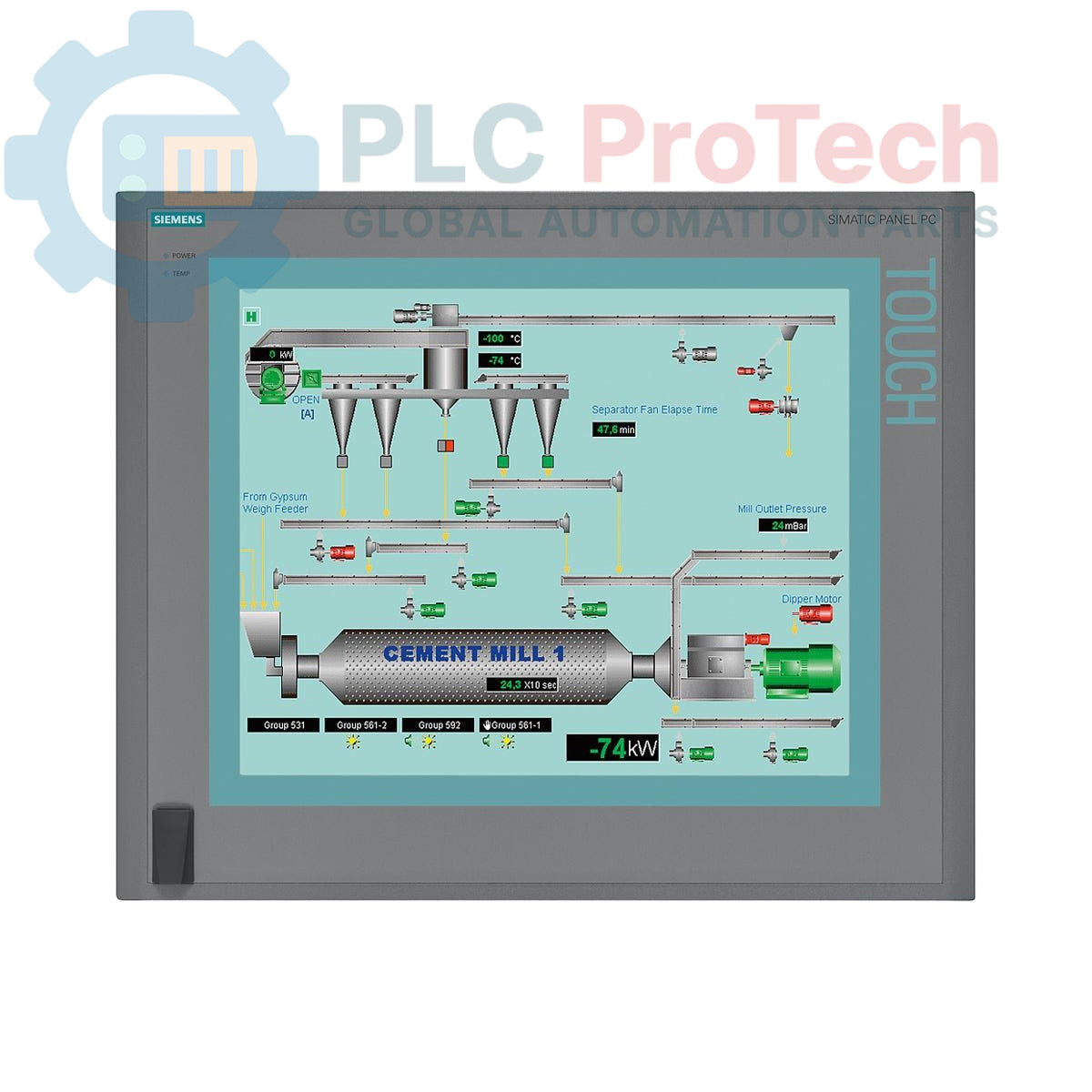
The Siemens 6AV7892-0AH10-1AE0 is a SIMATIC HMI IPC677C Panel PC designed for reliable performance and advanced control within industrial automation environments. This unit features a 15-inch touch display with a resolution of 1024 x 768 pixels, providing intuitive operation and clear data visualization essential for demanding production processes. Powering the device is an Intel Core i7-610E processor (2 cores/4 threads, 2.53 GHz, with Turbo Boost, Hyper-Threading, and Virtualization support, and 4 MB cache), ensuring fast and stable operation for complex applications.
Connectivity on the 6AV7892-0AH10-1AE0 is extensive, including two 10/100/1000 Mbit/s Ethernet ports, four USB V2.0 interfaces (with front-side access), and one serial COM1 port. The system incorporates an onboard RAID controller for enhanced data security, along with watchdog functionality, temperature monitoring, and fan monitoring for operational reliability. This panel PC supports PROFIBUS/MPI communication (CP 5611-A2 compatible) and integrates 2 MB of buffered SRAM and 2 GB of DDR3 1066 DIMM memory, making it suitable for high-performance industrial tasks. Storage is provided by a 250 GB SATA HDD and a DVD±R±RW drive, with two available PCI slots for expansion. Designed for a 24 V DC power supply, the unit runs Windows 7 Ultimate 64-bit SP1 (MUI: DE, EN, FR, ES, IT), allowing flexible integration in multilingual environments.
Features
- 15-inch Touch Display (1024 x 768 resolution)
- Intel Core i7-610E Processor (2C/4T, 2.53 GHz, 4 MB Cache)
- 2x 10/100/1000 Mbit/s Ethernet Ports
- 4x USB V2.0 Ports (including front-side access)
- 1x Serial (COM1) Port
- PROFIBUS/MPI Communication (CP 5611-A2 compatible)
- Onboard RAID Controller
- Watchdog, Temperature, and Fan Monitoring
- 2 MB Buffered SRAM
- 2 GB DDR3 1066 DIMM Memory
- 250 GB SATA HDD
- DVD±R±RW Optical Drive
- 2x PCI Expansion Slots
- 24 V DC Power Supply
- Pre-installed Windows 7 Ultimate 64-bit SP1 (MUI)
Applications
The Siemens SIMATIC HMI IPC677C Panel PC is suitable for a wide range of industrial automation applications requiring robust computing power, reliable data visualization, and extensive connectivity. Typical deployments include:
- Machine control and visualization in manufacturing plants
- Process monitoring and operator interface in demanding production lines
- Data acquisition and processing in industrial environments
- Integration into complex automation systems requiring PROFIBUS/MPI communication
- Applications benefiting from RAID data security and system monitoring
Technical Specifications
| Parameter |
Specification |
| Brand |
Siemens |
| Manufacturer |
Siemens |
| Range |
Simatic Panel PC |
| Subrange |
IPC677C |
| Type of Product |
Panel PC |
| PLM Product Phase |
Phase-Out |
| Display Size |
15 inches |
| Display Type |
Touch |
| Display Resolution |
1024 x 768 pixels |
| Processor |
Intel Core i7-610E |
| Processor Cores/Threads |
2 Cores / 4 Threads |
| Processor Clock Speed |
2.53 GHz |
| Processor Features |
Turbo Boost, Hyper-Threading, Virtualization Technology |
| Processor Cache |
4 MB |
| RAM |
2 GB DDR3 1066 DIMM |
| Buffered SRAM |
2 MB |
| Storage |
250 GB HDD SATA |
| Optical Drive |
DVD±R±RW |
| Ethernet Ports |
2x 10/100/1000 Mbit/s |
| USB Ports |
4x USB V2.0 (including front-side) |
| Serial Ports |
1x COM1 |
| Communication Protocols |
PROFIBUS/MPI (CP 5611-A2 compatible) |
| Expansion Slots |
2x PCI |
| Power Supply |
24 V DC |
| Operating System |
Windows 7 Ultimate 64-bit SP1, MUI (DE, EN, FR, ES, IT) |
| Package Dimensions (Calculated) |
67.00 x 55.00 x 28.00 cm |
| Shipping Weight |
17.45 kg |
| Commodity Code |
85371098 |
Installation Guidelines
-
Safety First: Ensure all power to the installation area is de-energized and locked out before beginning any work. Verify the power supply voltage matches the Panel PC's requirements (24 V DC).
-
Mounting: Mount the Panel PC securely into a control cabinet or panel cutout according to the specified dimensions. Ensure adequate space for ventilation around the unit to prevent overheating.
-
Power Connection: Connect the 24 V DC power supply to the designated terminals. Observe correct polarity. Ensure the power supply is stable and capable of providing the required current.
-
Grounding: Establish a proper protective earth (PE) connection to the Panel PC chassis. This is crucial for operational safety and electromagnetic compatibility (EMC).
-
Ethernet Connections: Connect industrial Ethernet cables to the two 10/100/1000 Mbit/s Ethernet ports for network communication. Use shielded cables in electrically noisy environments.
-
USB and Serial Connections: Connect USB devices to the available USB V2.0 ports. Utilize the COM1 serial port for peripheral devices or legacy communication as required.
-
PROFIBUS/MPI Connection: If PROFIBUS/MPI communication is required, connect the appropriate cable to the dedicated interface. Ensure proper termination if the device is at an end of the bus segment.
-
PCI Expansion: If using the PCI expansion slots, install compatible PCI cards carefully, ensuring they are seated correctly and secured.
-
Initial Power-Up: After all connections are verified, re-energize the power supply. Monitor the Panel PC for proper boot-up and system status indicators.
-
Software Configuration: Configure the pre-installed Windows 7 Ultimate operating system and any required application software for your specific automation task.