Deskripsi
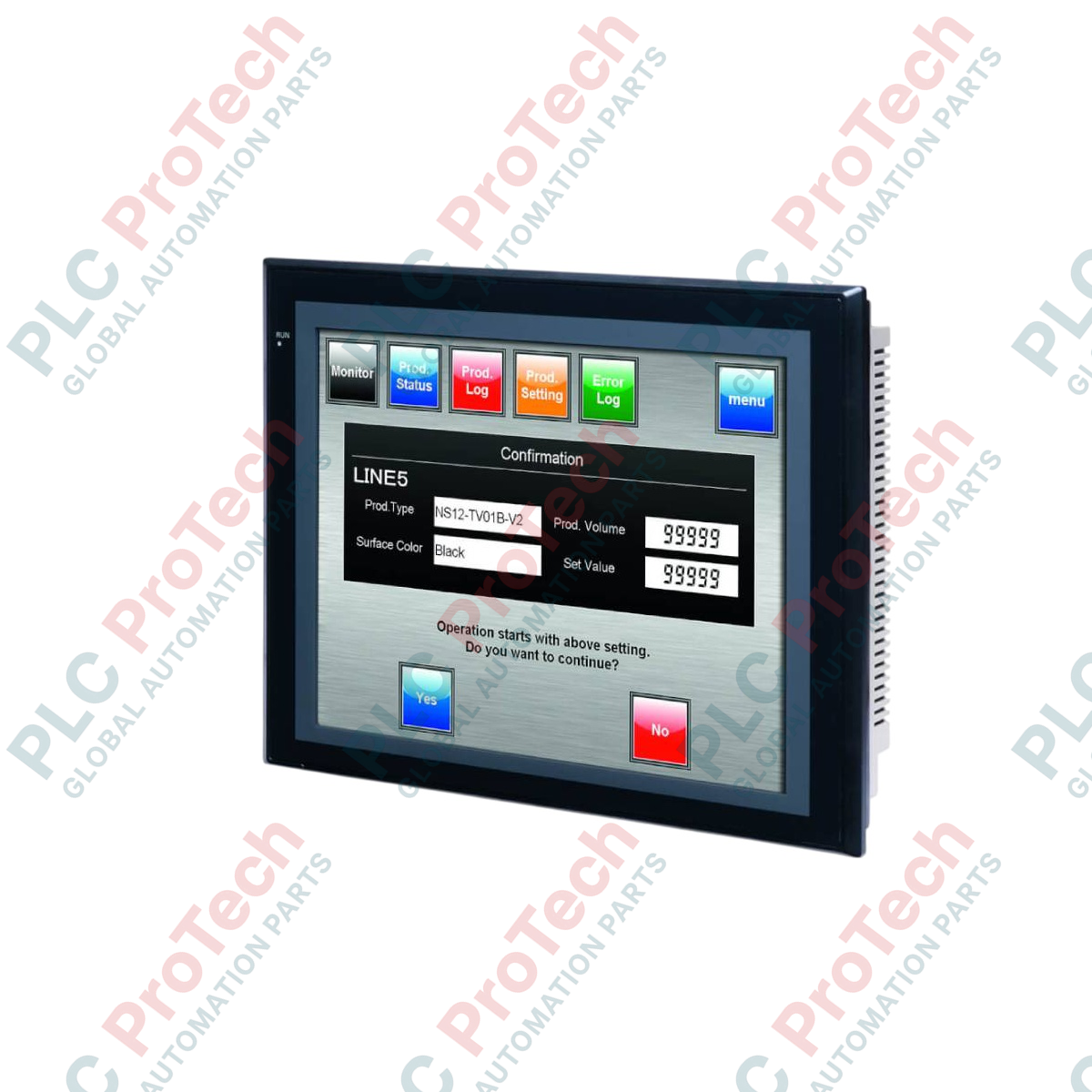
Dioptimalkan untuk visualisasi proses dinamis dan kontrol operator yang andal di berbagai lingkungan otomasi industri, Omron NS12-TS00B-V2 berfungsi sebagai antarmuka manusia-mesin (HMI) dengan keandalan tinggi. Unit ini dilengkapi layar matriks aktif TFT 12,1 inci yang cerah dengan lampu latar LED hemat energi, menghasilkan resolusi 800 x 600 yang tajam untuk layar diagnostik dan grafik tren yang sangat detail. Dengan casing hitam yang tahan lama, model ini menggunakan catu daya eksternal 24 VDC dan dirancang untuk pengoperasian terus-menerus tanpa kipas pendingin internal, sehingga memaksimalkan masa pakai dalam panel yang bergetar tinggi dan berdebu.
Fitur Utama
-
Layar Kontras Tinggi 12,1 Inci: Layar TFT yang memberikan visibilitas jelas dengan sudut pandang lebar dan kecerahan yang dapat disesuaikan.
-
Layar Sentuh Resistif Analog: Memungkinkan penempatan objek yang fleksibel dan konfigurasi sentuhan operator seperti multipoint yang intuitif.
-
Pelepasan Panas Tanpa Kipas: Menghilangkan komponen bergerak untuk meminimalkan masuknya debu dan kerusakan mekanis.
-
Dua Port Serial: Saluran RS-232C bawaan untuk koneksi langsung point-to-point dengan pengontrol logika terprogram (PLC) dan perangkat periferal.
Aplikasi Industri
-
Pengemasan dan Penanganan Material: Pemantauan operasional lokal dan visualisasi diagnostik untuk sistem konveyor yang kompleks.
-
Jalur Perakitan Otomatis: Panel kontrol terintegrasi untuk memantau robot multi-sumbu dan manifold pneumatik.
-
Pengolahan Air dan Utilitas: Pemantauan pabrik dalam penutup luar ruangan yang memerlukan perlindungan pelat depan tahan bahan kimia dan andal.
Spesifikasi Teknis
| Parameter |
Nilai Spesifikasi |
| Produsen |
Omron |
| Kode Model |
NS12-TS00B-V2 |
| Area Tampilan |
LCD TFT 12,1 inci (Lampu Latar LED) |
| Resolusi |
800 x 600 titik (VGA) |
| Tegangan Input Terukur |
24 VDC |
| Konsumsi Daya |
Maksimum 25 W |
| Dukungan Ethernet |
Tidak (Gunakan papan opsi eksternal atau model alternatif untuk RJ45 bawaan) |
| Warna Casing |
Hitam |
| Kelembapan Lingkungan Pengoperasian |
Kelembapan relatif 35% hingga 85% (0 hingga 40 derajat C), 35% hingga 60% RH (40 hingga 50 derajat C), tanpa kondensasi |
| Suhu Penyimpanan |
-20 hingga 60 derajat C |
| Berat Bersih Fisik |
Maksimum 2,5 kg |
| Berat Pengiriman (Dihitung) |
3,5 kg |
Koneksi dan Antarmuka
| Jenis Terminal / Port |
Penetapan Fungsi |
| Port Serial A (RS-232C) |
Konektor D-sub betina 9-pin untuk Host Link (koneksi PLC) atau alat PT |
| Port Serial B (RS-232C) |
Konektor D-sub betina 9-pin untuk koneksi pengontrol tambahan atau printer serial |
| Port USB (Slave) |
Konektor Tipe-B untuk mengunggah/mengunduh proyek berkecepatan tinggi melalui CX-Designer |
| Antarmuka Ekspansi |
Slot untuk kartu komunikasi jaringan opsional (misalnya, Controller Link atau papan Ethernet) |
Wawasan Teknik Empiris
Model Alternatif & Kompatibilitas
Penamaan V2 pada NS12-TS00B menunjukkan arsitektur sistem yang ditingkatkan, yang mendukung perintah makro canggih dan alokasi memori internal yang lebih besar. Layar yang dikembangkan untuk perangkat keras asli non-V2 dapat dikonversi dengan mudah di dalam CX-Designer dan diunduh ke perangkat keras V2. Perhatikan bahwa model khusus ini tidak memiliki Ethernet internal bawaan. Jika koneksi Ethernet diperlukan untuk proyek Anda tanpa memasang modul ekspansi, pertimbangkan untuk beralih ke NS12-TS01B-V2.
Kesalahan Umum Aplikasi & Catatan Teknik
Pastikan pengukuran bukaan panel diverifikasi dengan tepat sebelum instalasi. Keausan panel standar dapat terjadi jika braket pemasangan dikencangkan berlebihan, sehingga menimbulkan tekanan tidak merata pada membran sentuh analog dan menyebabkan sentuhan palsu atau penyimpangan. Hindari mengoperasikan HMI ini pada suhu lingkungan di atas 40 degC di area dengan kelembapan tinggi, karena ambang batas kelembapan relatif yang diizinkan turun menjadi maksimum 60% untuk melindungi optokopler internal.
Tips Commissioning & Pengkabelan
Untuk mencegah kerusakan data pada jalur serial RS-232C yang panjang, selalu pasang kabel ground khusus secara langsung dari terminal ground fungsional (FG) pada blok terminal ke ground Kelas-D. Gunakan kabel pasangan berpilin berpelindung untuk Port A dan Port B, serta pastikan pelindungnya di-ground-kan hanya pada sisi PLC untuk mencegah loop ground.
Panduan Instalasi
PERINGATAN PENTING: Sebelum memasang, memasang kabel, atau melakukan servis pada perangkat ini, pastikan jalur distribusi daya utama ke enclosure kontrol benar-benar tidak bertegangan. Pastikan tidak ada energi sisa dalam sirkuit catu daya 24 VDC untuk mencegah sengatan listrik atau kerusakan parah pada sirkuit antarmuka.
1
Pastikan dimensi bukaan panel tepat 302.0 mm (W) x 228.0 mm (H), dengan ketebalan lembar panel 1.6 mm hingga 4.8 mm.
2
Masukkan unit HMI melalui bagian depan panel, pastikan gasket kedap air pelindung tetap terpasang dengan benar di dalam alurnya.
3
Kencangkan unit dengan mengencangkan braket pemasangan yang disediakan hingga torsi yang ditentukan, yaitu 0.5 hingga 0.6 N-m, untuk mencapai perlindungan lingkungan IP65f.
4
Sambungkan jalur catu daya 24 VDC ke blok terminal daya, periksa polaritas dengan saksama untuk mencegah sekering internal putus sebelum kabinet diberi tegangan.