1 dari 1

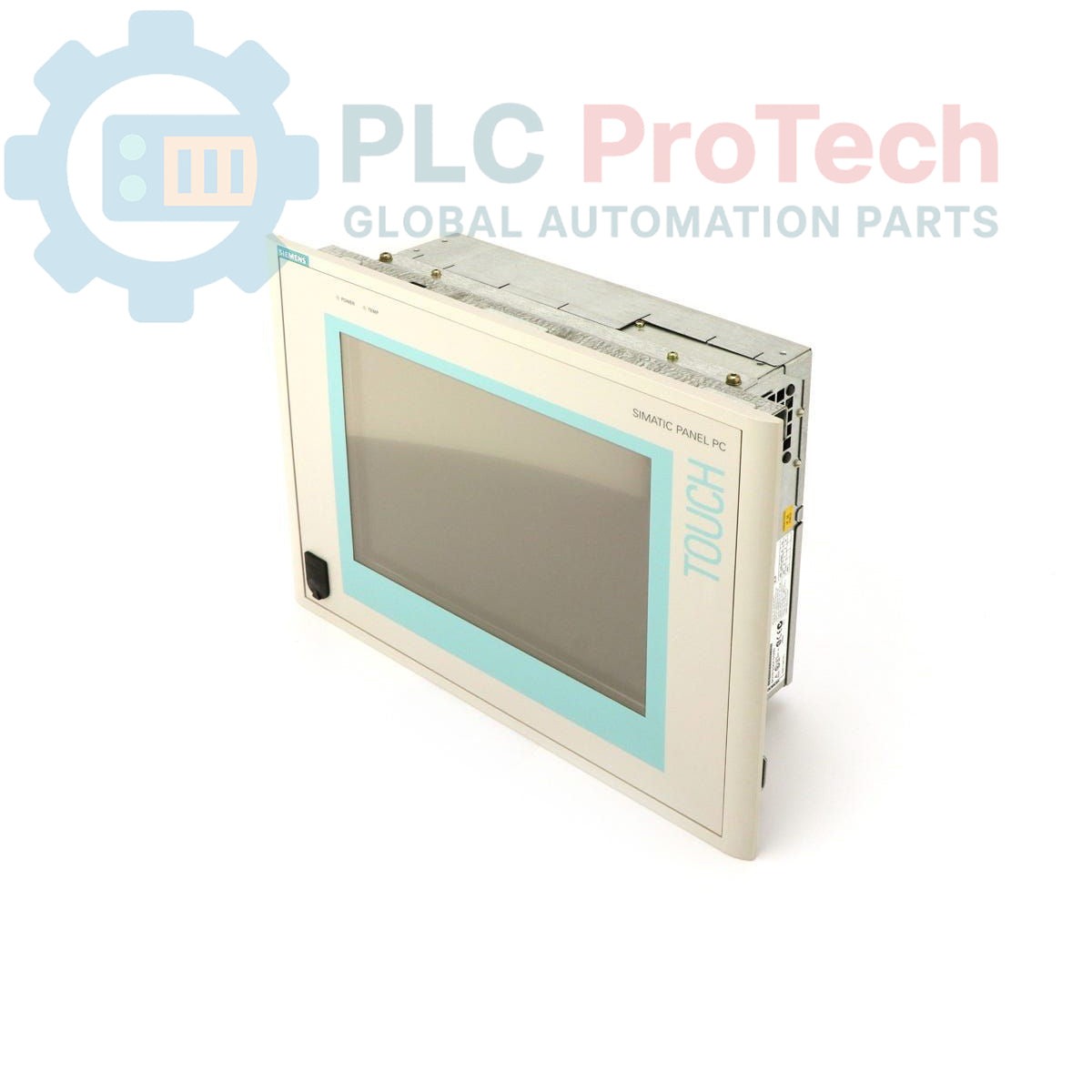
Siemens 6AV7611-0AA22-0AF0 SIMATIC Panel PC 670

Siemens 6AV7611-0AA22-0AF0 SIMATIC Panel PC 670

Hanya 6 item tersisa di stok
  • Produsen: Siemens

  • Nomor Produk: 6AV7611-0AA22-0AF0

  • Negara asal:Jerman

  • Jenis Produk: Industrial Panel PC

  • Kode batang: 85371091

  • Pembayaran: T/T, Western Union

  • Berat: 4g

  • Dimensi: 45 cm x 35 cm x 20 cm

  • Pelabuhan pengiriman: Xiamen

  • Garansi: 12 bulan

Kuantitas
Lihat detail lengkap

Description

The Siemens 6AV7611-0AA22-0AF0 is a SIMATIC Panel PC 670, an integrated human-machine interface (HMI) designed for industrial control and visualization tasks. This unit features a 10-inch TFT display and is equipped with a Pentium III 500 MHz CPU, 128 MB of RAM, and a 20 GB hard drive. It operates on a nominal 24 VDC power supply and comes pre-configured with the Windows 98 operating system in English. As an obsolete product, it serves as a direct replacement for existing installations requiring this specific hardware configuration.

Features

  • 10-inch color TFT display for process visualization.
  • Integrated Pentium III 500 MHz processor.
  • 128 MB of system RAM.
  • 20 GB internal hard drive for operating system and application storage.
  • Powered by a 24 VDC industrial supply.
  • Pre-installed with Windows 98 (English).

Applications

  • Machine-level operator control and monitoring.
  • Process visualization and data acquisition (SCADA).
  • Plant floor data logging and recipe management.
  • Direct replacement in legacy automation systems.

Technical Specifications

Specification Value
Brand Siemens
Model Number 6AV7611-0AA22-0AF0
Product Series SIMATIC Panel PC 670
Product Type PC Panel / HMI
Display 10-inch TFT
Processor (CPU) Pentium III, 500 MHz
Memory (RAM) 128 MB
Storage 20 GB Hard Drive (HD)
Power Supply 24 VDC
Operating System Windows 98 (English)
Product Lifecycle Phase Obsolete
Shipping Weight 4.00 kg
Commodity Code 85371091
ECCN N
Country of Origin Germany (Calculated)
Manufacturer Siemens
Package Dimensions (Calculated) 45 cm x 35 cm x 20 cm

Installation Guidelines

CRITICAL WARNING: RISK OF ELECTRIC SHOCK

Disconnect all power sources before installation or maintenance. This equipment is intended for use by qualified personnel only. Failure to de-energize the system can result in severe injury, death, or equipment damage. Always verify the absence of voltage before proceeding.

  1. 1 Prepare Enclosure: Ensure the control cabinet is de-energized and locked out. Verify that the panel cutout dimensions match the Panel PC 670's mounting requirements. Clean the mounting surface to ensure a proper seal.
  2. 2 Mount the Unit: Insert the Panel PC into the cutout from the front of the enclosure. Secure it from the rear using the provided mounting clamps, tightening them evenly to the manufacturer's specified torque to maintain the IP rating.
  3. 3 Connect Protective Earth (PE): Connect a low-impedance protective earth conductor to the designated PE terminal on the Panel PC chassis. This is a critical safety connection.
  4. 4 Connect Power Supply: Connect the 24 VDC power source to the power input terminals, observing correct polarity (+/-). Use appropriately sized wiring and ensure the power supply is stable and filtered.
  5. 5 Connect Peripherals: Connect all required communication cables (e.g., Ethernet, PROFIBUS) and peripherals (e.g., keyboard, mouse). Ensure all connectors are fully seated and secured.
  6. 6 Final Checks and Power-Up: Close the control cabinet door. Re-energize the main power supply. Power on the Panel PC and verify that the operating system boots correctly and communication with the control system is established.

What is the screen size of the 6AV7611-0AA22-0AF0?

This unit is equipped with a 10-inch TFT display.

What operating system is installed on this Panel PC?

The device comes pre-configured with the Windows 98 operating system, English version.

What is the required input voltage for this device?

The Panel PC requires a 24 VDC power supply for operation.

What are the core hardware specifications?

It features a Pentium III 500 MHz CPU, 128 MB of RAM, and a 20 GB hard drive.

Is the 6AV7611-0AA22-0AF0 a current product?

No, this model is classified as an Obsolete product, primarily used for replacement in existing systems.

Pengiriman Ekspres Global

  • Pengiriman Standar: 4-6 Hari Kerja melalui DHL, FedEx, dan UPS.
  • Pengiriman Ekspres: Pengiriman hari yang sama untuk pesanan dalam stok yang dilakukan sebelum pukul 2:00 PM (GMT+8).
  • Cakupan Seluruh Dunia: Melayani lebih dari 150 negara, termasuk pengiriman cepat ke Arab Saudi dan UAE.

Pengembalian & Garansi

  • Jaminan 30 Hari: Pengembalian diterima untuk produk yang tersedia dalam stok dengan kemasan asli yang tersegel pabrik.
  • Garansi 12 Bulan: Setiap komponen industri didukung oleh garansi teknis profesional kami.

Pesanan diproses dan dikirimkan Senin-Jumat (tidak termasuk hari libur nasional).


Untuk kelayakan penuh, biaya pengisian kembali, dan detail pengembalian internasional, silakan lihat resmi kami Kebijakan Pengembalian & Pengembalian Dana .

TECHNICAL SPECIFICATIONS

Country of origin
Jerman

Produk yang Baru Dilihat

Pengetahuan teknis

Panduan Mendalam tentang Firewall Industri dan Segmentasi Jaringan OT

Firewall industri memainkan peran penting dalam keamanan siber OT, melindungi jaringan PLC, DCS, dan SCADA melalui segmentasi, kontrol masuk/keluar, dan integrasi IDS/IPS yang sesuai dengan prinsip...

Panduan Gripper Robotik: Dari Penanganan Halus hingga Otomasi Berat

Gripper robot modern berkembang melampaui rahang mekanis tradisional. Dari sistem perekat yang terinspirasi oleh tokek dan gripper lembut yang aman untuk makanan hingga alat gudang bertenaga AI,...

Throwback: Bagaimana Motor Listrik Awal Mengubah Pertambangan Bawah Tanah

Dari kompresor DC yang digerakkan tali hingga gerobak tambang bertenaga baterai, operasi pertambangan awal menandai titik balik dalam elektrifikasi industri. Artikel ini mengeksplorasi bagaimana...

Factory I/O: Alat Simulasi PLC Modern untuk Pelatihan Otomasi Industri

Factory I/O mengubah pendidikan PLC dengan menyediakan simulasi industri 3D yang imersif untuk siswa, insinyur, dan tim pemeliharaan. Platform ini menjembatani kesenjangan antara teori dan praktik...

Pemrograman Siklus Gerakan Sumbu Tunggal pada CMZ Servo Drive

Tutorial ini membahas bagaimana fungsi PLC onboard di dalam drive servo CMZ SBD dapat menjalankan program gerakan mandiri, termasuk logika homing, kontrol posisi, dan pergerakan sumbu siklik tanpa...

Pengaturan Kontrol Gerak Sumbu Tunggal dengan CMZ Servo Drive

Tutorial ini membahas pengoperasian sistem gerak servo satu sumbu menggunakan drive CMZ SBD, meliputi pengaturan perangkat keras, penskalaan sumbu, konfigurasi homing, dan verifikasi gerakan aman...