Deskripsi
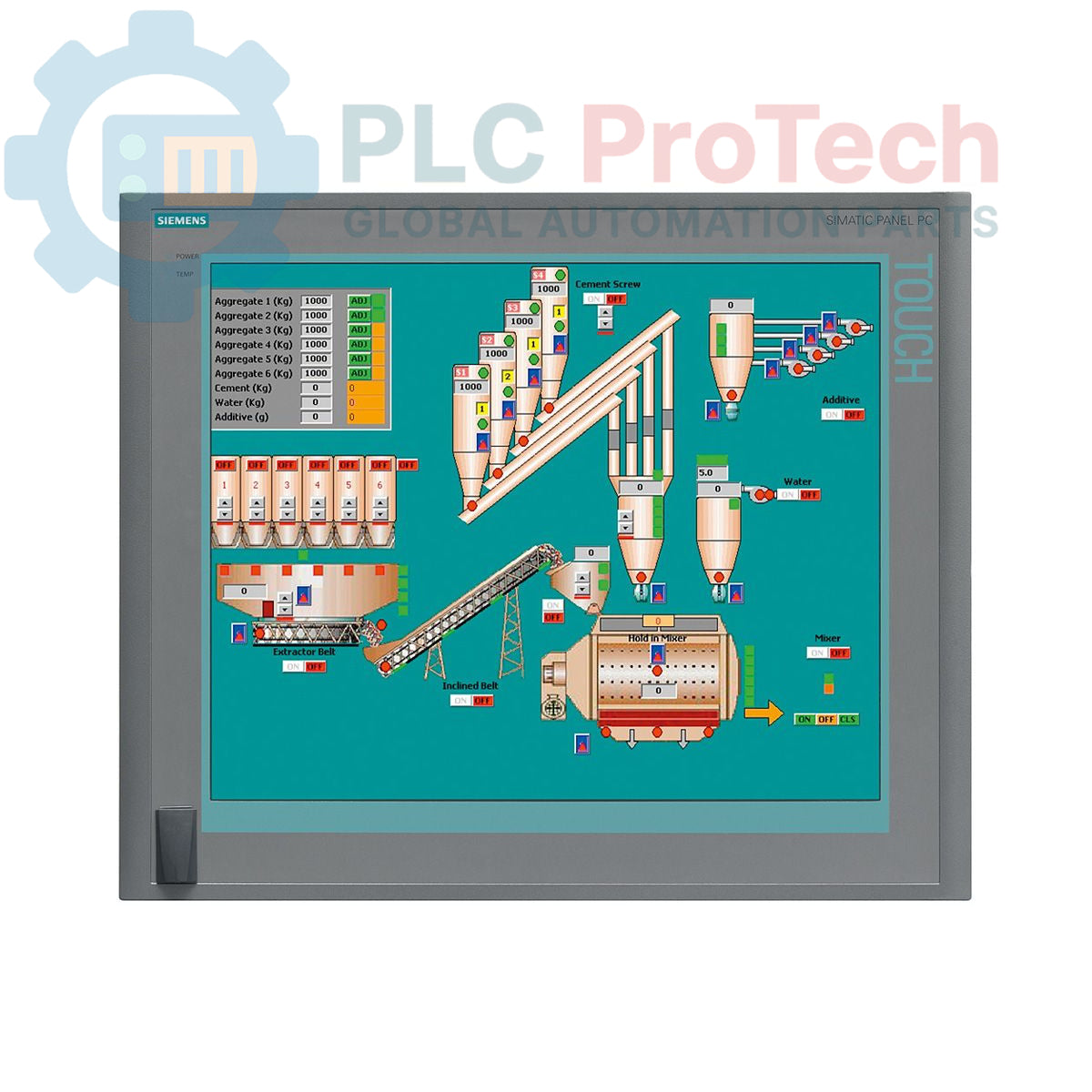
Siemens 6AV7875-0AE51-1AC0 adalah SIMATIC Panel PC 677B yang dirancang untuk aplikasi antarmuka manusia-mesin (HMI) dan kontrol industri yang berat. Unit ini dilengkapi layar sentuh 19 inci dengan resolusi 1280x1024, ditenagai prosesor Intel Core 2 Duo T7400 2,16 GHz dan RAM DDR2 4 GB. Perangkat ini memiliki berbagai pilihan konektivitas, termasuk dua port Gigabit Ethernet, antarmuka PROFIBUS/MPI, dan beberapa port USB 2.0. Penyimpanan disediakan oleh hard disk SATA 250 GB, dan sistem ini telah dilengkapi Windows XP Professional MUI. Panel PC ini beroperasi dengan catu daya 24 V DC dan mencakup dua slot PCI untuk perluasan perangkat keras.
Fitur
- Layar sentuh warna 19 inci dengan resolusi 1280 x 1024 piksel
- Prosesor Intel Core 2 Duo T7400 terintegrasi (2,16 GHz)
- RAM DDR2 4 GB terpasang
- Hard Disk Drive (HDD) SATA 250 GB 3,5 inci
- Drive optik DVD±R/±RW untuk pencadangan data dan instalasi perangkat lunak
- Dua port Ethernet 10/100/1000 Mbit/s untuk redundansi atau pemisahan jaringan
- Antarmuka PROFIBUS/MPI terintegrasi dengan SRAM buffer 2 MB
- Empat port USB 2.0 di bagian belakang dan satu port USB di bagian depan untuk akses mudah
- Satu port serial COM1 untuk komunikasi dengan perangkat lama
- Dua slot PCI tersedia untuk kartu ekspansi
- Dilengkapi Windows XP Professional Multi-language User Interface (MUI) yang telah diinstal sebelumnya
Aplikasi
- Kontrol dan pemantauan operator tingkat mesin
- Sistem visualisasi proses dan SCADA
- Akuisisi dan pencatatan data di lingkungan manufaktur
- Panel kontrol otomasi pabrik
- Platform komputasi industri yang memerlukan dukungan sistem operasi lama
Spesifikasi Teknis
| Spesifikasi |
Nilai |
| Merek |
Siemens |
| Seri Produk |
SIMATIC Panel PC 677B |
| Nomor Suku Cadang |
6AV7875-0AE51-1AC0 |
| Status Siklus Hidup Produk |
Usang |
| Catu Daya |
24 V DC |
| Prosesor |
Intel Core 2 Duo T7400, 2,16 GHz |
| Cache Prosesor |
SLC 4 MB |
| Memori (RAM) |
DDR2 4 GB |
| Penyimpanan |
HDD SATA 250 GB 3,5" |
| Drive Optik |
DVD±R/±RW |
| Jenis Layar |
Layar Sentuh 19 inci |
| Resolusi Layar |
1280 x 1024 piksel |
| Port Ethernet |
2 x 10/100/1000 Mbit/s |
| Port USB |
4 x USB 2.0 (belakang), 1 x USB (depan) |
| Port Serial |
1 x COM1 |
| Antarmuka Fieldbus |
PROFIBUS/MPI (dengan SRAM buffer 2 MB) |
| Slot Ekspansi |
2 x PCI |
| Sistem Operasi |
Windows XP Professional MUI (DE, EN, FR, ES, IT, JA, ZH, KO) |
| Berat Pengiriman |
17,00 kg |
| Kode Komoditas |
85371098 |
| ECCN |
N |
| Negara Asal |
Jerman (Perkiraan) |
| Produsen |
Siemens |
| Dimensi Kemasan (Dihitung) |
67,0 x 83,0 x 11,5 cm |
Panduan Pemasangan
PERINGATAN PENTING: Tegangan berbahaya mungkin ada. Pemasangan hanya boleh dilakukan oleh personel yang berkualifikasi. Pastikan kabinet kontrol tidak bertegangan dan telah dikunci serta diberi label (LOTO) sebelum memulai pekerjaan apa pun. Kegagalan mematuhi hal ini dapat menyebabkan cedera parah atau kematian.
-
1
Siapkan Lubang Panel: Pastikan dimensi lubang pada penutup atau panel sesuai dengan spesifikasi produsen untuk PC 677B. Pastikan permukaan pemasangan bersih, rata, dan kokoh.
-
2
Pasang Unit: Masukkan Panel PC ke dalam lubang panel dari arah depan. Kencangkan dari belakang menggunakan semua klem pemasangan yang disediakan. Kencangkan klem secara merata dengan pola silang untuk memastikan penyegelan yang seragam pada gasket panel.
-
3
Sambungkan Arde Pelindung (PE): Sambungkan konduktor arde pelindung berimpedansi rendah ke terminal pembumian yang ditentukan pada sasis PC. Hal ini penting untuk keselamatan dan imunitas terhadap derau.
-
4
Sambungkan Daya DC: Sambungkan catu daya 24 V DC ke terminal masukan daya. Verifikasi polaritas yang benar (+/-) sebelum menyambungkan. Gunakan konduktor dengan ukuran yang sesuai untuk beban dan jarak.
-
5
Sambungkan Antarmuka: Sambungkan Ethernet, PROFIBUS, USB, dan kabel komunikasi atau periferal lain yang diperlukan. Pastikan semua konektor terpasang sepenuhnya dan aman. Pertahankan pemisahan yang tepat antara kabel daya dan sinyal.
-
6
Pengaktifan dan Verifikasi: Setelah memverifikasi semua sambungan, lepaskan LOTO dan alirkan kembali daya ke kabinet utama. Nyalakan Panel PC dan pastikan sistem operasi melakukan boot dengan benar serta semua periferal yang terhubung dikenali.