


Mendiagnosis Output Relai IC693MDL916 Sebelum Mengganti Modul
Daftar periksa lapangan untuk perintah relay IC693MDL916, blok terminal, arus beban, laju pensaklaran, dan pengukuran sisi kontak.
Produsen: Siemens
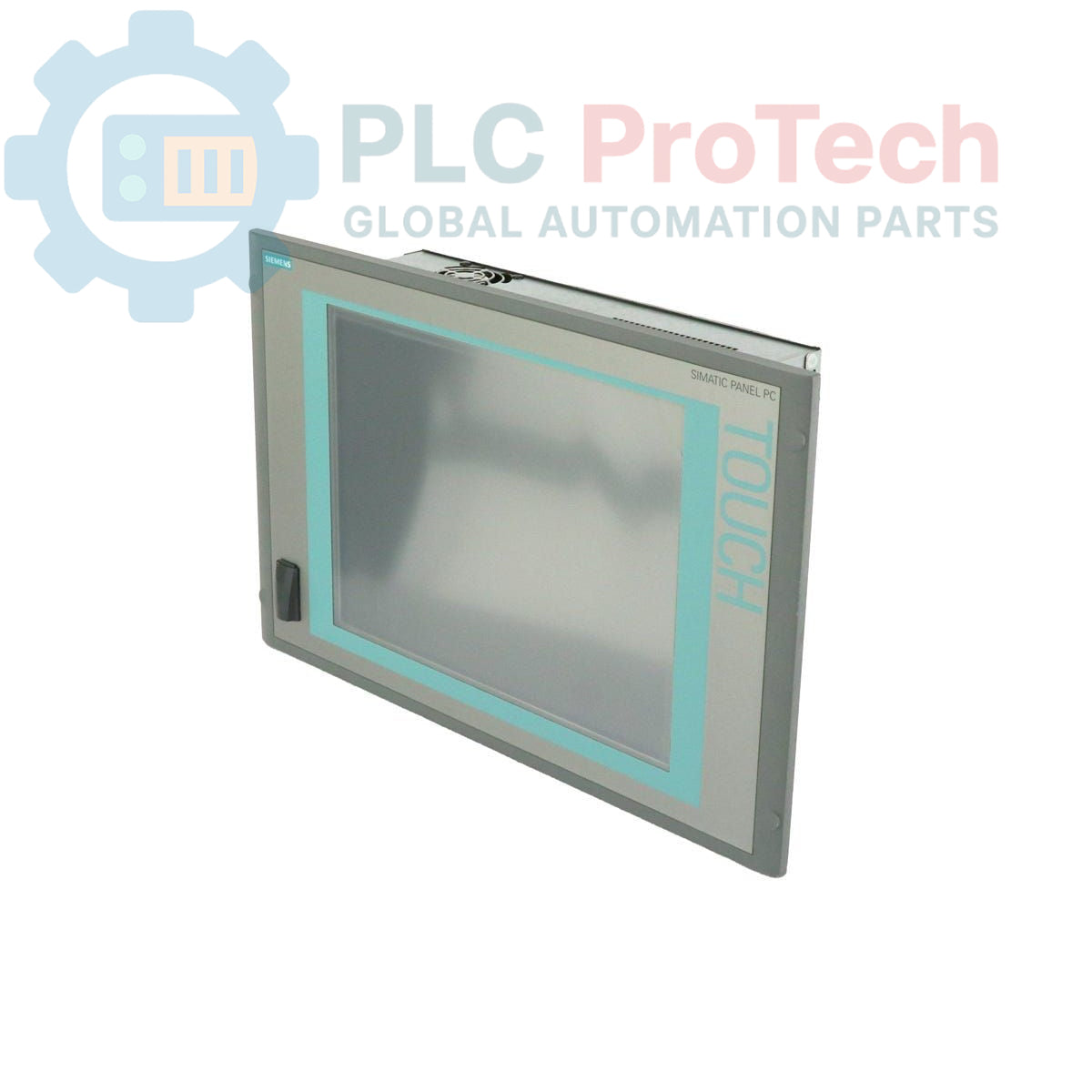
Nomor Produk: 6AV7885-2AK20-3BA8
Negara asal:Jerman
Jenis Produk: Panel PC
Kode batang: 85371098
Pembayaran: T/T, Western Union
Berat: 15g
Dimensi: 64.00 x 64.00 x 42.00 cm
Pelabuhan pengiriman: Xiamen
Garansi: 12 bulan
Perangkat ini adalah Siemens 6AV7885-2AK20-3BA8 SIMATIC HMI IPC 577C, Panel PC tangguh yang dirancang untuk aplikasi antarmuka manusia-mesin (HMI) di lingkungan industri. Perangkat ini dilengkapi layar sentuh 15 inci, prosesor Core 2 Duo 1,86 GHz Intel, dan RAM DDR3 2 GB. Sistem ini dikonfigurasi dengan kartu CompactFlash 4 GB sebagai media penyimpanan utama, yang telah dilengkapi sebelumnya dengan sistem operasi Windows Embedded Standard 2009. Konektivitas tersedia melalui dua port Ethernet Gigabit, antarmuka PROFINET terintegrasi, dan beberapa port USB. Unit ini beroperasi dengan catu daya 24 V DC dan dilengkapi slot PCI untuk ekspansi perangkat keras.
| Spesifikasi | Nilai |
|---|---|
| Produsen | Siemens |
| Seri Produk | SIMATIC HMI IPC 577C |
| Layar | Layar Sentuh 15 inci |
| Prosesor | Intel Core 2 Duo, 1,86 GHz |
| Memori (RAM) | DDR3 2 GB |
| Penyimpanan Utama | Kartu CompactFlash (CF) 4 GB |
| Penyimpanan Sekunder | Tidak dilengkapi |
| Sistem Operasi | Windows Embedded Standard 2009 (prainstal) |
| Catu Daya | 24 V DC |
| Port Ethernet | 2x 1 Gbit (10/100/1000 Mbps) |
| Komunikasi Industri | PROFINET (IE) |
| Port USB | 4x USB (Belakang), 1x USB (Depan) |
| Slot Ekspansi | 1x slot PCI |
| Status Siklus Hidup Produk | Penghentian Produk |
| Negara Asal | Jerman (Perkiraan) |
| Dimensi Kemasan (Dihitung) | 64,00 x 64,00 x 42,00 cm |
| Berat Pengiriman | 15,00 kg |
PERINGATAN PENTING: RISIKO SENGATAN LISTRIK
Putuskan semua sumber daya dan ikuti prosedur Lockout/Tagout (LOTO) sebelum pemasangan atau perawatan. Peralatan ini harus dipasang dalam penutup yang memberikan perlindungan terhadap kontak langsung. Pemasangan hanya boleh dilakukan oleh personel yang berkualifikasi.

Global Express Shipping
Returns & Warranty


Pengiriman Ekspres Global
Pengembalian & Garansi
Pesanan diproses dan dikirimkan Senin-Jumat (tidak termasuk hari libur nasional).
Untuk kelayakan penuh, biaya pengisian ulang, dan detail pengembalian internasional, silakan lihat resmi kami Kebijakan Pengembalian & Pengembalian Dana .
| Country of origin |
Jerman
|

Daftar periksa lapangan untuk perintah relay IC693MDL916, blok terminal, arus beban, laju pensaklaran, dan pengukuran sisi kontak.

Daftar periksa lapangan untuk ambang sinyal KL1512, arah penghitung, data proses, dan perbedaan pengawatan KL1512 ke KS1512.

Daftar periksa lapangan untuk batas arus EPP2008-0001, tegangan suplai, LED kanal, pengodean konektor, dan gangguan keluaran terkait beban.

Sebelum memindahkan lisensi TwinCAT 3 dengan Beckhoff C9900-L100, verifikasi build TwinCAT, deskripsi perangkat XML, kode pesanan yang tepat, dan batas kabinet.

Daftar periksa lapangan untuk mengganti Beckhoff EL4032, mencakup beban ±10 V, peta terminal, kontak daya, status EtherCAT, dan perilaku watchdog.

Sebelum mengganti Yokogawa AAI835, verifikasi pemetaan kanal 4-in/4-out, perilaku loop saat daya terputus, jenis barrier, beban output, kabel, dan redundansi.